Flick
AI social planning centered on Instagram hashtag performance for creators.
Key Takeaways
- What it is
- AI social planning centered on Instagram hashtag performance for creators.
- Pricing
- $18.66 per month · $39.99 per month · $90.65 per month
- Best for
- Iris AI Social Media Assistant
- Brand Hub
- Hashtag Search and Collections
- Rating
- 4.0/5
What is Flick?
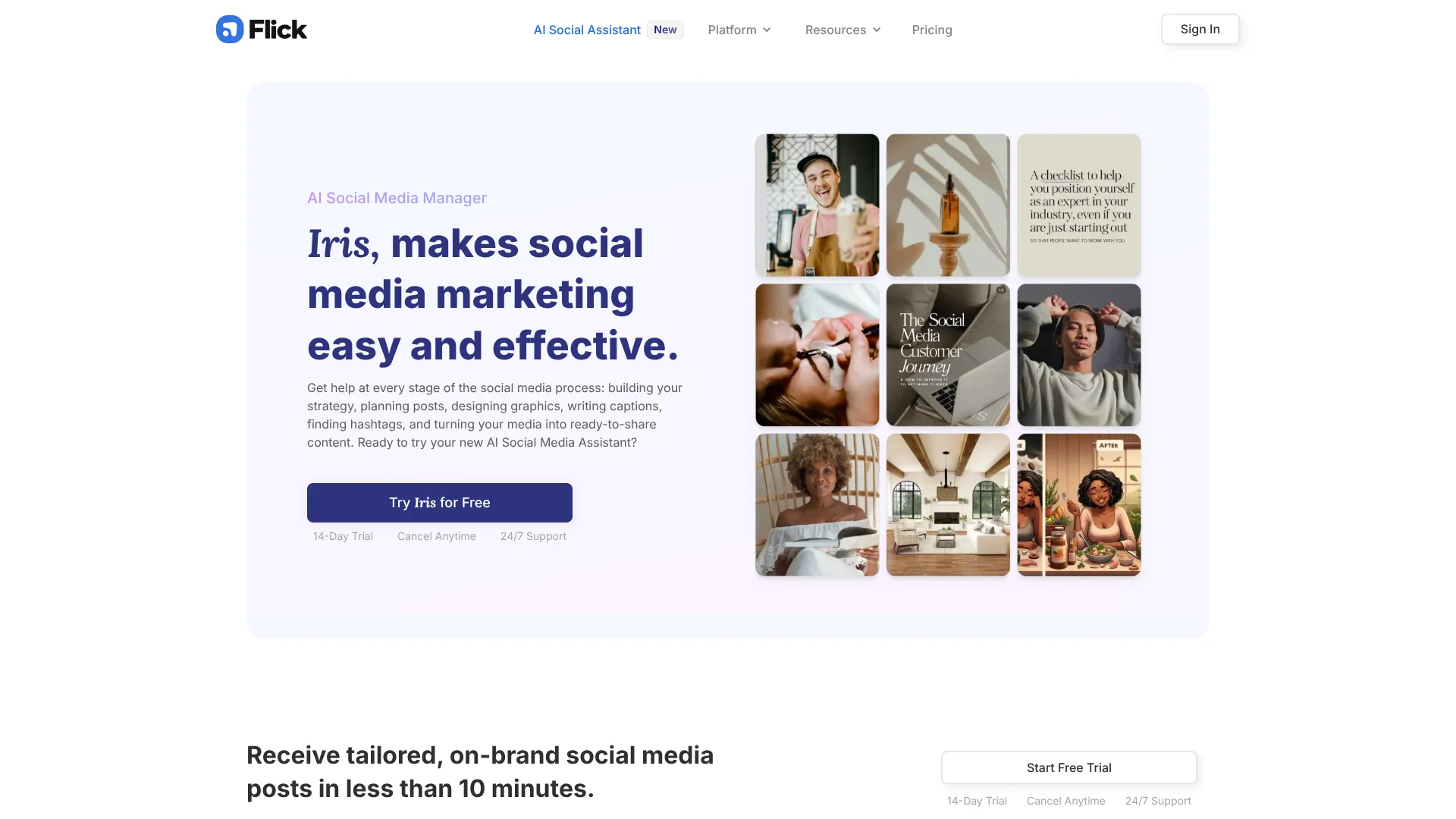
Flick helps creators, marketers, and businesses plan social content, write captions, research hashtags, schedule posts, and review Instagram performance. Its Iris AI tool builds a social strategy, suggests monthly content, and turns your media into draft posts with captions and hashtags. Flick supports Instagram, Facebook, TikTok, and LinkedIn scheduling from a visual calendar.
Flick's clearest distinction is its hashtag tracking: it shows which hashtags your Instagram posts rank on, how long they rank, and how each tag performs over time. Iris then uses your Brand Hub, writing style, products, and business goals to shape content ideas around your brand.
Flick fits people who want AI help with repeatable social marketing rather than open-ended chat. It is less suitable if you need analytics for every network or advanced video creation, since its analytics focus on Instagram and its AI content tools are primarily available on desktop. The strongest reason to choose Flick is the connection between AI post creation, hashtag research, scheduling, and Instagram tracking.
Who is Using Flick?
Social Media Managers
A visual calendar, AI captions, trend ideas, and approval-based scheduling reduce repetitive client work.
Content Creators
Hashtag research and best-time insights help creators decide what to publish and when.
Small Business Owners
Brand Hub information gives Iris enough context to suggest posts about specific products and services.
Marketing Agencies
Social Groups keep each client's connected Instagram, Facebook, TikTok, and LinkedIn accounts organized.
Uncommon Use Cases
Repurposing existing media into ready-to-review posts; adapting viral trends into brand-specific content ideas
Key Features
Rating Breakdown
Pricing Plans
Solo
$18.66 per month
- Original vendor price: £14 per month
- Or £11/mo billed yearly
- Link 4 social profiles
- 1 user login
- Schedule 30 posts per social per month
- Track 30 Instagram posts per month
- Additional social profiles cost approximately $5.33 per month (original vendor price: £4/mo)
Pro
$39.99 per month
- Original vendor price: £30 per month
- Or £24/mo billed yearly
- Link 8 social profiles
- 2 user logins
- Schedule unlimited posts
- Track unlimited Instagram posts
- Additional users cost approximately $10.66 per month (original vendor price: £8/mo)
Agency
$90.65 per month
- Original vendor price: £68 per month
- Or £55/mo billed yearly
- Link 20 social profiles
- 5 user logins
- Schedule unlimited posts
- Track unlimited Instagram posts
- Additional users cost approximately $10.66 per month (original vendor price: £8/mo)
Trial and billing
- All plans include a 7-day free trial.
- Yearly billing saves 20% compared with monthly billing.
- Taxes are added to invoices.
Which Flick plan should you pick?
Start with Solo if you manage one brand and have modest posting volume, then move to Pro or Agency when you need more profiles, users, or unlimited scheduling.
Solo
Good for individuals starting with social media who need four social profiles, one user login, and up to 30 scheduled posts per social each month.
Pro
Good for busy creators and marketers who need eight social profiles, two user logins, unlimited scheduling, and unlimited Instagram tracking.
Agency
Good for agencies managing multiple clients across up to 20 social profiles and five user logins.
Flick Use Cases
Monthly Content Planning
A business strategy and its content pillars become a practical monthly calendar with post suggestions.
Outcome: A clearer publishing plan with less manual brainstorming.
On-Brand Caption Writing
Iris analyzes your preferred writing style and business information before drafting captions.
Outcome: Captions that match your brand voice more closely.
Hashtag Research
Search results show competition, reach, and other hashtag metrics before you add tags to a post.
Outcome: More informed hashtag choices and reusable hashtag collections.
Cross-Network Scheduling
One content calendar handles scheduled posts for Instagram, Facebook, TikTok, and LinkedIn.
Outcome: Fewer separate publishing tasks across social networks.
Instagram Performance Review
Account, content, audience, and hashtag reports reveal what is working across your Instagram activity.
Outcome: Historical performance data to guide future content decisions.
Workflow Ideas with Flick
Turn Business Details Into a Content Calendar
- 1Fill in your business, products, services, goals, and brand voice in Brand Hub.
- 2Review Iris's strategy and adjust the content pillars.
- 3Approve useful ideas and place the resulting posts on the calendar.
Build a Data-Informed Instagram Post
- 1Search for hashtags related to the post topic.
- 2Compare competition and performance metrics, then save a collection.
- 3Add the selected hashtags, caption, media, and posting time in the scheduler.
Convert Existing Media Into Scheduled Drafts
- 1Add photos or videos to Flick's Media Library.
- 2Let Iris suggest a caption, hashtags, and post direction.
- 3Review the draft before scheduling it to the selected social profiles.
How Flick fits into your stack
Social Publishing
Flick sits between content creation and social networks, giving you one calendar for Instagram, Facebook, TikTok, and LinkedIn publishing.
AI Content Work
Iris handles strategy, post ideas, captions, hashtags, and trend suggestions after you provide business context in Brand Hub.
Media Library
Existing photos and videos can be stored in Flick and reused in draft or scheduled posts.
Performance Feedback
Instagram account, post, audience, and hashtag analytics help you decide which content and tags to repeat.
Pros
- +Brand-specific AI: Iris uses your business details and writing style instead of relying on generic prompts.
- +Hashtag intelligence: Flick tracks ranking performance and time spent ranking for individual Instagram hashtags.
- +Multi-network scheduling: One calendar covers Instagram, Facebook, TikTok, and LinkedIn.
- +Mobile access: The iPhone and Android apps support hashtag research, scheduling, analytics, and notifications.
- +Client capacity: The Agency plan supports 20 social profiles and five user logins.
Cons
- −Instagram-heavy analytics: Performance reporting is currently focused on Instagram.
- −Desktop AI access: The help center says the Content Lab and AI assistant are available on the desktop version.
- −No permanent free plan: Flick offers a 7-day trial, followed by a paid subscription.
Limitations & when to consider alternatives
Known limitations
- Instagram Analytics Scope. Flick's analytics suite is currently available for Instagram rather than every social network it can schedule.
- Reel Hashtag Ranking. Instagram's API does not currently let Flick track ranking hashtags on Reels.
- Professional Instagram Account Required. Flick can connect only to Instagram Creator or Business accounts, not personal accounts.
- AI Tools on Desktop. The help center says the Content Lab and AI assistant are available on the desktop version, while the mobile app focuses on scheduling, hashtags, and analytics.
- Solo Usage Caps. The Solo plan includes 30 scheduled posts per social per month and tracks 30 Instagram posts per month.
Look elsewhere when
- You need deep analytics for TikTok, Facebook, or LinkedIn.
- You need ranking hashtag data for Instagram Reels.
- Your Instagram account is personal rather than Creator or Business.
- Your team requires SSO or formal enterprise access controls.
How to Use Flick
- 1
Start the Trial
Choose a Flick plan and begin the 7-day trial before the subscription activates.
- 2
Connect Social Profiles
Link the Instagram, Facebook, TikTok, or LinkedIn accounts you want to manage, noting that Instagram requires a professional account.
- 3
Complete Brand Hub
Add your business details, products, services, goals, and preferred writing style so Iris can create more relevant content.
- 4
Review AI Suggestions
Check Iris's strategy, content pillars, captions, trend ideas, and drafts before anything is scheduled.
- 5
Schedule and Measure
Place approved posts on the visual calendar, then review Instagram analytics and hashtag performance to guide the next cycle.
Who is Flick For?
Content Creators
Creators can plan posts, find relevant hashtags, and keep a consistent publishing schedule.
Social Media Marketers
Marketers can manage several brands, reuse hashtag collections, and turn client media into scheduled drafts.
Small Businesses
Small teams can give Iris their brand information and receive content ideas without hiring a dedicated social media employee.
Agencies
Agencies can organize multiple client social groups with higher profile and user limits on the Agency plan.
Frequently Asked Questions
Does Flick have a free plan?
No. Flick offers a 7-day free trial, then the selected paid plan activates unless you cancel during the trial.
Which social networks can Flick schedule?
Flick supports scheduling for Instagram, Facebook, TikTok, and LinkedIn, including Instagram Reels and carousels.
Can Iris publish posts automatically?
Iris creates drafts and suggestions, but it does not schedule content without your approval.
Can Flick track hashtag performance?
Yes. Flick tracks hashtag performance on Instagram, including ranking position and time spent ranking. Ranking hashtag data is not available for Instagram Reels.
Can I use Flick on a phone?
Yes. Flick has iPhone and Android apps for hashtag research, scheduling, analytics, and mobile posting notifications.
Does Flick support personal Instagram accounts?
No. Flick requires an Instagram Creator or Business account, and Instagram accounts must be connected to a Facebook Page.
Community reviews
Be the first to share your experience.
Sign in to leave a review for Flick.
Flick Alternatives
Looking for alternatives to Flick? Here are similar tools in the same category: