
Flickify
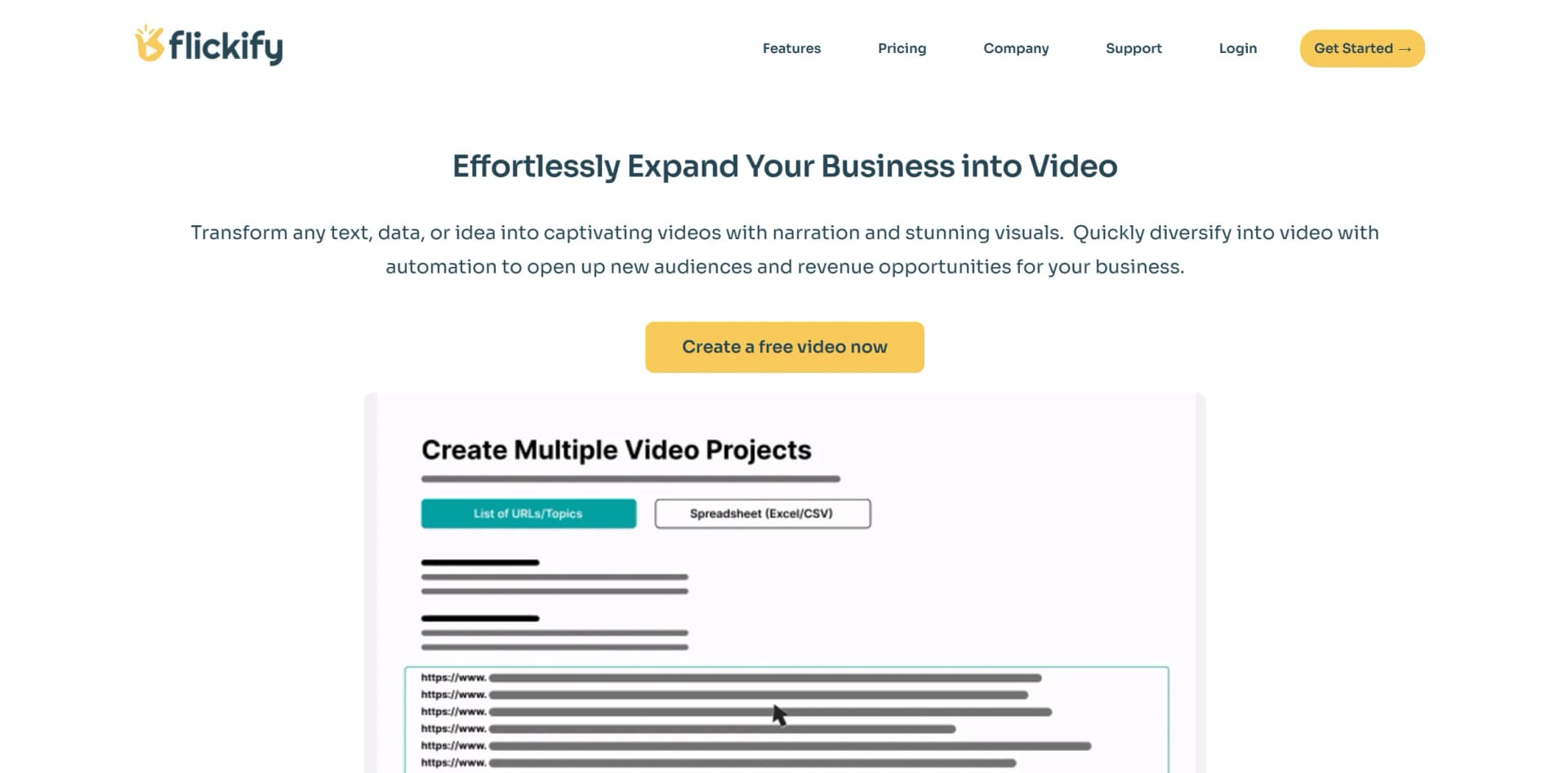
Transform text and URLs into engaging videos effortlessly.
Key Takeaways
- What it is
- Transform text and URLs into engaging videos effortlessly.
- Pricing
- Freemium · $18 per month
- Best for
- Text to Video
- URL to Video
- Diverse Narrators and Voice Cloning
- Rating
- 4.7/5
What is Flickify?
Flickify is an innovative AI tool designed to transform articles and text-based content into engaging videos with ease. Whether you're a business owner, content creator, or digital marketer, Flickify simplifies the video creation process, enabling you to tap into new audiences and revenue streams. By automating the transformation of text and ideas into visually captivating videos, Flickify offers a seamless way to diversify your content strategy and improve your online presence.
Flickify stands out with its powerful automation capabilities, allowing users to transform vast content libraries into videos at an unprecedented speed. The tool's ability to effortlessly convert URLs into engaging videos, combined with advanced features like voice cloning and diverse narrators, positions Flickify as a leader in the video content creation space.
Flickify offers a revolutionary way to expand your content strategy by effortlessly transforming text into video. With its advanced AI features, user-friendly interface, and cost-effective solutions, Flickify is an ideal choice for anyone looking to enhance their digital presence and reach new audiences. Whether you're revamping existing content or starting fresh, Flickify provides the tools you need to succeed in the competitive world of video content creation.
Who is Using Flickify?
E-commerce Businesses
Transform product descriptions into engaging video content to enhance online shopping experiences.
Digital Marketing Agencies
Utilize Flickify to create visually appealing video campaigns that captivate audiences.
Content Creators and Influencers
Leverage the tool to produce high-quality video content for social media platforms.
Educational Institutions
Use Flickify to convert educational materials into video format for more engaging learning experiences.
Uncommon Use Cases
Adopted by non-profits for creating awareness videos; utilized by real estate agents for virtual property tours.
Key Features
Rating Breakdown
Pricing Plans
Free Tier
Free
- Create three free videos to experience Flickify's capabilities
Pro Tier
$18 per month
Which Flickify plan should you pick?
Start with Starter for light creation, choose Professional for growing channels or businesses, and upgrade to Business or Enterprise for higher-volume publishing and agency needs.
Starter
Good for hobbyists and creators who need 15 rendered minutes per month, YouTube integration, Autopilot, and Bulk Creation.
Professional
Good for growing channels and businesses that need 50 rendered minutes per month and lower overage pricing.
Business
Good for agencies and high-volume publishers needing 250 rendered minutes per month and setup consultation.
Enterprise
Good for organizations needing custom volume, enterprise API access, documentation, and pricing.
Flickify Use Cases
Convert articles to video
Paste an article URL so Flickify extracts the content, finds visuals, and creates a narrated video.
Outcome: Repurpose written publishing content for video distribution.
Create product videos
Import product-page content, choose UGC Studio or standard creation, add branding, and render the result.
Outcome: Produce product demos, testimonials, and social ads.
Automate publisher video production
Connect Google Analytics, define performance rules, and let Autopilot create and publish videos automatically.
Outcome: Convert high-performing and new articles without manual production.
Create educational videos
Use characters, narration, captions, themes, and multiple languages to turn lessons or stories into videos.
Outcome: Deliver accessible visual and narrated learning content.
Generate cinematic B-roll
Use AI Video Clips with models such as Veo, Sora, Kling, and LTX to generate scenes from prompts.
Outcome: Add custom visual footage when stock media is insufficient.
Workflow Ideas with Flickify
Article-to-published-video workflow
- 1Paste an article URL into URL to Video
- 2Review the generated script, voice, theme, and Automatch visuals
- 3Render and publish to YouTube or Humix
Automated publisher workflow
- 1Connect Google Analytics in Settings > Integrations
- 2Define rules such as converting articles above a pageview threshold
- 3Let Autopilot create and optionally publish videos automatically
E-commerce product-video workflow
- 1Paste product-page URLs or import product descriptions
- 2Choose UGC Studio or standard creation and apply branding
- 3Render videos for product pages, social ads, TikTok, or Instagram
How Flickify fits into your stack
Browser
Flickify is a browser-based video creation platform with a slide editor, URL-to-video conversion, script generation, narration, visual selection, and publishing workflows.
Automation and APIs
Autopilot creates videos on schedules using Google Analytics rules, while enterprise customers can use Flickify's API for programmatic video creation.
Knowledge and files
Users can start from article URLs, text, prompts, or uploaded images, video clips, logos, and audio files stored in the Media Library.
Pros
- +Time Efficiency: Quickly generate high-quality videos in minutes, significantly reducing the time required for video production.
- +Cost-Effective: Automate video creation to save on production costs, making it accessible for businesses of all sizes.
- +SEO Enhancement: Boost search engine rankings by embedding relevant videos on your pages, improving user engagement.
- +User-Friendly Interface: The tool's intuitive design ensures that users of all experience levels can create professional videos effortlessly.
Cons
- −Initial Learning Curve: While user-friendly, some advanced features might require a brief adjustment period.
- −Limited Integration: Currently, Flickify supports a limited number of direct platform integrations.
Limitations & when to consider alternatives
Known limitations
- Free access is limited. New accounts receive one free video; free output may include a watermark or restricted download options.
- Rendering is not instant. Most videos require approximately 5–10 minutes to render, depending on length and complexity.
- Usage is measured by rendered runtime. Credits or minutes are deducted according to the final runtime of rendered videos; previews and editing do not count.
- Overage charges apply. After the monthly allowance is used, additional minutes are billed at the plan-specific rate.
- Scenes have slide limits. Flickify limits the number of slides in a scene because large scenes take longer to render.
Look elsewhere when
- You need a public developer API with published endpoints and API keys.
- You need a native mobile app rather than browser access.
- You need shared team workspaces with roles and invitations.
- You need SSO or SAML authentication.
How to Use Flickify
- 1
Choose a creation mode
Select Create One for detailed editing or Generate Many for bulk production.
- 2
Provide source content
Paste a URL, script, text, prompt, or voiceover audio file to begin the video.
- 3
Customize the video
Adjust the script, narrator, language, theme, music, captions, characters, branding, and media.
- 4
Automatch or generate visuals
Use Automatch for relevant stock media or generate custom images and AI video clips.
- 5
Preview and render
Preview the project, fix editor errors if needed, and render the final video; rendered runtime consumes minutes.
- 6
Publish or download
Upload directly to YouTube or Humix, or download the video for use on other platforms.
Who is Flickify For?
Publishers and bloggers
Convert articles and high-performing posts into narrated videos, including through URL to Video, Bulk Creation, and Autopilot.
E-commerce brands
Create product demos, UGC-style ads, social content, and explainer videos from product pages or descriptions.
YouTube creators
Build faceless channels with consistent narrators, AI-generated visuals, characters, and voice cloning.
Educators and storytellers
Create lessons, story-time videos, language-learning content, and character-based series.
Agencies
Manage video production for multiple clients at scale with Bulk Creation, integrations, and white-label capabilities.
Frequently Asked Questions
What is Flickify?
Flickify is an AI-powered video creation platform that transforms text, URLs, and prompts into videos with narration, visuals, and music.
Who is Flickify for?
The site names bloggers, news sites, e-commerce store owners, YouTube creators, agencies, and educators as users.
What input methods are supported?
Users can paste a URL, enter text, provide an AI prompt, or upload their own voiceover audio.
Can I use my own media files?
Yes. Users can upload images, video clips, logos, and audio files to the Media Library.
What is Autopilot?
Autopilot creates videos on a schedule, using Google Analytics rules to identify content and optionally publish videos automatically.
How long does rendering take?
Most videos take approximately 5–10 minutes to render, depending on length and complexity.
Community reviews
3 reviews from people who use Flickify.
Sign in to leave a review for Flickify.
Thibault BM
Cristina Cabal
Sofia Vargas
Flickify Alternatives
Looking for alternatives to Flickify? Here are similar tools in the same category:
Learn to Master Flickify
With Skill Leap courses
Get in-depth training on Flickify and 50+ other AI tools with our expert-led video courses.
Start 7-Day Free Trial