Wispr Flow
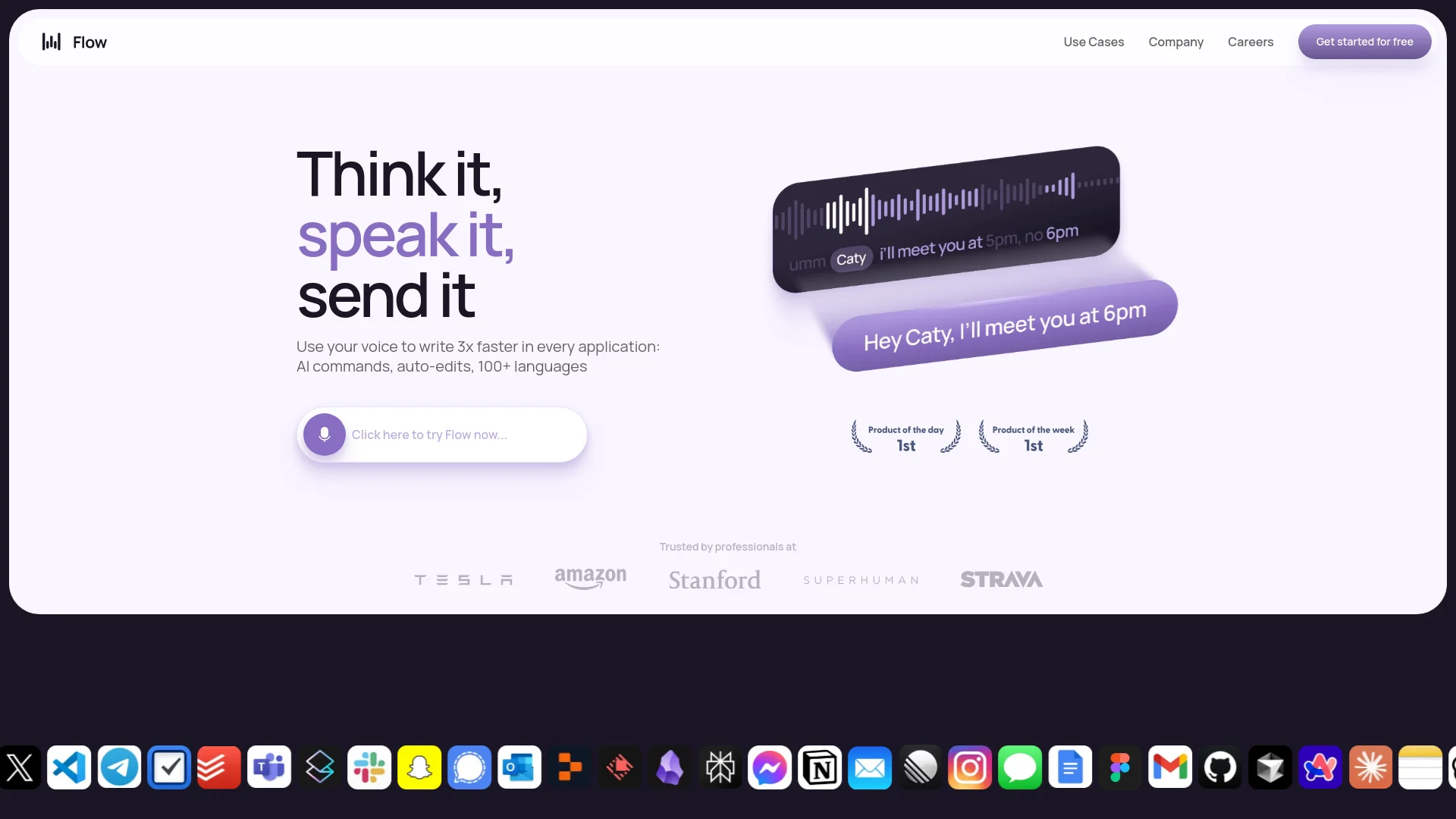
Dictate and edit documents three times faster with AI.
Watch Wispr Flow in Action
Key Takeaways
- What it is
- Dictate and edit documents three times faster with AI.
- Pricing
- Freemium · $15 per month · $24 per user per month. Features team-wide shared context
- Best for
- AI Commands and Auto-Edits
- Multi-Language Support
- Context-Aware Voice Typing
- Rating
- 4.5/5
What is Wispr Flow?
Wispr Flow a voice dictation tool designed to transform how you interact with your computer. It allows you to use your voice to type up to three times faster than traditional typing methods, enhancing productivity and efficiency across various applications. Wispr Flow is tailored for professionals and individuals who seek to streamline their workflow, offering features like AI commands, auto-editing, and support for over 100 languages.
Wispr Flow distinguishes itself with its ability to adapt to the user's unique voice and style, ensuring that your personality shines through every word. Its context-aware capabilities enable users to maintain a natural flow of conversation, making it a standout choice in the realm of voice dictation tools.
Wispr Flow redefines the way you interact with your computer by offering a comprehensive voice dictation solution that is both powerful and adaptable. Whether you're a professional looking to enhance productivity or a student aiming to streamline your workflow, Wispr Flow provides the tools you need to succeed. Its unique features and user-centric design make it an invaluable asset for anyone seeking to harness the power of their voice.
Who is Using Wispr Flow?
Writers and Authors
Utilizing Wispr Flow for drafting manuscripts and editing content more efficiently.
Business Professionals
Employing the tool for drafting emails, reports, and presentations with ease.
Students
Leveraging Wispr Flow to take notes and write essays quickly.
Software Developers
Using Wispr Flow for coding and documentation purposes.
Uncommon Use Cases
Adopted by individuals with mobility impairments for easier computer interaction; Used by language learners to practice and enhance their speaking skills.
Key Features
Rating Breakdown
Pricing Plans
Flow Basic
Free
- Includes 2,000 words per week, lightning-fast voice typing, and support for 100+ languages
Flow Pro
$15 per month
- Includes unlimited words, command mode for editing, and personalized writing style learning
Flow Enterprise
$24 per user per month. Features team-wide shared context
- SSO/SAML support
- VIP support
Which Wispr Flow plan should you pick?
Start with Free to test dictation and Notetaker usage; upgrade to Pro for unlimited dictation and team features, or Growth/Enterprise for SSO, compliance, and advanced administration.
Free
Good for individuals who need basic cross-platform dictation and limited meeting notes.
Pro
Good for individuals and teams who need unlimited dictation, centralized billing, shared resources, and user management.
Growth
Good for teams needing SAML SSO, SCIM, HIPAA enforcement, usage reporting, and dedicated support.
Enterprise
Good for organizations needing advanced security, custom contracts, enforced policies, and enterprise administration.
Wispr Flow Use Cases
Draft emails
Dictate naturally into email applications while Flow removes filler words and adds formatting.
Outcome: Polished email text ready to send.
Capture quick notes
Use desktop Scratchpad or mobile dictation to save ideas hands-free.
Outcome: Ideas are captured without typing.
Take meeting notes
Record meetings with the Notetaker, identify speakers, and ask questions about the meeting.
Outcome: Actionable notes, transcripts, and meeting answers.
Dictate technical content
Use the dictionary, syntax awareness, and developer terminology support for code and technical prompts.
Outcome: More accurate technical writing and code-related dictation.
Write across languages
Select or auto-detect from more than 100 supported dictation languages.
Outcome: Voice-generated text in the chosen language.
Workflow Ideas with Wispr Flow
Draft and send a polished email
- 1Open your email app and place the cursor in the message body.
- 2Hold the Flow hotkey and dictate naturally, including corrections and formatting.
- 3Release the hotkey and review the polished email before sending.
Create reusable spoken shortcuts
- 1Open the Snippets section and create a trigger phrase.
- 2Add the full text block, such as a signature, address, or meeting link.
- 3Speak the trigger while dictating to insert the saved text.
Turn a meeting into usable notes
- 1Start a Notetaker recording from the Flow Hub or shortcut.
- 2Let Flow capture the meeting, transcript, speakers, and notes.
- 3Ask questions about the meeting and edit the resulting notes.
How Wispr Flow fits into your stack
Browser
Flow runs across browser text fields, including Gmail, Google Docs, Notion, ChatGPT, Claude, and other web applications. It uses the active website's context to adapt transcription and formatting.
Docs and writing
Flow turns speech into polished emails, documents, messages, lists, and formatted prose. Personal dictionaries, snippets, and writing styles keep terminology and tone consistent.
Team chat and tickets
Flow supports dictation in team-messaging tools such as Slack and provides shared dictionaries, shared snippets, centralized billing, and team usage dashboards.
Desktop / IDE
Native Mac and Windows apps run in the background and insert dictated text into desktop applications, terminals, code editors, and IDE workflows. Flow recognizes filenames, syntax, CLI commands, and developer terminology.
Automation and APIs
The Flow API provides API keys and POST-based audio transcription access for approved organizations. Meeting notes can also be used in Claude, ChatGPT, and other AI tools through MCP.
Pros
- +Time Efficiency: Allows users to dictate and edit documents significantly faster than traditional typing, saving valuable time.
- +Enhanced Accuracy: Offers high precision in voice recognition, minimizing errors and reducing the need for manual corrections.
- +User-Friendly Interface: The intuitive design ensures a smooth user experience, even for those new to voice dictation.
- +Versatile Usage: Compatible with various applications, making it a flexible tool for different professional and personal needs.
Cons
- −Initial Learning Curve: New users may require some time to fully adapt to the advanced features and voice commands.
- −Limited Free Usage: The free tier restricts users to 2,000 words per week, which might not suffice for heavy users.
Limitations & when to consider alternatives
Known limitations
- Free-plan usage limits. The Free plan limits dictation to 2,000 words per week on desktop and 1,000 words per week on iPhone; Android is currently unlimited.
- Notetaker platform availability. The Notetaker is currently available on Mac; Windows, iPhone, and Android support are listed as upcoming or unavailable.
- Recording duration. Recordings are limited to approximately six minutes on desktop and five minutes on iOS and Android.
- Writing styles are English-focused. Flow Styles are optimized for English and are not yet available on Android.
- Android feature gaps. Android does not currently provide Notes, language selection, Writing Styles, Snippets, or Privacy Mode.
Look elsewhere when
- You need a dedicated browser extension.
- You need image analysis or vision input.
- You need fine-tuning of model weights.
How to Use Wispr Flow
- 1
Install Flow
Download the Mac, Windows, iPhone, or Android application and sign in with Google, Apple, Microsoft, SSO, or email.
- 2
Grant permissions
Allow microphone access and the platform-specific permissions required for Flow to insert dictated text.
- 3
Choose languages
Open language settings and select the languages you use, or enable auto-detection where supported.
- 4
Dictate anywhere
Place the cursor in any text field, activate Flow with the hotkey or mobile control, and speak naturally.
- 5
Personalize output
Add names and terminology to Dictionary, create reusable Snippets, and select Styles for different writing contexts.
- 6
Use Notetaker
On Mac, start a meeting or voice-memo recording from the Hub, then review the transcript, notes, speakers, and meeting questions.
Who is Wispr Flow For?
Professionals
Draft emails, messages, and documents faster by dictating directly into any application.
Developers
Dictate code-related text, filenames, technical terminology, CLI commands, and prompts.
Creators
Capture ideas and produce polished writing without stopping to type.
Students
Use voice dictation for notes, assignments, messages, and documents.
Accessibility users
Reduce the need for keyboard input when typing is difficult because of mobility, fatigue, or other accessibility needs.
Frequently Asked Questions
Is Wispr Flow free?
Yes. The Free plan costs $0 and includes dictation with weekly usage limits. Pro adds unlimited dictation and higher meeting limits.
Which platforms does Wispr Flow support?
Flow supports Mac, Windows, iPhone, and Android. The Notetaker is currently available on Mac.
Does Flow support teams?
Yes. Pro supports teams with centralized billing, user management, shared dictionaries and snippets, and usage dashboards. Growth and Enterprise add advanced administration and security controls.
Does Flow work with meeting apps?
The Notetaker works on the device without a meeting bot and supports online meetings and in-person conversations.
Does Flow support other languages?
Yes. Flow supports more than 100 dictation languages and can automatically detect the language at the start of a dictation session.
How does Flow protect data?
Data in transit uses TLS 1.2 or higher, stored data uses AES-256, and users can control storage and data-sharing preferences.
Community reviews
Be the first to share your experience.
Sign in to leave a review for Wispr Flow.
Wispr Flow Alternatives
Looking for alternatives to Wispr Flow? Here are similar tools in the same category:
Learn to Master Wispr Flow
With Skill Leap courses
Get in-depth training on Wispr Flow and 50+ other AI tools with our expert-led video courses.
Start 7-Day Free Trial