
Freebeat
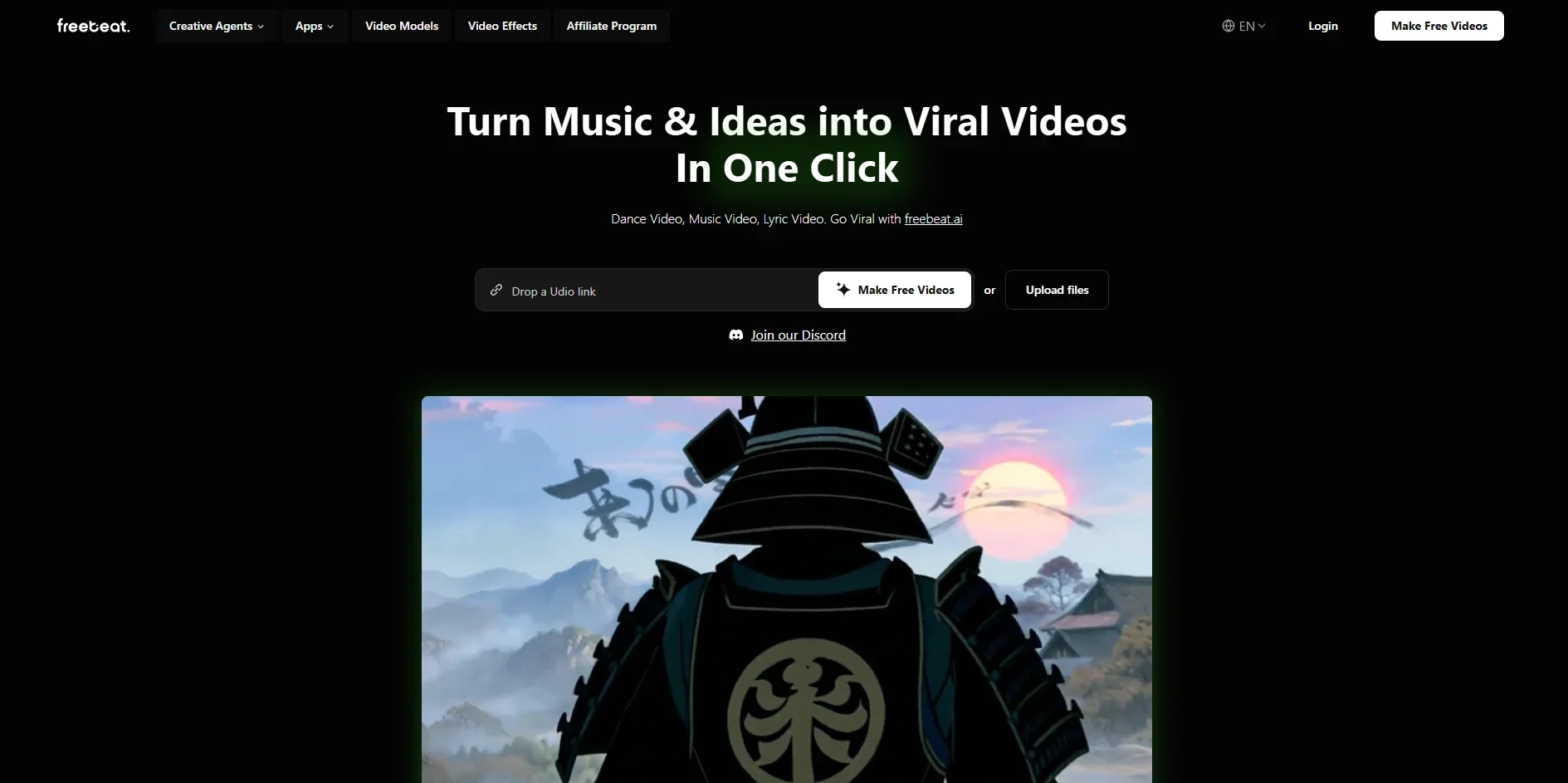
Transform music into engaging viral videos.
Key Takeaways
- What it is
- Transform music into engaging viral videos.
- Pricing
- Freemium · $4.99 per week · $9.99 per month · $24.99 per month
- Best for
- AI-Powered Music Video Agent
- Magic Effects
- Customizable Videos
- Rating
- 4.6/5
What is Freebeat?
Freebeat is your go-to AI-powered music video generator, transforming music and ideas into viral video content with just a click. Perfect for creators, this tool supports music links from platforms like Spotify, SoundCloud, YouTube, and TikTok, making it a breeze to create dance videos, music videos, and lyric videos. Whether you're an artist looking to bring your music to life or a brand aiming to enhance your digital presence, Freebeat simplifies the process, allowing you to produce high-quality, beat-synced videos effortlessly.
Freebeat sets itself apart with its AI-Powered Music Video Agent, which takes the hassle out of video creation by handling everything from storyboarding to editing. This unique feature provides users with the ability to transform their music and ideas into viral videos without needing extensive video editing knowledge.
Freebeat offers a creative and user-friendly platform for anyone looking to make a splash in the digital world with their music and video content. Its AI-driven approach simplifies the video creation process, making it accessible and efficient for users across various industries. Whether you're a musician, a content creator, or someone with a creative idea, Freebeat brings your vision to life with minimal effort and maximum impact.
Who is Using Freebeat?
Musicians and Bands
Creating visually compelling music videos to enhance their tracks.
Content Creators
Producing engaging content for social media platforms like TikTok and Instagram.
Marketing Teams
Developing promotional videos for product launches and campaigns.
Film and Video Professionals
Exploring new creative avenues with AI-assisted video tools.
Uncommon Use Cases
Indie game developers using it for budget-friendly trailers; Students crafting animated explainer videos for educational purposes.
Key Features
Rating Breakdown
Pricing Plans
Free
Free
- 500 one-time credits, access to Fast Model, basic video creation in 16:9, 9:16, and 1:1 formats, and videos up to 30 seconds
Basic
$4.99 per week
- 1,990 weekly credits, Fast and Advanced Models, premium realism, unlimited projects, videos up to 6 minutes, 720p resolution, watermark removal, and faster processing
Standard
$9.99 per month
- 3,000 monthly credits, Fast and Advanced Models, premium realism, unlimited projects, videos up to 6 minutes, 720p resolution, watermark removal, and faster processing
Pro
$24.99 per month
- 10,000 monthly credits, Fast and Advanced Models, premium realism, unlimited projects, videos up to 6 minutes, 1080p resolution, watermark removal, and faster processing
Which Freebeat plan should you pick?
Start with Free to test the workflow; upgrade to Basic or Standard for regular short videos, and choose Pro, Ultimate, or Creator for longer or higher-volume production.
Free Plan
Good for testing music-video generation with limited credits, short videos, 720p output, and watermarking.
Basic
Good for low-cost weekly use, with 1,990 credits per week, 720p output, and watermark removal.
Standard
Good for regular creators who need a monthly plan for short-form video generation.
Pro
Good for frequent or professional users who need more credits and expanded generation capabilities.
Ultimate
Good for creators needing higher-volume production and longer, higher-resolution exports.
Creator
Good for high-volume professional production with the largest credit allocation.
Freebeat Use Cases
One-click music video generation
Upload a track, describe the visual direction, choose a style, and let Freebeat plan and assemble the video.
Outcome: A finished AI music video.
Beat-synced visual effects
Choose an effect template, add music and image assets, and generate visuals that react to the beat.
Outcome: Music-reactive video effects.
Storytelling music videos
Use the song's structure, lyrics, and emotional arc to plan characters, scenes, and cinematic shots.
Outcome: A narrative music video aligned with the track.
Lip-sync performances
Provide a character image and audio so Freebeat creates a singing or speaking performance.
Outcome: A lip-synced character video.
AI-agent music-video workflows
Connect Freebeat MCP to Claude, Cursor, Windsurf, or Claude Code and request videos conversationally.
Outcome: A generated music video and cover image from an AI-agent workflow.
Workflow Ideas with Freebeat
Create a music video from a song
- 1Upload an audio file or paste a supported music link
- 2Describe the desired visual style and aspect ratio
- 3Review the rendered music video and download it
Generate a character-consistent performance
- 1Upload a reference photo
- 2Choose a singing or performance workflow
- 3Generate a video that carries the character through the scenes
Create through MCP
- 1Install the freebeat MCP with npx
- 2Add a Freebeat API key to Claude, Cursor, Windsurf, or Claude Code
- 3Request a beat-synced music video in conversation
How Freebeat fits into your stack
Browser
Freebeat is primarily a cloud-based browser application for creating, editing, and exporting beat-synchronized music videos. Its in-browser editor supports overlays, lyrics, templates, and shot-level revisions.
Mobile
The native iOS and Android apps let creators upload music or photos, generate music videos and effects, review intermediate results, and share finished videos.
Automation and APIs
Freebeat provides CLI, API-key, MCP, asynchronous task polling, JSON output, and reusable skills for scripts, batch production, CI, and agent workflows.
Pros
- +User-Friendly: Its intuitive interface makes video creation accessible to everyone, regardless of technical skill.
- +Versatile Platform Support: Works with major music platforms, allowing for easy integration of tracks into video projects.
- +Creative Freedom: Offers a wide range of effects and models to create unique, engaging content.
- +Time-Saving: Automates complex video creation tasks, significantly reducing production time.
Cons
- −Initial Learning Curve: Users may need time to fully explore and utilize all features effectively.
- −Limited Offline Access: Requires an internet connection for full functionality.
Limitations & when to consider alternatives
Known limitations
- Free-plan exports are limited. The free plan provides 500 lifetime credits, 30-second videos, 720p output, and a watermark.
- Longer videos require eligible paid plans. Free and Standard tiers are limited to 30 seconds per video, while higher tiers support videos up to six minutes.
- Premium generation consumes credits. Using premium generation models and regenerating shots consumes additional credits.
- Uploaded assets require user rights. Users are responsible for having the necessary rights to uploaded music, photos, and other copyrighted materials.
Look elsewhere when
- You need a native iOS app now
- You need shared team workspaces with roles
- You need fine-tuning or custom model training
How to Use Freebeat
- 1
Choose a starting point
Create a free account and begin with the Free Plan to test the generation workflow without a credit card.
- 2
Add your music
Upload an audio file or paste a supported source link so Freebeat can analyze the track.
- 3
Describe the creative direction
Write the desired mood, style, characters, and framing; add a reference image when needed.
- 4
Select the generation mode
Choose Singing MV, Storytelling MV, Abstract MV, Realtime Music Video, or Onbeat Effects.
- 5
Review and refine
Use chat and preview tools to adjust direction, scenes, storyboard frames, and selected results.
- 6
Export or share
Preview the finished video, download it to your device, or share it with other apps.
Who is Freebeat For?
Artists and musicians
Turn finished songs into release-ready, beat-synced music videos without booking a production shoot.
Social and content creators
Create beat-synced clips and platform-specific videos from existing music.
Marketing teams
Generate on-brand music videos and campaign cuts from a song, reference image, and brief.
Suno and Udio users
Convert AI-generated songs into visual music videos by uploading the audio.
Singers and songwriters
Create singing, storytelling, or abstract music videos with character consistency and lip sync.
Frequently Asked Questions
Can I use my own song?
Yes. Freebeat supports uploaded audio files and links from platforms including YouTube, TikTok, Suno, and Udio.
What video formats and resolutions are supported?
Freebeat supports 16:9, 9:16, and 1:1 formats, with exports in 720p and 1080p.
Does Freebeat offer a free plan?
Yes. The Free Plan costs $0 and provides essential video-generation features.
Can Freebeat create full-length music videos?
Yes. Freebeat advertises full-length music videos up to six minutes on eligible plans.
Can Freebeat create lip-synced videos in multiple languages?
Yes. Its lip-sync tool supports audio in multiple languages, dialects, and accents.
Can Freebeat be used through Claude or Cursor?
Yes. The Freebeat MCP connects its music-video generator to Claude Desktop, Cursor, Windsurf, and Claude Code.
Community reviews
Be the first to share your experience.
Sign in to leave a review for Freebeat.
Freebeat Alternatives
Looking for alternatives to Freebeat? Here are similar tools in the same category:
Learn to Master Freebeat
With Skill Leap courses
Get in-depth training on Freebeat and 50+ other AI tools with our expert-led video courses.
Start 7-Day Free Trial