Frontnow
Natural-language shopping guidance for customers navigating complex retail catalogs.
Key Takeaways
- What it is
- Natural-language shopping guidance for customers navigating complex retail catalogs.
- Best for
- Frontnow Advise
- Frontnow Enhance
- SEO-Optimized Product Content
- Rating
- 4.0/5
What is Frontnow?
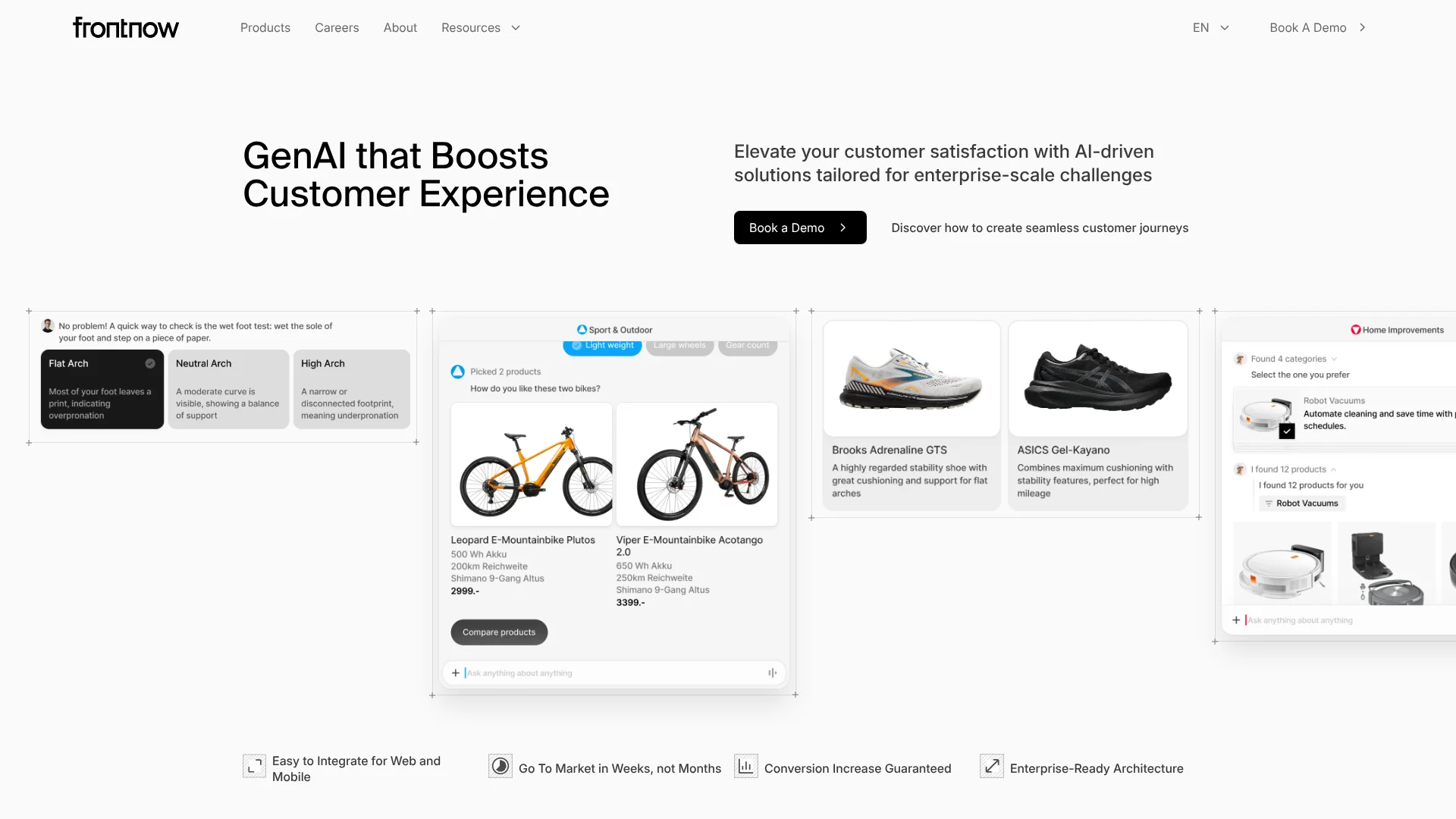
Frontnow helps retailers make large product catalogs easier to search and shop. Its Enhance product cleans and enriches product information, while Advise gives online shoppers natural-language guidance and personalized recommendations. The aim is to fix two common retail problems: incomplete product details that hide items from search, and online shopping journeys that leave customers unsure what to choose.
Advise can understand customer queries in 83 languages, and the same company also offers Enhance to improve the catalog data behind product discovery. Together, the products cover both the shopper’s question and the product information used to answer it.
Frontnow is best suited to enterprise retailers with complex catalogs and a need to improve digital shopping guidance or product data quality. It is not a self-serve tool with published plan prices, and Advise access is handled through onboarding or a Frontnow representative. It fits organizations prepared to work with a vendor on implementation.
Who is Using Frontnow?
E-Commerce Managers
More guided product discovery can help shoppers find relevant items and explore complementary products.
Product Catalog Managers
Enhance helps improve catalog completeness by removing duplicates and filling missing attributes.
Digital Product Managers
Advise can be added to a retailer’s website and styled to fit its existing customer experience.
Customer Experience Leaders
Advise offers shoppers online product guidance modeled on an in-store consultation.
Uncommon Use Cases
An event team can answer recurring attendee questions through Advise; a retailer can use Enhance to find weak or incomplete product records.
Key Features
Rating Breakdown
Pricing Plans
Free Trial
- Test features with a free trial
Subscription Plans
- Various pricing tiers based on business needs
Frontnow Use Cases
Guided Product Discovery
Shoppers describe what they need in natural language and receive recommendations matched to the catalog.
Outcome: A more guided path to relevant products.
Catalog Data Cleanup
Incomplete or duplicated product records are cleaned and enriched for better product visibility.
Outcome: More complete, structured product information.
Search-Friendly Product Content
Product titles, descriptions, and attributes are generated with search visibility in mind.
Outcome: Search-friendly product content.
Cross-Selling and Upselling
Advise recommends complementary or relevant products during a shopper’s journey.
Outcome: More relevant product suggestions during shopping.
Multilingual Customer Guidance
International shoppers can ask product questions in one of the 83 languages Advise supports.
Outcome: Product guidance for customers in multiple languages.
Workflow Ideas with Frontnow
Add Product Guidance to an Online Store
- 1Request access to Advise and obtain an API key.
- 2Embed the Advise widget directly or through Google Tag Manager.
- 3Customize its appearance and test product recommendations on the site.
Improve Catalog Readiness
- 1Connect Enhance with existing product information systems or databases.
- 2Clean duplicates and fill missing product attributes.
- 3Review the resulting product information for search and discovery.
Track Shopper Interactions
- 1Set up Advise on the website and initialize its events.
- 2Forward advisor events to Google Analytics.
- 3Review engagement activity to identify areas for improvement.
How Frontnow fits into your stack
E-Commerce Website
Advise appears as a shopper-facing guide embedded on the retailer’s site. Developers can place it directly or add it through Google Tag Manager.
Product Information Systems
Enhance works with existing product information management systems and databases to clean and enrich catalog data.
Analytics
Advise events can be forwarded to Google Analytics, giving teams a way to review widget engagement.
Developer Integration
Advise provides a documented JavaScript SDK and API key for website setup and programmatic control.
Pros
- +Catalog and shopping guidance: Enhance improves product data while Advise uses it to guide shoppers.
- +International queries: Advise supports customer questions in 83 languages.
- +Retail-focused recommendations: Advise supports product discovery, cross-selling, and upselling.
- +Website integration options: Advise can be embedded directly or added through Google Tag Manager.
Cons
- −No public prices: You need to request a demo to discuss buying options.
- −Enterprise focus: The product is aimed at retailers with large catalogs, rather than individual users.
- −Implementation work: Advise requires website integration and an API key.
Limitations & when to consider alternatives
Known limitations
- Advise access requires onboarding. Frontnow’s documentation says access is being introduced with selected partners and directs interested users to apply or contact a representative.
- Language codes do not include regional variants. The Advise setup guide accepts two-letter language codes, such as en or de, and does not support regional variants such as de-DE.
- Pricing is not published. Frontnow’s public product pages direct visitors to request a demo rather than listing plan prices.
Look elsewhere when
- You need a self-serve product with public plans and prices.
- Your team needs a native mobile app, browser extension, or desktop app.
- Your workflow depends on a documented, general-purpose developer API beyond Advise’s website integration.
How to Use Frontnow
- 1
Request Product Access
Book a demo or contact your Frontnow representative to discuss access and onboarding.
- 2
Prepare the Website Integration
For Advise, obtain an API key and choose direct website embedding or Google Tag Manager.
- 3
Set the Advisor’s Language
Choose a base language code for the initial display; shoppers can change the language in the Advisor.
- 4
Match Your Brand
Use Frontnow Studio to adjust the Advisor’s colors, text, and style.
- 5
Test Recommendations
Try shopper questions on the site and check whether the suggestions are relevant and accurate.
- 6
Review Engagement
Use Advise events and Google Analytics integration to track customer interactions.
Who is Frontnow For?
Enterprise Retailers
Large retailers can use Advise to guide shoppers through complex product catalogs.
E-Commerce Teams
Online retail teams can improve product discovery and offer tailored shopping guidance.
Product Data Teams
Catalog teams can use Enhance to correct missing or inconsistent product information.
International Retailers
Retailers serving customers in multiple markets can offer Advise in 83 languages.
Frequently Asked Questions
Does Frontnow have a free plan?
Frontnow’s public product pages promote demos and do not list a free plan.
How much does Frontnow cost?
Frontnow does not publish plan prices on its product pages. Request a demo to discuss pricing.
Can Frontnow Advise be added to a website?
Yes. Its documentation describes direct website embedding and setup through Google Tag Manager.
Which languages does Advise support?
Frontnow says Advise understands customer queries in 83 languages.
Does Frontnow integrate with product information systems?
Frontnow says Enhance integrates with existing product information management systems and databases.
Community reviews
Be the first to share your experience.
Sign in to leave a review for Frontnow.
Frontnow Alternatives
Looking for alternatives to Frontnow? Here are similar tools in the same category: