
GeminiGen AI
Create high-end videos and images without big budgets.
Key Takeaways
- What it is
- Create high-end videos and images without big budgets.
- Pricing
- Freemium · $10 per month · $15 per month · $10
- Best for
- Multi model video hub
- Text to video and image to video
- AI image generation
- Rating
- 4.3/5
What is GeminiGen AI?
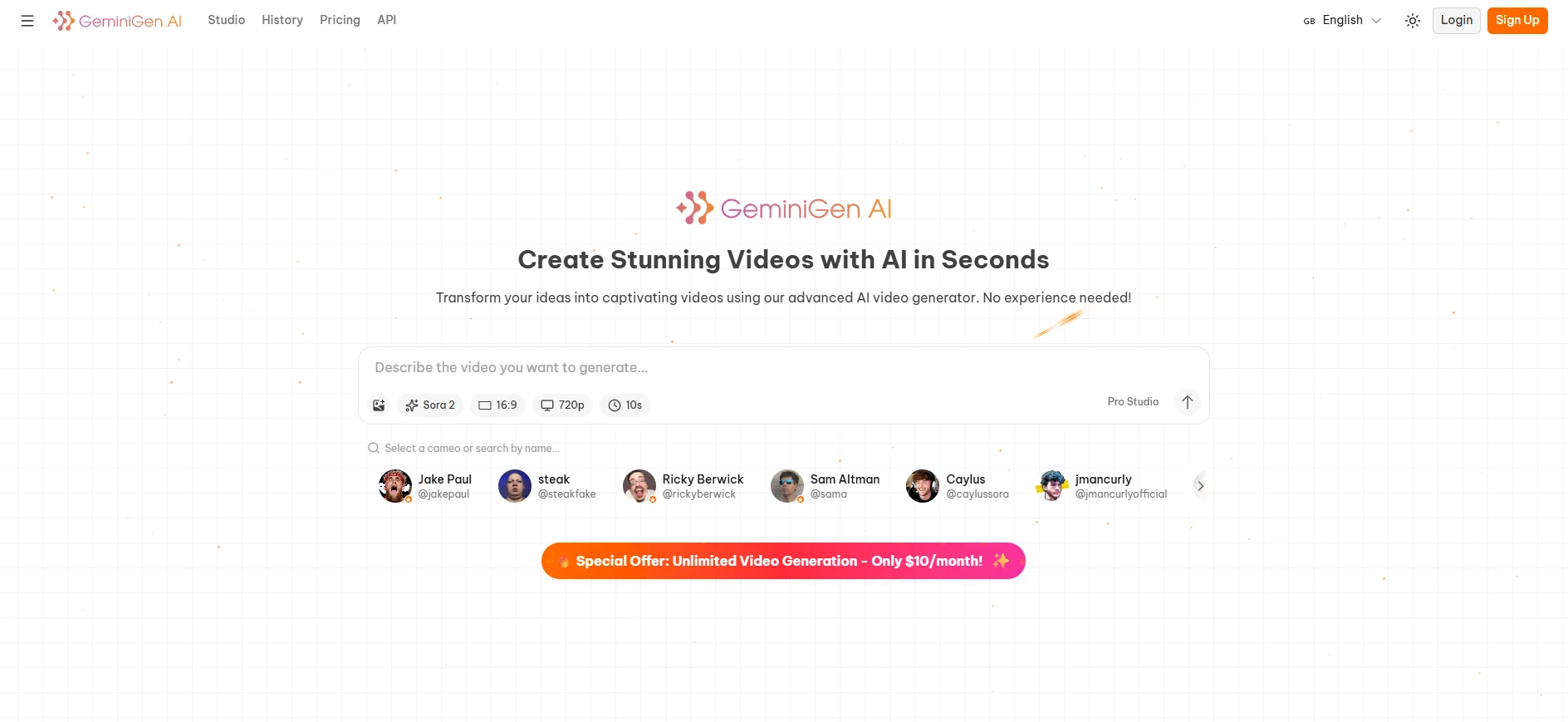
GeminiGen AI focuses on giving creators low cost access to premium AI video and image models, with a headline pitch of “Free Unlimited Veo 3.1 & Sora 2.” It acts as a multi model front end where users can run Sora 2, Veo 3.1, Imagen 4, Nano Banana, Gemini 2.5 Flash and other models for text to video, image to video, and image generation. Target users are content creators, marketers, educators, and small teams that want high end outputs without high end studio pricing.
GeminiGen AI sits in a sweet spot: it exposes some of the most sought after video models on the market, but packages them in a way that feels almost impulsively affordable. That mix of experimental “try it for free” access, extremely low entry pricing for Sora 2 and Veo 3.1, and support for both images and text generation gives solo creators a tool that feels closer to a creative playground than a traditional SaaS bill.
For creators who want Sora 2 and Veo 3.1 quality without a studio budget, GeminiGen AI delivers a very tempting proposition. It combines a playful, experiment friendly feel with serious models and surprisingly sharp pricing. As long as users are comfortable with a third party wrapper around big vendor APIs and accept that “unlimited” has fine print, it can be a fast, fun, and cost effective way to add AI video and imagery to everyday workflows.
Who is Using GeminiGen AI?
Content creators and influencers
Producing TikTok, Reels, Shorts, and YouTube intros without hiring editors.
Digital marketing agencies
Spinning up test ads, hooks, and variants across multiple markets at low cost.
Educators and trainers
Creating short explainers, visual metaphors, and motion backdrops for lessons and courses.
Business professionals and startups
Making product demos, pitch visuals, and quick feature previews for stakeholders.
Social media managers
Keeping feeds fresh with rapid concept videos, motion graphics, and campaign teasers.
Uncommon Use Cases
Used by indie game developers to prototype cutscenes and lore clips; adopted by solo newsletter writers to add lightweight motion content to email campaigns.
Key Features
Rating Breakdown
Pricing Plans
Free
Free
- Limited video generation with Veo-3.1-Fast and Sora-2 access
Veo Max
$10 per month
- Unlimited generations, Veo-3-Fast model access, 30-day access, and up to 5 concurrent video generations (web-only, no API)
Veo Sora Ultimate
$15 per month
- Unlimited generations, Veo-3.1-Fast and Sora-2 access, priority queueing, 30-day access, and up to 5 concurrent video generations per model (web-only, no API)
Sora Max
$10 per month
- Unlimited Sora-2 generations, up to 5 concurrent videos, 15-second limit, and web-only access
API Max
$10
- 3 days
- 3,000 API requests, Sora-2 and Veo-3.1-Fast support, web and API access, and 95% uptime guarantee (no credits or plan upgrades)
Pay As You Go
$10
- 2,000 credits
- 100% bonus credits offer, flexible pay-per-use option
GeminiGen AI Use Cases
Generate text from prompts
Send a prompt and model selection to the text-generation endpoint.
Outcome: A generated text response is returned asynchronously.
Analyze reference images
Attach image files alongside a prompt for multimodal processing.
Outcome: The model can use the supplied images as reference input.
Process documents and media
Upload document, video, or audio files as request inputs.
Outcome: The selected AI model processes the supplied reference material.
Workflow Ideas with GeminiGen AI
Asynchronous API generation
- 1Create an API request with a prompt, model, and optional files
- 2Authenticate with the x-api-key header
- 3Receive the completion through the configured webhook callback
How GeminiGen AI fits into your stack
Browser
GeminiGen operates as a browser-based creation workspace where users enter prompts, upload references, generate results, compare variations, and export files.
Automation and APIs
Developers can call documented endpoints with an API key to generate text and process multimodal inputs programmatically.
Knowledge and files
The API accepts reference images, videos, audio files, and documents as inputs for generation or analysis.
Pros
- +Low entry cost: Being able to hit Sora 2 HD for about a cent per video is frankly wild for rapid prototyping.
- +Strong model variety: Users can jump between creative, photoreal, and experimental models without juggling separate accounts.
- +Good for experimentation: Free access and non pro tiers make it easy to test prompts and styles before paying for premium runs.
- +Creator friendly billing: Mix of pay per asset and small monthly bundles keeps costs predictable for solo creators and small studios.
Cons
- −Marketing vs reality: Community feedback suggests “unlimited” actually means credit based, with practical limits and occasional generation errors.
- −Third party wrapper risk: Because it sits on top of proprietary APIs, model availability and quality can change with little notice.
- −Enterprise maturity: Compared with large vendors, compliance, SSO, and governance features appear relatively light.
Limitations & when to consider alternatives
Known limitations
- Premium requirement. The documented text-generation API requires a Premium Plan.
- API-key authentication. Every API request must include an API key in the x-api-key header.
- Asynchronous completion. Long-running generation does not complete in the initial response; results arrive through a webhook.
- Limited documented customization. The API documents system instructions and generation parameters, but not fine-tuning or model training.
How to Use GeminiGen AI
- 1
Open the web interface
Use GeminiGen through its web interface to interact with the service.
- 2
Obtain API credentials
Follow the official API documentation to obtain an API key before making programmatic requests.
- 3
Create a generation request
Send a multipart request with a prompt, model, and any optional image, video, audio, or document files.
- 4
Configure generation parameters
Optionally set temperature, thinking budget, response MIME type, media offsets, or FPS.
- 5
Handle the webhook
Configure a webhook URL so completed asynchronous generation results can be received automatically.
Who is GeminiGen AI For?
Content creators
The product is positioned for creating short-form videos and export-ready visual content.
Marketers and advertisers
It supports production of advertising and promotional video clips from prompts or reference images.
Filmmakers and storytellers
Users can generate variations, compare takes, and create cinematic video concepts.
Developers
The vendor publishes API documentation for programmatic text, image, video, and voice generation.
Frequently Asked Questions
How is the GeminiGen API authenticated?
Requests require an API key passed in the x-api-key header.
What endpoint generates text?
The documented endpoint is POST https://geminigen.ai/uapi/text/generate.
What files can the API process?
Requests can include images, videos, audio files, documents, and video URLs.
Does text generation require a paid plan?
The API documentation states that the text-generation endpoint requires a Premium Plan.
How are long-running requests handled?
HTTP responses return immediately, while processing completes asynchronously.
Community reviews
Be the first to share your experience.
Sign in to leave a review for GeminiGen AI.
GeminiGen AI Alternatives
Looking for alternatives to GeminiGen AI? Here are similar tools in the same category:
Learn to Master GeminiGen AI
With Skill Leap courses
Get in-depth training on GeminiGen AI and 50+ other AI tools with our expert-led video courses.
Start 7-Day Free Trial