
Generor
Revolutionize content creation with diverse, intuitive AI generators.
Key Takeaways
- What it is
- Revolutionize content creation with diverse, intuitive AI generators.
- Pricing
- $15 one-time purchase · $42 one-time purchase · $120 one-time purchase · $330 one-time purchase · $1,000 one-time purchase
- Best for
- Video and Audio Generation
- Image and Design Tools
- Text-Based Content Creation
- Rating
- 4.3/5
What is Generor?
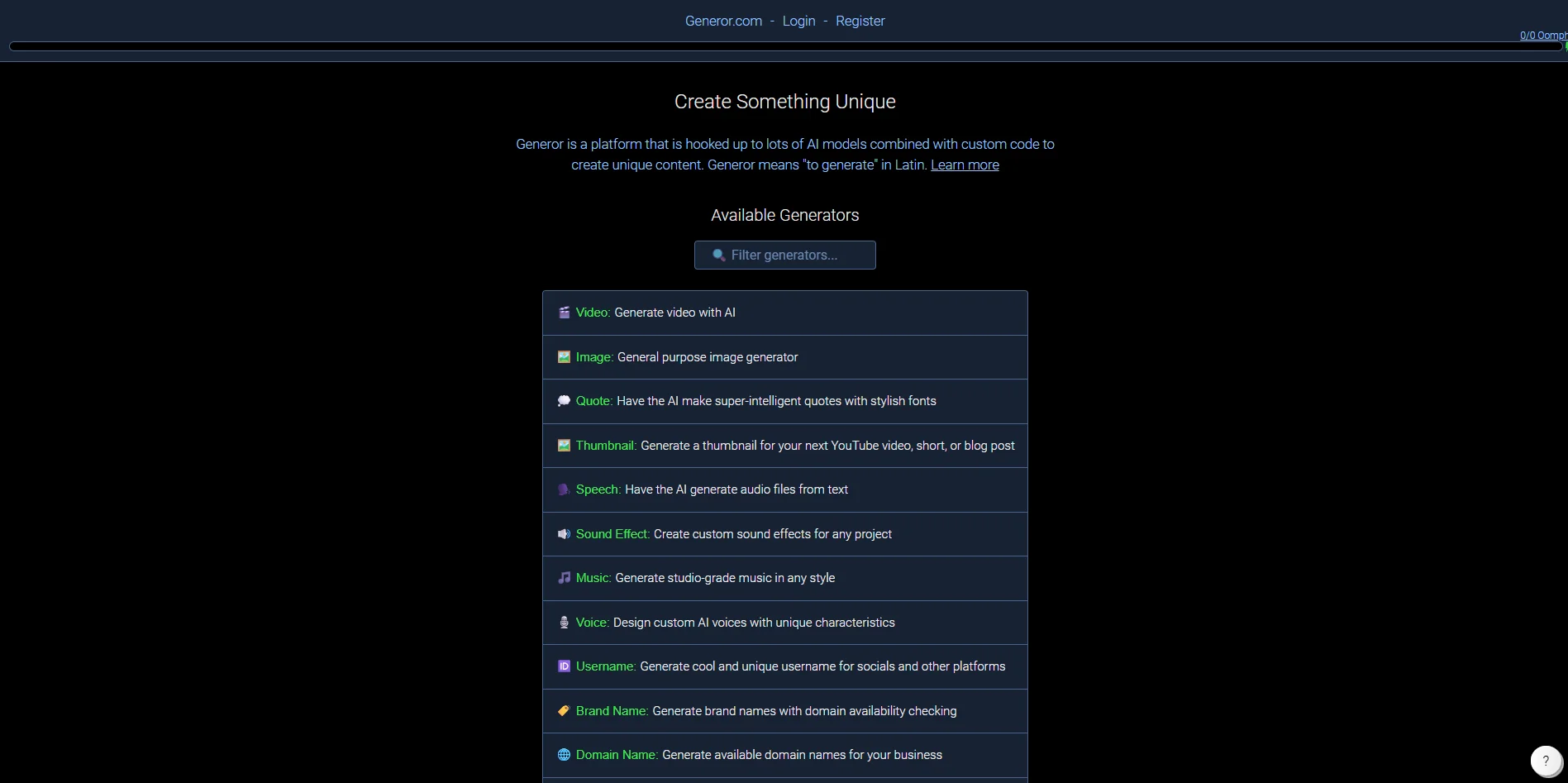
Generor is a versatile AI-driven platform designed to offer an extensive array of creative tools. Whether you're a content creator, entrepreneur, or just someone with a creative itch, Generor provides a suite of AI generators to help you craft unique content effortlessly. From generating video and audio to creating images, brand names, and even business plans, Generor simplifies the process of bringing your ideas to life and gives you the creative edge you need.
Generor stands out with its comprehensive suite of AI generators that cater to a diverse range of creative and professional needs. Its ability to integrate multiple AI models with custom code allows users to create truly unique content, setting it apart from other platforms that offer more limited functionalities.
Generor is a powerful ally for anyone looking to enhance their creative projects with the help of AI. Its extensive range of tools and user-friendly interface make it a valuable resource for content creators, entrepreneurs, and digital marketers alike. Whether you're generating a new business idea or crafting the next viral meme, Generor provides the tools you need to succeed.
Who is Using Generor?
Content Creators
Utilizing Generor for generating video, audio, and image content to enhance their projects.
Entrepreneurs and Startups
Employing the tool for business planning, branding, and domain name generation.
Social Media Influencers
Leveraging the platform to create engaging posts and unique bios.
Digital Marketers
Using Generor to generate headlines, blog posts, and promotional content.
Uncommon Use Cases
Educational institutions exploring AI-generated content for teaching purposes; Freelance photographers using AI tools for efficient image editing.
Key Features
Rating Breakdown
Pricing Plans
Basic Plan
$15 one-time purchase
- Includes 10,000 oomph credits and Privacy Mode
Pro Plan
$42 one-time purchase
- Includes 30,000 oomph credits, Privacy Mode, and no ads
Premium Plan
$120 one-time purchase
- Includes 100,000 oomph credits, Privacy Mode, no ads, and higher value efficiency
Elite Plan
$330 one-time purchase
- Includes 300,000 oomph credits, Privacy Mode, no ads, and higher overall value
Enterprise Plan
$1,000 one-time purchase
- Includes 1,000,000 oomph credits, Privacy Mode, no ads, and maximum value benefits
Which Generor plan should you pick?
Start with the free credits for occasional generation; add paid credits when you need more usage or higher-volume work.
Free Credits
Good for new users who want to try Generor without a card and receive recurring free credits.
Add Credits
Good for users who need additional generation capacity across Generor's text, image, audio, and video tools.
Generor Use Cases
Reference-based image creation
Upload a reference image or provide an image URL, then generate a new image matching its style or composition.
Outcome: Creates related or restyled images.
Image accessibility and OCR
Upload an image and request short, standard, or detailed descriptions, including text readouts and visual questions.
Outcome: Produces alt text, image analysis, and OCR-style output.
Code prototyping
Describe a coding task, choose a programming language and code type, and generate code.
Outcome: Produces snippets, functions, classes, tests, scripts, or complete programs.
Custom voice creation
Upload a voice sample or describe desired age, accent, tone, emotion, and speaking style.
Outcome: Creates voices usable in speech, podcast, and story generators.
Video editing and transformation
Upload a source video or starting image and describe replacements, scene changes, recoloring, or motion.
Outcome: Generates edited or image-to-video clips.
Workflow Ideas with Generor
Generate an accessible image description
- 1Open the Vision generator
- 2Upload an image or enter its URL
- 3Choose output length and generate the description
Create a reference-based image series
- 1Upload one or more reference images
- 2Choose image-to-image or sequential generation
- 3Describe the desired scene or variations and generate
Run a generation through the API
- 1Call the generator estimate endpoint to check credit cost and timing
- 2Submit the generation request with the selected model and parameters
- 3Read the returned creation, cost, and remaining-credit data
How Generor fits into your stack
Browser
Generor is a browser-based web app with more than 100 generators for text, images, audio, video, code, and other content.
Automation and APIs
The documented REST API supports programmatic generation, model discovery, creation management, credits, API keys, and team resources.
Knowledge and files
Users can upload reference images and videos, provide image URLs, and use vision tools for OCR-style readouts, descriptions, and visual Q&A.
Pros
- +Wide Range of Generators: With over 40 different AI generators, there's a tool for almost any creative need.
- +User-Friendly Interface: The platform is easy to navigate, making it accessible for users of all experience levels.
- +Customizable Outputs: Users can tailor the AI-generated content to fit their specific style and requirements.
- +Time-Saving: Automates complex tasks, significantly reducing the time needed to create high-quality content.
Cons
- −Learning Curve: While user-friendly, new users may need time to explore and understand the full range of features.
- −Limited Free Access: Some advanced features may require a subscription or additional payment.
- −Integration Limitations: Currently, the platform offers limited integration with third-party applications.
Limitations & when to consider alternatives
Known limitations
- Browser-based access. Generor is described as a web app and does not provide a dedicated installer or native app.
- Small-project maturity. The About page says Generor is a one-person project and is not as finely tuned or thoroughly tested as some competitors.
- Model memory limits. Generor notes that AI models have limitations on how much information they can store in memory.
- Long video constraints. Generor's video guide says takes longer than roughly 20 seconds usually need to be stitched from shorter clips.
- Limited vision-model availability. The Vision generator is currently locked to Qwen VL Max, with more vision-capable models planned.
Look elsewhere when
- You need a native mobile application.
- You need a desktop installer.
- You need fine-tuning or a trained custom model.
How to Use Generor
- 1
Choose a generator
Select a task such as image generation, vision, code, voice, video, or one of Generor's many specialized generators.
- 2
Enter a prompt
Describe what you want to create and include relevant details such as style, language, format, or desired behavior.
- 3
Configure settings
Choose an AI model and adjust generator-specific controls such as aspect ratio, duration, output length, code type, or voice characteristics.
- 4
Add reference inputs
Upload images, videos, audio, or provide URLs when the selected generator supports reference-based generation or analysis.
- 5
Select privacy
Use Private, Unlisted, or Team privacy modes depending on who should be able to access the creation.
- 6
Estimate and generate
For API usage, call the estimate endpoint first to check expected cost and timing, then submit the generation request.
Who is Generor For?
Digital artists
Create artwork in different styles using text-to-image, image-to-image, reference images, and upscaling.
Social media managers
Generate eye-catching images, stories, polls, videos, and other content for social channels.
Developers
Generate functions, classes, algorithms, scripts, API endpoints, and complete programs in many languages.
Accessibility professionals
Create alt text, aria-labels, OCR-style readouts, and image descriptions.
Content creators
Produce scripts, images, video, voices, music, and other media from a single browser-based platform.
Frequently Asked Questions
Does Generor have a free tier?
Every verified user receives $0.25 worth of free credits each week. Paid credits do not expire and there are no subscriptions or recurring charges.
Can Generor be used without installing software?
Yes. Generor is a browser-based web app that runs on any device and does not require installation.
Does Generor offer an API?
Yes. Generor provides a documented REST API with API keys, generator endpoints, model endpoints, creation management, credits, and teams.
Can Generor analyze images?
Yes. Its vision generator supports detailed image descriptions, OCR-style readouts, accessibility text, and visual questions.
Can teams share Generor creations?
Yes. Team members can be added through the API, and creations can use Team privacy mode.
Community reviews
Be the first to share your experience.
Sign in to leave a review for Generor.
Generor Alternatives
Looking for alternatives to Generor? Here are similar tools in the same category:
Learn to Master Generor
With Skill Leap courses
Get in-depth training on Generor and 50+ other AI tools with our expert-led video courses.
Start 7-Day Free Trial