
Geniea
Optimize AI content creation with precision prompt tailoring.
Key Takeaways
- What it is
- Optimize AI content creation with precision prompt tailoring.
- Best for
- Prompt Optimization
- User-Friendly Interface
- Specialized for Midjourney
- Rating
- 4.2/5
What is Geniea?
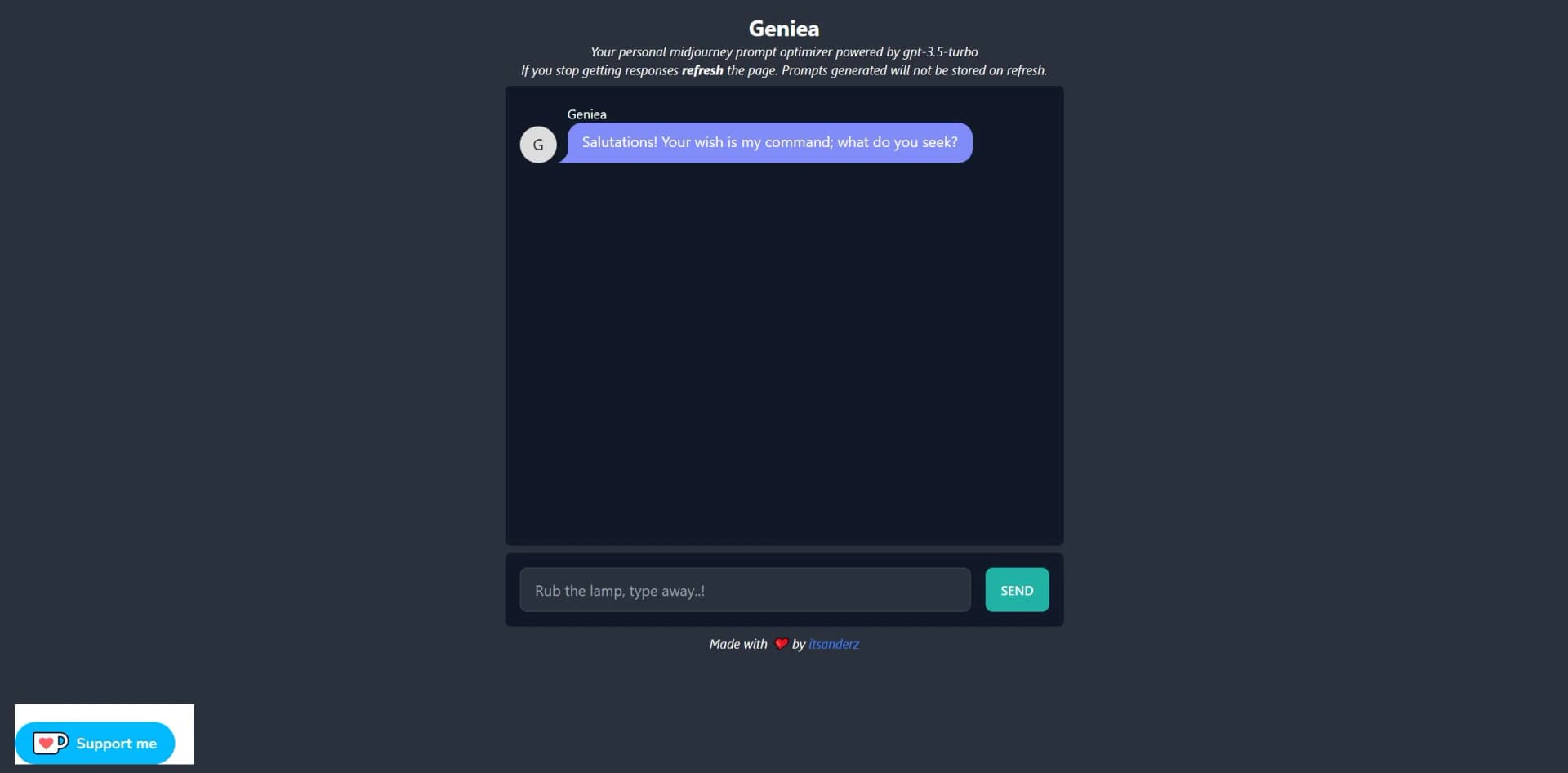
Geniea is a cutting-edge tool designed to enhance the capabilities of AI-driven content generation, particularly in the context of midjourney prompt optimization. It's crafted for individuals and professionals who seek to refine their prompts to produce more accurate and compelling AI-generated content. With a focus on improving user experience in platforms like Midjourney and Stable Diffusion, Geniea is a beacon for those navigating the vast sea of AI content creation.
Geniea distinguishes itself with its specialized focus on prompt optimization for Midjourney, setting a new standard for content creators who demand precision and creativity in their AI-generated works. Its unique ability to refine prompts and thereby enhance the resulting content is a true game-changer.
Geniea excels in the niche of prompt optimization, offering a specialized tool that enhances the quality of AI-generated content. Its focus on user experience and adaptability to different content types makes it an invaluable asset for a wide range of creative professionals. The tool's dedication to improving outputs specifically for Midjourney users showcases its commitment to meeting the evolving needs of the AI content creation community.
Who is Using Geniea?
Content Creators
Harnessing the tool to generate high-quality written and visual content.
Photographers
Utilizing the tool to explore new dimensions in photography styles.
AI Enthusiasts
Experimenting with the tool to push the boundaries of AI-generated art.
Social Media Influencers
Leveraging the tool to create unique and engaging posts for their audiences.
Uncommon Use Cases
Academic researchers analyzing the impact of prompt optimization in AI outputs; Indie game developers enhancing narrative elements through optimized descriptions.
Key Features
Rating Breakdown
Pricing Plans
Free Access
- Geniea offers a taste of its capabilities without immediate costs
Subscription Plans
- Detailed pricing for upgraded features or premium access is yet to be disclosed
Which Geniea plan should you pick?
Start with Free to test prompt optimization and the product-truth workflow; upgrade to Premium for unlimited optimization, or choose Catalog QA Pilot for scoped human review.
Free
Good for creators who need occasional prompt optimization, all model templates, and saved prompt history.
Premium
Good for serious creator workflows that need unlimited optimization, full history, and priority processing.
Catalog QA Pilot
Good for ecommerce teams needing scoped human review of up to 12 generated-output and exact-SKU reference pairs.
Geniea Use Cases
Shopify product pages
Plan a clear product view followed by detail, scale, and relevant-use images.
Outcome: A more trustworthy product-page image sequence.
Amazon or marketplace listings
Use the workflow to plan and review assets against current marketplace requirements.
Outcome: Assets are reviewed for product fidelity before submission.
Paid social campaigns
Change the hook and setting while keeping the product identity locked.
Outcome: More varied creative without changing the advertised product.
Email campaigns
Reuse the same product-truth record across crops and scenes.
Outcome: Landing-page creative remains consistent with the campaign.
Prompt optimization
Describe an idea in plain English, select a target model, and copy or save the optimized prompt.
Outcome: Less repetitive prompt cleanup across image, music, and video models.
Workflow Ideas with Geniea
Optimize and reuse a prompt
- 1Describe your vision in plain English
- 2Let Geniea rewrite it for the target model
- 3Copy, save, and reuse the optimized prompt
Review an AI product image
- 1Lock the product truth
- 2Give each image a buyer-focused job
- 3Approve, revise, or reject after comparison with the real product
Prepare a campaign asset set
- 1Collect front, side, back, label, color, and scale references
- 2Create a shot plan for the channel
- 3Review product drift before publishing
How Geniea fits into your stack
Midjourney Optimization
Tailor-made to work seamlessly with the Midjourney platform.
Stable Diffusion Compatibility
Compatible with Stable Diffusion for extended functionality.
Versatile Content Types
Adaptable to various content forms, including text and imagery.
Community Engagement
Encourages user interaction and feedback to evolve its features.
Pros
- +Enhanced Content Quality: Significantly improves the output of AI-generated content.
- +Time-Saving: Streamlines the content creation process by optimizing prompts efficiently.
- +User-Centric Design: Focuses on ease of use, making it accessible to both novices and experts.
- +Diverse Use Cases: Adaptable to a wide range of content types and creative projects.
Cons
- −Platform Specificity: Primarily designed for use with Midjourney, which may limit its application for users of other platforms.
- −Learning Curve: New users may need some time to understand how to best leverage the tool for their needs.
- −Availability of Features: As an evolving tool, some desired features may still be in development.
Limitations & when to consider alternatives
Known limitations
- No product-fidelity guarantee. Models can still distort or invent product details, so every customer-facing output requires human approval.
- Not an AI-image detector. Geniea does not determine whether an image was generated by AI.
- Not an automated approval system. The workflow creates a human review record rather than automatically scoring or approving images.
- Not a marketplace technical checker. It does not validate dimensions, backgrounds, crops, or file-format rules.
- Original photography may still be necessary. Use original photography when exact color, dimensions, safety wording, ingredients, or included components are purchase-critical.
How to Use Geniea
- 1
While detailed tutorials on Geniea's use are not extensively advertised, the platform's intuitive design allows users to quickly grasp its functionalities. Community forums and social media channels like Twitter may offer user-generated tips and insights.
Who is Geniea For?
Ecommerce teams
Geniea helps plan and review AI product images before they reach stores or campaigns.
Serious creators
The Premium plan provides unlimited prompt optimization, saved history, and priority processing.
Product marketers
The workflow organizes product truth, buyer questions, shot plans, and approval checks.
Frequently Asked Questions
How do I keep AI product photos consistent?
Separate fixed product facts from flexible creative direction, reuse the same reference pack, and compare every output against the real product.
How do I check whether an AI product image is accurate?
Compare the generated output with a verified photo of the exact SKU and check shape, proportions, color, material, logo, label, quantity, and included parts.
Why does AI change a product logo or label?
Image models may treat text and small packaging details as visual texture instead of exact records. Add verified copy after image approval.
Can AI product photography replace original photography?
Not for every job. Use original photography when exact color, dimensions, regulated wording, safety information, or included components must be verified.
Does Geniea guarantee product fidelity?
No. The workflow reduces ambiguity, but models can still distort or invent details. A human must approve each customer-facing output.
Does Geniea automatically score or approve the image?
No. Images remain local in the browser, and Geniea creates a structured human review record rather than an automated accuracy score.
Community reviews
1 review from people who use Geniea.
Sign in to leave a review for Geniea.
David Thompson
Geniea Alternatives
Looking for alternatives to Geniea? Here are similar tools in the same category:
Learn to Master Geniea
With Skill Leap courses
Get in-depth training on Geniea and 50+ other AI tools with our expert-led video courses.
Start 7-Day Free Trial