Genspark.ai
Delegate multi-step work to AI agents that return finished, editable projects.
Watch Genspark.ai in Action
Key Takeaways
- What it is
- Delegate multi-step work to AI agents that return finished, editable projects.
- Pricing
- Freemium · $24.99 per month · $249.99 per month · $35 per seat per month
- Best for
- Super Agent
- AI Slides, Sheets, and Docs
- Workflows
- Rating
- 4.3/5
What is Genspark.ai?
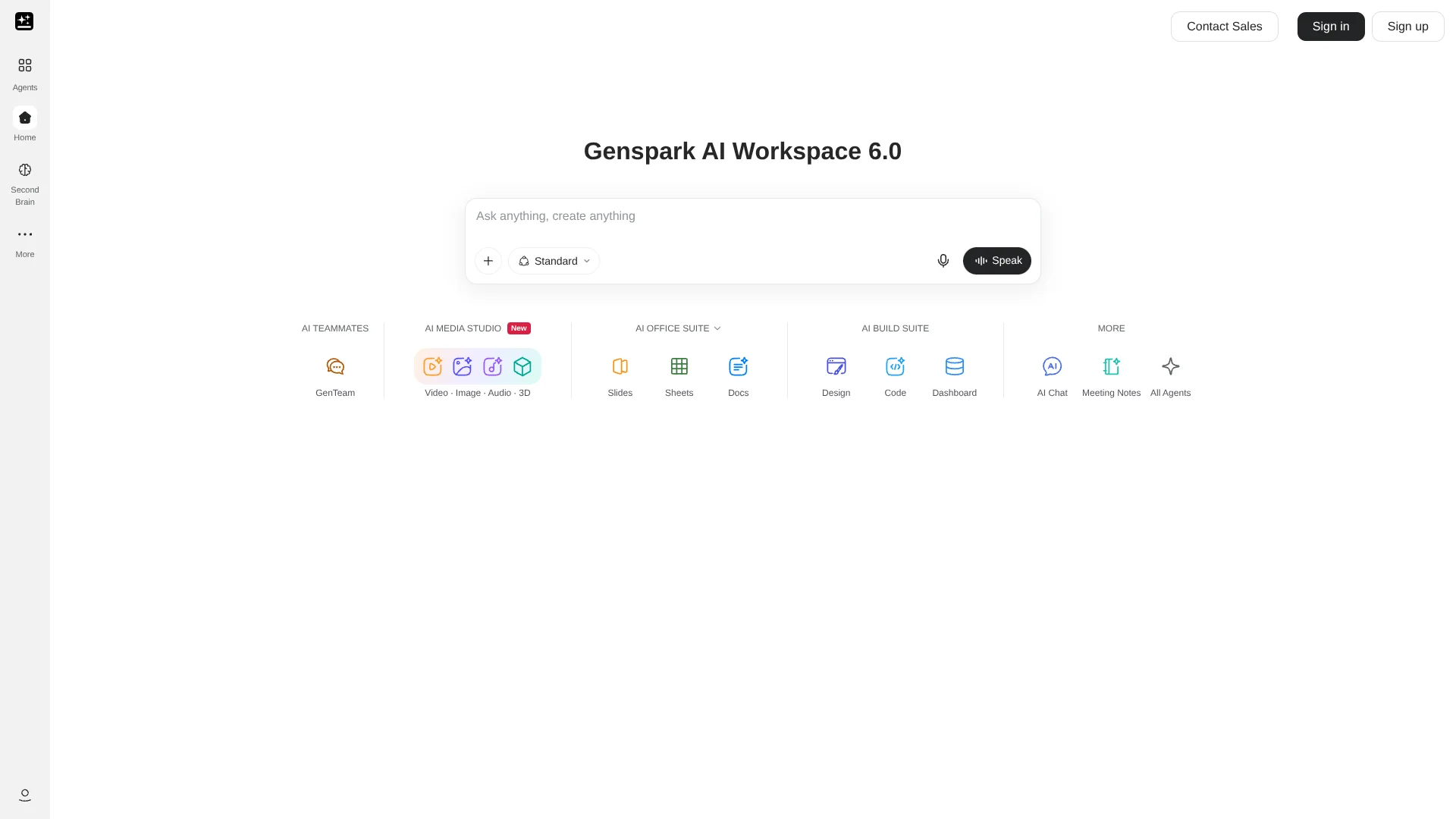
Genspark's Super Agent takes a goal, plans the work, and returns something you can open, such as a research report, presentation, spreadsheet, or web page. It is built for people who want AI to carry a task through several steps rather than stop at a text answer. You can attach files and connect services such as Google Drive or Slack to give a task more context.
In New Super Agent, each project gets its own cloud computer, where the agent can keep files between steps and work on long tasks even after you close the tab. It can deliver editable documents and spreadsheets, plus presentations that export as PowerPoint or PDF.
Genspark suits people who move between research, office files, and creative or coding projects, as well as teams that want to automate recurring work. Its breadth means the workspace can take time to learn, and many AI tasks use credits, so check usage before relying on it for frequent work.
Who is Using Genspark.ai?
Market researchers
Research tasks can turn web findings into a report or presentation.
Sales operations analysts
Sales data can be analyzed into charts and tables, while connected CRM records provide added context.
Marketing managers
Scheduled workflows can prepare recurring competitor reports and coordinate connected tools.
Recruiters
Connected recruiting systems can help review candidates, applications, and interview stages.
Software developers
Genspark Code can work on a selected code directory, while GitHub connections provide repository context.
Uncommon Use Cases
Extract receipt amounts and vendors into an expense spreadsheet; create a reusable customer renewal-risk scoring process.
Key Features
Rating Breakdown
Pricing Plans
Free
Free
- 100 credits per day, up to a lifetime limit
- 1 GB AI Drive storage
Plus
$24.99 per month
- 10,000 monthly credits
- 50 GB AI Drive storage
- $19.99 per month when billed annually at $239.99 per year
Pro
$249.99 per month
- 125,000 monthly credits
- 1 TB AI Drive storage
- $199.99 per month when billed annually at $2,399.99 per year
Team
$35 per seat per month
- Billed monthly
- $35 per seat per month when billed annually
- Centralized administration and billing
Enterprise
- Annual contracts with invoicing
- Custom terms and organization-wide controls
Which Genspark.ai plan should you pick?
Start with Free to try Genspark's task and file workflows; move to Plus or Pro when you need more monthly credits or storage, and consider Team or Enterprise for organization-wide administration.
Free
Good for trying Super Agent and other AI tools with 100 daily credits and 1 GB of AI Drive storage.
Plus
Good for regular individual use that needs 10,000 monthly credits and 50 GB of AI Drive storage.
Pro
Good for heavy use that needs 125,000 monthly credits and 1 TB of AI Drive storage.
Team
Good for organizations that need per-seat access, centralized administration, and billing.
Enterprise
Good for organizations that need Enterprise governance, provisioning, and support options.
Genspark.ai Use Cases
Research and presentation
A market research request can become a slide deck with key findings rather than a pile of search results.
Outcome: A presentation draft built from researched information.
Spreadsheet analysis
Sales data in an uploaded file can be turned into category analysis, charts, and summary tables.
Outcome: An analyzed spreadsheet with charts and tables.
Recurring email summary
A scheduled workflow can summarize unread email each morning.
Outcome: A recurring summary of unread email.
Receipt processing
An email workflow can extract a receipt's amount and vendor, then record them in an expense spreadsheet.
Outcome: Receipt details entered in a spreadsheet.
Drafting a web page
A product brief can guide Super Agent in making a small landing page.
Outcome: A working-page draft based on the brief.
Workflow Ideas with Genspark.ai
Morning inbox recap
- 1Connect Gmail or Outlook.
- 2Set an email or schedule trigger.
- 3Have the workflow summarize unread messages and test the result.
Receipt to expense sheet
- 1Set a trigger for incoming receipt emails.
- 2Extract the vendor and amount from the attachment.
- 3Write the details to a spreadsheet and test with sample data.
Weekly competitor report
- 1Set a weekly schedule.
- 2Gather competitor information with web search.
- 3Prepare a report and review a test run before enabling it.
How Genspark.ai fits into your stack
Research and browsing
Super Agent searches, reads, and organizes information into a report or presentation. The Chrome extension can also analyze the page you are viewing.
Documents and files
AI Drive stores files, while AI Docs, AI Sheets, and AI Slides create editable work products.
Email and team tools
Connectors let Genspark work with services such as Gmail, Outlook, Slack, and Microsoft Teams.
Automation
Workflows combine triggers and actions across connected services, and can run on a schedule or when email arrives.
Development
Genspark Code and GitHub connections support coding tasks and repository workflows.
Pros
- +Finished work products: Super Agent can return files instead of only a chat response.
- +Reusable work: Skills save a process for another run or for sharing with a team.
- +Recurring tasks: Workflows support schedules and new-email triggers.
- +Broad connections: Integrations cover files, messaging, calendars, CRM, and developer tools.
Cons
- −Credit-based usage: AI tasks draw on plan credits, so heavier use may require a more expensive plan.
- −Many separate tools: The workspace spans agents, office tools, creative features, and automation, which can take time to navigate.
- −Workflow setup needs care: Test runs can send real messages or change connected data.
Limitations & when to consider alternatives
Known limitations
- Workflow trigger count. Each workflow currently supports one trigger, so separate trigger scenarios need separate workflows.
- File size varies by mode. New Super Agent supports files up to 500 MB on the free plan and 1 GB each on paid plans; Classic Super Agent and agents without a cloud computer remain at 100 MB per file.
- Test runs perform real actions. A workflow test can send email or change connected data, so Genspark recommends testing with your own address or test data.
Look elsewhere when
- You need multiple triggers inside one workflow.
- Your routine work depends on files larger than the supported per-file limit.
How to Use Genspark.ai
- 1
Choose a starting point
Open Super Agent for a multi-step task, or select AI Slides, AI Sheets, AI Docs, or Workflows for a focused job.
- 2
Describe the finished result
State who the output is for and what it should contain so the agent can plan the work.
- 3
Add source material
Attach a file or connect a service such as Google Drive when the task depends on your own information.
- 4
Review the result
Check the returned file or workflow run before sharing it or using it in another process.
- 5
Save repeatable work
Turn a useful Super Agent process into a Skill, or test a Workflow before switching it on.
Who is Genspark.ai For?
Individuals
People handling research, documents, and other multi-step tasks can delegate work to Super Agent.
Teams
Shared workspaces, admin controls, and saved Skills support repeatable work across a group.
Business users
Workflows can connect email, calendars, documents, and business services for recurring processes.
Creators
AI Slides, image and video generation, and design tools support content production.
Developers
Genspark Code and GitHub connections support coding tasks and repository work.
Frequently Asked Questions
Is Genspark free?
Yes. The Free plan includes 100 credits per day and 1 GB of AI Drive storage. AI tasks use credits.
What does Genspark Plus cost?
Plus is $24.99 per month when billed monthly, or $19.99 per month billed annually at $239.99 per year.
Does Genspark have mobile and desktop apps?
Yes. Genspark offers an iOS and Android app, and the Super App is available for macOS, Windows, and Linux.
Can Genspark connect to other apps?
Yes. Available connectors include Google Drive, Slack, Microsoft Teams, Salesforce, GitHub, and others; access can depend on the service and plan.
Does Genspark offer an API?
Genspark documents a beta REST API for its cloud sandbox, with requests authenticated using an API key.
Community reviews
Be the first to share your experience.
Sign in to leave a review for Genspark.ai.
Genspark.ai Alternatives
Looking for alternatives to Genspark.ai? Here are similar tools in the same category: