
GetFloorPlan
AI-driven tool for quick, detailed, and customizable floor plans.
Key Takeaways
- What it is
- AI-driven tool for quick, detailed, and customizable floor plans.
- Pricing
- Freemium
- Best for
- Automated Floor Plan Generation
- High-Quality Visuals
- Interactive 3D Tours
- Rating
- 4.3/5
What is GetFloorPlan?
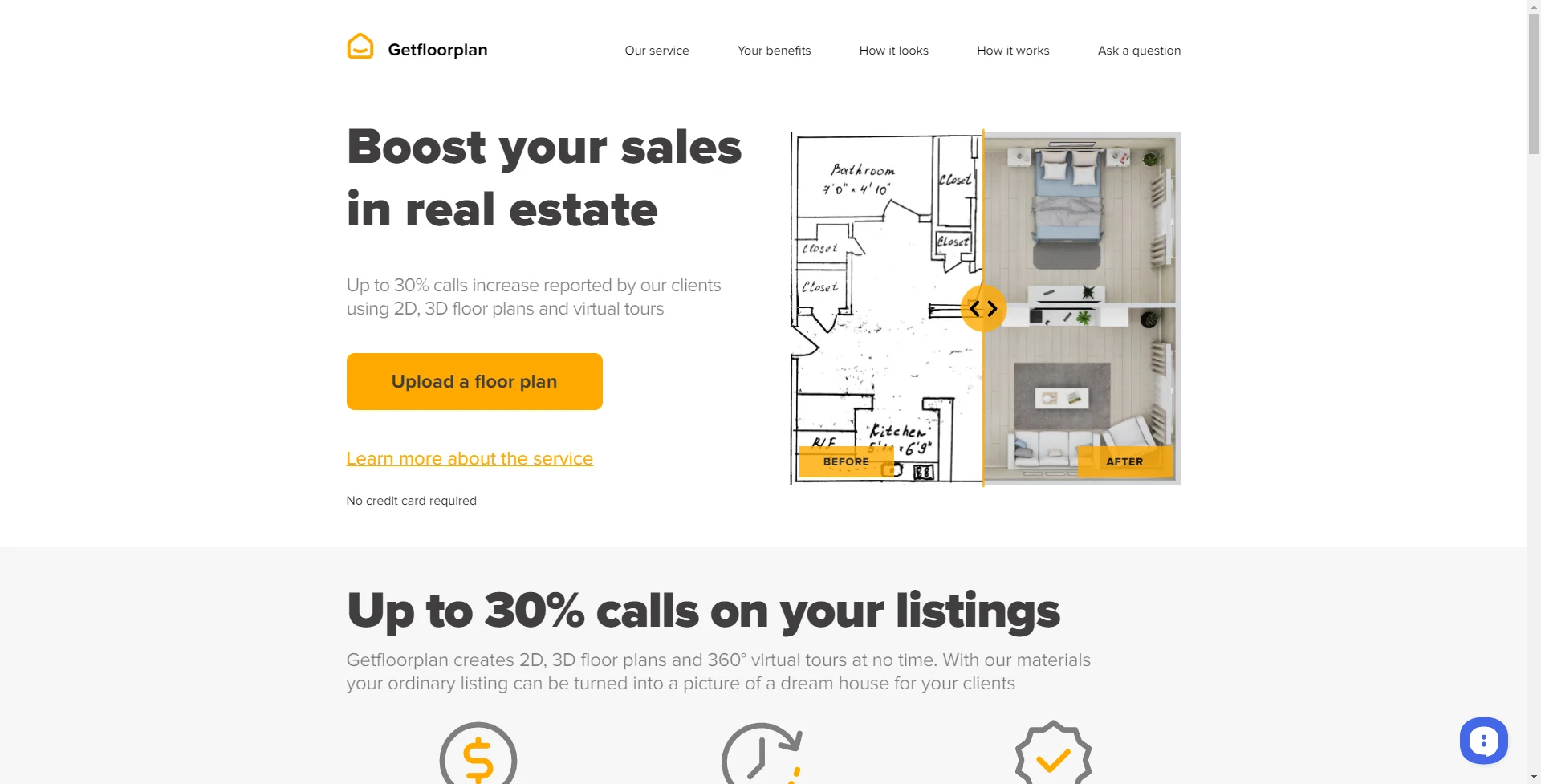
GetFloorPlan is an innovative tool that harnesses the power of artificial intelligence to create detailed 2D and 3D floor plans. A godsend for architects, real estate agents, interior designers, and property managers, GetFloorPlan streamlines the process of visualizing and planning spaces. It's designed to be user-friendly, allowing both professionals and amateurs to generate floor plans with ease, transforming ideas into visual representations with just a few clicks.
GetFloorPlan sets itself apart with its user-friendly interface and the ability to quickly turn rough sketches into professional-quality floor plans. Its AI-driven technology minimizes the need for manual adjustments, making it a standout choice for rapid visualization and planning.
GetFloorPlan excels in transforming the complex process of floor plan creation into a simple, efficient, and enjoyable task. Its advanced AI capabilities and user-centric design make it an indispensable tool for professionals across various industries looking to visualize and plan spaces with precision and creativity. The tool's capacity to generate high-quality visuals and interactive 3D tours offers an unmatched advantage for those aiming to enhance their presentations and marketing efforts.
Who is Using GetFloorPlan?
Real Estate Agents
Utilizing the tool to create floor plans for property listings quickly.
Interior Designers
Employing the tool to visualize design changes and present ideas to clients.
Construction Professionals
Leveraging the tool to draft initial floor plans for new building projects.
Homeowners
Using the tool for planning home renovations or visualizing potential real estate purchases.
Uncommon Use Cases
Event planners creating detailed layouts for venues; Educational institutions using the tool for classroom or campus planning.
Key Features
Rating Breakdown
Pricing Plans
Free Tier
Free
- Experience GetFloorPlan with basic features at no cost
Premium Tiers
- Advanced features and high-quality outputs available in subscription packages
Which GetFloorPlan plan should you pick?
Start with Basic set for 2D and 3D floor plans; upgrade to Plus, Pro, or Max Render when you need tours, white labeling, or more rendering options.
Basic set
Good for users who need core 2D and 3D floor plan visuals.
Plus set
Good for users who also need an interactive 360° tour.
Pro set
Good for users who need 2D, 3D, 360° tours, and white-label output.
Max Render set
Good for users who need white-label renderings in addition to 2D, 3D, and 360° outputs.
Multi Set Pro
Good for users who need three styles in one white-label visualization package.
GetFloorPlan Use Cases
Real estate listing visuals
Upload a floorplan and create 2D plans, 3D layouts, renders, and tours.
Outcome: Ready-to-use marketing assets for listings and property websites.
Off-plan property sales
Visualize homes or apartments before construction is finished.
Outcome: Buyers can understand layouts and imagine the finished property.
Development marketing
Process multiple units or layouts for a development project.
Outcome: Consistent visual content for brochures, websites, ads, and presentations.
Interior style presentation
Apply selected or custom interior styles to the same property.
Outcome: Clients can compare furnishing and design concepts.
Commercial property presentation
Create visualizations for offices, retail, gyms, restaurants, clinics, and other spaces.
Outcome: Prospective buyers or tenants can explore different possible uses.
Workflow Ideas with GetFloorPlan
Create a 3D property listing
- 1Upload a floor plan or architectural drawing
- 2Choose an interior style and layout format
- 3Receive 2D, 3D, and optional 360° visualizations
Prepare an off-plan sales package
- 1Select the units or layouts to visualize
- 2Generate 3D plans, renders, and virtual tours
- 3Publish the assets in listings, brochures, websites, and presentations
Develop a customized project style
- 1Send style references and project requirements
- 2Approve the proposed interior direction
- 3Apply the approved style across multiple layouts
How GetFloorPlan fits into your stack
Web-Based Platform
Accessible from any modern web browser with JavaScript enabled.
File Export Options
Floor plans can be exported in various file formats for use with other software.
Cloud Storage
Plans can be saved and accessed from the cloud, facilitating collaboration and sharing.
Custom Textures and Models
Supports the addition of custom textures and 3D models to personalize floor plans.
Pros
- +Efficiency: Saves time by automating the floor plan creation process, allowing for quick iterations.
- +Accuracy: Delivers precise measurements and representations, essential for planning and construction.
- +User-Friendly: Simplistic interface that's easy to navigate, making it accessible to users of all skill levels.
- +Cost-Effective: Provides a cost-saving solution compared to traditional floor plan drafting methods.
Cons
- −Learning Curve: New users may need some time to get acquainted with all the features and functionalities.
- −Internet Dependency: The tool requires an internet connection to function, limiting offline accessibility.
- −Browser-Based Limitations: The performance might be contingent on the browser used and its compatibility with JavaScript.
Limitations & when to consider alternatives
Known limitations
- Source-plan quality matters. The site recommends reliable source data and attention to scale, proportions, windows, doors, lighting, and ventilation.
- Standard delivery is not instant. The typical delivery window is within 24 hours, although some specialized outputs may have separate turnaround options.
- Some revisions require manual support. Post-processing adjustments and custom styles are handled by the Getfloorplan team through support or project contact.
- Primarily a property-visualization service. The documented outputs focus on floor plans, renders, 360° tours, and editable 3D assets rather than general-purpose AI tasks.
Look elsewhere when
- You need a native mobile application.
- You need public developer API documentation.
- You need shared workspaces with roles and member invites.
How to Use GetFloorPlan
- 1
GetFloorPlan offers a selection of tutorials and guides to help users quickly master the tool and make the most of its features.
Who is GetFloorPlan For?
Real estate professionals
They can create stronger listings with 2D and 3D floor plans, renders, and virtual tours.
Developers
They can present future homes, apartments, offices, and developments before construction is complete.
Property managers
They can produce marketing visuals for properties and multiple apartment layouts.
Architects
They can turn architectural drawings into visual property presentations.
Interior designers
They can present furnishing concepts, styles, and layout variations visually.
Frequently Asked Questions
What files can be uploaded?
Users can upload existing 2D floorplans in PDF, JPG, or PNG format.
How long does processing take?
Getfloorplan says ready-to-use visuals are delivered within 24 hours.
What outputs can Getfloorplan create?
The service creates 2D floor plans, 3D floor plans, photorealistic renders, and 360° virtual tours.
Can layouts be customized after processing?
The team can add, move, or remove furniture, walls, windows, and doors, and resize rooms.
Can custom interior styles be created?
Getfloorplan can create custom styles with requested furniture, colors, textures, and textile elements.
Who is the service designed for?
The site names real estate professionals, developers, property managers, homeowners, architects, and interior designers.
Community reviews
2 reviews from people who use GetFloorPlan.
Sign in to leave a review for GetFloorPlan.
София Степанова
Olgun VURAL
GetFloorPlan Alternatives
Looking for alternatives to GetFloorPlan? Here are similar tools in the same category:
Learn to Master GetFloorPlan
With Skill Leap courses
Get in-depth training on GetFloorPlan and 50+ other AI tools with our expert-led video courses.
Start 7-Day Free Trial