
Gladia
Add real-time multilingual call transcripts, summaries, analytics.
Key Takeaways
- What it is
- Add real-time multilingual call transcripts, summaries, analytics.
- Pricing
- Freemium · $0.61 per hour · $0.50 per hour
- Best for
- Solaria universal STT model
- Real-time streaming with ultra-low latency
- Audio intelligence add-ons
- Rating
- 4.6/5
What is Gladia?
Gladia delivers speech-to-text and audio intelligence APIs tailored for developers who need accurate, low-latency transcription inside their products. It combines asynchronous batch transcription with real-time streaming, multilingual support, and a growing layer of AI add-ons such as summarization, sentiment analysis, and entity extraction.
Gladia positions itself as “audio AI infrastructure” rather than just another STT endpoint, emphasizing universal language coverage, strong telephony performance, and a single API that spans async, real-time, and higher-level audio intelligence. The combination of precise multilingual transcription, low latency, and serious compliance, wrapped in a developer-friendly package, makes it an appealing building block for voice-first products.
Gladia offers a strong mix of accuracy, latency, language coverage, and compliance for teams building voice-enabled products. For developers who want to offload the hard problems of multilingual, real-time transcription while still having access to richer audio intelligence features, it presents a very compelling API-first option that scales from side projects to enterprise deployments.
Who is Using Gladia?
Virtual meeting and collaboration platforms
Turning meeting audio into searchable transcripts, notes, and summaries for internal knowledge and productivity.
Contact centers and CCaaS vendors
Powering real-time agent assist, QA analytics, and compliance monitoring over telephony-grade audio.
Sales enablement and CRM enrichment tools
Capturing names, emails, intent, and objections on calls to feed downstream AI coaching and automation.
Media, podcasting, and streaming platforms
Producing subtitles, captions, and searchable archives from large audio and video libraries.
Specialized sectors (finance, legal, healthcare)
Handling sensitive conversations where transcription fidelity and compliance are non-negotiable.
Uncommon Use Cases
Used in voice UX research labs to analyze user interviews at scale; adopted by education platforms to transcribe multilingual lectures and tutorials.
Key Features
Rating Breakdown
Pricing Plans
Free Tier
Free
Self-Serve (Pay-as-you-Go)
$0.61 per hour
- Of audio and real-time from $0.75 per hour
- Core features like diarization included
Scaling Plan
$0.50 per hour
- Real-time from $0.55 per hour plus flexible concurrency and discounts
Enterprise
- Large deployments
- Including SLAs
- Premium support
- Tailored hosting or data-retention guarantees
Which Gladia plan should you pick?
Start with Starter for testing and moderate usage; move to Growth for lower volume pricing, or Enterprise for fine-tuning, custom models, and higher limits.
Starter
Good for developers and teams testing Gladia or processing moderate audio volumes with pay-as-you-go pricing.
Growth
Good for growing teams that need lower per-hour pricing through volume commitments.
Enterprise
Good for organizations needing custom models, fine-tuning, unlimited concurrency, zero data retention, and tailored agreements.
Gladia Use Cases
Contact-center call analytics
Transcribe calls and enrich them with speaker labels, sentiment, named entities, and summaries.
Outcome: Structured call data for QA, routing, coaching, and CRM workflows.
Meeting transcription
Process meeting recordings or live audio and return transcripts, summaries, translations, and action-oriented metadata.
Outcome: Searchable and reusable meeting records.
Multilingual voice products
Detect languages, handle code-switching, and translate transcription results across supported languages.
Outcome: Voice experiences that work across languages and changing speakers.
Subtitle generation
Transcribe uploaded audio or video and generate SRT or VTT subtitle output.
Outcome: Timed subtitle files for media workflows.
Automated sales-call processing
Send recordings through Gladia and route transcripts, sentiment, summaries, and entities to CRM or workflow systems.
Outcome: Less manual call review and more consistent sales-data capture.
Workflow Ideas with Gladia
Meeting recording to searchable summary
- 1Upload the meeting recording or provide its audio URL
- 2Run asynchronous transcription with diarization and summarization
- 3Store the transcript and summary in the destination application
Sales call to CRM and Slack
- 1Trigger an n8n workflow when a call recording becomes available
- 2Submit the audio to Gladia and wait for the transcript
- 3Write structured results to the CRM and notify Slack when sentiment is negative
Multilingual media subtitles
- 1Upload an audio or video file
- 2Enable language detection, translation, and subtitle output
- 3Export the resulting SRT or VTT file for publishing
How Gladia fits into your stack
Browser
Gladia provides a browser-based playground where teams can upload audio, start live sessions, and evaluate transcription models before integrating them.
Automation and APIs
The core product sits in an application backend through REST and WebSocket APIs, SDKs, callbacks, webhooks, and integrations with Zapier, Make, n8n, Pipecat, LiveKit, Twilio, and other voice infrastructure.
Desktop / IDE
GladiaFlow is a desktop dictation client that streams microphone audio to Gladia and pastes cleaned transcripts into the focused application, including editors, browsers, chat tools, and terminals.
Docs and writing
Gladia's transcription and audio-intelligence outputs support transcripts, summaries, translations, action items, entities, sentiment, and subtitle files for downstream documentation and content workflows.
Pros
- +High multilingual accuracy: Strong performance across European languages and many rarer tongues helps global products avoid “English-only” limitations.
- +Real-time ready for production: Sub-300 ms latency and stable behavior under load suit live agents, call centers, and interactive assistants.
- +All features included by default: Diarization, language detection, and other core capabilities are bundled rather than sold as nickel-and-dime add-ons.
- +Serious compliance story: Certifications plus options for zero data retention and hosting controls appeal to finance, healthcare, and other regulated sectors.
Cons
- −API-focused, not end-user software: Teams without in-house developers will still need another tool or custom app on top of the API.
- −Usage-based pricing can climb: High-volume media or analytics workloads must watch hourly costs and may need negotiated deals to keep budgets predictable.
- −Feature depth still evolving: While the core STT is mature, some audio intelligence add-ons may require evaluation in niche domains before large-scale rollout.
Limitations & when to consider alternatives
Known limitations
- No direct collaborator accounts. Gladia does not currently support adding collaborators directly to an account; teams must use a shared email approach.
- Audio and file-size limits. Standard API requests allow up to 135 minutes of audio and 1 GB per file. Larger limits require Enterprise.
- Credit exhaustion pauses API access. When the prepaid wallet reaches zero, API access pauses until credits are added or the plan is upgraded.
- Concurrency varies by plan. Starter lists 30 real-time and 25 asynchronous concurrent requests; Enterprise offers unlimited concurrency.
- No native mobile, browser, or desktop product is documented. Gladia is documented primarily as API-based audio infrastructure accessed through REST, WebSocket, SDKs, and integrations.
Look elsewhere when
- You need native team workspaces with named collaborators and roles.
- You need a native mobile, browser-extension, or desktop application.
- You need image understanding or vision input.
How to Use Gladia
- 1
Create an API key
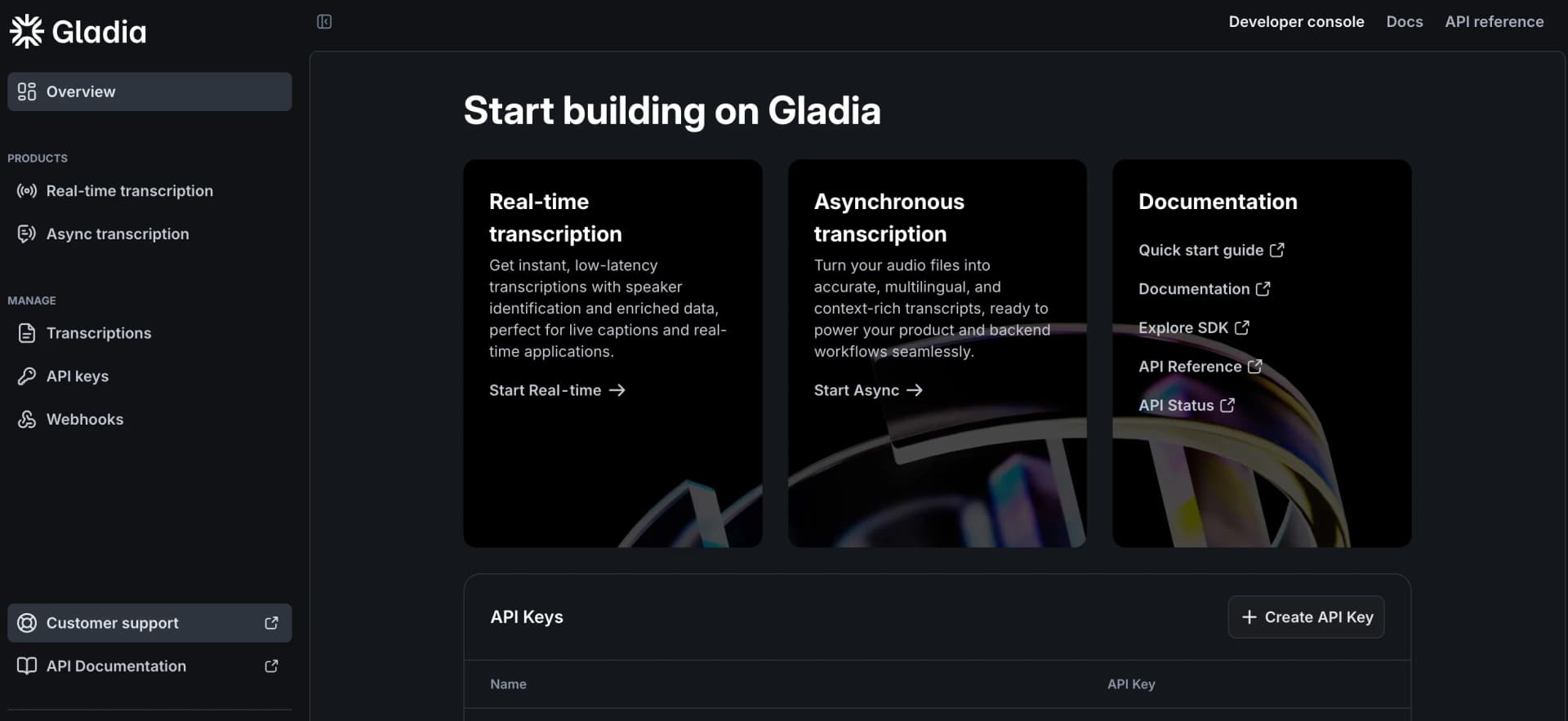
Sign up for Gladia and generate an API key in the Developer Console so requests can authenticate.
- 2
Choose asynchronous or real-time transcription
Use the pre-recorded API for uploaded recordings or the live API and WebSocket flow for streaming audio.
- 3
Upload or provide an audio URL
Send a local file or accessible audio URL to create a transcription job.
- 4
Enable audio intelligence
Configure diarization, translation, sentiment, named entities, summarization, PII redaction, or custom vocabulary as needed.
- 5
Receive results
Retrieve results through polling, WebSocket messages, or a configured callback/webhook.
- 6
Connect downstream tools
Use SDKs, n8n, Zapier, Make, or partner integrations to route transcripts and structured insights into your product or workflow.
Who is Gladia For?
Companies building voice products
Gladia provides API-based transcription and audio intelligence infrastructure that can be embedded into products.
Sales teams
The platform supports sales-call transcription, speaker separation, summaries, sentiment, and structured insights.
Customer support and contact centers
Real-time transcription and audio intelligence can support agent assistance, quality monitoring, and call analytics.
Content creators
Audio and video can be transcribed, translated, summarized, and converted into subtitle formats.
Digital nomads and meeting-product builders
Gladia is positioned for meeting and conversation products that need multilingual audio processing.
Frequently Asked Questions
Can I try Gladia for free?
Yes. New users receive 50€ in free credits as a one-time grant with no monthly reset.
How does Gladia billing work?
Gladia uses a prepaid credit wallet. Credits can be added manually or through automatic top-up.
What happens when my credits run out?
API access pauses until you add credits or upgrade; automatic top-up can prevent interruption.
What languages does Gladia support?
Gladia supports more than 100 languages, including automatic detection, code-switching, and translation.
What are Gladia's file limits?
Standard requests support audio up to 135 minutes and files up to 1 GB. Enterprise can support up to 4 hours 15 minutes.
Does Gladia support team collaborators?
No. Gladia currently recommends using a shared email address because direct collaborator accounts are not supported.
Community reviews
1 review from people who use Gladia.
Sign in to leave a review for Gladia.
Thibault BM
Gladia Alternatives
Looking for alternatives to Gladia? Here are similar tools in the same category:
Learn to Master Gladia
With Skill Leap courses
Get in-depth training on Gladia and 50+ other AI tools with our expert-led video courses.
Start 7-Day Free Trial