
Glass It Price Tracker
AI-driven tool for real-time price alerts and tracking.
Key Takeaways
- What it is
- AI-driven tool for real-time price alerts and tracking.
- Pricing
- Freemium
- Best for
- Comprehensive Price Monitoring
- Customizable Alerts
- Browser Extension Integration
- Rating
- 4.3/5
What is Glass It Price Tracker?
Glass It Price Tracker is a cutting-edge service designed to revolutionize the way consumers monitor and capitalize on online price fluctuations. This AI-powered tool offers comprehensive price tracking capabilities, allowing users to receive real-time alerts on price drops and stock availability across a wide array of online retailers. Tailored for savvy shoppers and businesses alike, it simplifies the process of finding the best deals without compromising user privacy.
Glass It Price Tracker stands out for its strong emphasis on user privacy, offering a robust solution without compromising personal data security. Its unique approach to price tracking, powered by reinforcement learning from human feedback, ensures accuracy and reliability unmatched in the industry. This commitment to ethical data practices makes it a preferred choice for privacy-conscious consumers.
Who is Using Glass It Price Tracker?
E-commerce Businesses
Utilizing the tool for competitive pricing strategies and inventory management.
Digital Marketing Agencies
Employing the tool to identify optimal pricing windows for promotional campaigns.
Bargain Hunters
Leveraging the tool to maximize savings on personal purchases through timely alerts.
Retail Analysts
Using the tool to study market trends and consumer behavior.
Uncommon Use Cases
Libraries: Utilizing it to track book prices for budget management.; Real Estate Agents: Monitoring property price changes for market analysis.
Key Features
Rating Breakdown
Pricing Plans
Free Tier
Free
Which Glass It Price Tracker plan should you pick?
Start with Free for price-history lookups; upgrade to Essential when you need alerts, stock monitoring, Webhook API access, and monitoring for up to 10 items.
Free
Good for shoppers who need price history and one year of data access.
Essential
Good for users who need price-drop alerts, stock alerts, Webhook API access, support, and up to 10 items.
Advanced
Good for larger monitoring workloads requiring the same paid features for up to 100 items.
Enterprise
Good for high-volume monitoring requiring paid features for up to 500 items.
Pay As You Go Monitoring
Good for customers who prefer per-item monitoring with bulk discounts instead of a subscription.
Glass It Price Tracker Use Cases
Track a product price
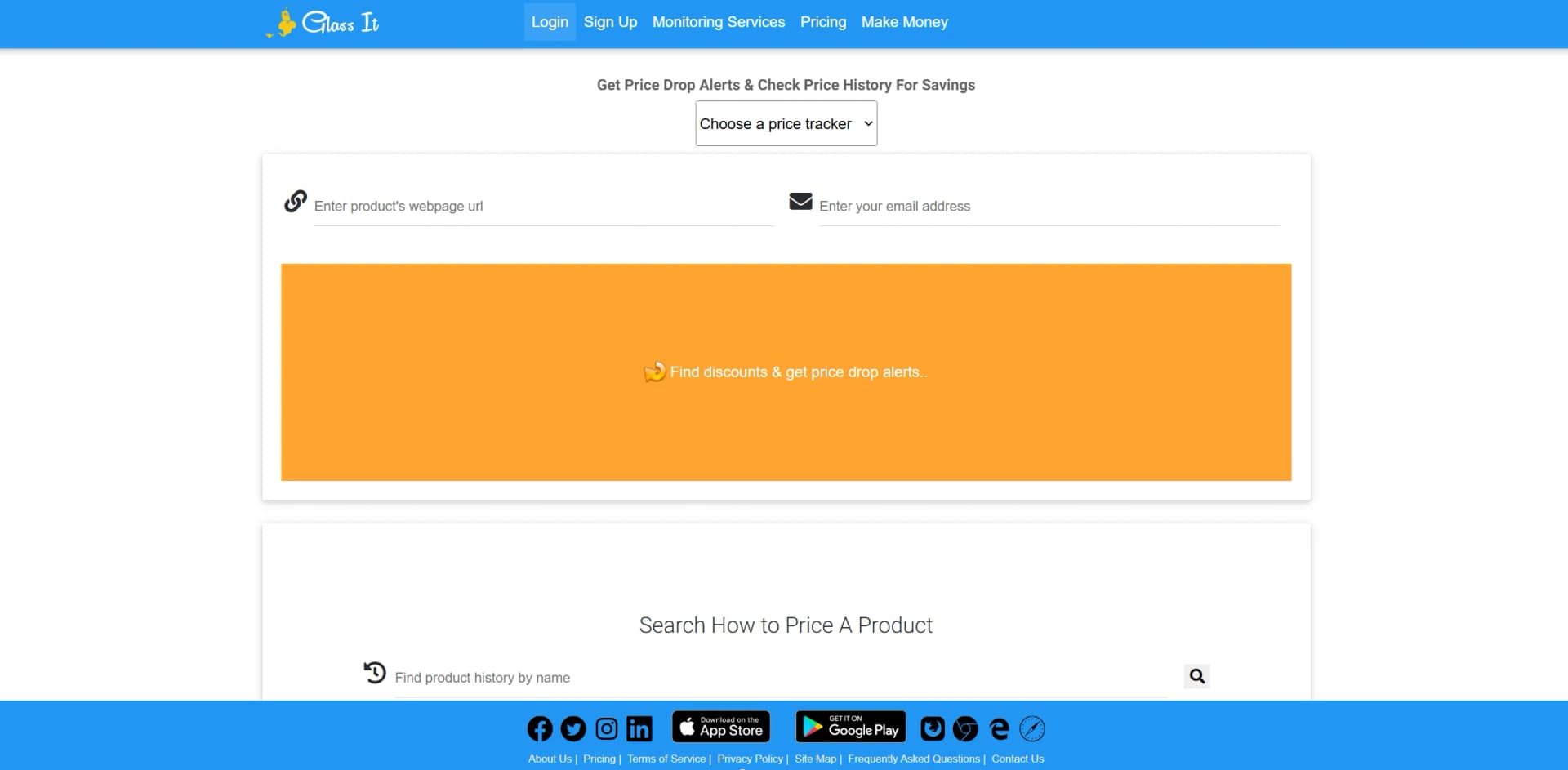
Submit a product URL and set a target notification price.
Outcome: Receive an alert when the price reaches the target.
Check price history
Paste a product URL into Glass It’s Price History Check tool.
Outcome: Review historical price changes and assess the current deal.
Monitor stock availability
Request monitoring for an item at a specific retailer.
Outcome: Receive stock and out-of-stock change notifications.
Compare competitor pricing
Import products and provide competitor URLs for monitoring.
Outcome: Compare competitor price and stock trends.
Create monitoring reports
Use the dashboard wizard to create widgets from monitoring data.
Outcome: Compare monitoring data in custom dashboard reports.
Workflow Ideas with Glass It Price Tracker
Personal deal tracking
- 1Find the product page at a supported retailer
- 2Submit the URL through the Glass It extension or website
- 3Set a target price and wait for daily alerts
Competitor price monitoring
- 1Import your products for monitoring
- 2Send Glass It competitor product URLs
- 3Compare price and stock trends in dashboard widgets
Automated business updates
- 1Set up product and competitor monitoring
- 2Configure Webhooks API event handling
- 3Process Glass It updates in your own business workflow
How Glass It Price Tracker fits into your stack
Browser
The web app provides price-history lookup, daily monitoring, alerts, dashboards, and widgets. The browser extension submits the current product page to Glass It for monitoring.
Mobile
Native iOS and Android apps let users submit product URLs, view price history, and receive email or push price-drop notifications.
Automation and APIs
The Webhook API sends Glass It monitoring events to external systems. It is intended for handling price and stock updates programmatically.
Ecommerce and store administration
Shopify and WooCommerce integrations import store products for price and availability monitoring, competitor comparison, reports, and dynamic pricing workflows.
Pros
- +User-Friendly Interface: The intuitive design ensures a smooth and straightforward user experience, even for beginners.
- +Privacy-Focused: Unlike many competitors, Glass It prioritizes user privacy, ensuring no invasive tracking occurs.
- +Time-Saving Automation: Automates the process of price checking, freeing up users' time for other tasks.
- +Customizable Notifications: Allows users to set specific price thresholds for alerts, ensuring notifications are relevant and useful.
Cons
- −Limited Free Tier: The free version allows tracking of a limited number of items, which may not meet the needs of all users.
- −Manual Setup Required: Users must manually input the URLs of items they wish to track, which can be time-consuming.
- −Retailer-Specific Tracking: Users need to specify the exact retailers to monitor, limiting automated multi-store comparisons.
Limitations & when to consider alternatives
Known limitations
- Daily monitoring cadence. Glass It states that monitored prices are checked once per day, rather than continuously.
- Manual retailer selection. Multiple retailers are not checked automatically; users must specify the product and retailers.
- Approval is required. A Glass It Web Engineer reviews submitted URLs before items are approved for monitoring.
- Price history may be incomplete. Public history may require at least three data points and a verified user with push notifications; missing dates can occur.
- Free usage is limited. The Free plan provides price history with one year of data access, while paid plans add monitoring features and item limits.
Look elsewhere when
- You need continuous real-time price monitoring
- Your workflow requires automatic multi-retailer discovery
- You need a native desktop installer
How to Use Glass It Price Tracker
- 1
Create an account
Sign up for Glass It and complete the onboarding checklist so submitted items can be associated with your account.
- 2
Install the extension
Install the Chrome, Firefox, Edge, or Safari extension to submit product pages without copying and pasting URLs.
- 3
Submit a product
Open a product page at a retailer, click the Glass It extension, and request monitoring for that item.
- 4
Wait for approval
A Glass It Web Engineer reviews the item and normally approves eligible product pages within one business day.
- 5
Set your alert price
After approval, choose the notification price that should trigger price-drop alerts.
- 6
Review history and widgets
Use the dashboard to create widgets and compare monitoring data, or use Price History Check for a product URL.
Who is Glass It Price Tracker For?
Online shoppers
Track products across online retailers and receive price-drop alerts before purchasing.
Price-conscious consumers
Use historical prices to assess whether the current price is a good deal.
Businesses monitoring competitors
Compare competitor prices and stock trends to identify repricing opportunities.
Shopify store owners
Use competitor monitoring and pricing information to support Shopify pricing decisions.
Frequently Asked Questions
What is Glass It?
Glass It tracks online prices every day and sends email and push notifications during daily price checks.
How do I get started monitoring products?
Install the browser extension, log in, visit a product page, click the extension, request monitoring, and wait for approval.
How often does Glass It check prices?
Glass It monitors item prices once per day.
How can I view price history?
Paste an item URL into the Price History Check section or view personalized history in the account Messages area when push notifications are enabled.
Are multiple retailers checked automatically?
No. Users specify the exact product and retailers they want Glass It to monitor.
What happens if an item goes out of stock?
Glass It notifies users when a monitored item goes out of stock, is discontinued, or is removed from the market.
Community reviews
Be the first to share your experience.
Sign in to leave a review for Glass It Price Tracker.
Glass It Price Tracker Alternatives
Looking for alternatives to Glass It Price Tracker? Here are similar tools in the same category:
Learn to Master Glass It Price Tracker
With Skill Leap courses
Get in-depth training on Glass It Price Tracker and 50+ other AI tools with our expert-led video courses.
Start 7-Day Free Trial