
Gobii
Offload repetitive browser tasks into always-on workers.
Key Takeaways
- What it is
- Offload repetitive browser tasks into always-on workers.
- Pricing
- Freemium · $50 per month · $250 per month
- Best for
- 24/7 Browser Automation
- Pretrained Specialized Workers
- Scheduling and Event Triggers
- Rating
- 4.3/5
What is Gobii?
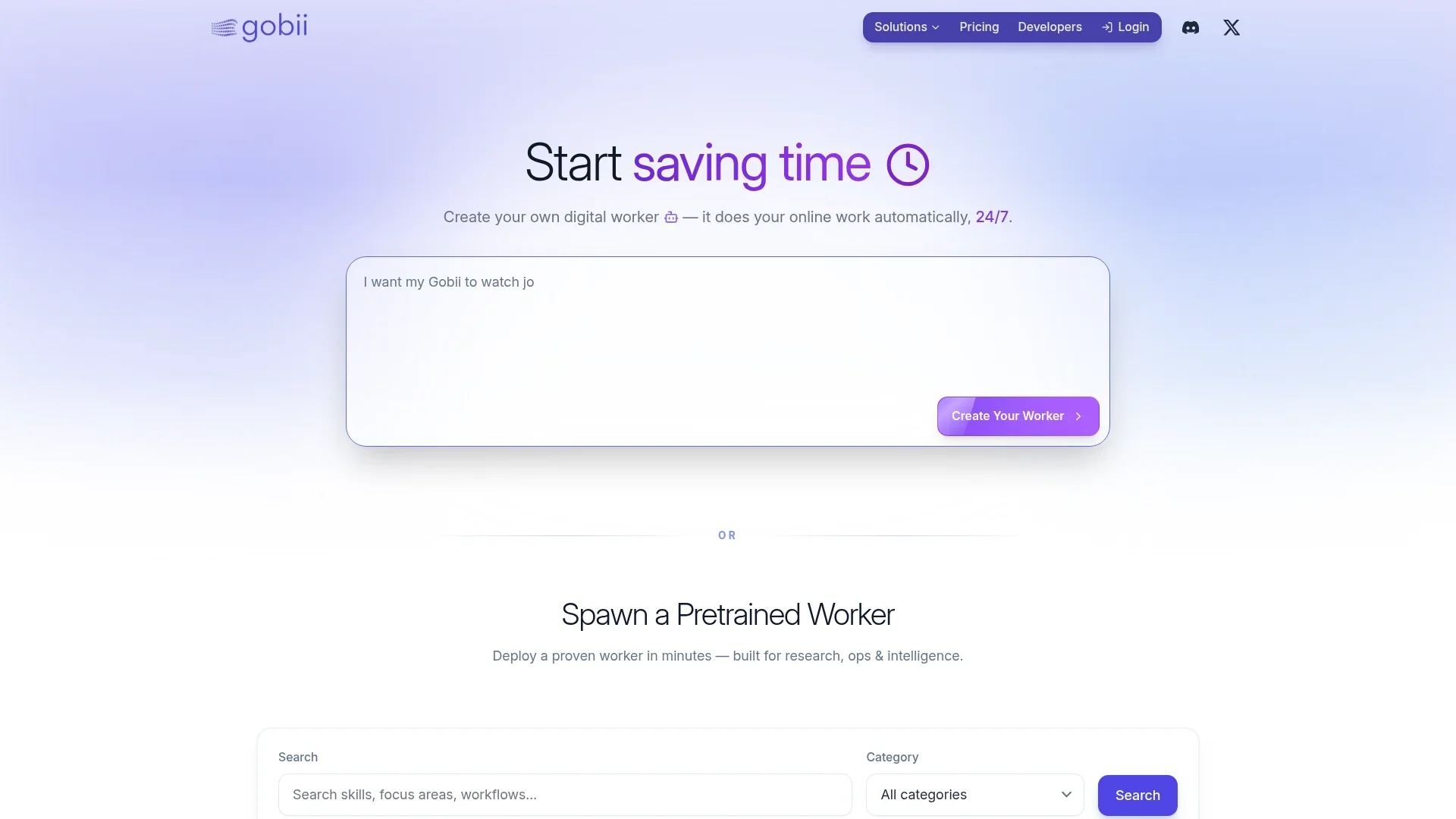
Gobii gives teams always-on digital workers that perform browser-based tasks automatically, around the clock. These AI agents log in to websites, search, click, fill forms, scrape data, and write updates just like a human operator, then hand results back through docs, sheets, chat, or APIs. Prebuilt workers cover common roles such as lead generation, recruiting research, project coordination, and compliance monitoring, while technical users can configure fully custom agents for their own workflows.
Gobii focuses squarely on AI agents that live inside the browser, not just chatbots. The curated gallery of job-specific workers is unusually opinionated, covering everything from sales development and recruiting to public safety monitoring. Schedules, triggers, and rich integrations are all anchored around real work artifacts such as sheets, docs, tickets, and incidents, so output looks like something a well-trained operations hire would produce. For teams that want both out-of-the-box workers and deep API control, it hits a rare middle ground between classic RPA tools and newer AI agent platforms.
Gobii gives teams a practical way to offload repetitive browser work to AI agents while still keeping results grounded in the tools they already use. Its ready-made workers make it attractive for non-technical departments that want quick wins, while APIs and webhooks open the door for engineering-led automation at scale. There are some expected tradeoffs around product maturity and site-dependent reliability, but for organizations that spend countless hours clicking through web apps, Gobii can feel like adding a diligent digital colleague who never gets tired of doing the boring parts.
Who is Using Gobii?
Sales and Revenue Teams
Using workers like Lead Hunter, Account Researcher, and Pipeline Whisperer to find prospects, enrich accounts, and keep CRMs clean without constant manual data entry.
Recruiting and People Ops Teams
Running Talent Scout, Candidate Researcher, and Onboarding Concierge agents to source candidates, research profiles, and coordinate new-hire checklists.
Operations and Support Teams
Relying on Vendor Price Analyst, Incident Comms Scribe, and Standup Coordinator for status tracking, price monitoring, and internal communication workflows.
Risk, Compliance, and Security Teams
Using Public Safety Scout and Compliance Sentinel to monitor public data sources, incident feeds, and policy documentation for early warning signals.
Uncommon Use Cases
Used by small municipal agencies to monitor local public safety data feeds; Adopted by real estate investment groups to track hyper-specific property markets using the research templates.
Key Features
Rating Breakdown
Pricing Plans
Free Tier
Free
- 100 tasks (one-time, 30 days), 3 contacts per agent, 5 always-on agents, basic API access, community support, and standard rate limits
Pro
$50 per month
- 500 tasks, 20 contacts per agent, unlimited always-on agents, agents never expire, $0.10 per task beyond 500, priority support, and higher rate limits
Scale
$250 per month
- 10,000 tasks, 50 contacts per agent, unlimited always-on agents, agents never expire, highest intelligence levels, dedicated onboarding specialist, $0.04 per task beyond 10,000, priority work queue, and 1,500 requests per minute API throughput
Which Gobii plan should you pick?
Because Gobii announced a September 1, 2026 final day of operations, do not start new production work; its pricing page historically listed Pro for growing teams, Scale for fast-growing usage, and Team for shared workspaces.
Pro
Historically suited to growing teams needing 1,000 included tasks, always-on agents, and priority support.
Scale
Historically suited to teams needing 10,000 included tasks, higher API throughput, batch scheduling, and priority queueing.
Team
Historically suited to shared workspaces needing pooled credits, shared agents, private templates, roles, invites, and team billing.
Gobii Use Cases
Recurring market research
Create an agent that monitors markets, competitors, vendors, or industry developments and prepares recurring summaries.
Outcome: A repeatable research brief or report.
Recruiting sourcing
Use browser work and connected apps to source candidates, enrich records, and produce recruiter-ready shortlists.
Outcome: Qualified candidate lists and recruiting deliverables.
Customer-feedback analysis
Upload customer-feedback files and ask a Gobii to identify themes and prepare leadership notes.
Outcome: Organized themes and concise decision-support summaries.
Spreadsheet automation
Connect Google Sheets so a Gobii can read, create, update, format, and chart selected spreadsheets.
Outcome: Updated spreadsheets and structured data outputs.
Operations monitoring
Set up an agent to monitor a vendor, inbox, queue, dashboard, or renewal risk and escalate important findings.
Outcome: Ongoing monitoring with human approval checkpoints.
Workflow Ideas with Gobii
Recurring research brief
- 1Create or choose a research Gobii
- 2Connect the required web, files, or apps and define the cadence
- 3Review the plan and approve sensitive requests
- 4Inspect the timeline and receive the completed brief
Customer-feedback synthesis
- 1Upload the feedback file to chat or the agent filespace
- 2Ask the Gobii to identify themes and cite the relevant file sections
- 3Review the generated summary and keep the deliverable in the workspace
Lead-sourcing workflow
- 1Create a sales-research Gobii or start from a template
- 2Connect Apollo or another approved app and define the target-account criteria
- 3Review the sourced records and approve any external communication
How Gobii fits into your stack
Browser
Gobii Cloud is accessed through the hosted Gobii web product, where users create agents, chat, review timelines, and manage settings.
Team chat and tickets
Gobii agents can participate in Discord channels, email, and SMS, reading context, replying, and processing shared files or images.
Automation and APIs
Persistent agents support schedules, inbound and outbound webhooks, REST APIs, Remote MCP, structured outputs, and browser automation.
Knowledge and files
Each Gobii has a reusable filespace for chat uploads, email or SMS attachments, reference materials, generated outputs, and collaborator access.
Pros
- +Strong fit for web-centric work: Ideal for roles where people live inside the browser doing research, data collection, or repetitive clicking across multiple sites.
- +Fast time to value: Pretrained workers ship with sane defaults, so non-technical teams can get something useful running in minutes instead of designing flows from scratch.
- +Flexible automation model: Combination of schedules, event triggers, and integrations covers both regular reporting jobs and reactive workflows.
- +Transparent task-based pricing: Clear quotas and overage pricing help teams model cost as usage grows, from lightweight experimentation to heavy automation.
Cons
- −Relatively young product: Ecosystem, tutorials, and community are still smaller compared with older RPA and automation platforms.
- −Reliance on third-party websites: Any major UI changes, bot protections, or login quirks on target sites can break or limit certain automations.
- −Usage-based costs: High-volume scraping or very aggressive task schedules may require careful tuning or a higher-tier plan to stay economical.
Limitations & when to consider alternatives
Known limitations
- Service wind-down. Gobii announced that it is winding down and lists September 1, 2026 as its final day of operations.
- No permanent free plan. The pricing page lists a 7-day free trial followed by monthly billing for the paid plans.
- Usage is task-metered. Plans include monthly task quantities, and additional tasks are billed or controlled through usage settings.
- Sensitive actions may require approval. Gobii can pause for human input, credentials, contact access, or important changes before continuing.
- Large files may need another upload path. The Remote MCP documentation says very large files should be added to the agent filespace outside MCP and referenced by path.
Look elsewhere when
- You need a permanent free plan.
- You need a native mobile or desktop application.
- You need documented SSO or SAML support.
- You need model fine-tuning on your own data.
How to Use Gobii
- 1
Define the job
Describe the role, goal, boundaries, cadence, preferred output, and systems the Gobii should use.
- 2
Start blank or from a template
Create a Gobii from your own description or choose a Template Library starting point for a proven workflow shape.
- 3
Add context and files
Upload background files to chat or the filespace, and identify the sources, apps, or systems that matter.
- 4
Connect tools and channels
Connect only the required apps, MCP servers, email, SMS, browser tools, or other channels.
- 5
Set approval boundaries
Tell the Gobii what requires approval, such as external messages, new contacts, credentials, spending, or changes to other Gobiis.
- 6
Review the timeline
Use the timeline to inspect plans, tool activity, files, pending requests, deliverables, and completed work.
Who is Gobii For?
Recruiting teams
Gobii identifies candidates and supports recruiting workflows with browser work, files, and connected tools.
Sales teams
Gobii supports sales research, target-account preparation, lead sourcing, and structured reporting.
Operations teams
Gobii handles repetitive operational work, monitoring, forms, spreadsheets, and approval-gated actions.
Research and competitive-intelligence teams
Gobii gathers web research, organizes data, and prepares recurring briefs and reports.
Compliance teams
Gobii can monitor websites, vendors, dashboards, and recurring compliance-related information.
Frequently Asked Questions
What is Gobii?
Gobii creates persistent AI employees that keep context, use tools, work with files, communicate through channels, and request approvals.
Does Gobii offer a free plan?
The pricing page lists paid Pro, Scale, and Team plans with a 7-day free trial rather than a permanent free tier.
Can Gobii connect to external apps?
Yes. Connected apps let Gobiis work with systems such as messaging channels, task systems, spreadsheets, CRMs, and other SaaS tools.
Can Gobii use uploaded files?
Yes. Users can attach files in chat, upload them through the file manager, and reuse them in an agent filespace.
Does Gobii provide an API?
Yes. The Agent API supports creating, updating, messaging, inspecting, activating, and deleting persistent agents.
Is Gobii still operating?
Gobii announced that it is winding down, with a final day of operations stated as September 1, 2026.
Community reviews
Be the first to share your experience.
Sign in to leave a review for Gobii.
Gobii Alternatives
Looking for alternatives to Gobii? Here are similar tools in the same category:
Learn to Master Gobii
With Skill Leap courses
Get in-depth training on Gobii and 50+ other AI tools with our expert-led video courses.
Start 7-Day Free Trial