
Gologin Cloud Browser
Keeps automated browsers logged into accounts.
Key Takeaways
- What it is
- Keeps automated browsers logged into accounts.
- Pricing
- Freemium · $4.50/m · $8/m · $14/m
- Best for
- Persistent browser profiles
- Stealth fingerprinting
- Proxy routing and geo-targeting
Who is Using Gologin Cloud Browser?
Individual developers
Use persistent browser sessions for personal automation projects and small workloads.
Small projects
Use the Professional plan for one concurrent cloud session and included browser hours.
Teams and agencies
Use Business or higher plans for increased concurrency, profile sharing, and team access.
AI agents
Use Cloud Browser as a remote, persistent browser runtime for autonomous workflows.
Scraping and web-automation operators
Use isolated profiles, proxies, and automation libraries for repeated website tasks.
Key Features
Pricing Plans
Free
Free
- 15 minutes included
- 3 parallel sessions
- No card required
- Saved profiles
Professional
$4.50/m
- 50 hours included
- 1 parallel session
- Overage $0.09 per hour
- For individual developers and small projects
Business
$8/m
- 100 hours included
- 2 parallel sessions
- Overage $0.08 per hour
- For teams with growing workloads
Enterprise
$14/m
- 200 hours included
- 3 parallel sessions
- Overage $0.07 per hour
- Advanced support and features for critical operations
Which Gologin Cloud Browser plan should you pick?
Start with Free for testing, move to Professional for individual automation, and upgrade when you need more included hours, concurrency, or enterprise support.
Free
Good for testing Cloud Browser with a small number of short sessions and no payment card.
Professional
Good for individual developers and small projects needing one concurrent session.
Business
Good for growing teams and agencies that need two concurrent sessions and more included hours.
Enterprise
Good for critical operations requiring higher usage, three concurrent sessions, and advanced support.
Gologin Cloud Browser Use Cases
Persistent logged-in automation
Log into a web account once and reuse the same profile across later automated runs.
Outcome: Automations retain cookies, storage, fingerprint, and session state.
Multi-account workflows
Run isolated profiles with separate cookies, IP addresses, fingerprints, and proxy configurations.
Outcome: Accounts remain separated across repeated browser tasks.
Marketplace and social-platform automation
Automate logged-in sessions for web apps, marketplaces, and social platforms.
Outcome: Long-running workflows can operate without depending on a local machine.
AI-agent browser control
Connect an agent tool server to Cloud Browser through Playwright or Puppeteer for navigation, clicking, typing, and extraction.
Outcome: Agents can interact with JavaScript-heavy websites using persistent sessions.
Remote browser debugging
Open a live headful session to inspect failures, view browser activity, and take manual control.
Outcome: Automation failures can be diagnosed without restarting from the login page.
Workflow Ideas with Gologin Cloud Browser
Persistent authenticated automation
- 1Create or configure a Gologin profile with fingerprint and proxy settings
- 2Connect Playwright or Puppeteer to the Cloud Browser endpoint
- 3Reuse the profile ID on later runs to preserve login state
AI agent browser workflow
- 1Keep the Gologin token on a server-side tool service
- 2Connect the tool service to Cloud Browser through Playwright or Puppeteer
- 3Return structured URLs, extracted data, screenshots, or errors to the agent
Remote file workflow
- 1Upload a local file through the Cloud Browser Files interface
- 2Select the uploaded file from the remote container on the target website
- 3Download resulting files from the cloud container back to the local computer
How Gologin Cloud Browser fits into your stack
Browser
Runs an isolated Chromium browser session in Gologin's cloud and exposes it through a regular browser live view.
Automation and APIs
Connects to Playwright, Puppeteer, REST APIs, and Gologin's CLI tools through API tokens and remote browser endpoints.
Desktop / IDE
Works with automation code executed from a developer's local machine, CI environment, server, or agent tool server.
Pros
- +Free plan available
- +Persistent sessions retain login state
- +Playwright and Puppeteer compatible
- +Built-in fingerprinting and proxy routing
- +Cloud execution avoids local browser infrastructure
Cons
- −Standard plans limit concurrent cloud sessions
- −Cloud sessions may show video-streaming delay
- −Linux profiles work best in the cloud
- −Closing the browser tab does not immediately stop a session
- −Target websites may still block automation
Limitations & when to consider alternatives
Known limitations
- Cloud sessions have concurrency limits. Plan limits apply to simultaneous cloud launches: one on Professional, two on Business, three on Enterprise, with Custom plans starting at four.
- Cloud profiles run on Linux-based servers. Linux profile configurations work best; profiles created with another operating system may behave unexpectedly in the cloud.
- Cloud sessions do not stop when the tab closes. A profile continues running until manually stopped or until it reaches 15 minutes of inactivity.
- Cloud viewing uses a live video feed. Users may experience black bars, unusual resolution, or interaction delay, especially with unstable internet connections.
- Automation is not guaranteed to bypass website blocking. Target websites may still block automation, and results depend on the target site and configuration.
Look elsewhere when
- You need a native iOS application.
- You need a browser extension rather than a standalone browser runtime.
- You need unlimited simultaneous cloud sessions on standard plans.
- You need a browser session that runs entirely on your local machine.
How to Use Gologin Cloud Browser
- 1
Create an API token
Sign up or log in to Gologin, then generate an API token from the dashboard for Cloud Browser access.
- 2
Configure a persistent profile
Create or select a profile and configure its fingerprint, proxy, and other settings when persistent identity is required.
- 3
Connect your automation library
Use the Cloud Browser connection URL with Playwright or Puppeteer and pass the token and optional profile ID.
- 4
Run and inspect the session
Execute browser actions, reuse the profile across runs, and open headful live view when debugging is needed.
Who is Gologin Cloud Browser For?
Individual developers
The Professional plan is positioned for individual developers and small projects needing persistent automated browser sessions.
AI-agent builders
Cloud Browser provides a persistent remote browser runtime that agents can use for navigation, interaction, and extraction.
Scraping and automation teams
Profiles, proxy routing, fingerprinting, and parallel sessions support repeated automated work across websites.
Growing teams and agencies
The Business plan is designed for teams with growing workloads and supports multiple parallel sessions.
Enterprise operations
Enterprise offerings include higher concurrency, SSO/SAML, SLA coverage, and dedicated customer support.
Frequently Asked Questions
Can I try Cloud Browser without paying?
Yes. The free plan provides 15 minutes of browser time across three parallel sessions without requiring a card.
Does Cloud Browser work with existing Playwright or Puppeteer code?
Yes. Users connect through the documented Cloud Browser endpoint while retaining their existing selectors, assertions, waits, and CI configuration.
How do sessions stay logged in?
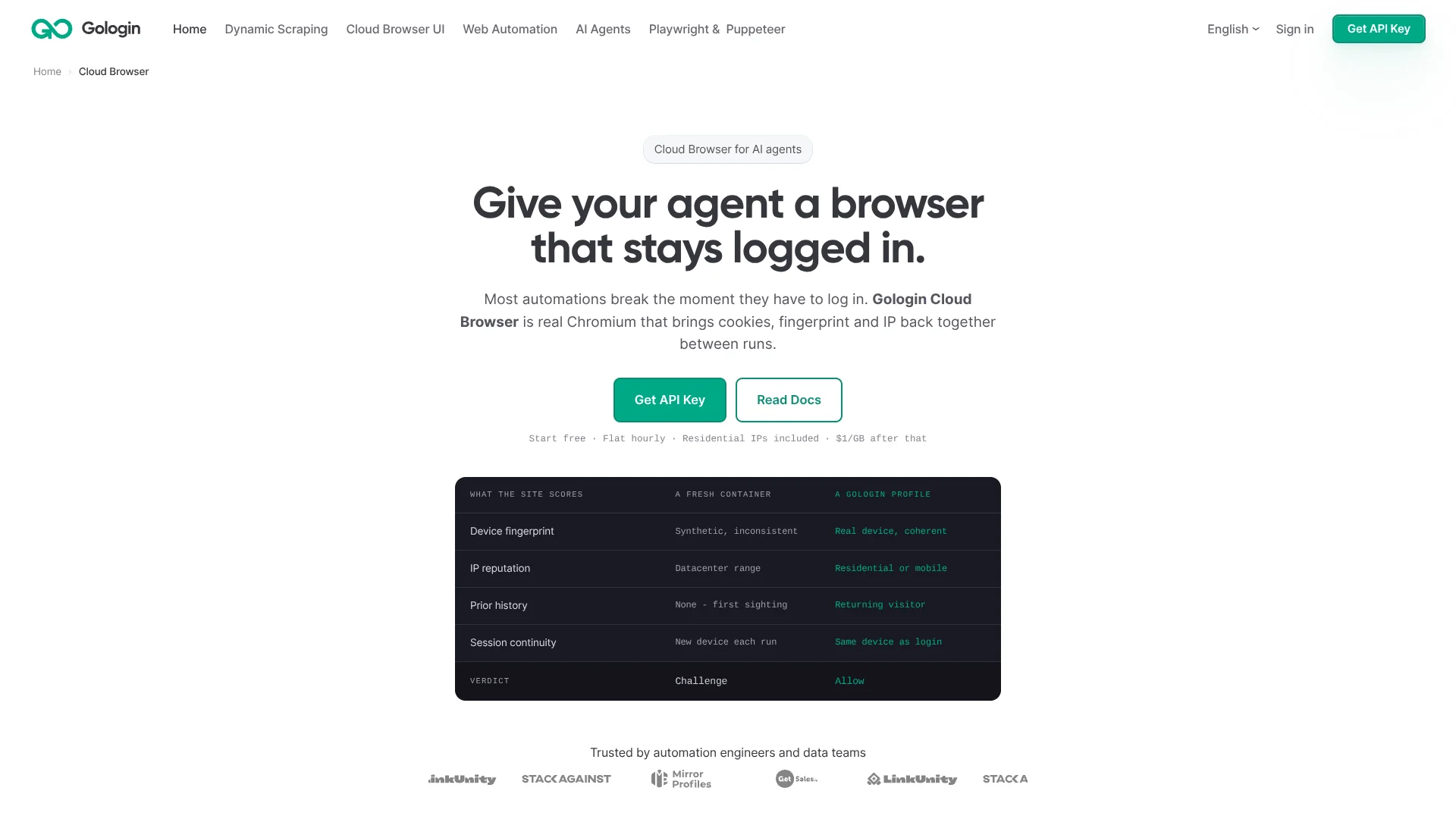
A persistent profile preserves cookies, local storage, IndexedDB, and session state between browser runs.
Can Cloud Browser run headful sessions?
Yes. Headful mode enables live viewing and debugging of browser sessions through the Gologin web app.
Can users select proxy locations?
Yes. The service supports geo-targeting and automatic proxy rotation with residential, mobile, datacenter, and ISP IPs.
How many sessions can run at once?
Professional includes one parallel session, Business two, Enterprise three, and Custom plans start at four.
Community reviews
Be the first to share your experience.
Sign in to leave a review for Gologin Cloud Browser.
Gologin Cloud Browser Alternatives
Looking for alternatives to Gologin Cloud Browser? Here are similar tools in the same category:
Learn to Master Gologin Cloud Browser
With Skill Leap courses
Get in-depth training on Gologin Cloud Browser and 50+ other AI tools with our expert-led video courses.
Start 7-Day Free Trial