
Google Cloud Speech to Text
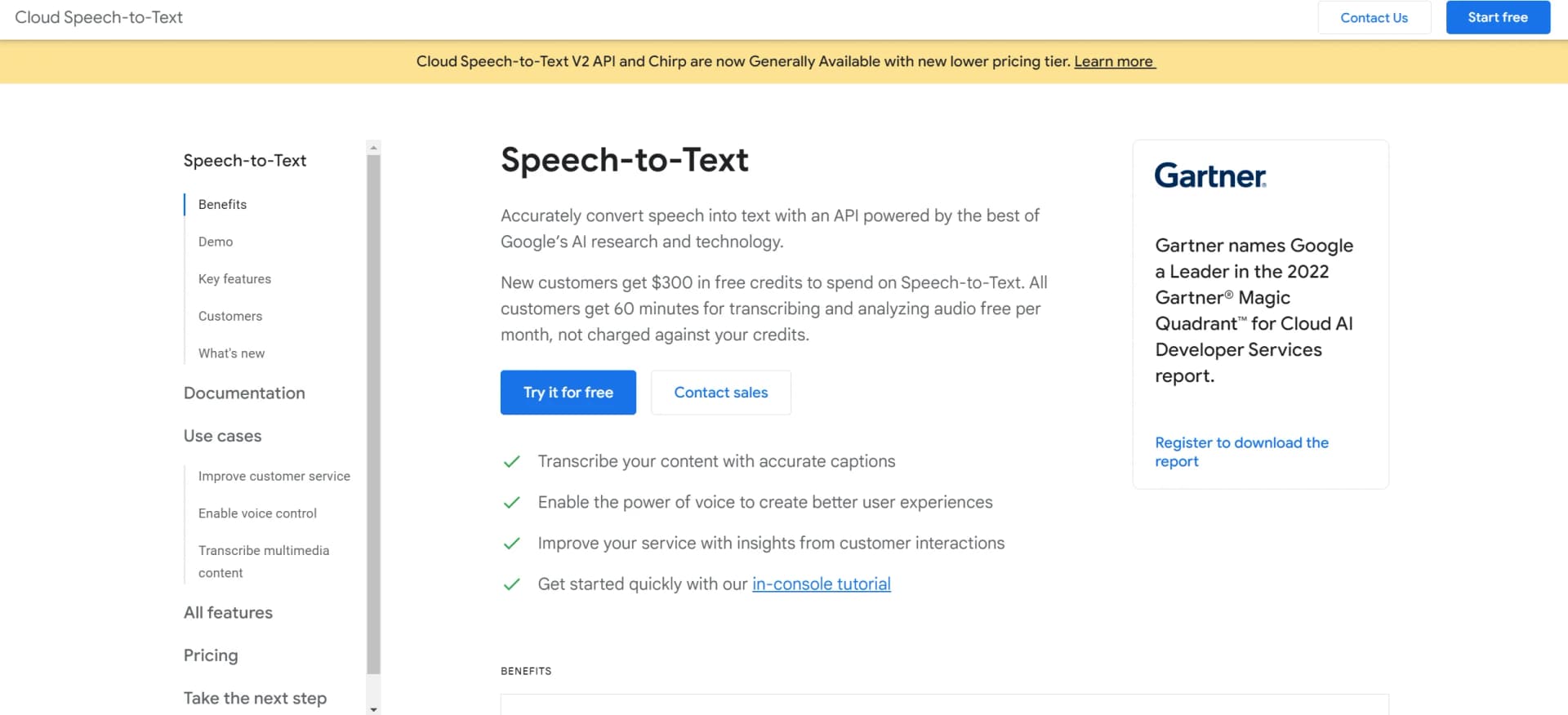
Transform voice to text accurately across 125+ languages, real-time, customizable, secure.
Key Takeaways
- What it is
- Transform voice to text accurately across 125+ languages, real-time, customizable, secure.
- Pricing
- $300 · $0.016 per minute
- Best for
- Advanced Speech AI
- Global Language Support
- Real-Time Streaming Recognition
- Rating
- 4.5/5
What is Google Cloud Speech to Text?
Google Cloud Speech-to-Text leads the industry in converting spoken language into written text. At its core, this tool harnesses Google's AI expertise to deliver precise and dependable speech recognition across over 125 languages and variants. It caters to individuals and professionals alike, offering seamless integration of speech transcription services into various applications, thus serving as a versatile asset for anyone seeking to enrich their software with voice recognition capabilities.
Google Cloud Speech-to-Text stands out with Chirp, its advanced speech AI model, setting a new standard in speech recognition technology. Its real-time transcription capabilities across a vast array of languages and dialects make it an indispensable tool for developers and businesses aiming for global reach.
Google Cloud Speech-to-Text excels in offering cutting-edge speech recognition, making it an essential tool for developers and organizations requiring precise and versatile transcription solutions. Its standout feature, Chirp, provides unmatched advantages in recognizing a multitude of languages and accents with high accuracy. Whether for real-time applications, content creation, or secure transcription needs, Google Cloud Speech-to-Text is a robust and reliable choice.
Who is Using Google Cloud Speech to Text?
Call Centers
Utilizing the tool for real-time transcription of customer service calls.
Content Creators
Generating subtitles for videos to enhance accessibility.
Healthcare Professionals
Streamlining medical record keeping through dictation and documentation.
Educators
Employing the tool for live captioning and student engagement in classroom settings.
Uncommon Use Cases
Used by podcasters for automatic transcription of episodes; Adopted by researchers for transcribing field interviews.
Key Features
Rating Breakdown
Pricing Plans
Free Tier
$300
- In free credits and 60 minutes of free transcription per month
V1 API
- The first tier with data residency for multi-region only
V2 API
$0.016 per minute
- Including audit logging and support for customer-managed encryption keys
Which Google Cloud Speech to Text plan should you pick?
Start with Speech-to-Text V2 API for new applications; use V1 when its 60-minute monthly free allowance or legacy models meet your needs, then upgrade to paid usage as volume grows.
Speech-to-Text V2 API
Good for new production applications that need current models, regional data residency, audit logging, and customer-managed encryption keys; standard recognition starts at $0.016 per minute.
Speech-to-Text V1 API
Good for legacy integrations or low-volume evaluation, with the first 60 minutes per month free when using data logging; usage above the allowance is billed per minute.
Google Cloud Speech to Text Use Cases
Transcribe prerecorded audio
Send an audio file to Cloud Speech-to-Text for transcription.
Outcome: Receive a text transcription.
Transcribe streaming audio
Stream live audio from a microphone or another audio source.
Outcome: Receive interim and final recognition results in real time.
Transcribe long audio files
Store longer audio in Cloud Storage and use asynchronous or batch recognition.
Outcome: Process recordings longer than synchronous request limits.
Transcribe video audio
Extract the audio track from a video file and send it to Cloud Speech-to-Text.
Outcome: Create a transcript of the video's spoken content.
Improve domain terminology recognition
Provide phrase hints, phrase sets, custom classes, or a trained custom model.
Outcome: Improve recognition of rare, proprietary, or domain-specific terms.
Workflow Ideas with Google Cloud Speech to Text
Transcribe a short audio file
- 1Enable the Cloud Speech-to-Text API and billing
- 2Upload or provide the audio content
- 3Send a synchronous recognition request and read the transcript
Process a long recording
- 1Upload the audio to a Cloud Storage bucket
- 2Submit an asynchronous or batch recognition request
- 3Poll the operation and retrieve the completed transcript
Build live transcription
- 1Capture microphone audio in an application
- 2Send audio frames through a streaming recognition session
- 3Display interim and final transcription results
How Google Cloud Speech to Text fits into your stack
Google Cloud Platform
Seamlessly integrates with other Google Cloud services for extended functionality.
Multi-Device Compatibility
Works across various devices, enabling voice transcription on mobile, desktop, and IoT devices.
Custom Model Adaptation
Allows fine-tuning and adaptation of models to specific use cases.
Data Privacy
Offers encryption and compliance features catering to enterprise-level security needs.
Pros
- +Accuracy and Reliability: Exceptional accuracy even with accents or in noisy environments.
- +Ease of Integration: Straightforward APIs simplify the addition of speech recognition to any app or service.
- +Real-Time Results: Immediate transcription is invaluable for applications requiring live feedback.
- +Scalability: Capable of handling both small-scale and enterprise-level demand with ease.
Cons
- −Complex Customizations: Customizing models may pose a steep learning curve for those unfamiliar with machine learning.
- −Cost at Scale: Costs may accumulate for large-scale applications, necessitating careful budget management.
- −Internet Dependency: Requires a stable internet connection for cloud processing, which may be a limitation in certain scenarios.
Limitations & when to consider alternatives
Known limitations
- Synchronous duration limit. Synchronous recognition accepts audio up to 10 MB or one minute, whichever limit is reached first.
- Streaming duration limit. A streaming recognition session can remain open for up to five minutes, and audio should be sent approximately in real time.
- Long-file storage requirement. Audio longer than 60 seconds or larger than 10 MB must be stored in Cloud Storage before transcription.
- Batch file limit. Each batch recognition request can contain up to five files, and each file can be up to eight hours.
- Region restriction for multiple-language recognition. Multiple-language recognition is available only through global, US, and EU endpoints.
Look elsewhere when
- You need image understanding rather than audio transcription.
- You need code generation rather than speech recognition.
How to Use Google Cloud Speech to Text
- 1
Visit the Google Cloud website for a range of tutorials, from quickstarts to detailed guides on implementing the API in your applications.
Who is Google Cloud Speech to Text For?
Developers
The service is an API designed to integrate Google speech-recognition technology into developer applications.
Cloud application builders
Client libraries, REST, gRPC, the Cloud console, and multiple programming-language guides support application development.
Frequently Asked Questions
How is Cloud Speech-to-Text priced?
Pricing is based on the amount of audio successfully processed, measured in one-second increments. Rates vary by API version, model, batch method, and audio channels.
Is there a free tier?
Google Cloud lists 60 free minutes of Speech-to-Text usage per month for eligible customers. The pricing page also shows a 60-minute free allowance for Speech-to-Text V1 standard recognition.
What recognition methods are available?
Cloud Speech-to-Text supports synchronous recognition, asynchronous or batch recognition, and streaming recognition.
How long can audio files be?
Synchronous requests are limited to 10 MB or one minute. Streaming sessions can remain open up to five minutes, while batch files can be up to eight hours.
Does Cloud Speech-to-Text support multiple languages?
Yes. Cloud Speech-to-Text supports many languages and can automatically select among multiple provided language codes in supported regions and models.
How is customer data handled?
Streaming and synchronous audio are processed in memory. Asynchronous transcripts are stored for approximately five days to allow retrieval, and data logging is opt-in for V1.
Community reviews
Be the first to share your experience.
Sign in to leave a review for Google Cloud Speech to Text.
Google Cloud Speech to Text Alternatives
Looking for alternatives to Google Cloud Speech to Text? Here are similar tools in the same category:
Learn to Master Google Cloud Speech to Text
With Skill Leap courses
Get in-depth training on Google Cloud Speech to Text and 50+ other AI tools with our expert-led video courses.
Start 7-Day Free Trial