
GPTforWork
Auto-generate, clean, and research data across massive spreadsheets.
Key Takeaways
- What it is
- Auto-generate, clean, and research data across massive spreadsheets.
- Pricing
- $29 to $999 per pack
- Best for
- Bulk AI processing for spreadsheets
- Agent-style spreadsheet automation
- Multi-model and BYO AI support
- Rating
- 4.6/5
What is GPTforWork?
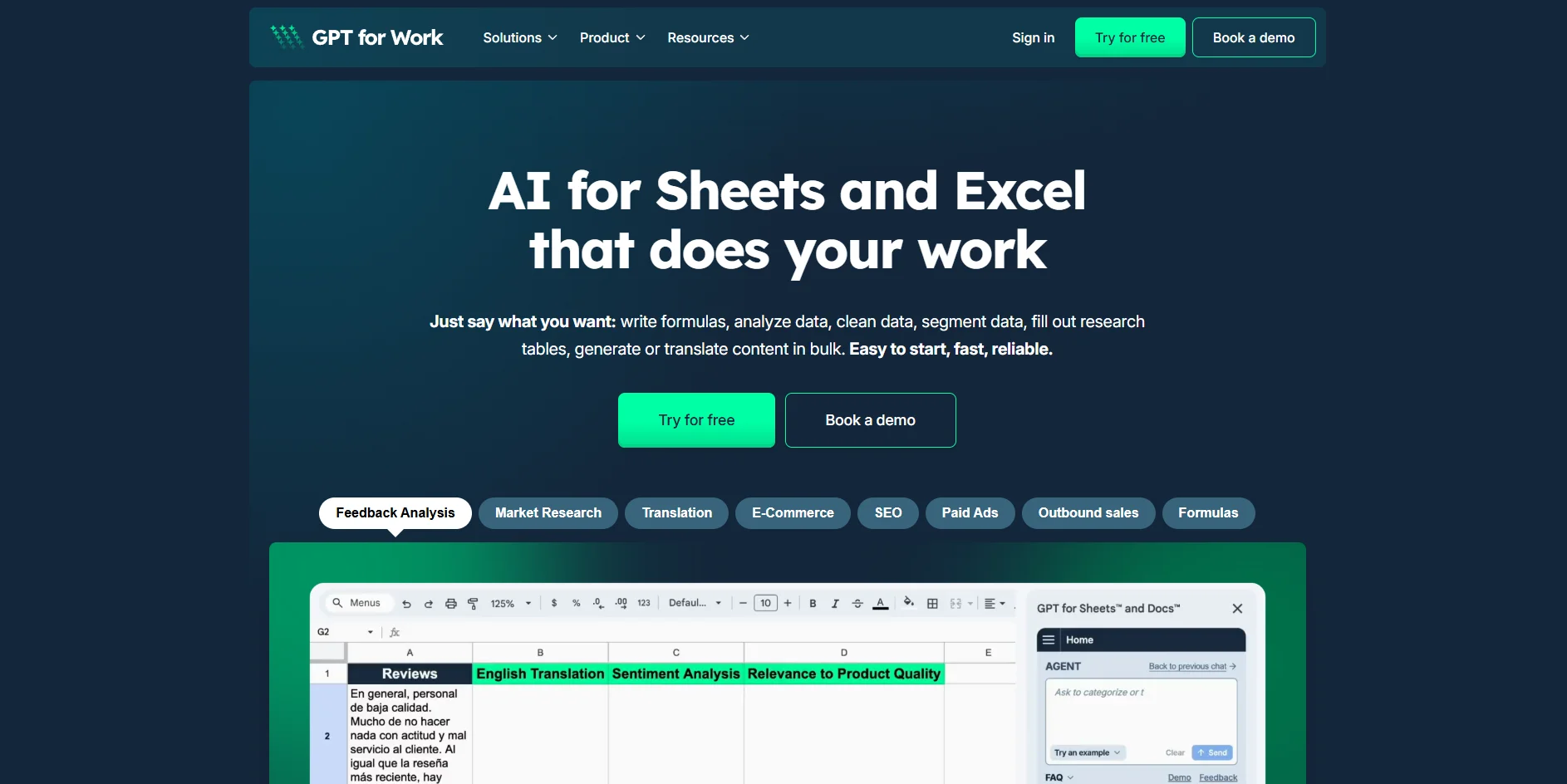
GPTforWork provides AI add-ons for Google Sheets, Microsoft Excel, Docs, and Word focused on bulk work inside existing spreadsheets and documents. Instead of copying prompts into a chat window, users describe what they want in plain language and let the tool write formulas, generate or translate content, clean and segment data, summarize feedback, or run research across thousands of rows. It is built for teams that live in spreadsheets and need industrial-scale AI for e‑commerce, SEO, paid ads, outbound sales, market research, and analytics.
GPTforWork focuses narrowly on one thing: letting spreadsheet and document users run serious AI workloads directly where their data already lives. While many assistants can help with a few cells at a time, this tool is built to chew through entire catalogs, research tables, and feedback archives without constant babysitting. The combination of high-throughput bulk runs, column-aware agent instructions, multi-model support including local deployments, and business-oriented templates gives analysts and operators a very specific superpower: turn a spreadsheet into a production AI workhorse instead of just another export file.
GPTforWork stands out as a specialist tool for people whose days are already spent inside Sheets and Excel, turning those familiar grids into high-throughput AI engines. Its strengths lie in large-scale, repeatable workflows for SEO, e‑commerce, ads, sales, and research, powered by a flexible engine that can talk to many modern models, including on-premise systems. For teams wrestling with repetitive spreadsheet tasks and messy datasets, it offers a practical, business-focused route to serious time savings and new capabilities without asking users to change their working habits.
Who is Using GPTforWork?
Data analysts and operations teams
Using it for data cleaning, deduplication, enrichment, segmentation, and quick exploratory analysis inside existing tables.
SEO and content marketing teams
Generating meta titles and descriptions, headings, FAQs, outlines, and bulk content variants tied directly to keyword and URL lists.
E‑commerce and marketplace managers
Producing product titles and descriptions, attributes, categories and tags, translations, and shopping feed fields at catalog scale.
Performance marketers and growth teams
Crafting and checking ad headlines, descriptions, shopping ads, and extensions while enforcing brand and compliance rules.
Uncommon Use Cases
Adopted by customer experience teams to auto-tag large volumes of survey and support feedback; used by academic and nonprofit researchers to structure literature notes, code qualitative data, and track sources in spreadsheets.
Key Features
Rating Breakdown
Pricing Plans
Free plan (with own API key)
- Access to the add-ons when an external AI provider API key is supplied
- Usage billed by that provider rather than by GPTforWork credits
Usage-based credits
- No subscription and no monthly fees
- You buy credits and consume them as you go (shared across your team
- Expire 1 year after last purchase)
Free credits
- Included when you install a GPT for Work add-on for the first time (amount not specified)
Credit packs
$29 to $999 per pack
Which GPTforWork plan should you pick?
Start with the free trial and Starter credits for evaluation, then move to Essential, Pro, or Scale as spreadsheet volume and team usage increase.
Starter
Good for individuals testing GPT for Work with a smaller amount of spreadsheet processing.
Essential
Good for regular users who need more credits for recurring spreadsheet workflows.
Pro
Good for heavier users processing larger datasets and running bulk AI tasks frequently.
Scale
Good for organizations with high-volume processing needs and shared team credit usage.
GPTforWork Use Cases
Spreadsheet formula creation and repair
Ask the agent to write formulas, detect errors, and fix spreadsheet logic.
Outcome: Faster, more reliable spreadsheet modeling.
Bulk translation
Translate spreadsheet columns row by row into multiple languages, with optional glossaries and custom instructions.
Outcome: Multilingual product or operational data at scale.
Data cleaning and deduplication
Clean messy data, normalize values, reorganize tables, and remove duplicates.
Outcome: More consistent and usable datasets.
Product and company enrichment
Generate content, enrich product records, research companies, and score rows in bulk.
Outcome: Richer datasets without manual row-by-row work.
Charts, pivots, and analysis
Create charts and pivot tables, analyze trends, build models, and generate insights directly in spreadsheets.
Outcome: Decision-ready spreadsheet analysis.
Workflow Ideas with GPTforWork
Bulk lead scoring with Autosheet
- 1Send a prompt and Google Sheet ID to the Autosheet API
- 2Have the agent score rows against rules in the spreadsheet
- 3Poll the agent until the task completes and review the written results
Multilingual product catalog
- 1Select the product-description column in Sheets or Excel
- 2Choose target languages and add a glossary or tone instructions
- 3Run bulk translation and review the generated columns
Spreadsheet cleanup and reporting
- 1Open GPT for Work inside Excel or Google Sheets
- 2Ask the agent to clean data and create pivots or charts
- 3Review the transformed spreadsheet and refine the prompt if needed
How GPTforWork fits into your stack
Browser
The dashboard and free tools are accessed through a supported web browser for account, billing, and configuration tasks.
Docs and writing
GPT for Sheets, Excel, Word, and Docs provide side-panel assistance for formulas, document editing, translation, classification, and bulk content work.
Automation and APIs
Autosheet exposes the spreadsheet agent through an API and MCP server so code or compatible AI clients can execute spreadsheet tasks.
Pros
- +Built for serious scale: Handles bulk workloads that often choke native tools, from multi-hundred-thousand-row ecommerce catalogs to long feedback logs.
- +Strong fit for commercial use cases: The templates and examples squarely target revenue-linked tasks such as SEO, paid ads, and sales, not only generic text generation.
- +Model flexibility and cost control: Teams can combine prepaid credit packs with bring-your-own API keys or custom endpoints to keep AI costs predictable while still accessing top-tier models.
- +Spreadsheet-first user experience: Everything runs inside Sheets or Excel sidebars and formulas, so analysts and operators stay in the tools they already know.
- +Human support that users actually praise: Fast responses, high satisfaction scores, and real people on the other end give it a reputation for reliable help rather than ticket limbo.
Cons
- −Best suited to spreadsheet-heavy workflows: Teams that do not spend much time in Sheets or Excel will see less value compared with chat-centric assistants.
- −Credit and token model can feel opaque: Prepaid credits, per-model token pricing, and optional external API keys add a learning curve for finance or procurement teams.
- −Enterprise pricing details are not fully transparent: Large deployments often require direct contact and custom quotes, which slows quick budget comparisons.
Limitations & when to consider alternatives
Known limitations
- Free translator input limit. The free online translator processes one translation at a time and caps input at 300 characters.
- Image URLs must be accessible. GPT for Sheets image processing requires a direct, publicly accessible image URL.
- API is in preview. The Autosheet API is documented as preview software and may change.
- Credits expire. Purchased credits expire 12 months after the most recent purchase, unless another purchase resets the clock.
Look elsewhere when
- You need a native mobile app.
- You need a dedicated browser extension.
- You need a standalone desktop application.
- You need programming-code generation rather than spreadsheet formulas.
How to Use GPTforWork
- 1
Install the appropriate add-on
Install GPT for Excel Word from Microsoft or GPT for Sheets and Docs from Google, depending on where your spreadsheet lives.
- 2
Open the agent panel
Launch GPT for Work inside your spreadsheet and describe the task in plain language.
- 3
Run a spreadsheet task
Ask it to write formulas, clean data, create charts, translate rows, enrich records, or analyze trends.
- 4
Use bulk processing when needed
Apply a prompt row by row across large tables for translation, categorization, scoring, generation, or enrichment.
- 5
Configure models and keys
Admins can manage available models, API keys, custom endpoints, users, billing, and spending limits from the dashboard.
- 6
Automate through Autosheet
Create an Autosheet API key and send prompts plus spreadsheet IDs from code or workflow tools.
Who is GPTforWork For?
Consulting teams
Restructure datasets, conduct research and analysis, and produce decision-ready summaries inside spreadsheets.
E-commerce teams
Use spreadsheet AI for product enrichment, content generation, translation, and catalog operations.
SEO professionals
Apply bulk AI processing to keyword, content, tagging, and optimization workflows.
Paid advertising teams
Clean, enrich, categorize, and analyze campaign data in Excel or Google Sheets.
Inventory and supply-chain teams
Track stock levels, standardize supplier data, and support demand-planning work.
Frequently Asked Questions
Is GPT for Work free to use?
New users receive a free trial, free starting credits, and do not need a credit card for first use.
How does GPT for Work pricing work?
Usage is primarily pay-as-you-go through credit packs, with no per-seat charge. Monthly subscription plans are being rolled out for some spaces.
Can teams share GPT for Work credits?
Yes. Credits are pooled at the workspace level and shared across team members.
Can I use my own API key?
Yes. Users can connect their own API keys or custom endpoints and pay the model provider directly, plus GPT for Work’s platform fee.
What spreadsheets does GPT for Work support?
GPT for Work works with Microsoft Excel and Google Sheets, with related support for Word and Google Docs add-ins.
Is my data used to train language models?
Talarian says it does not use GPT for Work inputs and outputs to train language models.
Community reviews
Be the first to share your experience.
Sign in to leave a review for GPTforWork.
GPTforWork Alternatives
Looking for alternatives to GPTforWork? Here are similar tools in the same category:
Learn to Master GPTforWork
With Skill Leap courses
Get in-depth training on GPTforWork and 50+ other AI tools with our expert-led video courses.
Start 7-Day Free Trial