
GPTZero
Uncover AI-written text with precision and ease.
Key Takeaways
- What it is
- Uncover AI-written text with precision and ease.
- Pricing
- Freemium · $10 per month · $16 per month
- Best for
- Advanced AI Detection
- Deep Scan Technology
- Integration Options
- Rating
- 4.7/5
What is GPTZero?
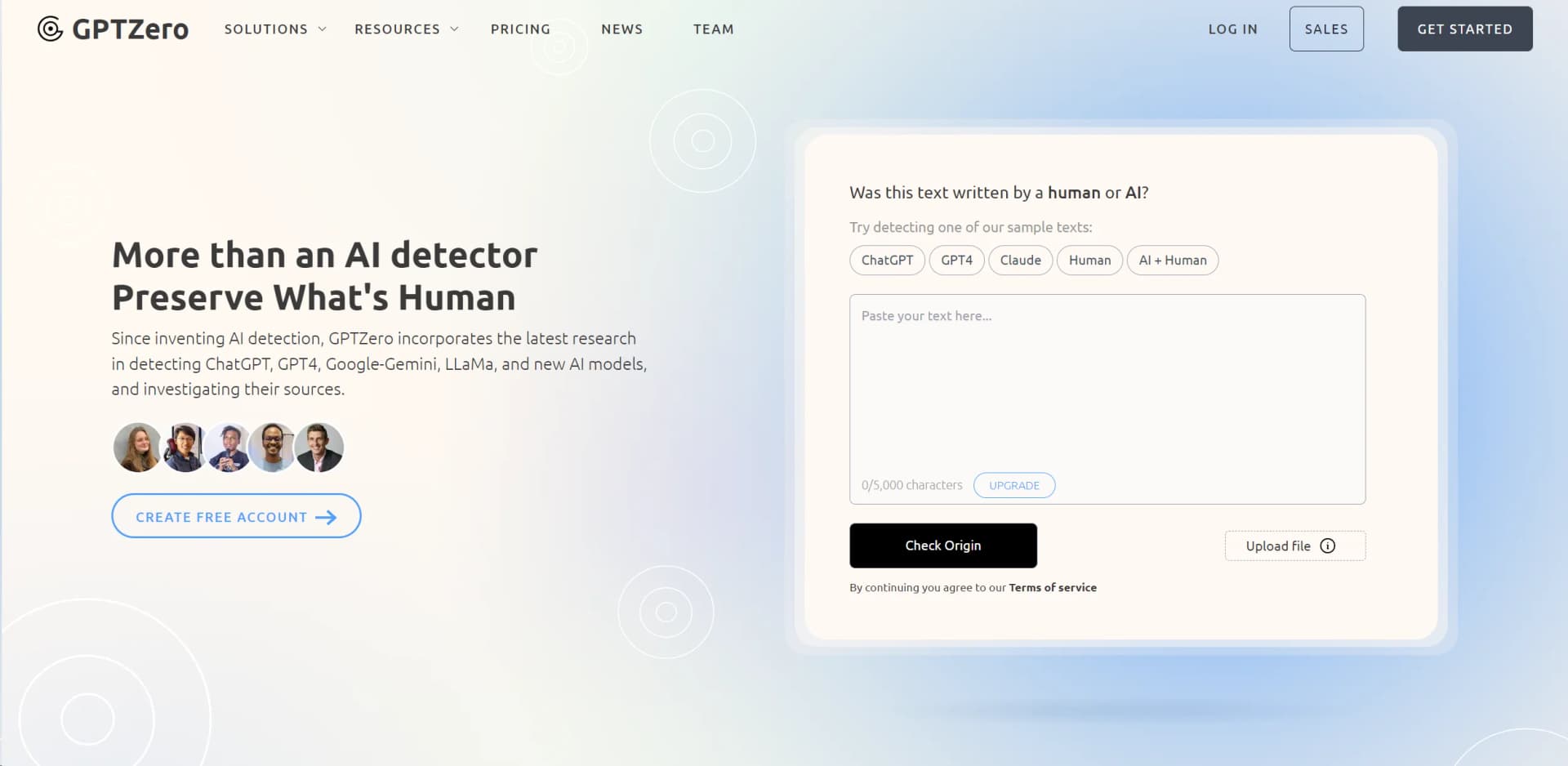
GPTZero is a cutting-edge AI detection tool designed to identify whether content has been generated by AI models like ChatGPT, GPT-4, and others. It's a robust solution aimed at preserving the authenticity of human-generated content across various fields such as education, recruitment, and cybersecurity. By analyzing text through advanced algorithms, GPTZero offers users a way to discern and validate the origin of digital content, ensuring its genuineness and integrity.
GPTZero stands out with its Deep Scan technology, a revolutionary feature in the realm of AI detection, providing an unprecedented granular view and understanding of text analysis. Its commitment to maintaining high data security standards and its role as a pioneer in AI detection technology also set it apart in the industry.
GPTZero excels in providing reliable and accurate AI detection, making it an indispensable tool for users across various sectors. Its unique Deep Scan technology offers an unmatched level of detail in text analysis, ensuring users can trust the authenticity of the content they evaluate. Whether you're an educator, writer, or cybersecurity expert, GPTZero offers a comprehensive solution to the challenges posed by AI-generated content.
Who is Using GPTZero?
Educational Institutions
Teachers use it to ensure students submit original work.
Recruitment Agencies
Verify the authenticity of materials submitted by job applicants.
Writers and Journalists
Check the originality of their texts to maintain credibility.
Cybersecurity Firms
Employ it as a tool to detect AI-generated phishing attempts.
Uncommon Use Cases
Used by legal professionals to verify the authenticity of submitted documents; utilized by researchers to distinguish between human and AI-generated scientific papers.
Key Features
Rating Breakdown
Pricing Plans
Basic Tier
Free
- Includes up to 10,000 words per month
Essential Tier
$10 per month
- Includes up to 150,000 words and advanced grammar feedback
Premium Tier
$16 per month
- Includes up to 300,000 words, multilingual detection, and deep scan capabilities
Which GPTZero plan should you pick?
Start with the free account for occasional scans, then upgrade to Professional or Professional Team when you need higher limits, shared credits, or centralized billing.
Professional Plan
Good for individual users who need expanded detection, file processing, and API access.
Professional Team Plan
Good for organizations that need multiple seats, shared team credits, unified billing, and seat management.
Enterprise and Team Plans
Good for larger institutions needing organization-wide deployment, integrations, and centralized administration.
GPTZero Use Cases
Review student assignments
Scan essays and submissions for document-, sentence-, and word-level AI signals.
Outcome: Identify work that may need further conversation or review.
Analyze batches of documents
Upload multiple files from a computer or Google Drive and scan them together.
Outcome: Review patterns across many submissions more efficiently.
Verify writing processes
Use Google Docs Writing Reports to replay edits, pastes, and typing activity.
Outcome: Gather additional evidence about how a document was produced.
Integrate AI detection into education systems
Connect GPTZero with Canvas, Google Classroom, or an institution’s LMS.
Outcome: Add AI-detection workflows to existing educational systems.
Check online content while browsing
Use the Chrome Extension or AI Vision to scan webpages and social feeds.
Outcome: See AI-detection signals without copying text into a separate page.
Workflow Ideas with GPTZero
Batch assignment review
- 1Open the GPTZero Dashboard
- 2Upload multiple files from your computer or Google Drive
- 3Run AI detection and review results across the batch
LMS submission screening
- 1Connect GPTZero with Canvas or Google Classroom
- 2Scan submitted assignments through the LMS integration
- 3Review flagged work alongside broader institutional patterns
Browser-based content verification
- 1Install the GPTZero Chrome Extension
- 2Browse webpages or supported social platforms
- 3Review inline AI classifications and highlighted content
How GPTZero fits into your stack
Google Docs
Offers a specialized add-on for analyzing documents.
Microsoft Word
Integrates directly to provide seamless functionality.
Educational Platforms
Compatible with Canvas for educational use.
API Access
Allows businesses to integrate GPTZero's capabilities into their own systems.
Pros
- +High Accuracy and Reliability: Independently benchmarked for accuracy, ensuring reliable detection of AI-generated content.
- +User-Friendly Interface: Easy to navigate dashboard and intuitive interaction points make it accessible for all user levels.
- +Versatile Application: Useful for educators, writers, recruiters, and cybersecurity experts.
- +Support for Multiple Languages: Capable of analyzing content in multiple languages, enhancing its usability globally.
Cons
- −Limited Free Version: The free version has restrictions on usage limits, which might require an upgrade for extensive use.
- −Complexity in Results Interpretation: New users might require some time to fully understand how to interpret the detailed analysis provided.
- −Focus Primarily on English Text: While it supports multiple languages, the primary focus and highest accuracy still lie with English text.
Limitations & when to consider alternatives
Known limitations
- Not definitive proof. GPTZero says AI detectors are not perfect and recommends using results as part of a broader review process.
- Longer text performs better. Document-level classifications are generally more accurate than paragraph- or sentence-level classifications.
- Strongest on English prose. The model performs best on English prose because most of its training data is English writing.
- Heavily modified AI text is harder to detect. The classifier is not trained to identify every instance of AI-generated text after substantial modification.
- Procedural text may be flagged. Highly procedural or machine-generated text can sometimes be classified as AI-generated.
How to Use GPTZero
- 1
Explore detailed tutorials on the official website and YouTube, covering everything from basic setup to advanced features.
Who is GPTZero For?
Educators
Review student submissions, examine writing processes, and support conversations about responsible AI use.
Students
Use detection, writing feedback, and process tools to understand and improve authentic writing.
Writers
Check drafts and documents for possible AI involvement, plagiarism, citations, and writing quality.
Researchers
Use GPTZero for papers, publications, investigations, and academic AI-detection research.
Recruiters and publishers
Review applications, editorial submissions, and other professional writing for possible AI-generated content.
Frequently Asked Questions
What is GPTZero?
GPTZero checks whether content was written by large language models and identifies AI use at document, sentence, and word level.
How do I use GPTZero?
Paste text or upload files, then review document-level results and sentence-by-sentence AI highlighting. Free accounts support larger texts and batch uploads.
Does GPTZero only detect ChatGPT outputs?
No. GPTZero also detects content associated with models and services including GPT, Gemini, Claude, Llama, and Copilot.
When should I use GPTZero?
GPTZero is intended to flag possible AI use in prose and support further discussion, especially in education, hiring, publishing, and social platforms.
What are the limitations of the classifier?
Results are probabilistic, accuracy improves with longer text, performance is strongest on English prose, and heavily modified AI text can be harder to identify.
What can educators do after a positive detection?
GPTZero recommends reviewing writing processes, drafts, edit histories, and Writing Reports rather than treating a detection as a final verdict.
Community reviews
Be the first to share your experience.
Sign in to leave a review for GPTZero.
GPTZero Alternatives
Looking for alternatives to GPTZero? Here are similar tools in the same category:
Learn to Master GPTZero
With Skill Leap courses
Get in-depth training on GPTZero and 50+ other AI tools with our expert-led video courses.
Start 7-Day Free Trial