Granola
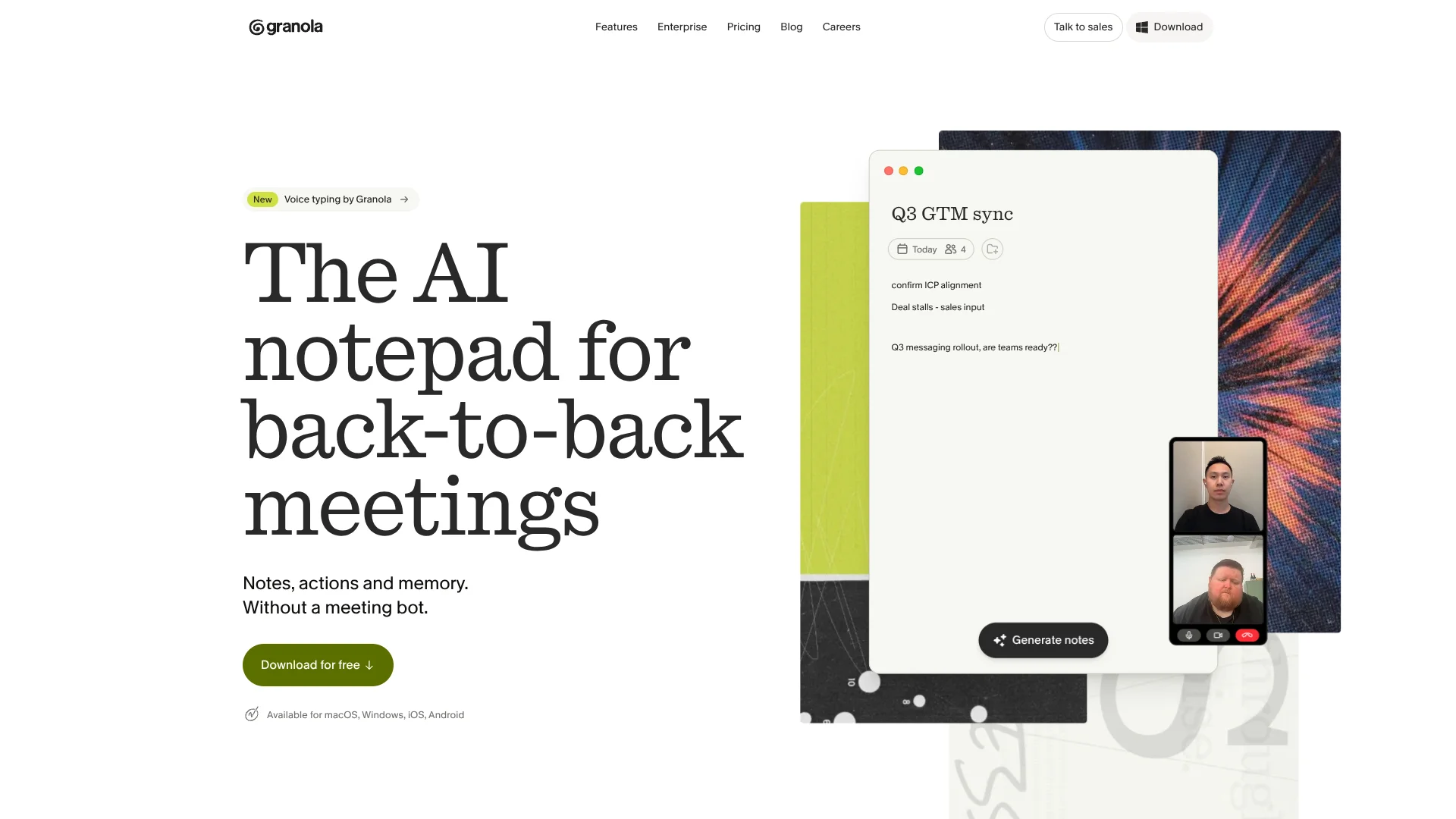
Meeting notes shaped by your cues, without a bot joining calls.
Key Takeaways
- What it is
- Meeting notes shaped by your cues, without a bot joining calls.
- Pricing
- Freemium · $14 per user per month · $35 per user per month
- Best for
- Bot-free audio capture
- AI-enhanced notes
- Granola Chat
- Rating
- 4.3/5
What is Granola?
Granola captures meeting audio from your computer or phone and turns it into AI-written notes, decisions, and follow-ups. You can add rough notes as people talk, then Granola uses the transcript to fill them out. It suits people whose work depends on frequent calls and conversations.
Unlike a meeting bot that joins the call as another participant, Granola listens through your device’s audio, so it works across Zoom, Google Meet, Teams, and in-person conversations. Its notes preserve what you typed while adding context from the transcript, giving you a record shaped by your own cues.
Frequent meeting-goers in sales, recruiting, product, and customer success get the most from its searchable history, pre-meeting Briefs, and questions across past conversations. Basic keeps only 30 days of meeting history, and video calls require the desktop app. Granola fits best when you want useful written memory, not a meeting recording.
Who is Using Granola?
Sales representatives
Customer-call summaries and action items help keep CRM records and follow-ups current.
Recruiters
Interview notes make it easier to revisit candidate details and share summaries with a hiring team.
Product managers
Search across customer interviews to find repeated requests, decisions, and unresolved questions.
Customer success managers
Meeting notes can be routed to a CRM or shared with teammates after customer conversations.
Uncommon Use Cases
Capture notes from conferences or coffee meetings on a phone; turn recurring meeting prompts into saved Recipes.
Key Features
Rating Breakdown
Pricing Plans
Basic
Free
- AI meeting notes and AI chat
- 30 days of meeting history
- Shared folders, customized note templates, and multi-language support
Business
$14 per user per month
- Unlimited meeting notes and history
- Advanced AI models and integrations
- Centralized billing, MCP integration, and API access
Enterprise
$35 per user per month
- Everything in Business
- Single sign-on and enterprise security and admin controls
- Priority support and usage analytics
Which Granola plan should you pick?
Start with Basic to try bot-free meeting capture, choose Business for unlimited history, advanced integrations, and API access, or choose Enterprise for SSO and organization-level controls.
Basic
Good for individuals testing AI meeting notes who can work within a 30-day history window.
Business
Good for individuals or small teams that need unlimited history, advanced integrations, or API access.
Enterprise
Good for larger companies that need SSO, administrative controls, usage analytics, or HIPAA-compliant workspaces.
Granola Use Cases
Customer-call follow-up
After a customer conversation, the transcript-backed summary helps clarify decisions and next steps.
Outcome: A shareable recap and action list, with optional CRM or task routing through integrations.
Interview records
A structured note template gives hiring conversations a consistent format for review.
Outcome: Interview details that are easier to revisit and share with the hiring team.
Meeting memory
Questions across past notes help recover what a group decided or promised to do.
Outcome: Answers grounded in your stored meeting notes.
In-person conversations
Phone capture can turn a coffee meeting, conference conversation, or other in-person discussion into searchable notes.
Outcome: A written summary and transcript-based context for later reference.
Automated meeting handoffs
A Zapier workflow can send notes to tools such as Slack, Linear, Jira, or a CRM when a folder receives a note.
Outcome: Meeting outcomes routed to the next tool without manual copying.
Workflow Ideas with Granola
Prepare for an external meeting
- 1Connect your calendar so Granola can detect upcoming meetings.
- 2Open the meeting’s Brief to review attendees and relevant past conversations.
- 3Add questions or context to your note before the call.
Turn a customer call into follow-up work
- 1Capture the call and jot down the points you want emphasized.
- 2Review the enhanced note and its action items.
- 3Share it to Slack or route it through a Zapier workflow to a CRM or task app.
Use meeting history in another AI tool
- 1Connect Granola MCP to a compatible tool such as ChatGPT or Claude.
- 2Ask about a decision, action item, or customer discussion in your meeting history.
- 3Use the response as context for a follow-up, document, or next task.
How Granola fits into your stack
Desktop meeting capture
The Mac and Windows apps capture computer audio across meeting platforms, including Zoom, Google Meet, and Teams.
Mobile conversations
The iOS and Android apps support note capture on the go; iOS also supports outbound phone-call capture.
Calendar preparation
Google Calendar and Outlook connections help Granola show upcoming meetings and prepare Briefs.
Notes and team handoffs
Shared folders and integrations such as Slack, Notion, HubSpot, Attio, and Affinity move meeting notes into team workflows.
AI tools and automation
MCP connects meeting context to compatible AI tools, while Zapier can route notes to thousands of apps. Business includes API access.
Pros
- +No meeting bot: Calls do not get an extra bot participant from Granola.
- +Notes shaped by you: Your own rough notes guide how the transcript is expanded.
- +Search across meetings: Granola Chat can help recall decisions and follow-ups from past conversations.
- +Broad meeting compatibility: Device-audio capture works with different meeting apps rather than requiring a platform-specific bot.
Cons
- −Desktop permissions: Capturing computer audio requires microphone and system-audio access.
- −Plan-gated integrations: Many CRM and productivity connections require a paid plan.
- −Mobile differences: Phone-call capture is available on iOS, while Android is focused on in-person conversations.
Limitations & when to consider alternatives
Known limitations
- Basic history window. Basic includes 30 days of meeting history; Business and Enterprise include unlimited history.
- No saved meeting audio. Granola deletes audio after transcription, so it does not provide an audio recording to replay.
- No private-cloud or custom-model option. Granola’s security information says private-cloud deployment and bringing your own AI models are not currently supported.
- Different capture by device. The Android app supports in-person conversations; phone-call capture is available on iOS, and video-call transcription uses the desktop app.
Look elsewhere when
- You need saved audio or video recordings to replay after a meeting.
- Your organization requires a private-cloud deployment or its own AI models.
- Your Android workflow depends on phone-call or video-call capture.
How to Use Granola
- 1
Install and sign in
Choose the desktop app or mobile app for your device, then sign in with a supported account.
- 2
Connect your calendar
Calendar access lets Granola show upcoming meetings and prepare notes for scheduled events.
- 3
Allow audio access
On desktop, grant microphone and system-audio permissions so Granola can transcribe the meeting audio.
- 4
Start a meeting note
Choose an upcoming calendar event or begin an ad-hoc note; Granola captures audio without joining the call as a bot.
- 5
Add your own cues
Jot down names, decisions, or questions during the conversation so the AI-enhanced note gives those points more attention.
- 6
Review and share
Check the generated summary and action items, then edit or share the note with a person, folder, or connected tool.
Who is Granola For?
People in back-to-back meetings
Granola turns conversations into searchable notes so frequent meetings are easier to follow up on.
Sales and customer success teams
Customer-call notes can be shared with teammates or sent into CRM workflows.
Recruiting teams
Interview notes can capture key details and help teams revisit candidate conversations.
Product teams
Customer and planning conversations become a searchable source for decisions and product feedback.
Larger organizations
Enterprise adds single sign-on, organization-level controls, and usage analytics.
Frequently Asked Questions
Is Granola free?
Yes. Basic costs $0 per user per month and includes AI meeting notes, chat, shared folders, templates, and multi-language support.
What does Basic’s limited meeting history mean?
Basic provides 30 days of meeting history. Business and Enterprise include unlimited history.
Does Granola join meetings as a bot?
No. It captures audio from your device, so it does not join the call as a separate participant.
Which integrations does Granola support?
The site lists integrations including Slack, Notion, HubSpot, Affinity, Attio, and Zapier. Access to many advanced integrations requires Business or Enterprise.
Which plans include API access?
The pricing page lists API access as included with Business and Enterprise, but not Basic.
Does Granola have mobile apps?
Yes. Granola offers iOS and Android apps, along with desktop apps for Mac and Windows and an Apple Watch app.
Community reviews
Be the first to share your experience.
Sign in to leave a review for Granola.
Granola Alternatives
Looking for alternatives to Granola? Here are similar tools in the same category: