
Graphy
Revolutionizes data visualization with AI insights and seamless integrations.
Key Takeaways
- What it is
- Revolutionizes data visualization with AI insights and seamless integrations.
- Pricing
- Freemium · $15 per month
- Best for
- Lightning Fast Performance
- User-Friendly Interface
- AI-Generated Insights
- Rating
- 4.8/5
What is Graphy?
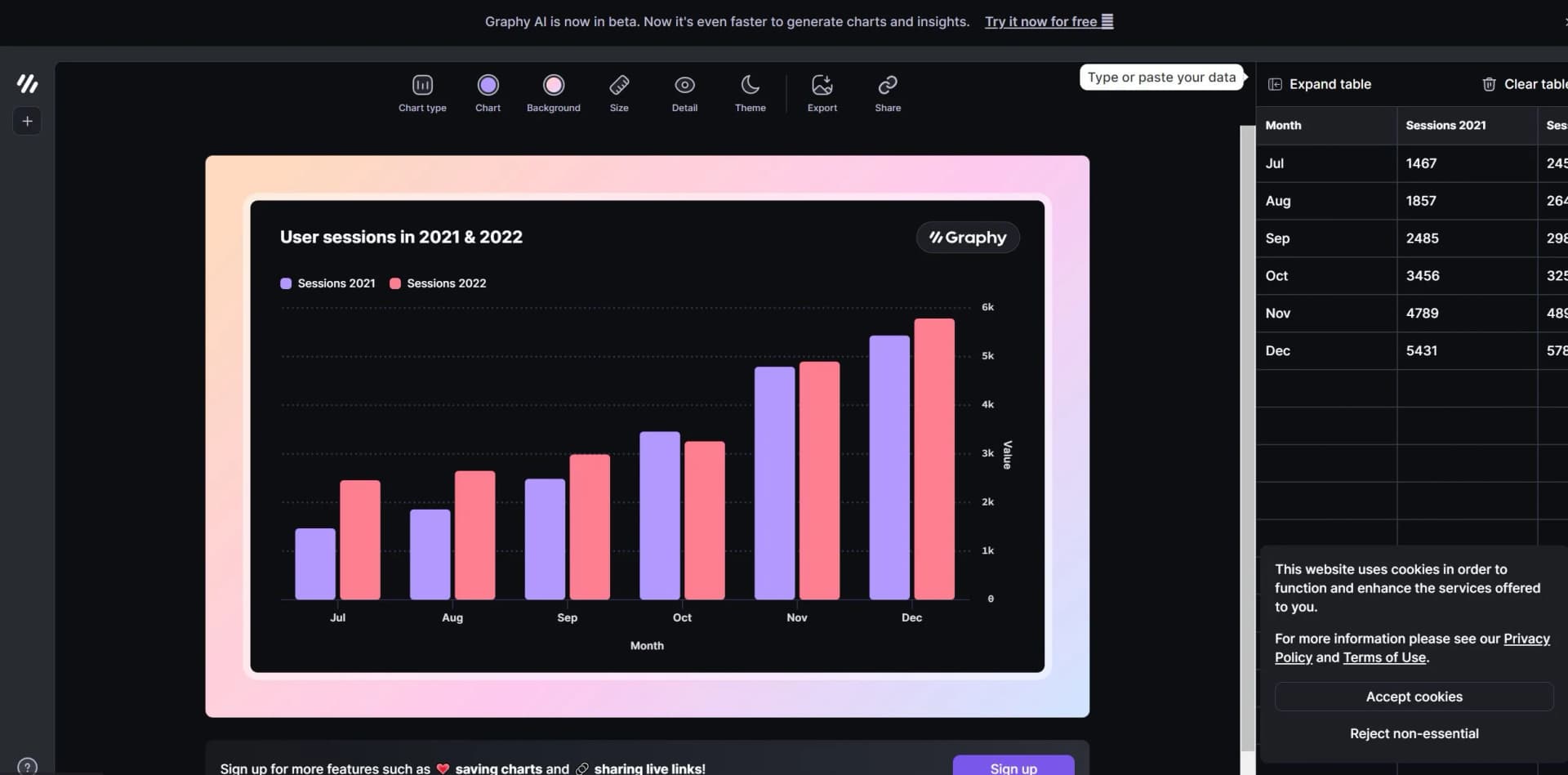
Graphy, or Graphy.app, revolutionizes data visualization, offering advanced tools for creating professional-level graphs that drive decisions and inspire actions. Designed for data-driven teams, it simplifies the process of presenting and communicating data, making it accessible for everyone to become skilled data storytellers. With Graphy, users can create stunning, interactive graphs that not only look beautiful but also convey actionable insights.
Graphy stands out with its AI-generated insights and graphs, a game-changer for data visualization. Its ability to create professional-level graphs quickly and easily, combined with rich storytelling capabilities, sets it apart from other tools in the market. The seamless integration with various platforms and the focus on actionable insights make it an essential tool for data-driven teams.
Graphy excels in providing a seamless and efficient solution for data visualization, making it an essential tool for data-driven teams. Its AI-generated insights and user-friendly interface offer unmatched convenience, while the rich storytelling capabilities ensure that your data drives decisions and inspires actions.
Who is Using Graphy?
E-commerce Businesses
Utilizing the tool for enhancing online product imagery and sales reports.
Digital Marketing Agencies
Employing the tool for creating visually appealing campaign content and performance reports.
Social Media Managers
Leveraging the tool to create engaging social media posts and analytics.
Graphic Designers
Using the tool for efficient design workflows and client presentations.
Uncommon Use Cases
Utilized by educational institutions for teaching marketing courses; Adopted by freelance photographers for streamlining editing processes.
Key Features
Rating Breakdown
Pricing Plans
Free Tier
Free
- Experience Graphy with a 14-day free trial
Pro Tier
$15 per month
Which Graphy plan should you pick?
Start with Free for occasional chart creation, upgrade to Plus for unlimited charts and AI, and choose Business for automatic refresh, password-protected links, and brand kits.
Free
Good for individuals who need up to five charts, sharing, and limited AI use.
Plus
Good for internal reporting users who need unlimited charts, unlimited AI features, custom colors, and no Graphy logo.
Business
Good for teams that need automatic Google Sheets refresh, password-protected links, and brand kits.
Graphy Use Cases
Dashboards
Embed analytics and live metrics into a product or shared workspace.
Outcome: Stakeholders see current data in an interactive format.
Reports
Create clean, presentation-ready visual reports from business data.
Outcome: Teams communicate findings more clearly.
Slides
Turn data into a chart, headline, and takeaway suitable for presentation.
Outcome: Data stories become ready to present.
Live performance monitoring
Connect Google Sheets and refresh charts as metrics change.
Outcome: Viewers see updated website, sales, or engagement metrics.
Embedded stakeholder reporting
Publish interactive charts in Notion, Slack, blogs, websites, Canva, or ClickUp.
Outcome: Recipients can explore current data without downloading static images.
Workflow Ideas with Graphy
Create a live reporting chart
- 1Connect a Google Sheet or upload a CSV or Excel file
- 2Choose or customize the suggested chart
- 3Enable refresh and share or embed the live chart
Build an interactive stakeholder update
- 1Add data from a spreadsheet or pasted table
- 2Customize colors, labels, annotations, and legend behavior
- 3Copy a link or iframe into Notion, Slack, a blog, or a website
Generate an editable chart with the SDK
- 1Install the Graphy SDK
- 2Define a typed GraphConfig with data and chart options
- 3Render the chart and enable editor mode for end-user changes
How Graphy fits into your stack
Google Sheets Integration
Easily connect and visualize data from Google Sheets.
Notion
Embed and share graphs within Notion for enhanced project management.
Canva
Integrate with Canva for creating comprehensive visual content.
Slack
Share graphs directly in Slack channels for team collaboration.
Microsoft PowerPoint
Embed graphs in PowerPoint presentations for impactful reports.
Pros
- +Time Efficiency: Significantly reduces the time required to create and share professional graphs.
- +Enhanced Collaboration: Facilitates team collaboration with easy sharing options and integrated platforms.
- +Beautiful Visuals: Produces visually appealing graphs that impress stakeholders and keep everyone aligned.
- +Actionable Insights: Focuses on creating graphs that drive decisions and reduce ambiguity.
Cons
- −Limited Customization for Advanced Users: While easy to use, some advanced users might find the customization options limited.
- −Integration Scope: Currently supports a specific set of third-party tools; expanding this could increase versatility.
Limitations & when to consider alternatives
Known limitations
- Free plan chart limit. The Free plan is limited to five charts.
- Free plan AI limit. The Free plan includes limited AI use; unlimited AI features require Plus or higher.
- Watermark on lower plans. Removing the Graphy logo requires the Plus plan or higher.
- Automatic Google Sheets refresh requires Business. Auto-refresh for connected Google Sheets is listed as a Business feature.
- Commercial SDK licensing. The Graphy SDK is free for non-commercial use; commercial products require a commercial license.
Look elsewhere when
- You need a native mobile app.
- You need SSO or SAML.
- You need fine-tuning of model weights.
How to Use Graphy
- 1
Explore the comprehensive tutorial series on YouTube, covering from basic setup to advanced features of Graphy.
Who is Graphy For?
Internal reporting teams
The Plus and Business plans are positioned for internal reporting, shared visualizations, and live data updates.
Marketers and communicators
Graphy helps create branded, interactive charts for newsletters, social feeds, blogs, and external reporting.
Consultants
Consultants can turn client data into polished charts, reports, presentations, and shareable visual stories.
Product teams
The charting SDK lets product teams embed editable, on-brand visualizations directly into software products.
Developers
Developers can use Graphy's React SDK, REST API, agents, typed configurations, and embedded chart components.
Frequently Asked Questions
Can I use Graphy for free?
Yes. The Free plan includes five charts, sharing, and limited AI use.
How can I add data to Graphy?
You can manually enter data, paste it from other tools, upload CSV or Excel files, connect Google Sheets, or use the API.
Can Graphy charts update automatically?
Business supports automatic Google Sheets refresh. Live graphs can refresh connected data every five minutes.
Can I collaborate with coworkers?
Yes. Graphy supports sharing projects with team members who can view, edit, and contribute to visualizations.
Can I embed Graphy charts elsewhere?
Charts can be shared through links or embedded in tools such as Notion, Canva, ClickUp, Slack, websites, and blogs.
Does Graphy offer an API?
Yes. Graphy documents a REST API and also offers a charting SDK and agentic API for product integrations.
Community reviews
1 review from people who use Graphy.
Sign in to leave a review for Graphy.
David Thompson
Graphy Alternatives
Looking for alternatives to Graphy? Here are similar tools in the same category:
Learn to Master Graphy
With Skill Leap courses
Get in-depth training on Graphy and 50+ other AI tools with our expert-led video courses.
Start 7-Day Free Trial