
Graswald
Create on-brand fashion product photos without photoshoots.
Key Takeaways
- What it is
- Create on-brand fashion product photos without photoshoots.
- Best for
- Digital Twin Product Models
- Reference-Based Styling
- Curated Human Poses
- Rating
- 4.2/5
What is Graswald?
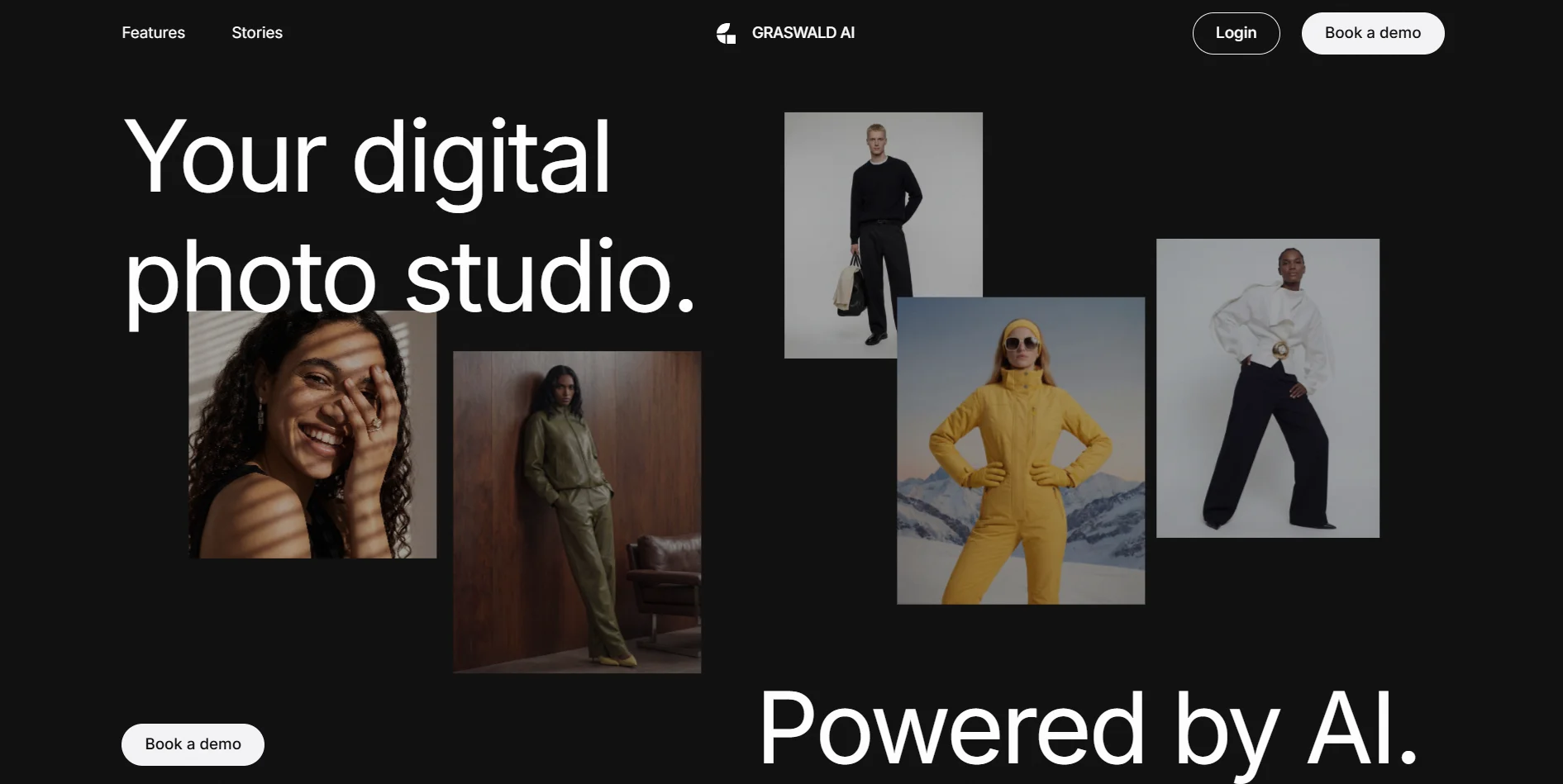
Graswald AI gives brands a digital photo studio powered by generative AI, focused on fashion and lifestyle products. Teams train the system on their own product photos to create highly consistent digital twins, then combine them with synthetic or real models, curated poses, and brand-specific styles to generate on-brand lifestyle and PDP imagery in minutes rather than days. Built for e-commerce and creative teams, Graswald AI aims to replace many traditional photoshoots with AI-driven image generation while keeping control over styling, casting, and visual identity.
Graswald AI is unusually focused on fashion-ready control: digital twins of actual products, reusable synthetic avatars, fixed pose libraries, and reference-driven styling all push toward consistency that traditional “generic” AI image tools struggle with. Instead of just generating pretty pictures, it aims to behave like a persistent studio team that remembers your models, your lighting, and your brand rules.
Graswald AI offers a focused toolset for brands that care deeply about how their products and models look, not just about generating random AI art. For fashion, footwear, and lifestyle teams battling growing content demands, it can act as an always-on studio that keeps models, styling, and lighting aligned with the brand while cutting the time and money normally tied up in traditional shoots.
Who is Using Graswald?
Fashion and Apparel Brands
Producing lifestyle and PDP images for clothing lines without organizing full-scale photoshoots for every drop.
Footwear and Accessories Labels
Generating on-model visuals for shoes, bags, sunglasses, and jewelry with consistent styling.
E-commerce Retailers and Marketplaces
Standardizing visuals for diverse brands while reducing per-SKU content costs.
Creative and Production Agencies
Offering AI-first content packages for clients that need fast, on-brand visuals.
Uncommon Use Cases
Used by internal brand labs to prototype future visual identities before big rebrands; adopted by smaller sustainable labels that want aspirational model photography without flying crews around the world.
Key Features
Rating Breakdown
Pricing Plans
Contact Sales
- Pricing is not publicly listed on the Graswald AI website
- Brands are invited to book a demo and receive a tailored quote based on usage and requirements
Graswald Use Cases
On-model PDP imagery
Generate on-model and on-figure product-page imagery from existing product inputs using configured avatars and shot lists.
Outcome: More complete and consistent product catalogues.
Packshots and flat-lays
Create product-only flat-lay and ghost mannequin images within the same workflow as on-model imagery.
Outcome: Product-page imagery from one production and review flow.
Product video
Turn existing product images into photorealistic video for product pages, social channels, and campaigns.
Outcome: Video content without a separate physical shoot.
Campaign and editorial content
Produce lookbooks, editorial assets, marketing materials, social content, and early-stage design visualisations.
Batch catalogue production
Upload product data in bulk and generate, review, approve, and publish imagery across large SKU collections.
Outcome: Thousands of product images can be managed through a repeatable workflow.
Workflow Ideas with Graswald
Packshot to on-model PDP workflow
- 1Upload packshots, flat-lays, ghost mannequin shots, or sketches.
- 2Select the brand avatar, styling, lighting, poses, and shot list.
- 3Generate, review, approve, and export the imagery for product pages.
Bulk catalogue production
- 1Upload product data and associated imagery in bulk or connect the PIM.
- 2Run batch production across the collection using saved brand presets.
- 3Review status, approve outputs, and send completed assets to the DAM.
Campaign content pipeline
- 1Configure brand avatars, scenes, lighting, and creative direction.
- 2Generate lookbook, editorial, lifestyle, or social imagery from the Freeform workflow.
- 3Adapt approved assets for website, marketplace, social, and campaign channels.
How Graswald fits into your stack
Browser
Graswald AI is delivered as browser-based software for generating fashion product imagery, PDP content, packshots, videos, and campaigns.
Knowledge and files
Teams upload product images, flat-lays, ghost mannequins, 3D renders, sketches, and reference images; outputs can be pushed into DAM systems.
Automation and APIs
The platform connects product data from PIM systems and sends completed imagery to DAM systems, with automated naming, workflows, and production processes.
Pros
- +Cost Savings: Reduces spending on studio time, models, travel, and retouching by shifting much of the content creation into an AI workflow.
- +Brand Consistency: Digital twins, reusable avatars, and locked-in poses help maintain a coherent visual identity across seasons and channels.
- +Speed to Market: New product visuals can be created shortly after samples arrive, helping e-commerce teams publish PDPs and campaigns faster.
- +Creative Flexibility: Art directors can test many concepts, styles, and backgrounds without committing to physical sets, then lock in what works at scale.
- +Scalability for Large Catalogs: Once products and avatars are trained, the same pipeline can be used to produce hundreds or thousands of SKUs with repeatable quality.
Cons
- −Sales-Led Onboarding: With a “book a demo” entry point and no instant self-serve pricing, smaller teams may find it harder to quickly experiment.
- −Workflow Shift: Photographers, stylists, and marketers need time to adapt briefs, prompts, and QA processes for AI-generated imagery.
- −Generative Limitations: Highly complex textures, extreme poses, or unusual fabrics may still require manual oversight or occasional reshoots.
Limitations & when to consider alternatives
Known limitations
- Browser-based SaaS. The terms describe access through a browser over the internet rather than a downloadable desktop application.
- Commercial onboarding. The current site emphasizes book-a-demo onboarding and commercial offers rather than self-service public pricing.
- Input quality affects results. Product fidelity and generated output depend on the quality and detail of the supplied product inputs.
- 3D generation can take up to two business days. For agency 3D workflows, finished models from uploaded videos may take up to two business days.
- 3D accuracy is not guaranteed. Video quality, lighting conditions, object complexity, and other factors can affect the accuracy of generated 3D models.
Look elsewhere when
- You need a native mobile app.
- You need a documented public developer API.
- You need code generation.
- You need a free self-service tier.
How to Use Graswald
- 1
Book a demo and configure onboarding
Work with Graswald's customer success team to configure your avatars, lighting, poses, backgrounds, and brand requirements.
- 2
Prepare product inputs
Collect packshots, flat-lays, ghost mannequin images, on-model images, sketches, tech packs, or other supported references.
- 3
Create a production task
Choose the desired output, such as on-model PDP imagery, packshots, flat-lays, product video, or campaign content.
- 4
Apply brand presets and workflows
Use saved presets, shot lists, avatars, lighting, crops, and styling rules to keep catalogue outputs consistent.
- 5
Review and approve
Use the built-in collaboration workflow to review imagery, share feedback, and sign off on results.
- 6
Export or integrate assets
Send approved assets to the DAM or export them in channel-ready formats for product pages, marketplaces, social, and campaigns.
Who is Graswald For?
Enterprise fashion brands
Graswald AI is designed for brands managing thousands or tens of thousands of SKUs and needing scalable product imagery.
Fashion e-commerce teams
Teams can produce on-model PDP imagery, packshots, flat-lays, product video, and channel-ready assets.
Outdoor and activewear brands
The platform supports layered garments, dynamic on-model imagery, custom avatars, and diverse product presentation.
Multi-brand retailers
Retailers can apply consistent avatars, poses, lighting, cropping, review, and approval across products from different vendors.
Fashion agencies
Agency workflows support 3D model generation and AI image creation from videos, text prompts, reference images, and 3D assets.
Frequently Asked Questions
What is Graswald AI?
Graswald AI is an AI-powered production studio for fashion e-commerce that creates product imagery, videos, and campaign content.
What types of content can Graswald AI generate?
It generates on-model PDP imagery, packshots, flat-lays, product video, lookbooks, editorial assets, marketing materials, and early-stage design visualisations.
How does Graswald AI keep content on brand?
Brands configure avatars, lighting, backgrounds, poses, crops, and shot lists so the same standards are applied across generations.
What product inputs are supported?
Brands can provide packshots, flat-lays, ghost mannequin shots, on-model images, sketches, tech packs, videos, text prompts, reference images, and 3D assets.
How does onboarding work?
A dedicated customer success manager helps configure avatars, lighting, poses, and brand requirements before production begins.
Can Graswald AI integrate with existing systems?
The platform integrates with PIM and DAM systems and can export assets according to channel requirements.
Community reviews
Be the first to share your experience.
Sign in to leave a review for Graswald.
Graswald Alternatives
Looking for alternatives to Graswald? Here are similar tools in the same category:
Learn to Master Graswald
With Skill Leap courses
Get in-depth training on Graswald and 50+ other AI tools with our expert-led video courses.
Start 7-Day Free Trial