
Gumloop
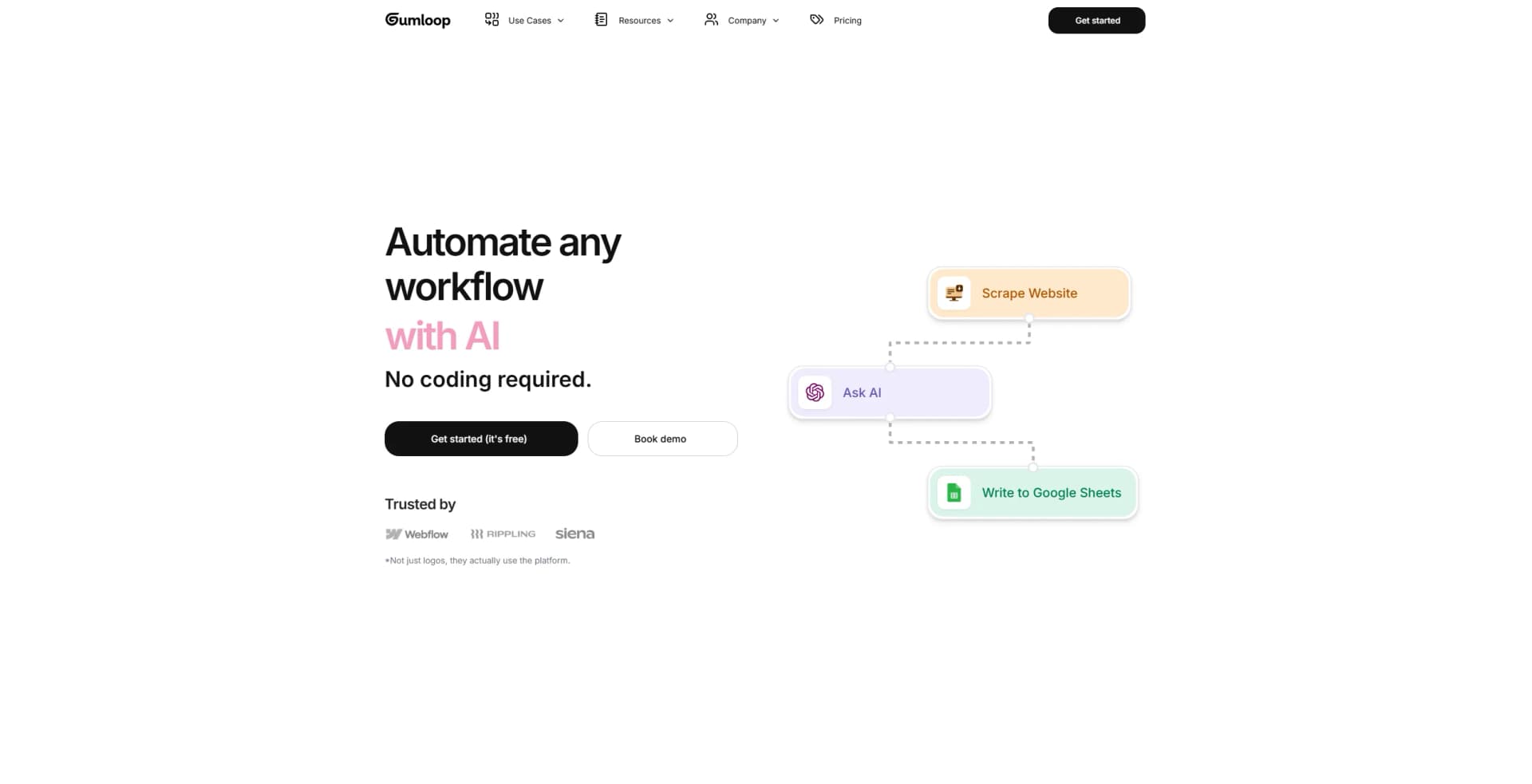
Automate workflows effortlessly with AI-driven, drag-and-drop simplicity.
Key Takeaways
- What it is
- Automate workflows effortlessly with AI-driven, drag-and-drop simplicity.
- Pricing
- Freemium · $97 per month
- Best for
- AI-Driven Automation
- User-Friendly Interface
- Extensive Integration
- Rating
- 4.5/5
What is Gumloop?
Gumloop is an innovative AI automation framework designed to revolutionize how businesses automate their workflows. This tool empowers users to drag, drop, and deploy custom tools without needing any AI expertise. It simplifies complex business processes, offering a variety of pre-built workflows and seamless integration capabilities to enhance efficiency and productivity.
Gumloop stands out with its no-code, drag-and-drop interface, making AI-driven automation accessible to everyone, regardless of technical skill. Its security-first approach, coupled with scalable performance, sets it apart as a reliable and future-proof solution for businesses looking to enhance efficiency and productivity.
Gumloop excels in providing comprehensive AI-driven automation solutions, making it an essential tool for businesses of all sizes. Its unique drag-and-drop interface, coupled with robust security features and scalability, offers an unmatched advantage in automating complex workflows effortlessly.
Who is Using Gumloop?
E-commerce Businesses
Utilizing Gumloop for streamlining order processing and inventory management.
Digital Marketing Agencies
Employing the tool for automating SEO and marketing campaigns to improve efficiency.
Financial Institutions
Leveraging Gumloop to automate document processing and compliance workflows.
Healthcare Providers
Using Gumloop to manage patient records and automate administrative tasks.
Uncommon Use Cases
Educational institutions using Gumloop for teaching automation concepts; freelance developers adopting it for creating custom automation solutions for clients.
Key Features
Rating Breakdown
Pricing Plans
Free Tier
Free
- Experience Gumloop with a 14-day free trial
Pro Tier
$97 per month
Which Gumloop plan should you pick?
Start with Pro for individual or collaborative production use; upgrade to Enterprise when you need organization-wide security, governance, SSO, or private-cloud deployment.
Pro
Good for teams and builders who need agents, collaboration, integrations, API access, and 20,000 monthly credits.
Enterprise
Good for organizations needing custom credits, SAML/SCIM, audit logs, role-based controls, data retention, VPC deployment, and advanced governance.
Gumloop Use Cases
CRM agent
Research prospects, manage deals, and keep CRM records updated across connected systems.
Support agent
Automate ticket tagging, follow-ups, churn signals, and related support operations.
Data analysis agent
Ask questions over connected company data and use agents to analyze business information.
Meeting preparation
Gather relevant information from connected tools and prepare meeting briefs.
Lead generation
Research prospects and automate lead-generation workflows across business applications.
Workflow Ideas with Gumloop
Browser research to CRM
- 1Record browser actions with the Gumloop Chrome extension
- 2Replay the actions and capture page content
- 3Send the extracted information to a CRM or other connected app
Document processing workflow
- 1Upload a PDF, spreadsheet, or document
- 2Extract or analyze its contents with file and AI nodes
- 3Write the results to a connected business application
Webhook-triggered automation
- 1Create a Gumloop workflow with webhook inputs
- 2Send an authenticated API request with JSON data
- 3Run downstream integrations and retrieve the workflow result
How Gumloop fits into your stack
Browser
Gumloop operates as a web workspace for building agents and visual workflows. Its Chrome extension records browser actions, scrapes page content, and replays web sessions.
Team chat and tickets
Agents can be used in Slack and Microsoft Teams, where team members interact with shared assistants and workflows in channels or conversations.
Automation and APIs
Visual workflows, webhook triggers, REST endpoints, Python and JavaScript SDKs, and custom MCP servers let Gumloop orchestrate multi-step processes and external systems.
Knowledge and files
Gumloop processes uploaded documents and spreadsheets, connects to services such as Google Drive, Gmail, Notion, GitHub, Slack, and Salesforce, and generates shareable file artifacts.
Pros
- +Ease of Use: The intuitive drag-and-drop interface makes it accessible for users with no technical background.
- +Comprehensive Security: Advanced encryption and compliance with industry standards ensure robust data protection.
- +Scalability: Auto-scaling compute resources allow the system to adapt to varying demands, ensuring optimal performance.
- +Pre-Built Workflows: Users can leverage community-created templates to skip the learning curve and start automating quickly.
Cons
- −Initial Learning Curve: While designed to be user-friendly, some users may still find it challenging to navigate the platform initially.
- −Limited Integration: Although Gumloop integrates with many platforms, there may be some niche systems that are not yet supported.
Limitations & when to consider alternatives
Known limitations
- Supported file types are limited. The documented file workflow supports CSV, PDF, DOC/DOCX, XLS/XLSX, JSON, TXT, and HTML.
- File size limits apply. The Working With Files documentation states a maximum supported file size of 200MB.
- Free-plan concurrency is limited. Loop Mode supports two concurrent items on the Free plan compared with 15 on Pro.
- Browser Replay requires the Chrome extension. The Browser Replay node cannot function without the Gumloop Chrome Extension.
- Agent execution has time limits. Python scripts have a 120-second maximum and shell commands have a 60-second default timeout.
How to Use Gumloop
- 1
Create an account and choose a plan
Start with Pro for the main paid feature set, or contact sales for Enterprise requirements.
- 2
Connect your apps
Open the Apps area and authenticate services such as Gmail, Slack, Salesforce, Microsoft services, or AI providers.
- 3
Build an agent or workflow
Use the visual builder, pre-built nodes, integrations, and AI nodes to define the process.
- 4
Add files or browser actions
Upload supported files for processing or use the Chrome extension and Browser Replay for interactive web tasks.
- 5
Test and refine
Run the automation, inspect outputs, use resume or iteration tools, and configure alerts for failures.
- 6
Deploy and share
Share agents or flows with users and teams, or expose workflows through webhooks and the documented API.
Who is Gumloop For?
Sales teams
Gumloop provides CRM, lead-generation, lead-qualification, and prospect-research automations.
Support teams
Support teams can automate ticket tagging, follow-ups, churn signals, and customer-service workflows.
Marketing teams
Marketing teams can automate ad campaigns, SEO work, content creation, and competitor analysis.
Operations teams
Operations users can connect business apps, process documents, analyze data, and automate repetitive processes.
Enterprise organizations
Enterprise customers get SSO, SCIM, role-based controls, audit logs, data retention controls, and private-cloud options.
Frequently Asked Questions
What is Gumloop?
Gumloop is a platform for building AI agents and visual workflow automations across business tools.
Can Gumloop workflows be triggered programmatically?
Yes. Workflows can be triggered through webhooks and authenticated REST API requests.
Can teams collaborate in Gumloop?
Yes. Pro and Enterprise organizations can create shared teams where members view, edit, and run agents and flows.
Does Gumloop support browser automation?
Yes. Its Chrome extension records browser actions, replays them, captures page content, and triggers Gumloop flows.
What files can Gumloop process?
Documented supported types include CSV, PDF, DOC/DOCX, XLS/XLSX, JSON, TXT, and HTML.
Does Gumloop offer an API?
Yes. Gumloop documents API keys, webhook authentication, REST endpoints, Python SDK support, and JavaScript SDK support.
Community reviews
Be the first to share your experience.
Sign in to leave a review for Gumloop.
Gumloop Alternatives
Looking for alternatives to Gumloop? Here are similar tools in the same category:
Learn to Master Gumloop
With Skill Leap courses
Get in-depth training on Gumloop and 50+ other AI tools with our expert-led video courses.
Start 7-Day Free Trial