
Hatz AI
Managed AI workspaces for businesses and MSPs with controlled multi-model access.
Key Takeaways
- What it is
- Managed AI workspaces for businesses and MSPs with controlled multi-model access.
- Best for
- Auto Model Selection
- AI Agents
- Workflows
- Rating
- 4.2/5
What is Hatz AI?
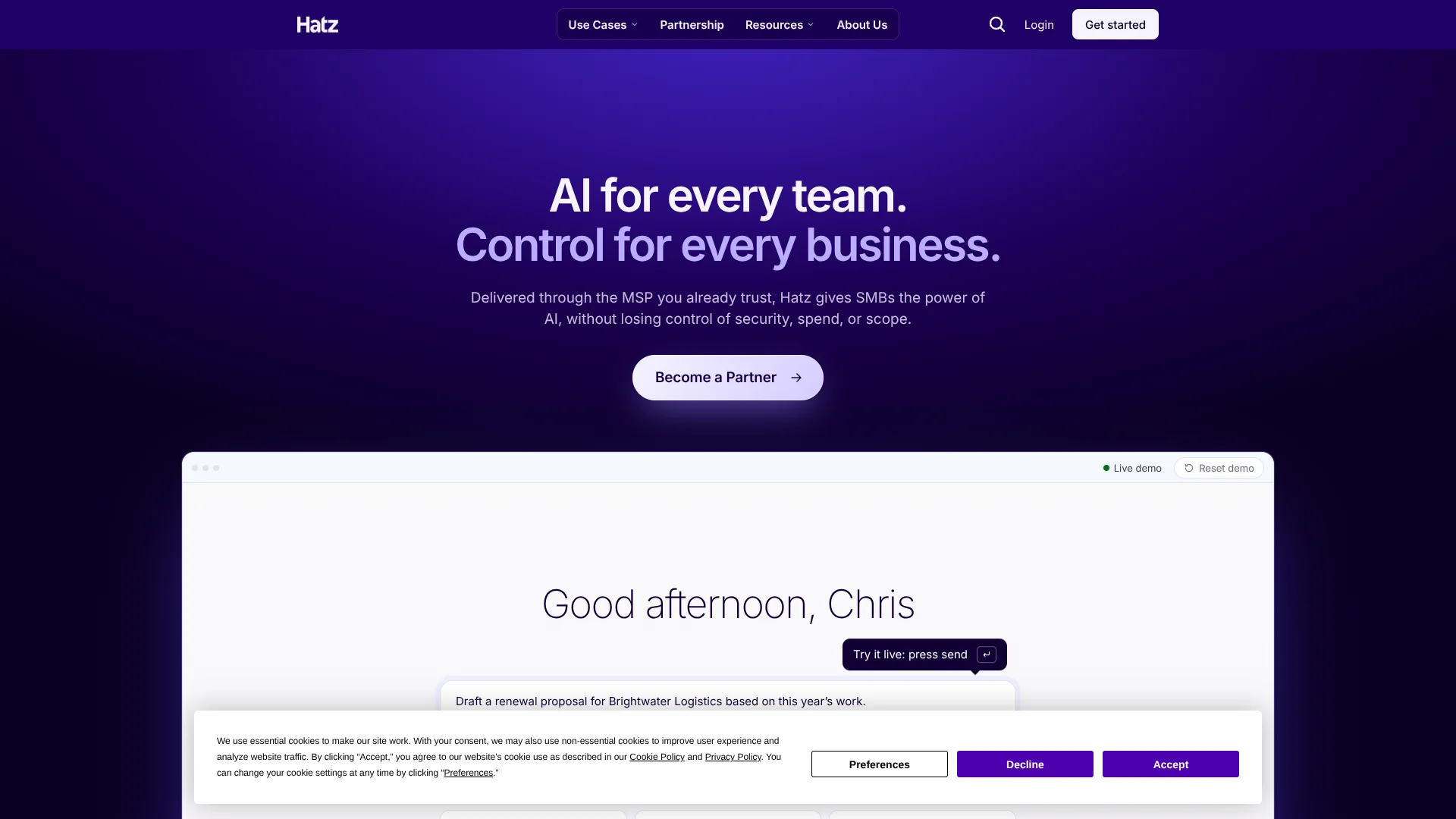
Hatz AI gives SMBs and managed service providers one controlled workspace for ChatGPT, Claude, Gemini, and other language models. Teams can choose a model or let Auto Model Selection route each request, then work with company files, web research, connected business systems, reusable agents, and multi-step workflows. It solves the problem of scattered AI tools, unclear spending, and unmanaged business data.
Hatz lets an MSP manage AI workspaces for multiple client organizations, with tenant separation, role-based access, credit allowances, usage views, and compliance logs. That MSP delivery model makes Hatz distinct from consumer AI apps that usually leave each company to manage accounts and controls on its own.
Hatz fits organizations adopting AI across departments while keeping an IT provider involved in access, security, and usage decisions. It is less suited to someone seeking a low-cost personal chatbot, since packages and credit allowances are handled through an organization or account team rather than a public self-serve subscription. Hatz is strongest when AI needs to operate inside business rules, not as an isolated chat window.
Who is Using Hatz AI?
Managed service provider administrators
They provision and oversee separate customer tenants, roles, packages, integrations, and usage.
Operations managers
They turn recurring tasks such as intake, inbox sorting, document review, and reporting into agents or workflows.
Sales and marketing teams
Reusable agents support prospect research, outreach, brand-consistent writing, and campaign content.
Finance teams
Connected files and tools help with data analysis, reporting, document review, and recurring financial work.
IT and help desk teams
They connect service systems and internal tools so AI can research issues, summarize records, and draft responses.
Uncommon Use Cases
Phone agents can handle business calls and follow-up tasks; generated artifacts can become internal dashboards, reports, or small web apps.
Key Features
Rating Breakdown
Pricing Plans
Custom Pricing Model
- Hatz uses organization-level packages with shared monthly credit allowances.
- Package options and commercial terms are handled through the account team, MSP, or distributor.
- Extra Usage may be available for eligible organizations with an account-specific cap.
Which Hatz AI plan should you pick?
Start with the package your MSP or account team recommends, then review credit usage and upgrade when your team needs more allowance, models, controls, or integrations.
Custom Pricing Model
Good for SMBs, MSPs, and client organizations that need an account-specific package, shared credits, governance, and managed integrations.
Hatz AI Use Cases
Inbox and meeting preparation
A configured agent can review email, identify what needs attention, draft replies, read a calendar, and prepare talking points.
Outcome: Fewer routine messages and better-prepared meetings.
Contract and policy review
Document analysis can extract clauses, answer questions about policies, summarize agreements, and flag renewal terms or risks.
Outcome: A faster first review with cited sections to check.
Multi-step client reporting
A workflow can collect source information, process documents, organize findings, and produce a structured report.
Outcome: Repeatable reports with a visible run history and credit usage.
Connected service operations
AI can work with systems such as Microsoft 365, HubSpot, Salesforce, Slack, ConnectWise, Autotask, or HaloPSA when the workspace has the required connection.
Outcome: Business context becomes available inside approved AI tasks.
Internal apps and artifacts
Chat can generate and revise supported apps, code, documents, slide decks, and other reusable artifacts.
Outcome: A working draft that can be reviewed, versioned, downloaded, or shared.
Workflow Ideas with Hatz AI
Vendor contract comparison
- 1Collect the current contract and the prior version.
- 2Process both documents and extract pricing, renewal, and termination terms.
- 3Generate a side-by-side summary with changes and review points.
Client inbox triage
- 1Connect the approved email source and define urgency rules.
- 2Have an agent classify messages and draft suggested replies.
- 3Send the owner a prioritized list for review.
Recurring service report
- 1Pull records from the connected service or business system.
- 2Summarize trends and group issues by category.
- 3Create a report artifact for internal or client review.
How Hatz AI fits into your stack
AI workspace
Hatz sits between employees and multiple language models, giving users chat, model selection, agents, workflows, files, and artifacts in a managed environment.
Business data
Microsoft 365, CRM, PSA, Slack, and other approved connections supply the records and context that AI needs for useful business work.
Automation layer
Workflows and agents turn repeatable prompts and tool calls into reusable processes. Workflow steps can include prompts, web scraping, and document processing.
Administration and governance
Roles, custom permissions, SSO, credit limits, model restrictions, audit logs, and usage reports give IT or an MSP control over adoption.
Developer access
The REST API provides Hatz-native, OpenAI-compatible, and Anthropic-compatible interfaces, plus file upload endpoints for API workflows.
Mobile access
The Hatz iPhone app brings chat, artifacts, voice mode, agents, workflows, models, tools, and organization controls to iPhone users.
Pros
- +Model choice: Access many model families in one managed workspace instead of maintaining separate business logins.
- +MSP delivery: One provider can administer AI access and usage across multiple client tenants.
- +Workflow automation: Repeatable processes can combine prompts, web pages, documents, and connected tools.
- +Business controls: Roles, credit limits, audit logs, model restrictions, and SSO support governed adoption.
- +File handling: PDFs, spreadsheets, images, audio, video, code, and other common files can be uploaded for processing.
Cons
- −Account-led pricing: Public self-serve monthly prices are not listed.
- −Feature availability: Models, integrations, artifacts, and packages can vary by organization, role, rollout, or tenant policy.
- −Credit variability: Usage changes with the model, context length, files, tools, retries, and workflow complexity.
Limitations & when to consider alternatives
Known limitations
- Agent workflow restriction. Agents can run from Chat and Workshop, but they cannot currently be added as steps inside a Workflow.
- Custom MCP requirements. Custom MCP servers must be publicly reachable, use Streamable HTTP, and be hosted and maintained by the customer. Local stdio servers are not supported.
- Tool selection limit. An agent can manually select up to three tools, and a chat can select up to three tools at a time, including built-in and custom MCP tools.
- Variable file behavior. File parsing, size limits, retention, and generated-file behavior can vary by product surface, model, file type, and account settings.
- Artifact availability. Chat Artifacts are in private beta and may not appear for every workspace or role.
Look elsewhere when
- You need a low-cost personal AI subscription with public self-serve pricing.
- You need a browser extension or downloadable desktop application.
- Your workflow depends on local stdio MCP servers.
- You need agents to run directly as workflow steps.
How to Use Hatz AI
- 1
Enter your managed workspace
Sign in through your Hatz tenant or organization account, or use the iPhone app when mobile access is enabled.
- 2
Start with Auto
Let Auto Model Selection choose an available model while you learn how model choice affects quality, speed, and credit use.
- 3
Add the right source
Attach a PDF, spreadsheet, image, audio file, video, code file, or other supported input when the task depends on business material.
- 4
Turn on approved tools
Select web research, document processing, Microsoft 365, CRM, PSA, Slack, or MCP connections that your role and workspace allow.
- 5
Make repeated work reusable
Create an Agent for a consistent role or a Workflow for a sequence of steps that passes outputs forward.
- 6
Review usage and access
Check credit consumption, model use, roles, limits, and audit activity before expanding the workflow to more people.
Who is Hatz AI For?
Small and midsize businesses
Companies can give teams approved AI access while keeping data, models, and spending under organizational control.
Managed service providers
MSPs can deliver managed AI workspaces, agents, workflows, and governance to multiple customer tenants.
Operations teams
Repeatable work such as inbox triage, document review, reporting, and research can become guided AI workflows.
IT and security teams
Administrators can manage roles, SSO, model access, audit visibility, integrations, and usage policies.
Client-facing service firms
Law firms, construction companies, community banks, libraries, wealth managers, and similar firms can apply controlled AI to daily work.
Frequently Asked Questions
Does Hatz AI have a free plan?
A public free plan is not confirmed. Hatz packages and allowances are managed through the organization, MSP, or account team.
How does Hatz pricing work?
Hatz uses packages with shared monthly credit allowances. Public United States plan prices are not listed, and commercial terms depend on the account or agreement.
What are Hatz Credits?
Credits measure AI activity across chat, agents, workflows, apps, files, API requests, and tool actions. Usage changes with the model, input and output size, files, tools, and workflow complexity.
Can Hatz connect to business software?
Yes. Documented connection families include Microsoft 365, ConnectWise Manage, Autotask, HaloPSA, Salesforce, HubSpot, Slack, and custom HTTP MCP servers, subject to workspace and role access.
Does Hatz support SSO?
Yes. Hatz documents SAML SSO and SCIM provisioning through identity providers such as Okta and Microsoft Entra. SSO configuration requires the SMB tier or higher.
Can Hatz analyze uploaded files and images?
Yes. Supported uploads include documents, spreadsheets, images, audio, video, code, and structured text. Vision-capable models can analyze image inputs when available to the workspace.
Community reviews
Be the first to share your experience.
Sign in to leave a review for Hatz AI.
Hatz AI Alternatives
Looking for alternatives to Hatz AI? Here are similar tools in the same category:
Learn to Master Hatz AI
With Skill Leap courses
Get in-depth training on Hatz AI and 50+ other AI tools with our expert-led video courses.
Start 7-Day Free Trial