Heex
Extracts relevant data from autonomous systems.
Key Takeaways
- What it is
- Extracts relevant data from autonomous systems.
- Best for
- Smart-Data Generation
- Data Collection at the Edge
- Anomaly Monitoring
- Rating
- 4.5/5
What is Heex?
Heex is a smart-data platform designed specifically for autonomous systems, including robots, autonomous mobile robots (AMRs), and autonomous vehicles. By transforming raw data into smart data, Heex helps organizations drive innovation and enhance performance. It achieves this through an event-based approach that captures only the most relevant data, significantly improving productivity and collaboration within engineering teams. Heex is especially beneficial for those overwhelmed by data overload, as it provides actionable insights and bridges the gap between simulation and real-world applications.
Heex stands out with its ability to transform overwhelming data into smart data, providing only the most relevant insights. This feature is particularly beneficial for autonomous systems, where real-time, actionable data is critical for performance optimization and innovation.
Heex provides a cutting-edge solution for managing and optimizing data from autonomous systems. By focusing on smart data, it enhances productivity, reduces costs, and improves collaboration across teams. Its robust security and customization options make it a reliable choice for organizations looking to innovate and excel in the autonomous systems landscape.
Who is Using Heex?
In-line Managers
Utilizing Heex for efficient data management and process optimization.
Process Engineers
Employing the platform to streamline engineering workflows and enhance system performance.
Tech Support Teams
Leveraging Heex for effective incident detection and resolution.
Data Science Teams
Using the platform to derive actionable insights from autonomous systems data.
Uncommon Use Cases
Adopted by off-road vehicle developers to refine terrain navigation; Used by industrial automation firms to optimize robotic operations.
Key Features
Rating Breakdown
Pricing Plans
Starter
- Includes 25GB of data (then $0.82 per GB), up to 2 systems, 1 workspace, and 1 user, with a 14-day free trial and no credit card required
Team
- Includes 100GB of data (then $0.54 per GB), up to 5 systems, 2 workspaces, and 10 users
Business
- Includes 30GB per system (then $0.43 per GB), unlimited users and workspaces, custom data storage locations, and $42 per system per month
Corporate
- Includes unlimited systems and users, unlimited workspaces, custom data quantity, and dedicated support
Which Heex plan should you pick?
Start with Starter for an individual developer, move to Team for a small R&D group, and upgrade to Business or Corporate for fleet-scale deployments.
Starter
Good for a solo developer who needs one workspace, one user, and up to two systems.
Team
Good for a budding R&D engineering team needing multiple workspaces, users, and systems.
Business
Good for growing teams managing production fleets across multiple sites.
Corporate
Good for large-scale deployments requiring unlimited systems, users, workspaces, storage customization, and dedicated support.
Heex Use Cases
Smart-data collection at the edge
Define event triggers and capture only relevant ROS or sensor data from autonomous systems.
Outcome: Less irrelevant data and faster access to important events.
Server-side data replay
Replay historical ROS data and test trigger configurations in the cloud.
Outcome: Validate configurations and uncover edge cases before production deployment.
Production monitoring
Monitor autonomous systems and detect operational anomalies using configured triggers.
Outcome: Faster incident detection and investigation.
Incident notifications
Capture and manage data associated with defined incidents and events.
Outcome: More focused operational response.
Software-engineering automation
Use CLI, APIs, and SDK capabilities in testing, deployment, and CI/CD workflows.
Outcome: Repeatable, programmatic robotics-data operations.
Workflow Ideas with Heex
Validate a trigger with Cloud Replay
- 1Upload a ROS2 bag file
- 2Configure triggers for relevant events
- 3Replay the bag and analyze generated events
Deploy automated edge data capture
- 1Install the Heex Agent on the target system
- 2Configure triggers and recording scenarios
- 3Deploy configurations and collect event recordings
Automate robotics testing with the CLI
- 1Authenticate the Heex CLI with an API key
- 2Create or configure systems and triggers programmatically
- 3Run data collection within CI/CD or automated testing workflows
How Heex fits into your stack
Browser
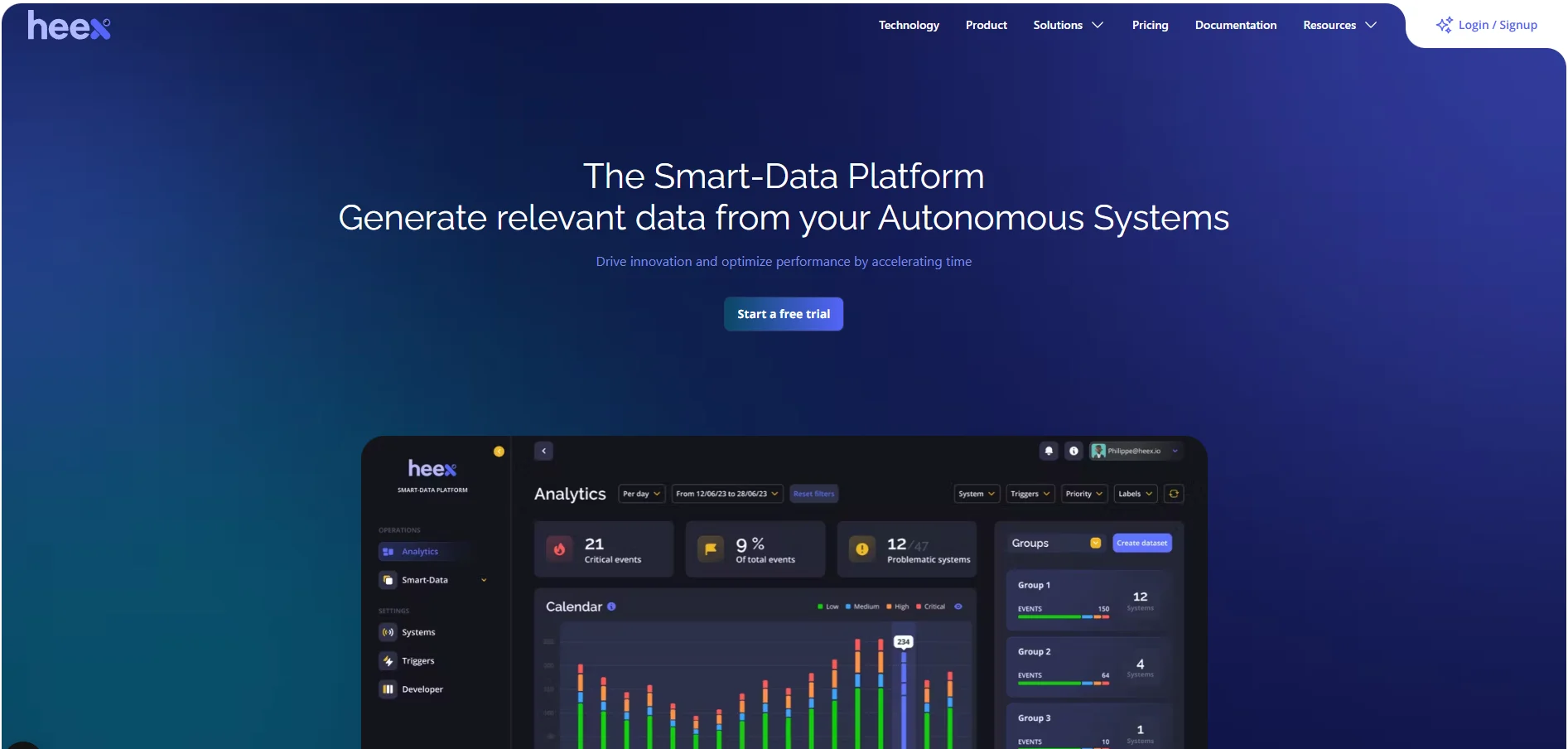
The web interface provides dashboards for analytics, Smart-Data events, system configuration, triggers, and implementation tracking.
Desktop / IDE
Developers use the Heex CLI and SDK with C++ or Python on supported Ubuntu systems to build agents, monitors, and recorders.
Automation and APIs
API keys support programmatic access through the CLI and installer, while triggers automate event capture, uploads, and notifications.
Knowledge and files
Teams upload ROS bags, generate event recordings, filter and search captured events, and export relevant data for analysis.
Pros
- +Enhanced Productivity: By focusing on relevant data, Heex reduces time spent sifting through information.
- +Cost Optimization: Minimizes resource consumption by refining data collection and processing.
- +Efficient Collaboration: Facilitates better teamwork across organizations by distributing pertinent datasets seamlessly.
- +Robust Security: Employs OAuth 2.0, JWT, and HTTPS to ensure secure data communication and protect against vulnerabilities.
Cons
- −Initial Setup Complexity: May require technical expertise to configure event-based triggers and customize system settings.
- −Limited Public Documentation: Users may need to rely on customer support for detailed technical guidance.
Limitations & when to consider alternatives
Known limitations
- Cloud Replay supports RDA datasources only. The documented Cloud Replay workflow does not yet support custom monitors.
- ROS2 bag formats are required for Cloud Replay. The documented upload workflow requires .db3 or .mcap ROS2 bag files.
- File-size limits may apply. Large rosbag uploads can fail because file-size limits may apply.
- Ubuntu and ROS2 prerequisites. The RDA quick start requires Ubuntu 20.04, 22.04, or 24.04 and ROS2.
- Custom implementations require development work. SDK-based monitors and recorders require C++ or Python integration and build steps.
Look elsewhere when
- You need a native mobile application.
- You need a browser extension workflow.
- You need model fine-tuning on proprietary data.
- You need image-understanding or vision analysis.
How to Use Heex
- 1
Create a Heex account
Start with the 30-day trial and create an account without a credit card.
- 2
Install the Heex Agent or CLI
Use the documented installer or CLI workflow to connect a robot, edge system, or development environment.
- 3
Create a system and datasource
Configure a system through the web app, installer, or CLI, then connect its data sources.
- 4
Define triggers
Create conditions and scenarios that identify events worth recording.
- 5
Generate or replay events
Run the agent on a live system or upload a ROS2 bag for Cloud Replay.
- 6
Review and analyze Smart-Data
Inspect generated events, recordings, tags, and analytics in the Heex platform.
Who is Heex For?
Robotics engineers
They can configure triggers, deploy agents, build SDK integrations, and analyze robotics data.
Data science teams
They can access relevant datasets and analyze historical robotics data.
Process engineers
They can use event-driven capture and monitoring to improve autonomous-system operations.
Tech support teams
They can investigate incidents and identify relevant event data for troubleshooting.
In-line managers
They can use operational monitoring and event insights for autonomous-system supervision.
Frequently Asked Questions
What is Heex?
Heex Smart-Data captures, analyzes, and shares relevant robotics data instead of continuously recording everything.
What data formats can Heex replay?
The Cloud Replay workflow supports ROS2 bag files in .db3 and .mcap formats.
How does Heex capture data?
Users define triggers and scenarios that identify relevant events and automatically record associated data.
Can Heex run without a physical robot?
Yes. Cloud Replay lets users upload a rosbag and test triggers without a physical system.
Does Heex support programmatic workflows?
Yes. Heex provides a CLI, REST and GraphQL APIs, and an SDK for automated workflows.
What platforms does the SDK support?
The SDK is tested on Ubuntu 20.04, 22.04, and 24.04 for x86_64 and ARM.
Community reviews
Be the first to share your experience.
Sign in to leave a review for Heex.
Heex Alternatives
Looking for alternatives to Heex? Here are similar tools in the same category: