HeyGen
Transform text into multilingual, lip-synced avatar videos.
Watch HeyGen in Action
Key Takeaways
- What it is
- Transform text into multilingual, lip-synced avatar videos.
- Pricing
- Freemium · $29 per month · $39 per seat/month (min. 2 seats). Adds 4K exports
- Best for
- AI-Powered Avatar Creation
- Text-to-Video Technology
- Customizable Templates
- Rating
- 4.7/5
What is HeyGen?
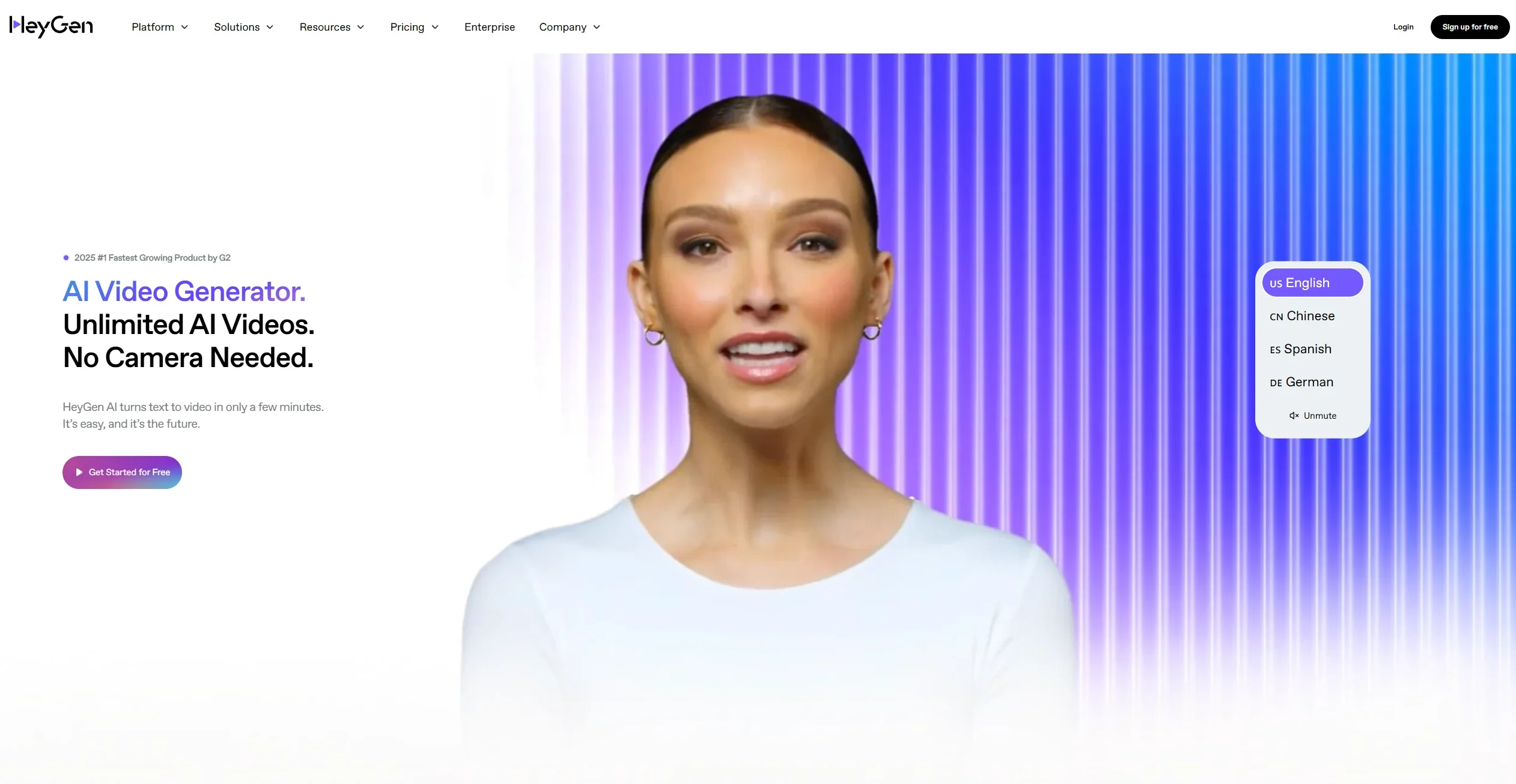
HeyGen is an AI-powered video generation and avatar platform designed to revolutionize the way businesses and individuals create professional videos. By leveraging AI, HeyGen enables users to produce high-quality, engaging videos effortlessly, without the need for expensive equipment, technical expertise, or extensive production time. Whether you're a marketer, educator, or entrepreneur, this tool simplifies video creation, making it accessible and efficient for a wide range of use cases.
HeyGen stands out in the crowded AI video generation market due to its ability to combine simplicity with sophistication. Its AI-powered avatars and multilingual capabilities make it a game-changer for businesses looking to connect with global audiences. The platform's text-to-video functionality, coupled with brand personalization, sets it apart by offering a seamless way to create professional-grade videos without requiring prior expertise. HeyGen’s unique approach to accessibility and efficiency ensures that anyone can produce high-quality video content quickly and affordably.
HeyGen is a standout tool for anyone looking to simplify and elevate their video creation process. Its AI-driven features, such as text-to-video and multilingual support, make it a versatile option for users across industries. While it may not fully meet the needs of advanced users who require complete creative freedom, HeyGen excels in providing an accessible, efficient, and cost-effective solution for producing professional-grade videos. Whether you're a marketer, educator, or small business owner, HeyGen offers a seamless way to bring your ideas to life.
Who is Using HeyGen?
Digital Marketers
Leveraging HeyGen to create engaging promotional videos and product demos.
Educators and Trainers
Utilizing the tool to design interactive e-learning content and training materials.
Small Business Owners
Crafting professional videos for social media marketing and branding purposes.
Corporate Teams
Producing internal communication videos, onboarding materials, and presentations.
Uncommon Use Cases
Non-profits creating multilingual awareness campaigns; Real estate agents producing personalized video walkthroughs for property listings.
Key Features
Rating Breakdown
Pricing Plans
Free
Free
- Includes 3 short-form videos (up to 3 mins each), 720p exports, 3 Avatar IV videos, 1 custom avatar, 500+ stock avatars, and basic editing tools. Limited to 3 videos/month
Creator
$29 per month
- Includes unlimited videos up to 30 mins, 1080p exports, 5 minutes/month of Avatar IV, watermark removal, voice cloning, and 700+ stock avatars, plus custom interactive avatars and a brand kit
Team
$39 per seat/month (min. 2 seats). Adds 4K exports
- Faster processing
- Unlimited photo avatars
- Team collaboration
- Video script translation
- Full workspace management
Enterprise
- Provides full Team plan features plus SSO
- Role access management
- Commercial terms
- Priority support
- A dedicated success manager
Which HeyGen plan should you pick?
Start with Free to test HeyGen, upgrade to Creator or Pro for individual production, and choose Business or Enterprise for collaboration, security, and scale.
Free
Good for creators and marketers who need to test avatar video creation with limited monthly generation.
Creator
Good for solo creators who need more credits, longer videos, voice cloning, and watermark removal.
Pro
Good for advanced individual production requiring higher monthly usage, 4K export, and translation-script editing.
Business
Good for teams who need shared workspaces, collaboration, SSO, centralized billing, integrations, and longer videos.
Enterprise
Good for large organizations needing custom scale, multi-workspace controls, SCIM, advanced security, and dedicated support.
HeyGen Use Cases
Training and onboarding
Convert presentations, documents, or scripts into avatar-led training and onboarding videos.
Outcome: Produce professional instructional content quickly.
Sales outreach
Create personalized avatar videos from CRM events, lead data, or sales sequences.
Outcome: Scale personalized outreach video production.
Video translation
Upload an existing video, choose target languages, and generate translated audio or lip-synced versions.
Outcome: Localize video content for international audiences.
Product marketing
Create product explainers, demos, advertisements, and launch videos using avatars, scripts, and brand assets.
Outcome: Ship product video content without filming.
Presentation to video
Upload a PPT, PPTX, or PDF and convert its slides into an editable avatar-driven video.
Outcome: Turn existing presentation material into video briefings.
Workflow Ideas with HeyGen
CRM-triggered personalized outreach
- 1Trigger a workflow from a CRM event or new lead
- 2Generate a personalized script and HeyGen avatar video
- 3Send the rendered video through email, LinkedIn, or another connected tool
Document-to-training-video workflow
- 1Upload a PDF, presentation, or document
- 2Choose an avatar, language, script settings, and presentation style
- 3Edit the generated scenes and export the finished training video
Multilingual content localization
- 1Import an existing video or select a HeyGen project
- 2Choose source and target languages
- 3Generate translated voiceover or lip-synced versions and download them
How HeyGen fits into your stack
Browser
HeyGen is primarily an online video creation workspace for generating, editing, translating, and exporting avatar-based videos.
Automation and APIs
Its documented API supports programmatic video creation, translation, uploads, callbacks, and video-agent workflows. HeyGen also supports automation through HubSpot, Zapier, Make, and n8n.
Knowledge and files
Users can upload images, videos, audio, PowerPoint files, and PDFs to create or enhance videos.
Team collaboration
Business and enterprise workspaces support invited members, roles, shared projects, access controls, draft collaboration, comments, and centralized assets.
Pros
- +Time-Saving: HeyGen significantly reduces the time required to create professional videos, making it ideal for tight deadlines.
- +User-Friendly Interface: The platform is intuitive and easy to navigate, even for beginners with no prior video editing experience.
- +Cost-Effective: Eliminates the need for costly video production equipment and services, making it budget-friendly for small businesses and individuals.
- +High-Quality Output: Delivers polished, professional-grade videos suitable for marketing, education, and corporate use.
- +Global Reach: Multilingual support allows users to create content that resonates with audiences worldwide.
Cons
- −Limited Customization for Advanced Users: While the templates are convenient, they may feel restrictive for users seeking highly unique or complex video designs.
- −Dependence on Internet Connectivity: Requires a stable internet connection, which might be a limitation in areas with poor connectivity.
- −Learning Curve for Advanced Features: While the basic features are easy to use, mastering the advanced functionalities might take some time.
Limitations & when to consider alternatives
Known limitations
- Mobile has reduced functionality. The mobile app does not currently support workspace switching, and advanced AI Studio features and LiveAvatars require desktop access.
- PPT/PDF uploads have size limits. PPT, PPTX, and PDF uploads are limited to 50 slides and a maximum file size of 50MB.
- Uploaded media cannot be organized into folders. HeyGen's AI Studio media library currently does not provide folders for organizing uploaded assets.
- Avatar Shots cannot be edited after generation. Once an Avatar Shots generation is submitted, the output is final and cannot be changed.
- Some features depend on the plan. Features such as 4K downloads, SCORM export, Brand Systems, longer videos, and collaboration are restricted to specific paid plans.
Look elsewhere when
- You need a downloadable desktop editor.
- You need full workspace switching on mobile.
- You need editable Avatar Shots after generation.
How to Use HeyGen
- 1
Choose a creation workflow
Start in AI Studio, Video Agent, Video Translation, or PPT/PDF to Video depending on whether you are creating from a script, prompt, existing video, or presentation.
- 2
Select an avatar and voice
Choose a public avatar, custom avatar, Digital Twin, and voice that match the intended audience and tone.
- 3
Add your script or source material
Type or upload a script, attach documents and images, or upload a presentation for HeyGen to transform into video content.
- 4
Configure the video
Set language, layout, visuals, background, captions, branding, and other scene or translation settings.
- 5
Review and edit
Refine scripts, scenes, visuals, avatar placement, and brand elements in AI Studio before rendering.
- 6
Export or automate delivery
Download the video or route the rendered video URL into connected workflows using the API, Zapier, Make, n8n, or other integrations.
Who is HeyGen For?
Content creators
Create social content, tutorials, UGC videos, reviews, and faceless videos with AI avatars.
Entrepreneurs
Produce product explainers, advertisements, guides, and pitch videos without traditional filming.
Educators
Create multilingual lessons, lectures, presentations, and training content.
Marketers
Generate video ads, sales outreach, campaign creative, and localized marketing content.
Businesses and teams
Collaborate in shared workspaces, centralize brand assets, manage users, and scale video production.
Frequently Asked Questions
What is HeyGen?
HeyGen is an online video tool with talking AI avatars. Users choose an avatar, type a script, and generate a spokesperson video.
How much does HeyGen cost?
HeyGen offers Free at $0/month, Creator at $29/month, Pro at $49/month, Business at $149/month plus $20 per additional seat, and Enterprise with custom pricing.
Can I use HeyGen on mobile?
HeyGen has native mobile apps, although the desktop experience provides more accents, voices, AI Studio features, workspace functionality, and LiveAvatar access.
What is HeyGen's API pricing?
The API uses standalone pay-as-you-go pricing, starting at $5, with usage billed according to generated output.
Which plan is best for teams?
Business is designed for teams and adds collaboration, centralized billing, multi-user workflows, SSO, team management, and integrations.
What security standards does HeyGen meet?
HeyGen states that it is SOC 2 Type II and GDPR compliant and offers enterprise security controls.
Community reviews
1 review from people who use HeyGen.
Sign in to leave a review for HeyGen.
Thibault BM
HeyGen Alternatives
Looking for alternatives to HeyGen? Here are similar tools in the same category:
Learn to Master HeyGen
With Skill Leap courses
Get in-depth training on HeyGen and 50+ other AI tools with our expert-led video courses.
Start 7-Day Free Trial