
Hiver
Automates multi-step customer requests from Gmail.
Key Takeaways
- What it is
- Automates multi-step customer requests from Gmail.
- Pricing
- Freemium · $35 per user per month · $65 per user per month · $95 per user per month · $25 per user per month. for Growth
- Best for
- AI Agents
- AI Copilot
- Gmail-native and Omnichannel Workspaces
- Rating
- 4.3/5
What is Hiver?
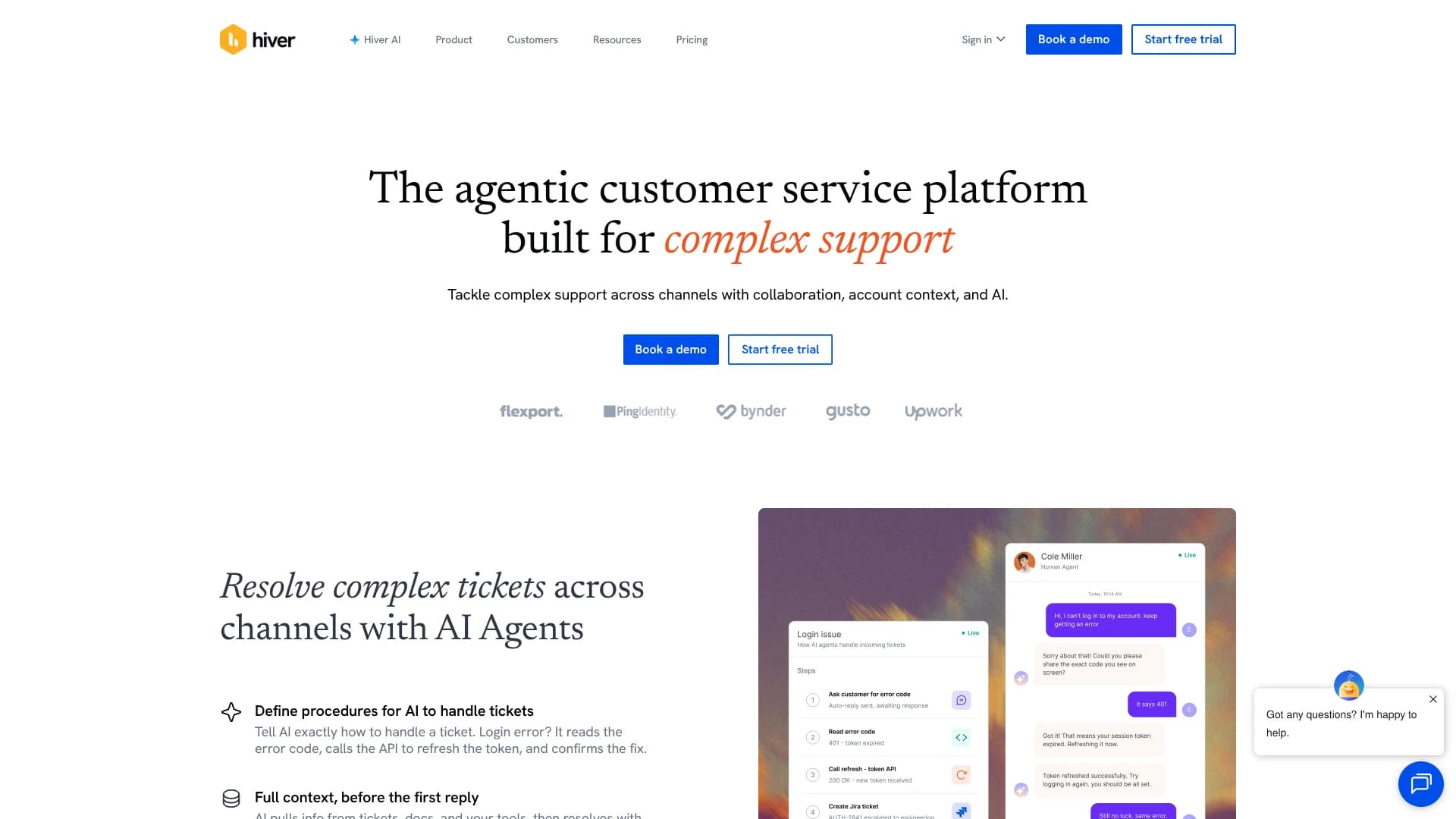
Hiver is an AI-focused customer service platform that brings shared inboxes, ticketing, and automation directly into Gmail or a standalone omnichannel workspace. It targets support, finance, IT, and HR teams that manage complex, multi-step requests across email, chat, Slack, and voice. The core problem it addresses is scattered customer communication, giving teams one place to collaborate on conversations while AI agents read tickets, call APIs, and act across tools like Shopify or Salesforce.
Hiver’s edge lies in combining a true Gmail-native helpdesk with agentic AI that can follow playbooks, call external APIs, and update records across business systems, while also offering a full omnichannel platform under the same brand. Teams can start directly inside Gmail, then graduate to Hiver Omni as channels and complexity grow, without abandoning their AI workflows or retraining on a completely different tool.
Who is Using Hiver?
Customer support leaders
Run shared inboxes, SLAs, CSAT, and AI-assisted responses across email, chat, and voice.
Finance and billing teams
Manage addresses like billing@ and ap@, track approvals, and sync invoices or orders into ERPs.
IT service desks
Triage internal IT requests, route by rules, and measure response and resolution times.
HR operations teams
Centralize employee questions on benefits, leave, and onboarding while tracking status and ownership.
Operations and logistics teams
Coordinate shipment, account, and escalation conversations that touch multiple tools and departments.
Uncommon Use Cases
Customer success teams tagging feature requests and pushing them into Jira or Asana without leaving Hiver; account management teams working high-touch clients through Slack channels connected back to the helpdesk.
Key Features
Rating Breakdown
Pricing Plans
Free
Free
- Forever
- Shared inbox and ticketing, email/help center channels, and 24/7 support
Growth
$35 per user per month
- Billed monthly for Hiver Omni, includes everything in Free plus AI Agents, AI Copilot, voice add-on, rule-based automations, round robin assignment, pre-built analytics, and basic integrations
Pro
$65 per user per month
- Billed monthly for Hiver Omni, includes everything in Growth plus customer portal, Slack channel, SLAs and CSAT surveys, advanced analytics, premium integrations, and API access
Elite
$95 per user per month
- Billed monthly for Hiver Omni, includes everything in Pro plus AI QA, AI Insights, AI Knowledge Hub, customer intelligence, skill-based routing, custom objects, shared inbox rules, SSO, HIPAA, and custom roles
Annual Billing
$25 per user per month. for Growth
- $55 per user per month for Pro
- $85 per user per month for Elite. Hiver for Gmail shows the same visible prices in the screenshots
Which Hiver plan should you pick?
Start with Growth for core shared-inbox and automation needs, upgrade to Pro for broader team capacity and integrations, and choose Elite for advanced AI, SSO, custom roles, and unlimited usage.
Growth
Good for small teams who need shared inboxes, ticketing, basic automations, analytics, integrations, and API access.
Pro
Good for growing teams who need more shared inboxes, users, automations, integrations, and operational capacity.
Elite
Good for organizations needing advanced AI, unlimited users and automations, SSO, HIPAA support, custom roles, and enterprise governance.
Hiver Use Cases
Manage a shared support inbox
Create shared inboxes such as support@, assign conversations, collaborate on replies, and track ownership.
Outcome: Requests remain visible, organized, and accountable.
Automate customer-service workflows
Use automations or AI Agents to classify requests, route conversations, look up records, and trigger actions across connected systems.
Outcome: Repetitive customer operations run with less manual work.
Draft and improve support replies
Use AI Copilot to surface context, answer questions, draft replies, summarize threads, and adjust tone or length.
Outcome: Agents respond faster and more consistently.
Build an AI knowledge hub
Connect help centers, websites, Notion, Google Drive, Confluence, past conversations, and uploaded documents.
Outcome: AI answers and drafts are grounded in organizational knowledge.
Coordinate customer issues across business tools
Connect Hiver with CRMs, ecommerce systems, project-management tools, Slack, and other business applications.
Outcome: Agents can access context and update records without switching between tools.
Workflow Ideas with Hiver
AI Workflows Inside Your Email Inbox
- 1Hiver is a strong fit for Google Workspace-centric teams that want AI agents, structured workflows, and omnichannel support without abandoning familiar email tools. Its biggest strengths are the Gmail-native experience and agentic AI that can actually act in CRMs, ERPs, and commerce platforms. The tradeoff is that some of the most advanced AI and routing features live in the Elite plan, so very small teams may stay on the basics. For growing support, finance, IT, and HR teams handling complex requests, it offers a focused and modern path away from ad hoc shared inboxes.
How Hiver fits into your stack
Browser
Hiver in Gmail runs inside Gmail through a Chrome extension, providing shared inboxes, ticketing, collaboration, and AI assistance.
Team chat and tickets
Teams manage shared customer conversations with assignments, statuses, private notes, shared drafts, approvals, and collision detection. Slack, Jira, Asana, Salesforce, and other integrations connect team workflows.
Automation and APIs
Step-based Automations combine triggers, conditions, actions, AI Tasks, app-based actions, and API calls. Hiver also provides REST APIs and API keys for custom integrations.
Knowledge and files
Knowledge Hub connects Help Center content, Google Drive, Notion, and Confluence so Hiver AI can answer questions, draft replies, and resolve support requests.
Pros
- +Gmail-first experience: Teams already using Google Workspace can run a full helpdesk without leaving the Gmail interface.
- +Deep agentic AI: AI Agents go beyond reply drafting and can orchestrate actions across tools such as Shopify, Salesforce, Jira, or NetSuite.
- +True omnichannel option: Hiver Omni unifies email, chat, Slack, voice, WhatsApp, and social messages with shared context and analytics.
- +Generous free tier: The Free plan includes shared inbox and ticketing, email and chat channels, a help center, and 24/7 support.
- +Strong onboarding support: Product tours, onboarding programs, training days, and a help center reduce rollout friction.
Cons
- −Advanced AI locked to top tier: AI QA, AI Insights, AI Knowledge Hub, and Customer Intelligence are reserved for the Elite plan, leaving smaller teams without these tools.
- −Channel breadth depends on product choice: Full omnichannel support sits in Hiver Omni, while Hiver in Gmail is primarily oriented around email-centric workflows.
- −Per-user pricing scales quickly: Growth, Pro, and Elite plans are billed per user per month, which can add up for large support teams.
Limitations & when to consider alternatives
Known limitations
- API rate limits. The API is limited to 1 request per second and 5,000 requests per day per account unless Hiver increases the limit.
- Knowledge Hub document processing. Uploaded PDF, TXT, and DOCX files are limited to 30 MB each, and only text content is processed; images are skipped.
- Skills channel availability. Skills run only on email conversations in a Shared Inbox.
- Knowledge-source permissions. Only Hiver administrators and Shared Inbox owners can upload, edit, or delete AI knowledge sources.
Look elsewhere when
- You need a dedicated desktop installer.
- You need native code-generation features.
How to Use Hiver
- 1
Choose your Hiver workspace
Use Hiver in Gmail through the Chrome extension or use Hiver Omni as the dedicated web application.
- 2
Create a shared inbox
Set up an address such as support@ or info@ so multiple teammates can access and manage the same conversations.
- 3
Invite and assign teammates
Add team members, assign conversations, and use collaboration features to establish clear ownership.
- 4
Connect business tools
Add integrations such as Salesforce, Jira, Asana, Shopify, Slack, Notion, or NetSuite to bring customer context into conversations.
- 5
Configure automations or AI Agents
Create rules or plain-English procedures that classify, route, update records, and resolve repeatable customer requests.
- 6
Add knowledge sources
Connect documentation or upload PDF, TXT, and DOCX files so Copilot and AI Agents can answer from trusted company information.
Who is Hiver For?
Customer service teams
Shared inboxes, ticketing, routing, AI assistance, analytics, and omnichannel support help teams resolve customer requests.
Finance teams
Teams can manage finance-related shared inboxes, automate routing, and connect systems such as NetSuite and QuickBooks.
IT teams
IT teams can manage requests collaboratively, connect tools such as Jira, and automate multi-step support workflows.
Enterprise support organizations
SSO, custom roles, SCIM provisioning, HIPAA support, analytics, and dedicated success services support larger organizations.
Frequently Asked Questions
Does Hiver offer a free plan?
Yes. After the 7-day Elite trial, users can choose Hiver’s free plan. The trial requires no credit card.
What is Hiver used for?
Hiver manages shared inboxes, ticketing, customer conversations, AI-assisted replies, automations, analytics, and omnichannel support.
Does Hiver work with Gmail and Outlook?
Hiver works inside Gmail through its browser extension and also offers an omnichannel platform supporting Outlook and other channels.
Can Hiver use company documents as AI knowledge?
Admins can connect websites, Notion, Google Drive, Confluence, FAQs, snippets, and uploaded PDF, TXT, or DOCX files.
Does Hiver provide an API?
Yes. Hiver publishes REST API documentation and lets administrators create API keys for custom integrations and automations.
Does Hiver have a mobile app?
Yes. Hiver provides native Android and iOS apps for managing shared inboxes and personal Gmail messages.
Community reviews
Be the first to share your experience.
Sign in to leave a review for Hiver.
Hiver Alternatives
Looking for alternatives to Hiver? Here are similar tools in the same category:
Learn to Master Hiver
With Skill Leap courses
Get in-depth training on Hiver and 50+ other AI tools with our expert-led video courses.
Start 7-Day Free Trial