
HubSpot AEO
See and improve how AI recommends your brand.
Key Takeaways
- What it is
- See and improve how AI recommends your brand.
- Pricing
- $50 per month
- Best for
- Multi‑engine AI visibility tracking
- Prompt tracking and suggestions
- Citation and content analysis
- Rating
- 4.5/5
What is HubSpot AEO?
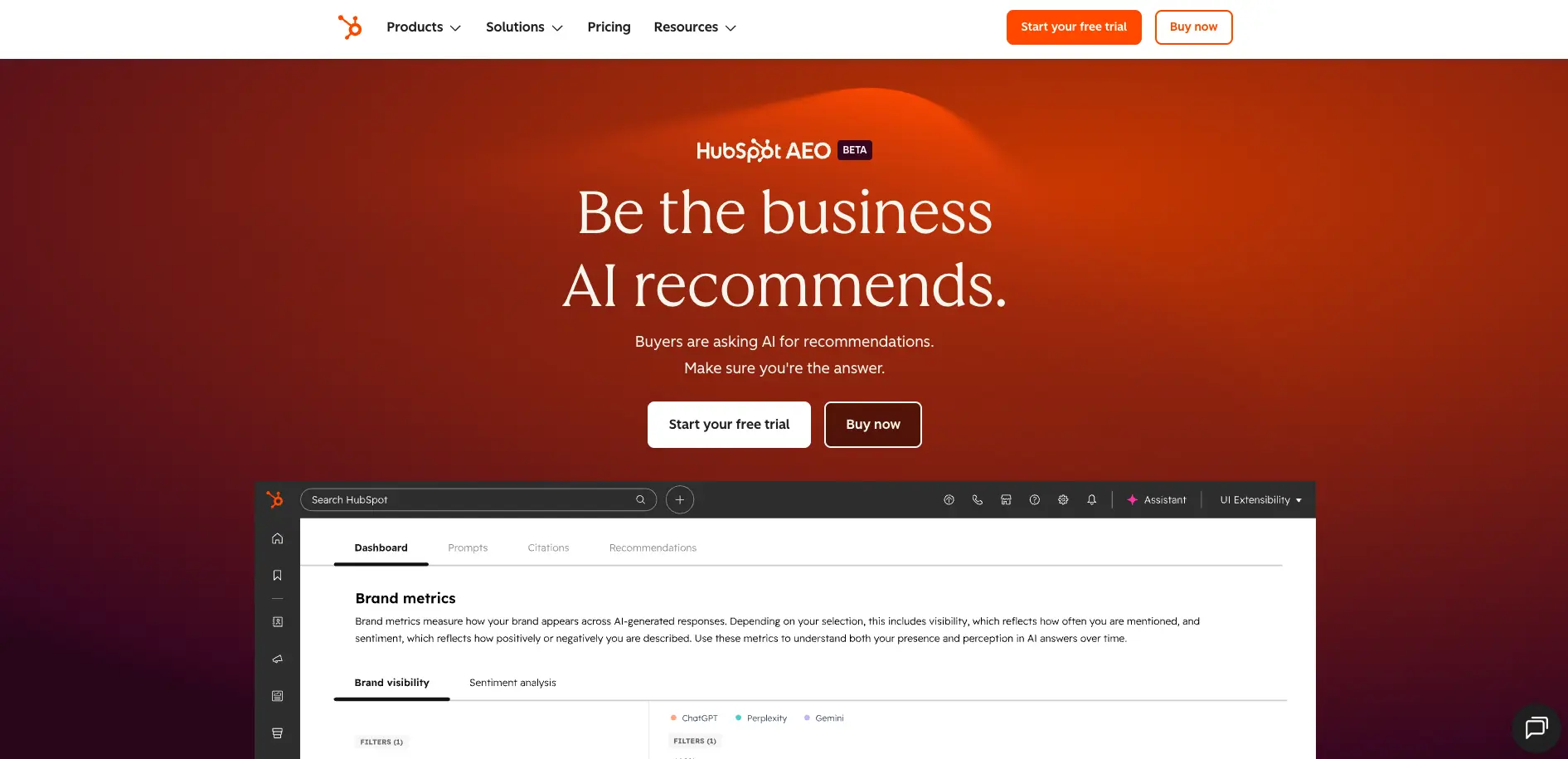
HubSpot AEO is HubSpot’s brand new answer engine optimization tool that helps brands see and improve how they appear inside AI search results. Instead of guessing what ChatGPT, Gemini, or Perplexity say about a business, it surfaces concrete visibility scores, competitor comparisons, and AI‑driven recommendations. Built directly into the HubSpot customer platform, it is aimed at marketers, SEO teams, and revenue leaders who want their brand to be the one AI recommends when buyers ask for product suggestions.
HubSpot AEO focuses on AI search as a concrete, measurable channel rather than a vague threat or buzzword. It connects brand visibility scores, competitor share of voice, prompt‑level responses, and citation sources in one place, then goes a step further by telling teams what to do next. The tight tie‑in with HubSpot’s CRM and Marketing Hub, plus HubSpot’s experience shipping SEO tools during earlier search shifts, gives it credibility for teams that want both guidance and execution under one roof.
HubSpot AEO gives marketing and revenue teams a way to treat AI search like a channel they can measure and influence, not just speculate about. By pairing multi‑engine visibility data with concrete recommendations and HubSpot’s existing CRM and content tools, it helps brands move from “What is ChatGPT saying about us?” to “Here is how we will improve that answer this quarter.” For organizations already using or considering HubSpot, it offers a timely path to stay visible as buyers shift their research habits into AI conversations.
Who is Using HubSpot AEO?
B2B SaaS marketing teams
Tracking how often their product is recommended when buyers ask AI for category solutions.
E‑commerce and DTC brands
Monitoring brand mentions in AI answers for product, comparison, and review‑style prompts.
Content and SEO teams
Planning blogs, landing pages, and thought‑leadership pieces based on which sources AI already cites.
Agencies and consultants
Offering AEO audits and ongoing visibility reporting as a new retainer service.
Uncommon Use Cases
Used by PR teams to track AI‑driven brand sentiment during launches; adopted by RevOps leaders to correlate AI visibility trends with lead and pipeline performance.
Key Features
Rating Breakdown
Pricing Plans
Free Trial
- HubSpot AEO includes a 28-day free trial
HubSpot AEO
$50 per month
- Or $45 per month if paid annually. Includes tracking 25 prompts across 3 answer engines daily, with additional prompts available anytime
Included Access
- Also included in Marketing Hub Professional and Enterprise
Which HubSpot AEO plan should you pick?
Start with HubSpot AEO for standalone AI visibility tracking; upgrade to Marketing Hub Professional or Enterprise for CRM-powered prompts, content generation, and higher limits.
HubSpot AEO
Good for teams needing standalone visibility tracking, prompt monitoring, competitor analysis, citation analysis, and recommendations.
Marketing Hub Professional
Good for marketing teams who need AEO plus CRM-based prompt suggestions and the ability to generate blog posts.
Marketing Hub Enterprise
Good for larger organizations needing 50 daily prompts and the broader governance and marketing capabilities of Enterprise.
HubSpot AEO Use Cases
Monitor AI brand visibility
Track how often a brand appears in ChatGPT, Gemini, and Perplexity responses.
Outcome: A visibility score and trend data across answer engines.
Track buyer prompts
Add or review business-relevant prompts and inspect the exact AI responses returned.
Outcome: Prompt-level visibility and response context.
Compare competitors
Measure competitor visibility and share of voice for the same tracked prompts.
Outcome: A competitive view of AI mentions.
Analyze citations
Identify domains, pages, channels, and content types referenced in AI answers.
Outcome: Greater clarity about which sources influence AI mentions.
Prioritize content actions
Use recommendations to create pages, update content, publish social posts, or contact third-party sites.
Outcome: A prioritized action plan for improving AI visibility.
Workflow Ideas with HubSpot AEO
Set up daily AI visibility tracking
- 1Confirm brand details, competitors, products, and ideal customer profiles
- 2Review or add tracked prompts
- 3Monitor daily visibility, competitor, and citation metrics
Turn citation gaps into content
- 1Review citation analysis and prioritized recommendations
- 2Create or update the recommended page, blog post, or social content
- 3Repeat AEO audits to evaluate visibility changes
Build a multi-channel AEO campaign
- 1Use Marketing Studio to plan aligned campaign assets
- 2Remix existing content for blogs, social posts, videos, or podcasts
- 3Publish content across multiple channels and review performance
How HubSpot AEO fits into your stack
Browser
HubSpot AEO is accessed inside a HubSpot account through Marketing > AEO. It provides a dashboard for visibility, prompts, competitors, citations, and recommendations.
Docs and writing
AEO recommendations identify content opportunities based on citation patterns. Marketing Hub Professional and Enterprise users can generate blog posts from identified gaps.
Pros
- +Clear visibility metrics: Brand visibility scores, share of voice, and sentiment give marketers simple, trackable numbers for AI search.
- +Actionable guidance: Recommendations are specific and prioritized, which suits teams that do not have deep AEO or technical SEO expertise.
- +Competitive insight: Built‑in competitor tracking and citation analysis help teams see exactly who AI prefers and why.
- +Strong educational content: Guides, AEO Academy videos, and built‑in definitions lower the learning curve for this new discipline.
Cons
- −HubSpot‑centric value: The smartest workflows appear when paired with HubSpot Marketing Hub, so non‑HubSpot stacks may see less benefit.
Limitations & when to consider alternatives
Known limitations
- Only three answer engines are supported. The documented coverage is ChatGPT, Gemini, and Perplexity.
- Tracking is not instantaneous. Data collection begins after setup, and HubSpot recommends reviewing multiple days or weeks because responses change.
- Prompt limits vary by plan. The standalone plan and Marketing Hub Professional provide 25 daily prompts; Enterprise provides 50.
- Standalone AEO has fewer features than Marketing Hub AEO. Generate blog posts and CRM-based prompt suggestions are listed for Marketing Hub Professional and Enterprise, not standalone HubSpot AEO.
- AEO metrics are not tracked through page A/B tests. HubSpot says A/B testing can correlate marketing outcomes with visibility, but AEO metrics themselves are not tracked through the tests.
Look elsewhere when
- You need a native mobile application.
- You need an accessible developer API.
- You need image analysis or code generation.
How to Use HubSpot AEO
- 1
Open AEO
In HubSpot, navigate to Marketing > AEO to begin setup and access the dashboard.
- 2
Confirm brand details
Enter the brand name, domain, brand variations, and business type so AEO can identify relevant mentions.
- 3
Review competitors
Add or edit competitor names, domains, and brand variations to improve comparison accuracy.
- 4
Define products and ICPs
Select products and ideal customer profiles so HubSpot can generate more relevant prompts.
- 5
Review prompt performance
Inspect visibility, competitor, citation, and response data for tracked prompts.
- 6
Act on recommendations
Create or update content, publish social posts, or pursue third-party citations based on prioritized recommendations.
Who is HubSpot AEO For?
Marketers
The tool is designed so marketers can identify AI visibility gaps without technical AEO expertise.
Growth teams
Growth teams can monitor brand visibility, competitor share of voice, citations, and recommended actions.
Marketing teams using HubSpot
Marketing Hub users receive CRM-powered prompt suggestions and can act on recommendations within HubSpot content tools.
Frequently Asked Questions
What is HubSpot AEO?
HubSpot AEO measures and improves how a brand appears in AI-generated answers across ChatGPT, Gemini, and Perplexity.
Can I try HubSpot AEO before buying?
Yes. The product offers a 28-day trial with 25 tracked prompts across three answer engines.
What are prompts?
Prompts are business-relevant questions tracked to measure brand and competitor visibility in AI answers.
How does HubSpot AEO work?
It combines visibility scoring, prompt tracking, citation analysis, competitor comparison, and prioritized recommendations.
Do I need HubSpot CMS?
No. AEO can track brand visibility regardless of where the website is hosted.
Can I track multiple brands?
Yes. HubSpot says customers can purchase multiple AEO instances, one for each brand.
Community reviews
Be the first to share your experience.
Sign in to leave a review for HubSpot AEO.
HubSpot AEO Alternatives
Looking for alternatives to HubSpot AEO? Here are similar tools in the same category:
Learn to Master HubSpot AEO
With Skill Leap courses
Get in-depth training on HubSpot AEO and 50+ other AI tools with our expert-led video courses.
Start 7-Day Free Trial