HubSpot AEO Sensor
Market-wide AI search trends help marketers separate industry shifts from brand performance.
Key Takeaways
- What it is
- Market-wide AI search trends help marketers separate industry shifts from brand performance.
- Pricing
- Freemium
- Best for
- AI-Referred Traffic Trends
- AI Visibility Benchmarks by Industry
- Citation Share Trends
- Rating
- 4.0/5
What is HubSpot AEO Sensor?
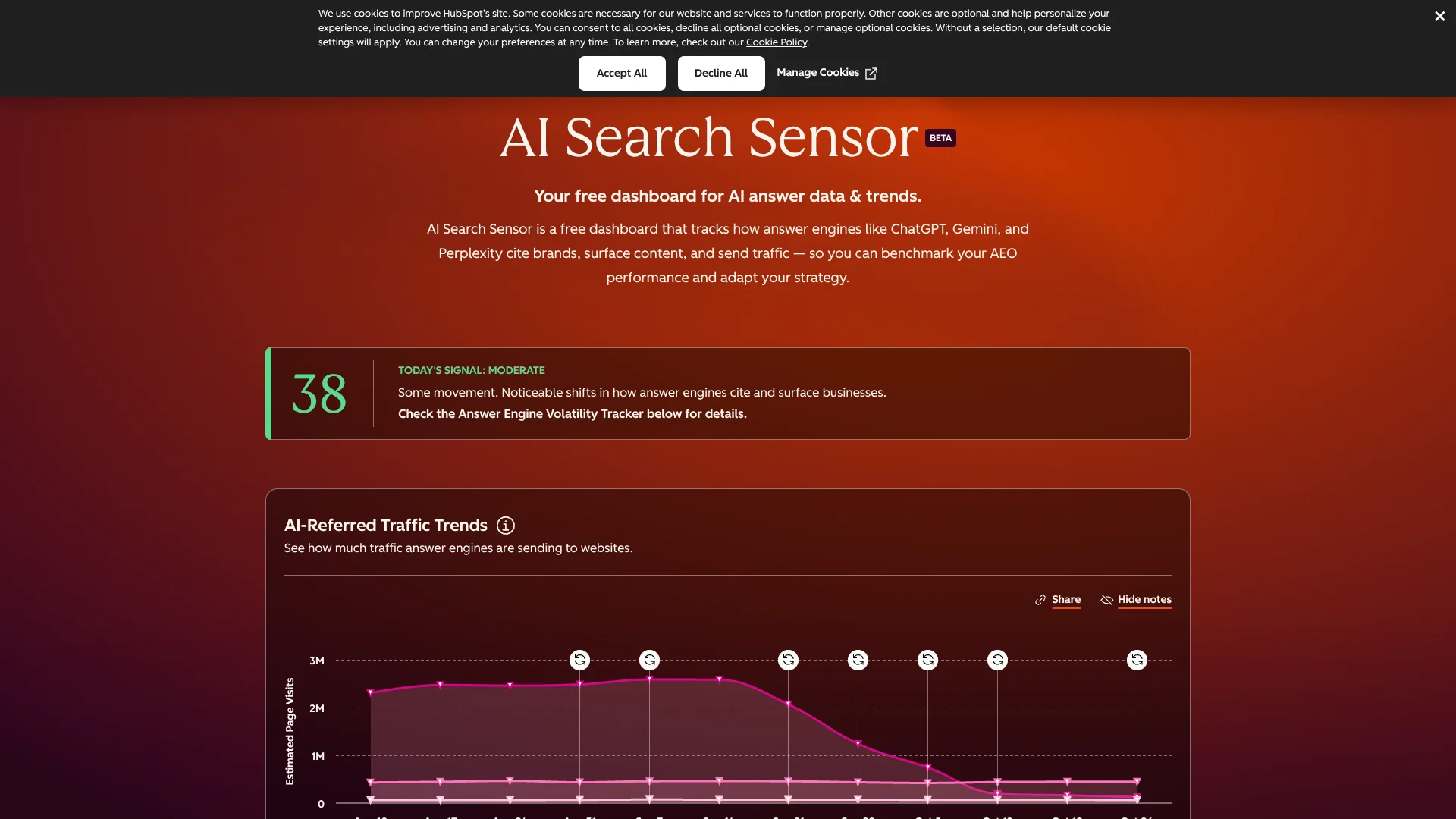
AI Search Sensor gives marketers a public dashboard for tracking how ChatGPT, Gemini, and Perplexity are changing what they cite, mention, and send traffic to. Its four charts cover AI-referred traffic, estimated visibility by industry, citation patterns, and answer engine volatility. The data helps explain whether a change in your own AI-related traffic may reflect a wider market shift.
Rather than measuring one company's performance, the Sensor combines anonymized HubSpot customer data with estimated industry benchmarks to show broader patterns. You can compare weekly traffic and citation trends with a daily volatility score, then use that context to judge whether answer engines may be changing across the market.
It suits marketers and content teams who need a free way to monitor AI search trends before changing their strategy. Its central limit is that it does not report your brand's own visibility, traffic, or recommendations. Think of it as a market weather report, not a brand-specific AEO audit.
Who is Using HubSpot AEO Sensor?
SEO strategists
Industry visibility benchmarks help frame how AI answer visibility differs across sectors.
Content strategists
Citation share trends reveal whether formats such as guides, blogs, or product pages are gaining ground.
Digital marketing analysts
Weekly AI referral trends give analysts a market comparison for their own traffic reports.
Public relations managers
Channel trends help PR teams see how earned media compares with other sources cited by answer engines.
Uncommon Use Cases
Compare the share of review-site citations with owned-site citations; check volatility before attributing a sudden visibility change to a campaign.
Key Features
Rating Breakdown
Pricing Plans
AI Search Sensor
Free
- Public dashboard
- No login or form required
Which HubSpot AEO Sensor plan should you pick?
Start with AI Search Sensor for free market-wide trends; look at a separate HubSpot AEO product if you need ongoing brand-specific tracking and recommendations.
AI Search Sensor
Good for marketers who need a free, industry-wide view of AI traffic, citations, visibility estimates, and answer engine volatility.
HubSpot AEO Sensor Use Cases
Diagnose an AI traffic dip
When your AI-referred traffic falls, compare it with the broader weekly trend and volatility score to see whether the market may also be shifting.
Outcome: A clearer signal on whether to investigate your own content or wait for a broader engine change to settle.
Spot citation opportunities
Citation share trends show which content formats and source channels are appearing more often in AI answers.
Outcome: A data-informed view of content types or channels to review in your AEO strategy.
Set an industry visibility baseline
Compare estimated visibility and citation share for recognizable brands in a selected industry.
Outcome: An industry reference point for discussing AI search visibility.
Workflow Ideas with HubSpot AEO Sensor
Investigate a traffic change
- 1Check the volatility score and its recent trend.
- 2Compare the weekly industry AI-referred traffic with your own analytics.
- 3Review citation share if your results are moving differently from the market.
Review content and source coverage
- 1Check which content types are gaining or losing citation share.
- 2Compare the channel trends with your current owned and off-site efforts.
- 3Use the gaps you find to guide your next content or outreach review.
How HubSpot AEO Sensor fits into your stack
Public web dashboard
AI Search Sensor is a free, browser-accessible dashboard for checking trends without an account.
Your analytics
Compare your own AI-referred traffic with the Sensor's modeled industry trends. The Sensor does not replace your analytics or provide your site's exact counts.
AEO research
Use the dashboard to spot market-level changes in answer engines, then investigate your own brand separately if you need brand-specific measurement.
Pros
- +Free public access: Open the dashboard without a login or form.
- +Market context: Compare your own traffic changes with broader AI-referred traffic trends.
- +Multiple trend views: Check volatility, industry benchmarks, and citation patterns for three answer engines.
Cons
- −No brand-specific reporting: The dashboard cannot tell you how often your own brand is mentioned or cited.
- −Directional data: Modeled and anonymized trends are useful for context, not as exact counts for your analytics.
Limitations & when to consider alternatives
Known limitations
- No individual brand metrics. The dashboard reports industry-wide patterns, not your brand's visibility score, citation share, or traffic.
- Modeled and estimated measurements. Traffic and citation trends draw on anonymized HubSpot customer data, while industry benchmarks are estimates based on public information.
- Recent volatility scores can shift. Daily scores may change slightly for up to three days while final data is processed.
- Limited answer engine coverage. The Sensor tracks ChatGPT, Gemini, and Perplexity.
Look elsewhere when
- You need ongoing visibility, competitor tracking, or recommendations for your specific brand.
- Your team needs exact traffic counts rather than modeled industry trends.
How to Use HubSpot AEO Sensor
- 1
Open the public dashboard
Visit AI Search Sensor; HubSpot says no login or form is required.
- 2
Check the volatility score
Start with the daily score to see whether answer engine mentions and citations are shifting from their usual patterns.
- 3
Review weekly traffic trends
Compare the direction of industry AI-referred traffic with your own analytics, remembering that Sensor figures are directional.
- 4
Choose an industry benchmark
Select an industry and toggle between visibility score and citation share to see the different estimates.
- 5
Inspect citation patterns
Switch between content type and channel to see which formats and source categories are appearing in AI answers.
- 6
Interpret the gap
If your results differ from the industry pattern, use the charts as context for deciding what to investigate next; the Sensor does not provide brand-specific recommendations.
Who is HubSpot AEO Sensor For?
Marketers
Market-wide AI search trends help put changes in referral traffic into context.
Content teams
Citation patterns show which content formats and source channels are gaining attention in AI answers.
SEO and AEO teams
Industry benchmarks offer a baseline for understanding how answer engine visibility is shifting.
Marketing leaders
Daily volatility and weekly traffic trends can help distinguish a broad market change from a brand-specific concern.
Frequently Asked Questions
Is AI Search Sensor free?
Yes. HubSpot describes it as a free public dashboard that does not require a login or form.
Does it show how my brand performs in AI search?
No. It reports industry-wide trends and estimates, not your brand's own visibility, citations, or traffic.
Which answer engines does it cover?
The dashboard tracks ChatGPT, Gemini, and Perplexity.
How often does the data update?
The dashboard refreshes daily. Volatility is updated daily, while traffic and citation charts use weekly data that may take a few hours to finish populating after the week closes.
Where does the data come from?
Traffic and citation trends use modeled, anonymized HubSpot customer data. Industry visibility benchmarks are estimates based on publicly available information.
Community reviews
Be the first to share your experience.
Sign in to leave a review for HubSpot AEO Sensor.
HubSpot AEO Sensor Alternatives
Looking for alternatives to HubSpot AEO Sensor? Here are similar tools in the same category: