
Humaniser
Rewrites stiff text to sound casually human.
Key Takeaways
- What it is
- Rewrites stiff text to sound casually human.
- Pricing
- Freemium · $10 per month · $20 per month · $40 per month
- Best for
- AI Detection Bypass
- Multilingual Support
- Instant Processing
- Rating
- 4.8/5
What is Humaniser?
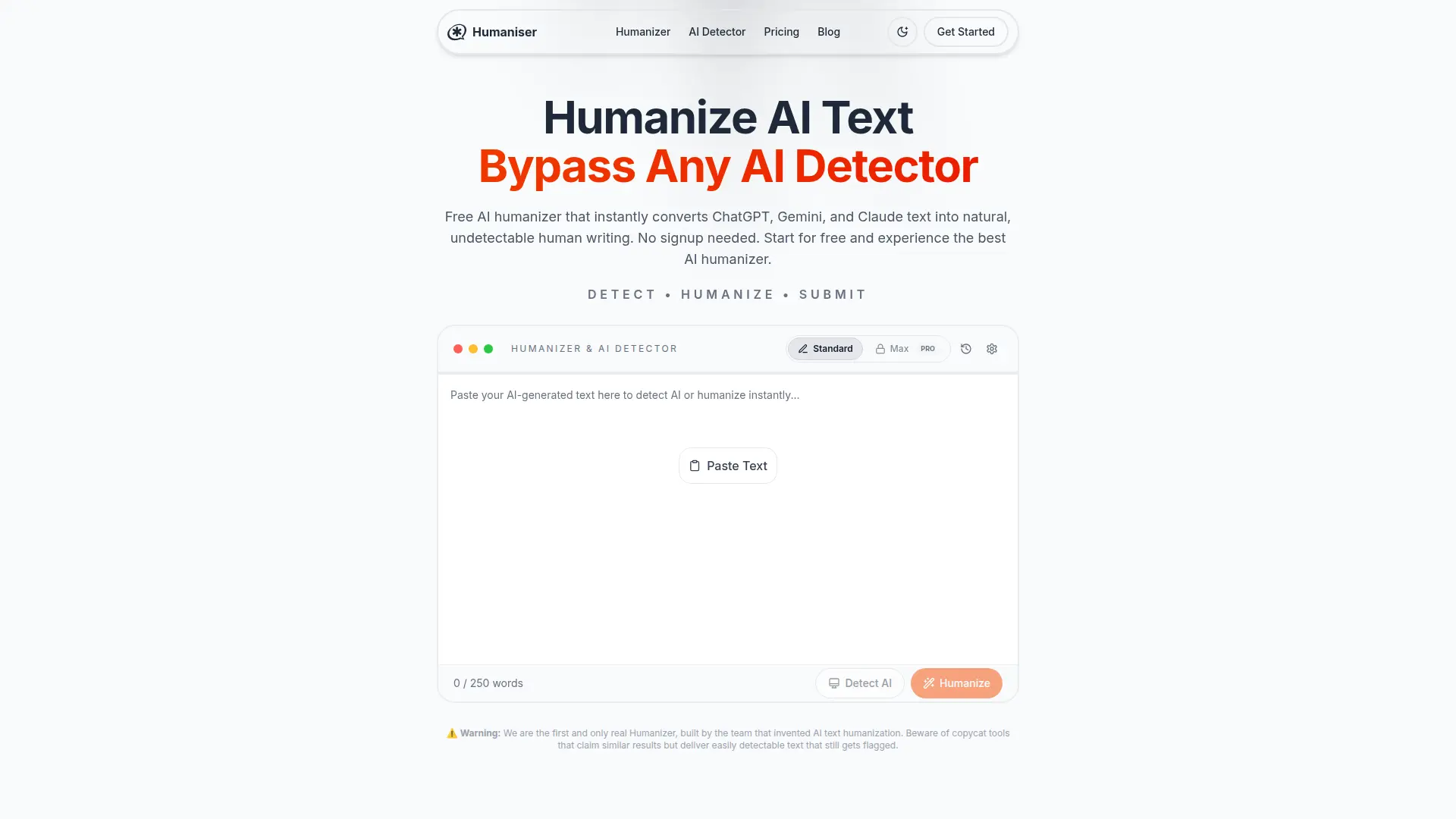
Humaniser is a nifty tool designed to make AI-generated text sound more human and undetectable by AI detectors. Perfect for students, professionals, and content creators, it transforms robotic AI writing into natural prose, making sure your content maintains quality and readability. No sign-up is needed to get started, and it's free forever, letting you humanize text from popular AI tools like ChatGPT, Gemini, and Claude.
Humaniser stands out with its ability to bypass all major AI detectors while maintaining the original meaning and tone of the text. Its multilingual support and instant processing make it a top choice for anyone needing quick, human-like text transformation.
Humaniser is a powerful ally for anyone looking to transform AI-generated text into natural, human-like writing. With its high success rate in bypassing AI detectors and multilingual support, it’s a must-have tool for students, professionals, and content creators. Whether you need to humanize a quick email or a lengthy report, Humaniser offers a reliable and efficient solution, ensuring your content remains authentic and undetectable.
Who is Using Humaniser?
Students
Perfect for essays and assignments, ensuring work passes academic integrity checks.
Content Creators
Bloggers and writers use it to create engaging, authentic content that resonates with readers.
Marketing Professionals
Ideal for crafting compelling ad copy and social media posts that maintain brand voice.
Business Professionals
Used for humanizing reports and proposals, maintaining professionalism.
Uncommon Use Cases
Employed by educators to teach writing skills; utilized by novelists to refine AI-generated story drafts.
Key Features
Rating Breakdown
Pricing Plans
Free Plan
Free
- 5 uses per day
- A 250 word input limit
- English only
- Access to the standard model. Good for simple tests and light experimentation
Basic Plan
$10 per month
- 25 uses per day
- A 500 word input limit
- The Max model
- All languages
- Email support within 24 hours. A practical choice for steady personal use
Pro Plan
$20 per month
- 100 uses per day
- A 1,000 word input limit
- The Max model
- All languages
- 24 hour email support. A solid upgrade for users who need more output each day
Max Plan
$40 per month
- Unlimited uses
- Unlimited input length
- The Max model
- All languages
- Priority support under 2 hours. Best for heavy users who want full access without limits
Which Humaniser plan should you pick?
Start with Free for occasional English rewrites, choose Basic or Pro for higher daily limits and multilingual work, and upgrade to Max or Enterprise for unlimited or organizational usage.
Free
Good for occasional users who need three daily English rewrites with inputs up to 200 words.
Basic
Good for users who need 15 daily uses, 500-word inputs, the Max model, and all-language support.
Pro
Good for heavier individual usage requiring 50 daily uses and 1,000-word inputs.
Max
Good for frequent users who need unlimited uses, unlimited input length, all languages, and priority support.
Enterprise
Good for organizations needing custom limits, team management, dedicated support, and SLA guarantees.
Humaniser Use Cases
Academic essays and research
Paste AI-assisted academic writing into Humaniser and apply a scholarly, natural style while preserving citations and meaning.
Outcome: More authentic academic prose with fewer predictable AI patterns.
Business emails and reports
Humanize robotic drafts for emails, reports, proposals, presentations, and client communications.
Outcome: Professional writing that sounds more natural and personable.
Blog posts and articles
Transform AI-generated blog content into conversational, reader-friendly articles.
Outcome: More engaging content with a natural editorial voice.
Product descriptions
Convert generic AI product copy into specific, emotionally engaging descriptions with benefits and use cases.
Outcome: More compelling e-commerce copy designed to support conversions.
Social media posts
Adapt AI-generated posts to platform-specific tones for LinkedIn, Twitter, Instagram, Facebook, and TikTok.
Outcome: More authentic and conversational social content.
Workflow Ideas with Humaniser
Humanize an AI draft
- 1Paste AI-generated text into the Humaniser input area.
- 2Choose a style such as Academic, Business, Casual, or Creative.
- 3Click Humanize, then copy, download, or edit the result.
Prepare product descriptions at scale
- 1Create product templates containing features, benefits, use cases, and selling points.
- 2Generate descriptions in batches with brand-voice guidance.
- 3Humanize the drafts, spot-check important products, and publish after review.
Create authentic social posts
- 1Define the target platform, audience, topic, and goal.
- 2Generate an initial AI draft and add personal context or opinions.
- 3Humanize the post, optimize hashtags and visuals, then publish or schedule it.
How Humaniser fits into your stack
Browser
Humaniser is a browser-based web tool where users paste AI-generated text, humanize it, and copy or download the result. It works across desktop and mobile browsers without installation.
Automation and APIs
The developer preview provides RESTful humanization endpoints, API keys, SDKs, batch processing, usage endpoints, and webhook-oriented workflows for integrating Humaniser into applications and content pipelines.
Pros
- +Free plan available with no credit card required
- +Browser-based with no installation required
- +Supports 50+ languages on paid plans
- +Zero-storage processing is documented
- +REST API preview with SDKs and code examples
Cons
- −Limited Free Use: The free plan limits you to 5 uses daily with a 250-word input limit.
- −Basic Language Support: The free version only supports English, which may be limiting for multilingual users.
Limitations & when to consider alternatives
Known limitations
- Free-plan limits. The Free plan allows three uses per day, limits inputs to 200 words, supports English only, and uses the Standard model.
- Paid plans are required for broader language support. Support for more than 50 languages is available on paid plans; the Free plan is English only.
- Browser-only product. Humaniser is described as an online browser tool with no downloads, installations, or native desktop application.
- Internet connection required. Processing occurs on Humaniser's servers, so the product does not work offline.
- API is in developer preview. API access requires joining the developer preview or requesting a private beta key while production hardening continues.
Look elsewhere when
- You need a native mobile application.
- Your workflow requires a currently available browser extension.
- You need offline processing.
- You need document or image uploads.
How to Use Humaniser
- 1
Open Humaniser
Visit the browser-based Humaniser tool; no download, installation, or account is required for Free use.
- 2
Paste your AI-generated text
Insert text from ChatGPT, Claude, Gemini, or another AI tool into the input area.
- 3
Choose a writing style
Select Academic, Business, Casual, or Creative to match the purpose and audience.
- 4
Humanize the draft
Click Humanize to rewrite the text while preserving its core meaning and intended tone.
- 5
Review and export
Review the result for accuracy and authenticity, then copy, download, or continue editing it.
Who is Humaniser For?
Students and academics
Humaniser supports academic essays, research papers, scholarly tone, citations, and reducing false positives in AI detectors.
Business professionals
Business users can humanize reports, proposals, presentations, client communications, and internal documentation.
Content creators and marketers
The tool is positioned for blog posts, articles, marketing campaigns, advertisements, and social content.
E-commerce owners
E-commerce users can create product descriptions at scale while maintaining brand voice and conversion-focused copy.
Social media managers
Social media managers can adapt AI drafts for LinkedIn, Twitter, Instagram, Facebook, and TikTok.
Frequently Asked Questions
Is Humaniser free to use?
Yes. The Free plan requires no signup and includes three humanizations per day, 200-word inputs, English-only processing, and the Standard model.
Which languages does Humaniser support?
Paid plans support more than 50 languages, while the Free plan supports English only.
Do I need an account?
No account is required for the Free plan. An account is required for Basic, Pro, and Max subscriptions.
Does Humaniser store or train on submitted text?
Humaniser says submitted text is processed in real time, immediately discarded, and not used for training.
Does Humaniser provide an API?
Humaniser offers a developer-preview API with REST endpoints, planned SDKs, preview keys, and webhook support.
Is Humaniser available as a mobile or desktop application?
The official product is browser-based and requires no download or installation. Its site describes responsive mobile-browser access rather than native apps.
Community reviews
Be the first to share your experience.
Sign in to leave a review for Humaniser.
Humaniser Alternatives
Looking for alternatives to Humaniser? Here are similar tools in the same category:
Learn to Master Humaniser
With Skill Leap courses
Get in-depth training on Humaniser and 50+ other AI tools with our expert-led video courses.
Start 7-Day Free Trial