
Humanize AI Pro
Turn AI-generated text into natural human writing.
Key Takeaways
- What it is
- Turn AI-generated text into natural human writing.
- Pricing
- Freemium · $19 per month · $29 per month · $79 per month
- Best for
- AI-to-Human Conversion
- Multiple Modes and Tones
- AI Detector Resistance
- Rating
- 4.4/5
What is Humanize AI Pro?
Humanize AI Pro is an advanced text refinement tool that transforms AI-generated writing into natural, human-like prose while preserving meaning, tone, and SEO value. It’s designed for professionals who want to maintain the benefits of AI-assisted writing without producing text that feels mechanical or easily detected as AI output. The platform includes a free web-based tool, subscription plans for heavier use, and an API for developers who want to integrate humanization at scale.
Humanize AI Pro stands out for its direct focus on rewriting AI-generated content in ways that can bypass detection tools while keeping the text natural and readable. Few competitors make this promise as openly, which gives it a unique position in the market. At the same time, the platform emphasizes ethical use, urging users to apply the tool responsibly and not misrepresent AI content as human-written academic work. Its combination of a free, instant-access tool, quota-based Pro plans, and a scalable API allows it to serve individuals, teams, and developers alike across multiple languages and industries.
Humanize AI Pro is best suited for users who want to make AI-generated content sound convincingly human without spending hours editing. Its accessibility, multilingual reach, and automation options make it appealing to content professionals, marketers, and developers alike. While its strong detector-bypass marketing can raise ethical concerns, the tool’s quality and flexibility make it a valuable companion for anyone refining AI-assisted writing responsibly.
Who is Using Humanize AI Pro?
Content Creators and Writers
Freelancers, bloggers, and journalists refining AI-generated drafts for more natural tone and clarity.
Marketing and SEO Teams
Agencies and marketing professionals improving AI-generated product descriptions, ad copy, and email content while maintaining keyword integrity.
Students and Academics
Users refining AI-assisted essays or reports to improve phrasing and readability while avoiding overly artificial language.
Business and Legal Professionals
Teams using the tool to simplify technical or formal documents for better client communication.
Developers and SaaS Teams
Companies integrating the API to automate the refinement of AI text across user-generated content or writing platforms.
Uncommon Use Cases
Used by podcasters and video creators to humanize AI-generated scripts and by nonprofits to make donor stories sound more authentic and emotionally resonant.
Key Features
Rating Breakdown
Pricing Plans
Free
Free
- 1,500 words, 300 words per process, all modes and settings, no random words, and customer support
Lite
$19 per month
- 20,000 words, 500 words per process, all modes and settings, continuous improvements, AI undetectability, clean output, and customer support
Standard
$29 per month
- 50,000 words, unlimited words per process, free re-paraphrasing, all modes and settings, continuous improvements, AI undetectability, clean output, and customer support
Pro
$79 per month
- 150,000 words, unlimited words per process, free re-paraphrasing, all modes and settings, continuous improvements, AI undetectability, clean output, and customer support
Which Humanize AI Pro plan should you pick?
Start with Free for occasional testing, choose Starter for regular individual use, upgrade to Pro for higher volume and advanced tones, and choose Ultra for agency-scale usage.
Free
Good for users who need a no-card trial with 500 words per month.
Starter
Good for individual creators who need 20,000 words per month.
Pro
Good for professionals who need 200,000 words per month, advanced tone modes, and priority support.
Ultra
Good for teams and agencies processing up to 1,000,000 words per month.
Humanize AI Pro Use Cases
Academic writing
Humanize AI-assisted essays, research papers, and assignments.
Outcome: More natural academic writing that retains the original meaning.
Content writing
Rewrite AI-generated blog posts, articles, and web content.
Outcome: Content that reads more naturally and is suitable for publishing.
SEO content
Humanize AI-generated articles while retaining keyword optimization.
Outcome: Natural-sounding SEO content designed for search visibility.
Business writing
Improve AI-drafted emails, reports, and professional documents.
Outcome: More polished business communication.
Social media
Rewrite AI-generated captions and posts for social platforms.
Outcome: More natural and engaging social content.
Workflow Ideas with Humanize AI Pro
Humanize an AI draft
- 1Paste or upload the AI-generated text.
- 2Choose a tone or writing mode.
- 3Click Humanize and review the rewritten output.
Check and revise content
- 1Submit text to the AI detector.
- 2Review the detector results and flagged segments.
- 3Humanize again or manually revise the text.
Automate humanization with the API
- 1Generate an API key from the developer dashboard.
- 2Send text to the /v1/humanize endpoint.
- 3Use the returned humanized text and credit balance in the application.
How Humanize AI Pro fits into your stack
Browser
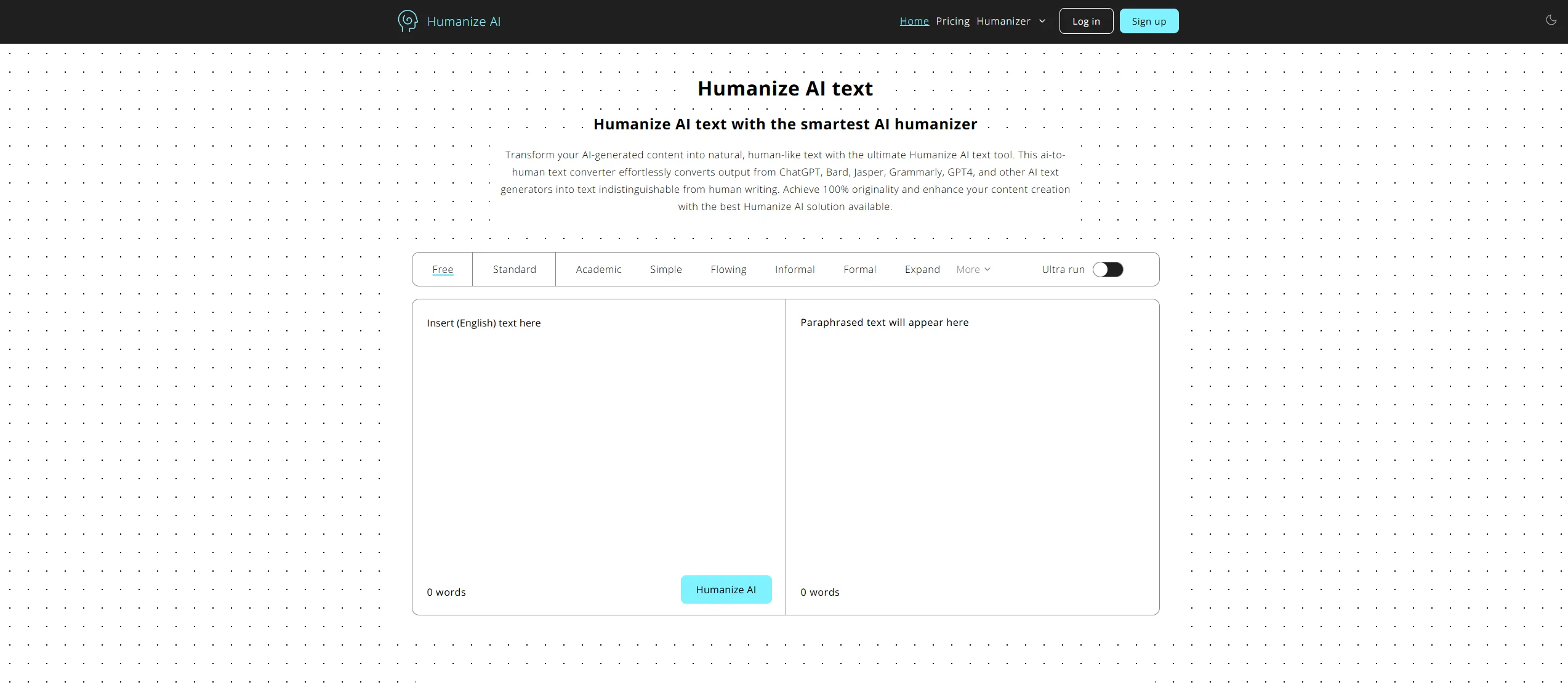
Humanize AI Pro is primarily a web-based text humanizer: users paste AI-generated text into the browser editor, humanize it, and copy the result. It also offers a Chrome extension for in-browser text selection and rewriting.
Docs and writing
The product processes writing for essays, reports, blog posts, emails, and other documents. The browser interface accepts TXT, DOCX, PDF, and Markdown uploads.
Automation and APIs
The Humanize API provides REST endpoints, bearer-token authentication, usage tracking, two models, five tones, and 50+ language support for integrating text humanization into applications and pipelines.
Pros
- +Simple and Accessible: The no-login interface makes it easy for anyone to start refining text in seconds, even without technical experience.
- +Ideal for Non-Native Writers: Helps improve readability, fluency, and tone for users writing in a second language.
- +Adaptable for Different Content Types: Works effectively for academic papers, blog posts, marketing copy, and more, giving users flexibility across formats.
- +Developer Integration: The API supports automation within existing workflows, helping businesses and agencies process large volumes efficiently.
- +Keyword Preservation: Refines text while maintaining core SEO elements, ensuring optimized yet natural-sounding output.
Cons
- −Ethical Ambiguity: While marketed as capable of bypassing AI detectors, the company’s ethical statement discourages misuse in academic or deceptive contexts, creating a gray area for users in regulated settings.
- −Limited Fine-Tuning: The interface lacks granular customization options such as creativity sliders or per-sentence editing controls, which some advanced users may prefer.
Limitations & when to consider alternatives
Known limitations
- Plan-specific word limits. The Free plan includes 500 words per month; paid plans range from 20,000 to 1,000,000 words per month.
- Per-request limits. Published limits range from 100 words on the Free plan to 2,000 words on Ultra.
- API input limit. The API documentation limits the text parameter to 50,000 characters.
- Structured formatting can be difficult. The vendor's troubleshooting guide says bullet points, numbered lists, and tables are harder for the humanizer to process.
- Detector performance can change. The vendor notes that AI detectors update regularly, so previously successful text may require re-humanization.
Look elsewhere when
- You need a native iOS or Android app.
- You need a downloadable Windows, Mac, or Linux application.
- You need SSO or SAML administration.
- You need image analysis or vision input.
How to Use Humanize AI Pro
- 1
Open the humanizer
Visit the Humanize AI Pro web interface and open the text editor.
- 2
Provide source content
Paste AI-generated text or upload a supported TXT, DOCX, PDF, or Markdown file.
- 3
Select a tone
Choose an available tone such as standard, academic, professional, or conversational.
- 4
Run humanization
Click Humanize to restructure the text while preserving its intended meaning.
- 5
Review and regenerate
Inspect the result, run a detector check if needed, and regenerate with another tone or iteration.
- 6
Copy or integrate the result
Copy the finished text or use the API and Chrome extension for workflow-based processing.
Who is Humanize AI Pro For?
Bloggers and marketers
Humanize AI drafts for regular publishing and marketing content.
Students and researchers
Refine essays, research papers, and assignments while preserving the intended meaning.
Businesses
Create natural-sounding reports, emails, and business copy.
Freelance writers
Process content for multiple clients at scale.
Developers
Integrate text humanization into products and automated pipelines through the API.
Frequently Asked Questions
What is AI humanization?
It rewrites AI-generated text by changing sentence construction, word choice, and writing rhythm while preserving the original point.
Which AI detectors does Humanize AI Pro target?
The vendor names Turnitin, GPTZero, Originality.ai, Copyleaks, Writer.ai, Content at Scale, and other detectors.
What languages does Humanize AI Pro support?
The service supports more than 50 languages, including English, Spanish, French, German, Portuguese, Italian, Chinese, Japanese, Korean, and Arabic.
Can I try Humanize AI Pro before purchasing?
The Free plan provides 500 words per month without a credit card; the site also advertises a seven-day trial for Pro and Ultra features.
Will my content remain private?
The vendor says content is encrypted during processing, not stored afterward, and not used to train models.
What happens if text is still detected?
The vendor says users can contact support for reworking under its detection-bypass guarantee.
Community reviews
Be the first to share your experience.
Sign in to leave a review for Humanize AI Pro.
Humanize AI Pro Alternatives
Looking for alternatives to Humanize AI Pro? Here are similar tools in the same category:
Learn to Master Humanize AI Pro
With Skill Leap courses
Get in-depth training on Humanize AI Pro and 50+ other AI tools with our expert-led video courses.
Start 7-Day Free Trial