
IamVERA
Fact-checks AI answers from confidential documents
Key Takeaways
- What it is
- Fact-checks AI answers from confidential documents
- Best for
- Multi-model verification chain
- Semantic Privacy Shield
- Live source verification
Who is Using IamVERA?
Lawyers and legal teams
Verify research, case files, agreements, obligations, and clauses while reducing exposure of confidential client information.
Notaries
Review deeds, wills, powers of attorney, and provisions with sensitive values shielded.
Physicians and occupational health services
Structure and review reports while protecting medical and work-related information.
Journalists and researchers
Fact-check background research, leaked documents, literature summaries, and source material.
Compliance and security teams
Assess policies, identify inconsistencies, generate improvement points, and maintain audit traces.
Key Features
IamVERA Use Cases
Legal research and compliance
Verify regulatory summaries and trace claims to sources or flag them as unverified.
Outcome: More inspectable material for internal policy and professional review.
Investigative journalism
Fact-check background research using adversarial review and primary-source verification.
Outcome: Contested claims and supporting sources remain visible before publication.
Academic and policy research
Cross-check AI-generated literature summaries through independent model review.
Outcome: Outdated statistics and unsupported claims are easier to identify.
Confidential document analysis
Analyze documents after sensitive values pass through the Semantic Privacy Shield.
Outcome: Useful context can reach selected models with reduced direct exposure.
Controlled DOCX editing
Open a DOCX document, request a constrained change and save only validated edits.
Outcome: Document changes are executed through a controlled action route.
Workflow Ideas with IamVERA
Verify a high-stakes answer
- 1Submit the question or draft answer to Vera
- 2Configure factual audit, adversarial challenge and source verification
- 3Inspect corrections, disagreements, citations and the final synthesis
Analyze a confidential document
- 1Open or upload the document
- 2Let the Semantic Privacy Shield transform and verify sensitive context
- 3Review the model analysis while original values remain protected
Make a controlled DOCX edit
- 1Open the document in Vera Office
- 2Request a rewrite or replacement
- 3Review the validated action plan and save the approved changes
How IamVERA fits into your stack
Browser
The primary product is a browser-based verification environment for inspecting AI answers and their evidence trails.
Docs and writing
Vera Office works inside a browser-based DOCX workspace for document analysis, summaries, rewriting, and controlled edits.
Knowledge and files
Users can process PDF files and confidential documents through the Semantic Privacy Shield before model analysis.
Automation and APIs
IamVera publishes API documentation and supports configurable multi-step verification chains.
Pros
- +Multi-model verification with visible corrections and disagreements
- +Live source verification with inspectable references
- +Privacy Shield for confidential document workflows
- +Controlled document editing rather than unrestricted model writes
- +First month free without a credit card
Limitations & when to consider alternatives
Known limitations
- No guarantee of truth. A verified answer only means the configured workflow completed; it does not guarantee correctness or completeness.
- Hallucinations may remain. IamVera does not claim to detect every hallucination or eliminate unsupported claims.
- Professional review is still required. Source verification does not replace legal, medical, academic or other professional assessment.
- Chat-uploaded PDFs are temporary. PDF files are processed for the active request and are not retained as reusable source files, although metadata may remain.
- External providers may be outside the EEA. Model routing through OpenRouter and selected providers can involve recipients outside the European Economic Area.
Look elsewhere when
- You need a native mobile application.
- You need a downloadable desktop application.
- You need unrestricted autonomous document editing.
How to Use IamVERA
- 1
Join early access
Submit a work email through the IamVera site because the product is currently presented as early access.
- 2
Choose the verification depth
Configure which models participate and how much verification each question requires.
- 3
Review the verification trail
Inspect factual audits, adversarial challenges, source checks, corrections, disagreements and model costs.
- 4
Protect confidential context
Use the Semantic Privacy Shield for document or selection tasks so sensitive values are transformed and verified before external processing.
- 5
Use Vera Office for DOCX work
Open a document, request analysis or a controlled edit, then review the validated action plan before saving.
Who is IamVERA For?
Lawyers
Vera helps legal professionals verify claims, identify unsupported authorities and handle confidential documents with privacy controls.
Journalists
Investigative journalists can fact-check background research and inspect sources before publication.
Researchers
Researchers can cross-check AI-generated literature summaries and expose outdated or unsupported claims.
Compliance teams
Compliance professionals can verify regulatory summaries before using them in internal policy.
Security-sensitive organisations
These organisations can use multi-model verification and privacy-preserving document workflows for high-trust information.
Frequently Asked Questions
What is AI answer verification?
IamVera reviews AI-generated answers for factual claims, weak assumptions, reasoning gaps and missing sources through an inspectable workflow.
How does IamVera verify an AI-generated answer?
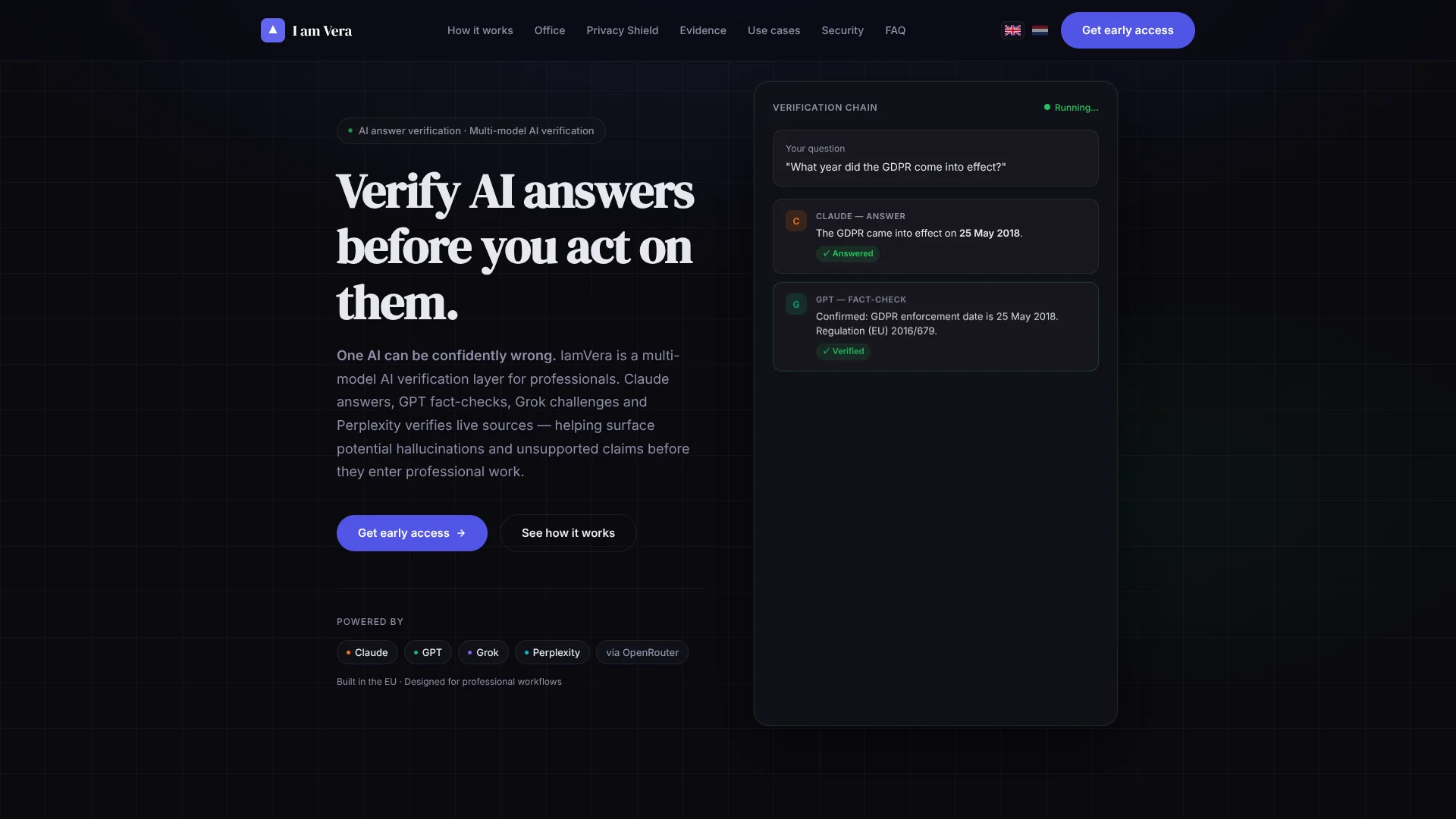
It can route an answer through initial generation, independent factual audit, adversarial challenge, live source verification and final synthesis.
Does Vera guarantee that an answer is true?
No. Vera makes checks, corrections, source gaps and model disagreements visible, but final professional judgement remains with the user.
Can I use Vera with confidential documents?
Yes. The Semantic Privacy Shield replaces detected sensitive values with synthetic equivalents before approved context is sent to external models.
What is Vera Office?
Vera Office is a browser-based DOCX workspace for authorised collaboration, privacy-preserving analysis and controlled document editing.
Can Vera edit a document autonomously?
No. Write instructions become constrained, validated action plans; models do not receive unrestricted write access to documents.
Community reviews
Be the first to share your experience.
Sign in to leave a review for IamVERA.
IamVERA Alternatives
Looking for alternatives to IamVERA? Here are similar tools in the same category:
Learn to Master IamVERA
With Skill Leap courses
Get in-depth training on IamVERA and 50+ other AI tools with our expert-led video courses.
Start 7-Day Free Trial