
IBM watsonx
Governed AI agents for automating enterprise work across connected business systems.
Key Takeaways
- What it is
- Governed AI agents for automating enterprise work across connected business systems.
- Pricing
- $530 per month · $6,360 per month
- Best for
- Agent Builder
- Multi-Agent Orchestration
- Agentic Control Plane
- Rating
- 4.2/5
What is IBM watsonx?
IBM watsonx Orchestrate helps IT, security, and AI leaders build, connect, deploy, and govern AI agents that carry out business work. Its agent builder combines language models, tools, knowledge sources, workflows, and app connections so an agent can answer questions and take action across systems such as HR, CRM, procurement, and IT service platforms.
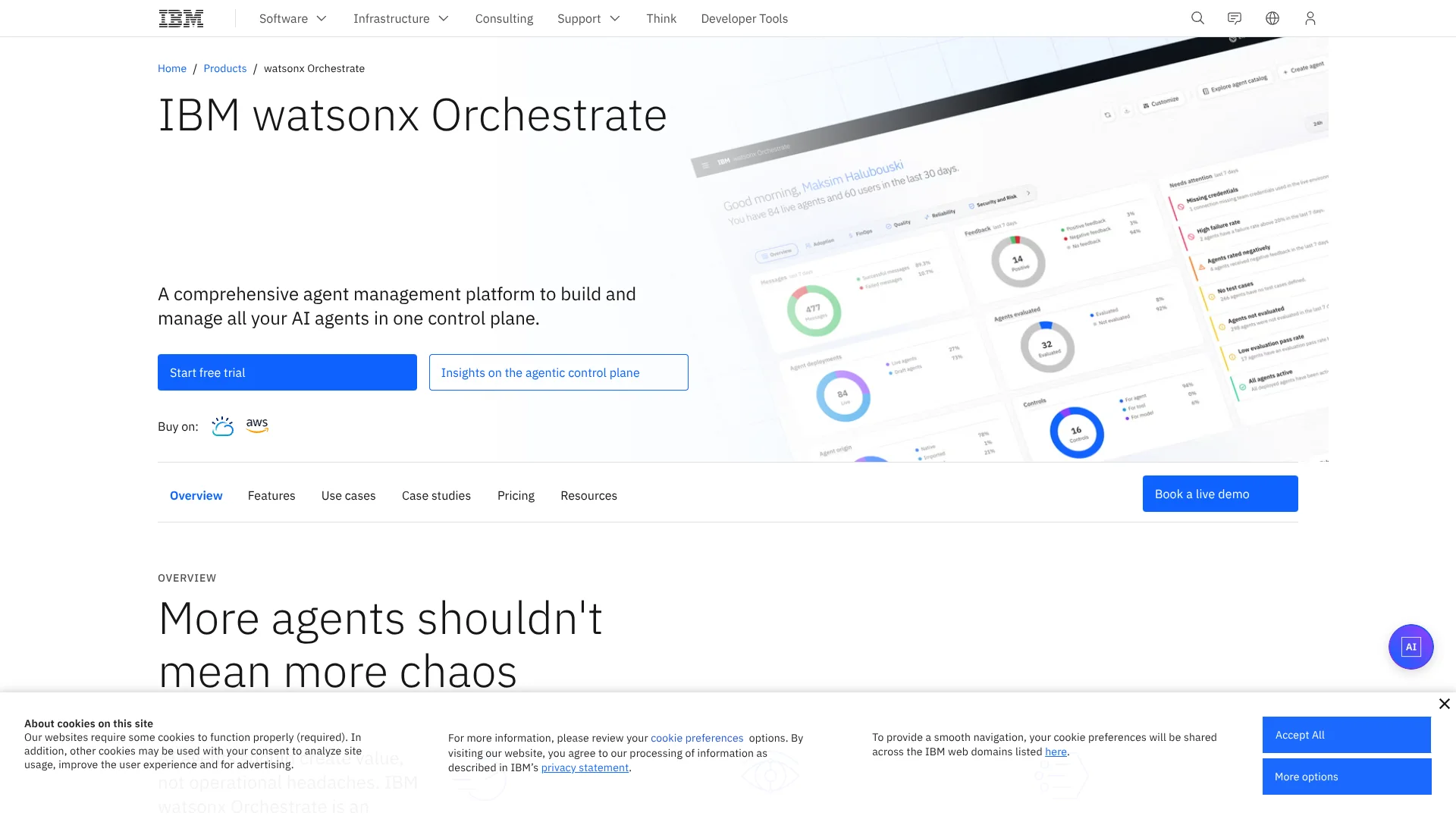
Its control plane can bring native agents and agents from outside environments, including Amazon Bedrock, into one managed view where teams can inspect ownership, permissions, activity, performance, policies, and AI consumption.
watsonx Orchestrate fits organizations moving from isolated AI experiments to governed production automation. It is less suitable for a person seeking a lightweight personal chatbot, since deployment choices, access controls, integrations, and enterprise administration are central to the product.
Who is Using IBM watsonx?
IT Service Managers
Employee service agents can handle requests, troubleshoot issues, and escalate cases when a person needs to intervene.
HR Operations Managers
HR agents coordinate policy questions, onboarding, access requests, and employee transactions across HR systems.
Procurement Analysts
Automated agents can support supplier checks, reconciliations, approvals, and exception handling.
Customer Service Leaders
Service agents can retrieve context, take action in connected systems, and escalate unusual cases.
Sales Operations Managers
Sales agents can research accounts, prepare meeting materials, draft proposals, and support follow-up work.
Uncommon Use Cases
Knowledge agents trace answers to manuals, standard operating procedures, sites, and repositories; governance teams monitor token use, tool-call success, and agent permissions.
Key Features
Rating Breakdown
Pricing Plans
Trial
- 30-day trial access
- Agent building and orchestration
- Intuitive chat interface
- Tools and integrations catalog
- Control plane
- Evaluation and observability
Essentials
$530 per month
- Starting price shown on the official US pricing page
- Agent building and orchestration
- Workflow and document processing
- Agents and tools catalog
- Custom tool creation
- Core AI and LLMs
- Security and access control
- Control plane
Standard
$6,360 per month
- Starting price shown on the official US pricing page
- Everything in Essentials
- Higher usage limits
- Higher document volumes
- Higher message throughput
- Higher concurrent usage
- Higher capacity ceilings
Premium
- Everything in Standard
- Data isolation
- Dedicated data space
- End-to-end protection
- HIPAA-ready option
- Enterprise-grade scale
Which IBM watsonx plan should you pick?
Start with the Trial to test agent building and orchestration, choose Essentials for a paid production deployment, and consider Standard or Premium when usage, capacity, or data-isolation needs increase.
Trial
Good for teams evaluating agent building, integrations, the control plane, and evaluation features during the 30-day trial.
Essentials
Good for organizations that need production agent building, workflow and document processing, custom tools, security, and access control.
Standard
Good for larger teams that need higher usage limits, document volumes, message throughput, concurrent usage, and capacity ceilings.
Premium
Good for sensitive or regulated workflows that need data isolation, dedicated data space, end-to-end protection, and enterprise scale.
IBM watsonx Use Cases
Employee Service Automation
HR and IT agents coordinate policy answers, onboarding tasks, access requests, and service transactions across connected systems.
Outcome: Faster employee support and lower service-center workload.
Customer Service Resolution
Customer service agents gather context, complete actions, and escalate exceptions to human representatives.
Outcome: Faster case resolution and more consistent service quality.
Procurement and Finance Workflows
Agents handle supplier checks, invoice processing, reconciliations, approvals, and exceptions.
Outcome: Shorter processing cycles and fewer manual exceptions.
Enterprise Knowledge Search
Knowledge agents answer questions from manuals, standard operating procedures, sites, and repositories while tracing answers to their sources.
Outcome: Faster access to knowledge with less duplicated research.
Agent Portfolio Governance
IT and security teams inspect agent activity, permissions, performance, policies, and AI consumption from the control plane.
Outcome: More visibility into operational risk and agent-related costs.
Workflow Ideas with IBM watsonx
Employee Access Request
- 1An employee asks for access through the Orchestrate chat experience.
- 2The HR or IT agent checks policy and employee details in connected systems.
- 3The agent submits the request, records the result, or escalates an exception.
Supplier Review
- 1A procurement agent receives a new supplier or invoice request.
- 2Specialized agents check supplier records, policy requirements, and approval rules.
- 3The primary agent combines the findings and routes the decision to the right approver.
Agent Governance Review
- 1An administrator opens the control plane to review agents, owners, connections, and permissions.
- 2Performance and activity signals identify failed tool calls or unusual usage.
- 3The administrator applies a policy, changes access, or updates the affected agent.
How IBM watsonx fits into your stack
Business Applications
watsonx Orchestrate connects agents to external systems such as Workday, Salesforce, ServiceNow, Slack, and Microsoft Teams through managed connections and credentials.
Knowledge and Files
Agents can use uploaded documents and connected repositories as knowledge sources, with answers traced back to their source content.
Workflow Automation
The platform sits above business workflows, coordinating agents, tools, approvals, notifications, and human handoffs.
Governance and Security
The control plane and Security Control Center provide a management layer for policies, access, credentials, activity, performance, and AI consumption.
APIs and Custom Tools
The documented API supports programmatic access, while custom tools and OpenAPI-based integrations extend agents to internal enterprise services.
Deployment Environments
Organizations can run watsonx Orchestrate through IBM Cloud, AWS, multiple cloud environments, or on premises.
Pros
- +Central governance: Brings agents from different environments under shared visibility, policy, and access controls.
- +Multi-agent workflows: Lets specialized agents handle separate parts of a larger business process.
- +Enterprise integrations: Connects with systems such as Salesforce, Workday, Slack, Microsoft Teams, and ServiceNow.
- +Deployment choice: Supports IBM Cloud, AWS, multiple clouds, and on-premises environments.
- +Security controls: Includes credential management, permissions, PII filtering, secrets detection, and configurable guardrails.
Cons
- −Enterprise pricing: The paid plans start at $530.00 per month, which puts the product beyond most individual users.
- −Administrative setup: SSO, credentials, connections, workspaces, and policies require planning by an organization’s technical team.
- −Platform scope: Its value is strongest for governed business automation rather than casual personal AI use.
Limitations & when to consider alternatives
Known limitations
- No Parallel Collaborator Execution. The current agent orchestration documentation states that collaborator agents and tools do not support parallel execution.
- SSO Deployment Limits. Platform-level SSO is available for supported deployments, while application SSO is limited to embedded chat and is not supported across external channels such as Slack or Microsoft Teams.
- Content Guardrail Language Limits. Some content guardrails currently support English input only, although other controls such as PII detection are language-independent.
- Security Control Center Availability. The Security Control Center is not available in on-premises deployments, where connection management uses a different navigation path.
Look elsewhere when
- You need a low-cost personal chatbot rather than an enterprise agent management product.
- You need parallel execution across multiple collaborator agents today.
- Your workflow requires a native mobile app, desktop app, or browser extension.
How to Use IBM watsonx
- 1
Choose a Business Workflow
Start with a high-friction process such as employee service, customer support, procurement, or IT requests.
- 2
Build or Select an Agent
Create an agent in Agent Builder or select a ready-to-use agent from the catalog.
- 3
Add Knowledge and Tools
Connect documents, repositories, business applications, and custom tools so the agent can retrieve information and take actions.
- 4
Configure Connections
Set authentication, credentials, permissions, and draft or live environment values for each external application.
- 5
Orchestrate Specialized Agents
Assign collaborator agents when the workflow needs separate expertise or actions across several systems.
- 6
Evaluate and Govern
Review response reliability, tool-call success, permissions, policies, activity, and usage before expanding the workflow.
Who is IBM watsonx For?
IT Leaders
A central control plane helps reduce fragmented agent projects and manage connections, access, and operational activity.
Information Security Leaders
Security teams can apply policies, inspect permissions, manage credentials, and monitor risks across an agent portfolio.
AI Leaders
AI teams can move agents from experiments into governed workflows while keeping teams free to build specialized solutions.
Enterprise Operations Teams
Operations groups can automate work in customer service, HR, procurement, finance, sales, knowledge management, and IT.
Hybrid and Regulated Organizations
Organizations with cloud, on-premises, or sensitive workloads can choose deployment and data-isolation options that match their requirements.
Frequently Asked Questions
Does IBM watsonx Orchestrate have a free plan?
It offers a 30-day free trial. The official pricing page does not list a permanent free plan.
How much does IBM watsonx Orchestrate cost?
Essentials starts at $530.00 per month, Standard starts at $6,360.00 per month, and Premium is listed as Contact us.
Which applications can it connect to?
IBM documents connections to business systems such as Workday, Salesforce, ServiceNow, Slack, Microsoft Teams, HR applications, CRM systems, IT service platforms, and internal enterprise APIs.
Can developers access an API?
Yes. IBM provides a watsonx Orchestrate API with API-key authentication and documented endpoints for IBM Cloud, AWS, and on-premises offerings.
Does it support multiple languages?
Yes. Supported platform languages include English, Spanish, French, French Canadian, German, Italian, Portuguese Brazilian, Japanese, Korean, Dutch, Arabic, and Simplified and Traditional Chinese.
Can it run on premises?
Yes. IBM documents an on-premises offering alongside IBM Cloud and AWS deployment options.
Community reviews
Be the first to share your experience.
Sign in to leave a review for IBM watsonx.
IBM watsonx Alternatives
Looking for alternatives to IBM watsonx? Here are similar tools in the same category:
Learn to Master IBM watsonx
With Skill Leap courses
Get in-depth training on IBM watsonx and 50+ other AI tools with our expert-led video courses.
Start 7-Day Free Trial