
Image Candy
Versatile online image editing, conversion, and compression tool.
Key Takeaways
- What it is
- Versatile online image editing, conversion, and compression tool.
- Pricing
- Freemium · $99.
- Best for
- Image Conversion
- Image Resizing
- Background Removal
- Rating
- 4.3/5
What is Image Candy?
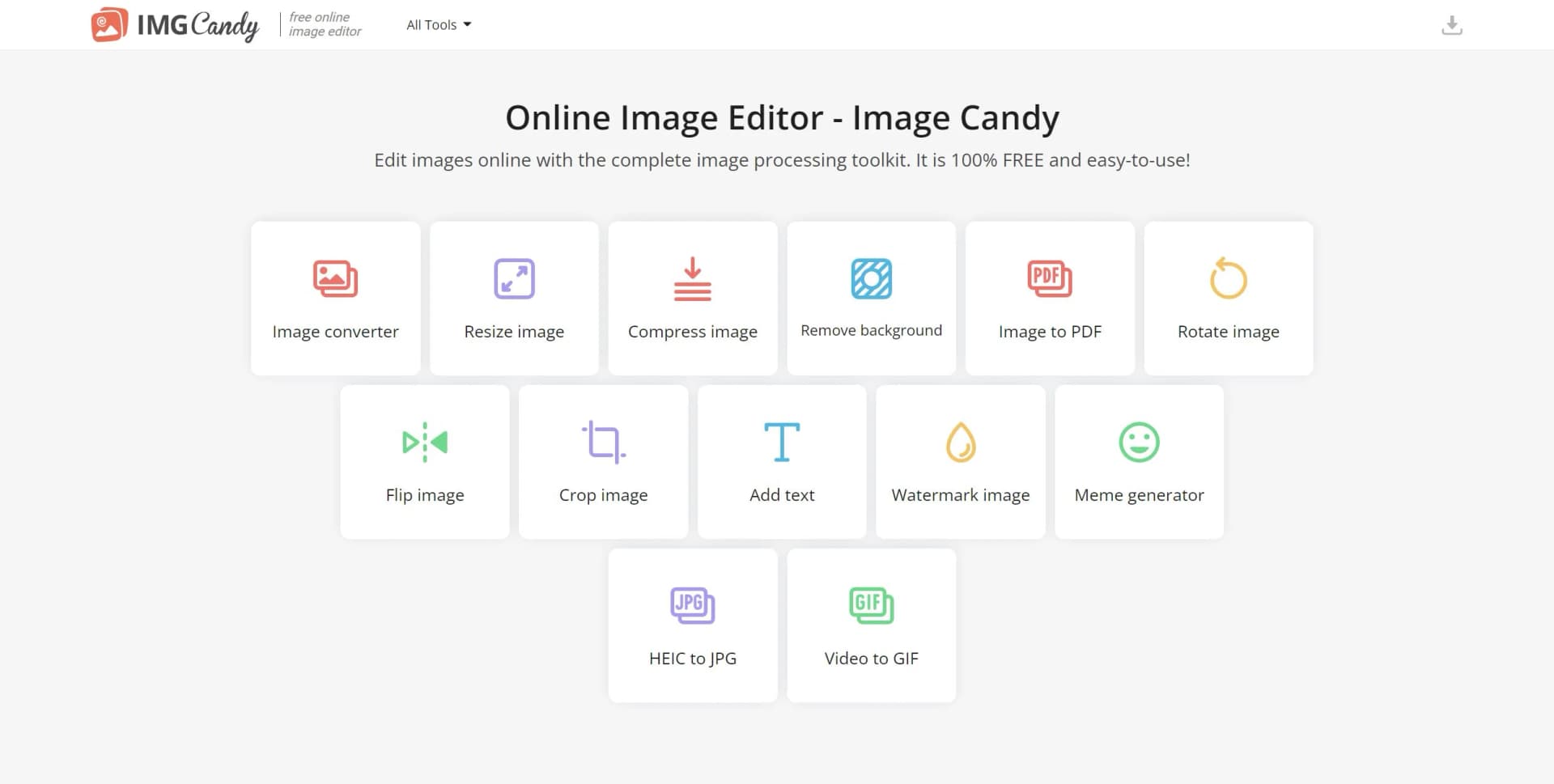
Image Candy is an online image editing platform that serves as a one-stop destination for various image processing needs. Offering a comprehensive suite of tools, it enables users to convert, resize, compress, and edit images directly from their web browsers. Targeting both individuals and professionals, Image Candy provides quick, accessible, and effective image manipulation without requiring any software downloads or installations.
Image Candy distinguishes itself with its all-in-one approach to image editing, offering a broad array of tools without requiring software installation. Its seamless and user-friendly experience sets it apart, especially for users in need of quick edits on the go.
Image Candy excels in providing a versatile and accessible image editing solution, making it essential for users in need of quick image manipulation. Its comprehensive features, user-friendly interface, and web-based convenience offer significant advantages for various applications.
Who is Using Image Candy?
Bloggers and Content Creators
Using the tool for quick image edits and creating visual content for articles and posts.
E-commerce Merchants
Employing features like background removal and image compression to optimize product images for online stores.
Social Media Enthusiasts
Leveraging the meme generator and text addition tools for creating viral content.
Small Business Owners
Utilizing the image to PDF feature for creating marketing materials and presentations.
Uncommon Use Cases
Adopted by educators for preparing classroom materials and utilized by individuals for personal digital scrapbooking projects.
Key Features
Rating Breakdown
Pricing Plans
Free Tier
Free
- Offers most features for free with limited file availability
Lifetime Access
$99.
Subscription Plans
- Offers monthly and yearly subscription plans with a 40% saving on the yearly option
Which Image Candy plan should you pick?
Start with Image Candy's free online tools; consider a paid plan only when the pricing page provides a specific need for paid processing or access.
Yearly
Good for users who expect to use the online image-processing toolkit regularly over the year.
Monthly
Good for users who want paid access for a shorter commitment.
Lifetime
Good for users who prefer a one-time purchase; the pricing page shows $79 paid once.
Image Candy Use Cases
Convert image formats
Convert images between popular formats, including JPG, PNG, JPEG, SVG, HEIC, and other supported formats.
Outcome: A file in the format needed for sharing, publishing, or further editing.
Compress images in bulk
Upload multiple images and compress GIF, PNG, or JPG files.
Outcome: Smaller image files, with the compressor claiming reductions of up to 85%.
Remove image backgrounds
Upload JPG, JPEG, or PNG images and automatically remove their backgrounds.
Outcome: Images with the background removed.
Create PDFs from images
Merge multiple images into a PDF, including JPG-to-PDF and PNG-to-PDF conversions.
Outcome: A combined PDF document.
Extract text from images
Upload an image and convert its contents into editable text.
Outcome: A text file that can be further edited.
Workflow Ideas with Image Candy
Convert and download an image
- 1Select an image file
- 2Choose the target format
- 3Download the converted image
Remove an image background
- 1Upload a JPG, JPEG, or PNG image
- 2Run the background removal tool
- 3Download the processed image
Convert an image into a PDF
- 1Select one or more image files
- 2Merge the images into a PDF
- 3Download the PDF
How Image Candy fits into your stack
Cross-Platform Accessibility
Works across different operating systems as it is browser-based.
Cloud Services Integration
Potential integration with cloud storage services for easy access and storage of images.
API Access
If available, an API would allow developers to integrate Image Candy's functionalities into their applications.
Language Support
Offers support in multiple languages, enhancing usability for a global user base.
Pros
- +Accessibility: Accessible from any device with an internet connection due to its online nature.
- +User-Friendly Interface: Boasts a straightforward and intuitive design that simplifies the editing process for users.
- +Versatility: Offers a wide array of tools to meet various image editing needs in one platform.
- +Cost-Efficiency: Provides a free online image editor with a range of capabilities without any upfront cost.
Cons
- −Internet Dependency: Relies on a stable internet connection to function, which could be limiting in areas with poor connectivity.
- −File Availability: Edited files are accessible for a limited time (as stated, 120 minutes), necessitating prompt downloading to avoid loss of work.
- −Advanced Editing Limitations: May lack the depth of features required by professionals accustomed to more sophisticated software.
Limitations & when to consider alternatives
Known limitations
- Uploaded files are temporary. Files uploaded or generated through the service are automatically deleted within two hours.
- Crop tool format support is limited. The crop page explicitly lists JPG, JPEG, GIF, and PNG as supported formats.
- JPG conversion batch size is documented as 100+ images. The JPG converter advertises support for uploading 100 or more images at once; exact maximum limits are not stated.
Look elsewhere when
- You need a documented developer API.
- You need a native mobile application.
- You need team workspaces or SSO.
How to Use Image Candy
- 1
The platform may offer tutorials or guides within its interface or support channels, helping users familiarize themselves with the tool and make the most of its features.
Frequently Asked Questions
How long are uploaded and generated files stored?
Images and other files are automatically removed from Image Candy servers within two hours of processing.
How does Image Candy encrypt files?
Files are transferred over HTTPS using TLS/SSL and protected with 256-bit AES encryption during transmission and storage.
Can deleted files be recovered?
No. Once deleted, files are permanently erased from the servers and cannot be recovered or accessed.
How is internal security maintained?
Image Candy says it uses continuous monitoring, role-based access, recurring staff training, and activity logging.
Does Image Candy comply with the CCPA?
The security page states that Image Candy adheres to the California Consumer Privacy Act and provides applicable privacy rights.
Community reviews
1 review from people who use Image Candy.
Sign in to leave a review for Image Candy.
danijel nedaća
Image Candy Alternatives
Looking for alternatives to Image Candy? Here are similar tools in the same category:
Learn to Master Image Candy
With Skill Leap courses
Get in-depth training on Image Candy and 50+ other AI tools with our expert-led video courses.
Start 7-Day Free Trial