Imagine
Transform ideas into high-resolution AI-generated art effortlessly.
Key Takeaways
- What it is
- Transform ideas into high-resolution AI-generated art effortlessly.
- Pricing
- Freemium
- Best for
- AI-Powered Art Creation
- Custom Style Options
- High-Resolution Outputs
- Rating
- 4.5/5
What is Imagine?
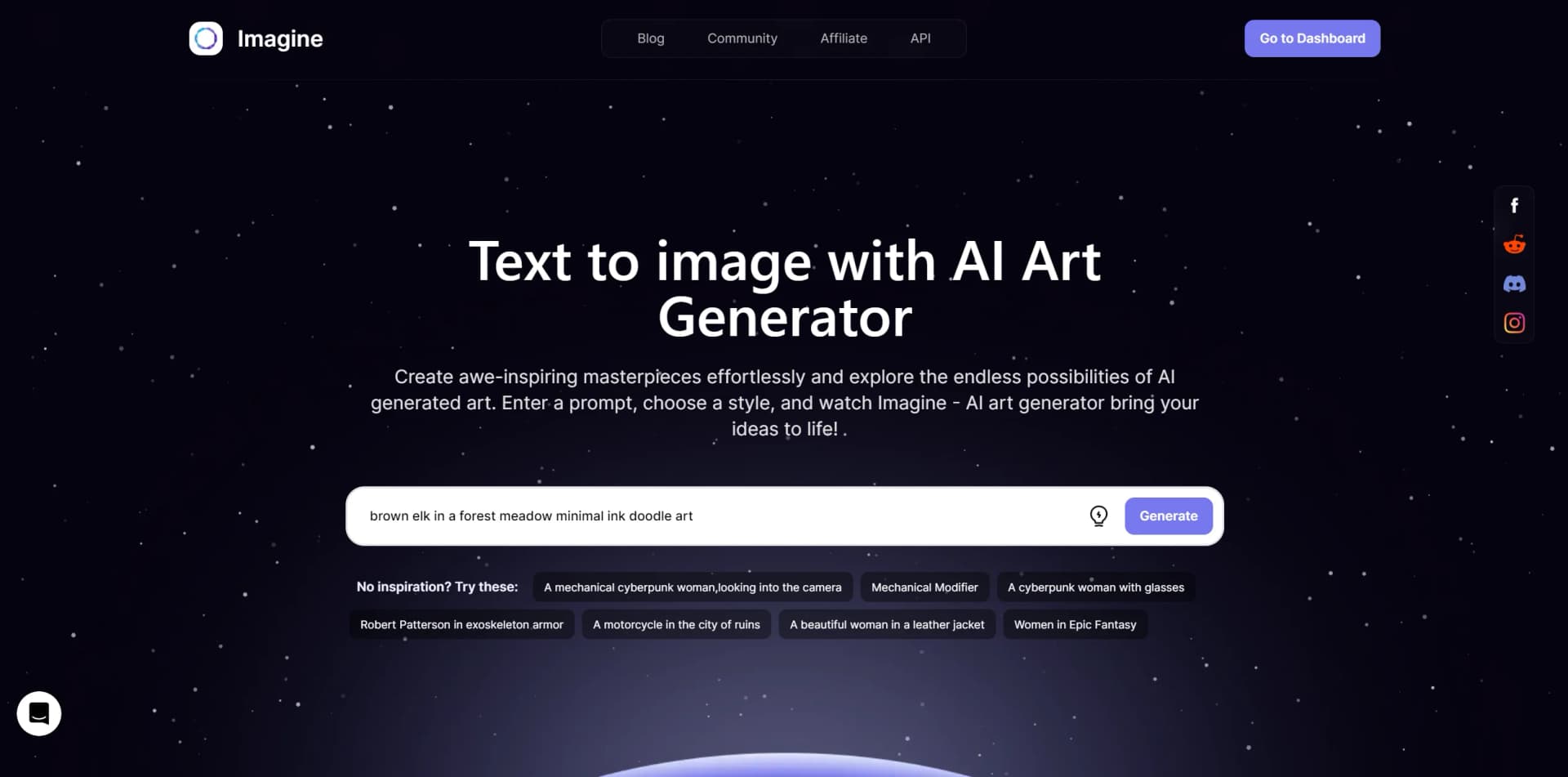
Imagine is a state-of-the-art AI Art Generator revolutionizing the creation and interaction with digital art. Designed for artists, designers, and creatives of all levels, Imagine harnesses artificial intelligence to effortlessly transform ideas into visual masterpieces. This innovative tool not only caters to professional artists but also welcomes anyone keen on exploring their creativity without the need for traditional artistic skills.
Imagine stands out with its intuitive interface and high-quality generated art. It provides professional-grade visuals ready for use, interpreting complex prompts into stunning visuals impressively.
Imagine excels in providing a seamless and intuitive platform for generating high-quality AI art, catering to a wide array of users. Its standout feature lies in its ability to produce professional-grade visuals from simple text prompts, offering unparalleled advantages for streamlining creative workflows or exploring new artistic horizons. With Imagine, the future of digital art creation is not only accessible but also boundless.
Who is Using Imagine?
Graphic Designers
Utilizing the tool for rapid prototyping and creating stunning visuals.
Content Creators
Generating eye-catching thumbnails and graphics for videos and social media.
Art Enthusiasts
Exploring the intersection of technology and art without extensive art training.
Marketing Professionals
Crafting unique visuals for campaigns and branding materials.
Uncommon Use Cases
Novelists visualizing scenes from their books; Therapists incorporating AI art into creative therapy sessions.
Key Features
Rating Breakdown
Pricing Plans
Free Tier
Free
- Limited daily art generations
Subscription Plans
- Access more features and unlimited generations with a monthly subscription
Which Imagine plan should you pick?
Start with Basic for occasional creative work, upgrade to Standard or Ultimate for higher volume and privacy, and choose Creator or Enterprise for large-scale production and teams.
Free
Good for users who want to explore image and video generation with no monthly payment.
Basic
Good for newcomers who need entry-level credits, basic models, and occasional generation.
Standard
Good for rising creators who need more credits, premium models, private generations, and collaboration.
Ultimate
Good for professional users who need higher monthly volume, more references, and additional users.
Creator
Good for production-heavy users who need 100K monthly credits and up to 20 included users.
Enterprise
Good for organizations needing unlimited users, workflows, SSO, security controls, support, and centralized administration.
Imagine Use Cases
Performance ad production
Generate hooks, static creatives, motion assets, and platform-ready advertising variations.
Outcome: Faster production of paid-social ad packs.
Product photography
Create photorealistic product shots, packshots, renders, and ecommerce imagery.
Outcome: Studio-style product assets without a physical studio.
Fashion lookbooks
Generate editorial fashion stories and on-model imagery.
Outcome: Consistent fashion visuals at production scale.
Character and background swaps
Replace scenes, actors, objects, seasons, weather, and locations in creative assets.
Outcome: Many visual variations without reshooting.
Brand identity production
Use brand kits, logos, fonts, colors, and reference imagery across workflows.
Outcome: More consistent branded outputs.
Workflow Ideas with Imagine
Ad variation pipeline
- 1Enter a campaign brief and creative variables
- 2Generate image and video variations across selected models
- 3Export platform-ready advertising assets
Product image batch processing
- 1Import product photos
- 2Apply the same editing and background workflow to each asset
- 3Export resized outputs for multiple ad formats
Image-to-video content pipeline
- 1Import or generate a still image
- 2Animate it into video and extend the clip
- 3Add voiceover or lip-sync and export the finished asset
How Imagine fits into your stack
Cross-Platform Accessibility
Accessible across various devices and operating systems.
Web-Based Platform
Work directly from the browser without the need for downloads.
Cloud Storage
Save and access creations from anywhere with cloud integration.
Community Sharing
Engage with a community of users to share and discover art.
Pros
- +Innovative Exploration: Unleashes new creative possibilities without the constraints of technical art skills.
- +Efficiency: Enables the creation of complex art pieces in a fraction of the time it would take manually.
- +Accessibility: Makes art creation more accessible to non-artists and professionals alike.
- +Continuous Learning: The AI learns and evolves, offering improved results with each use.
Cons
- −Originality Concerns: Debate surrounds the question of artistic originality in AI-generated art.
- −Resource Intensity: High-resolution art generation may require significant computational power.
- −Dependency on Input Quality: The quality of the generated art heavily relies on the clarity of the text prompts.
Limitations & when to consider alternatives
Known limitations
- Free credits reset daily. Free credits are provided daily and reset each day; Pro models require a subscription.
- Unused subscription credits do not roll over. Monthly subscription credits refresh on the billing cycle and unused credits expire.
- Some advanced features are web-optimized. The mobile app does not currently provide the full Workflows experience and certain editing tools.
Look elsewhere when
- You need a dedicated desktop application.
- You need programming-code generation.
How to Use Imagine
- 1
Explore a variety of tutorials and guides on the official website and community forums to get started and master the art of AI generation with Imagine.
Who is Imagine For?
Brand studios
They can produce on-brand creative assets through shared workflows and brand kits.
In-house marketing teams
They can generate campaign imagery, videos, advertisements, and product content in one platform.
Content agencies
They can scale repeatable creative production across clients and campaigns.
Solo creators
They can create professional image, video, audio, and advertising assets without multiple tools.
Regulated enterprises
They can use SSO, role-based access, audit trails, encryption, and enterprise security controls.
Frequently Asked Questions
Is ImagineArt free to start?
Yes. ImagineArt offers free daily credits without requiring a payment card.
Can ImagineArt create images, video, and audio?
Yes. The platform supports image, video, voiceover, music, film, advertising, editing, and workflows.
Can I use ImagineArt creations commercially?
Paid plans include commercial usage rights, and paid generations can remain private.
Can multiple team members use the same workflow?
Yes. Workflows support collaboration, shared projects, comments, editing, and iteration on the same canvas.
Can I train a custom LoRA model?
Yes. Upload 15–20 reference images to fine-tune a private LoRA model for workflow use.
Does ImagineArt train on customer creations?
No. ImagineArt says customer assets, prompts, and outputs are not used to train its models.
Community reviews
1 review from people who use Imagine.
Sign in to leave a review for Imagine.
Waleed Sadiq
Imagine Alternatives
Looking for alternatives to Imagine? Here are similar tools in the same category:
Learn to Master Imagine
With Skill Leap courses
Get in-depth training on Imagine and 50+ other AI tools with our expert-led video courses.
Start 7-Day Free Trial