
Inkfluence AI
Turn ideas into polished ebooks, PDFs, and audiobooks.
Key Takeaways
- What it is
- Turn ideas into polished ebooks, PDFs, and audiobooks.
- Pricing
- Freemium · $9.99 per month · $19.99 per month · $9.99 one-time · $12.99 one-time · $24.99 one-time
- Best for
- AI Ebook Generator
- Multi-format Export
- AI Audiobook Studio
- Rating
- 4.4/5
What is Inkfluence AI?
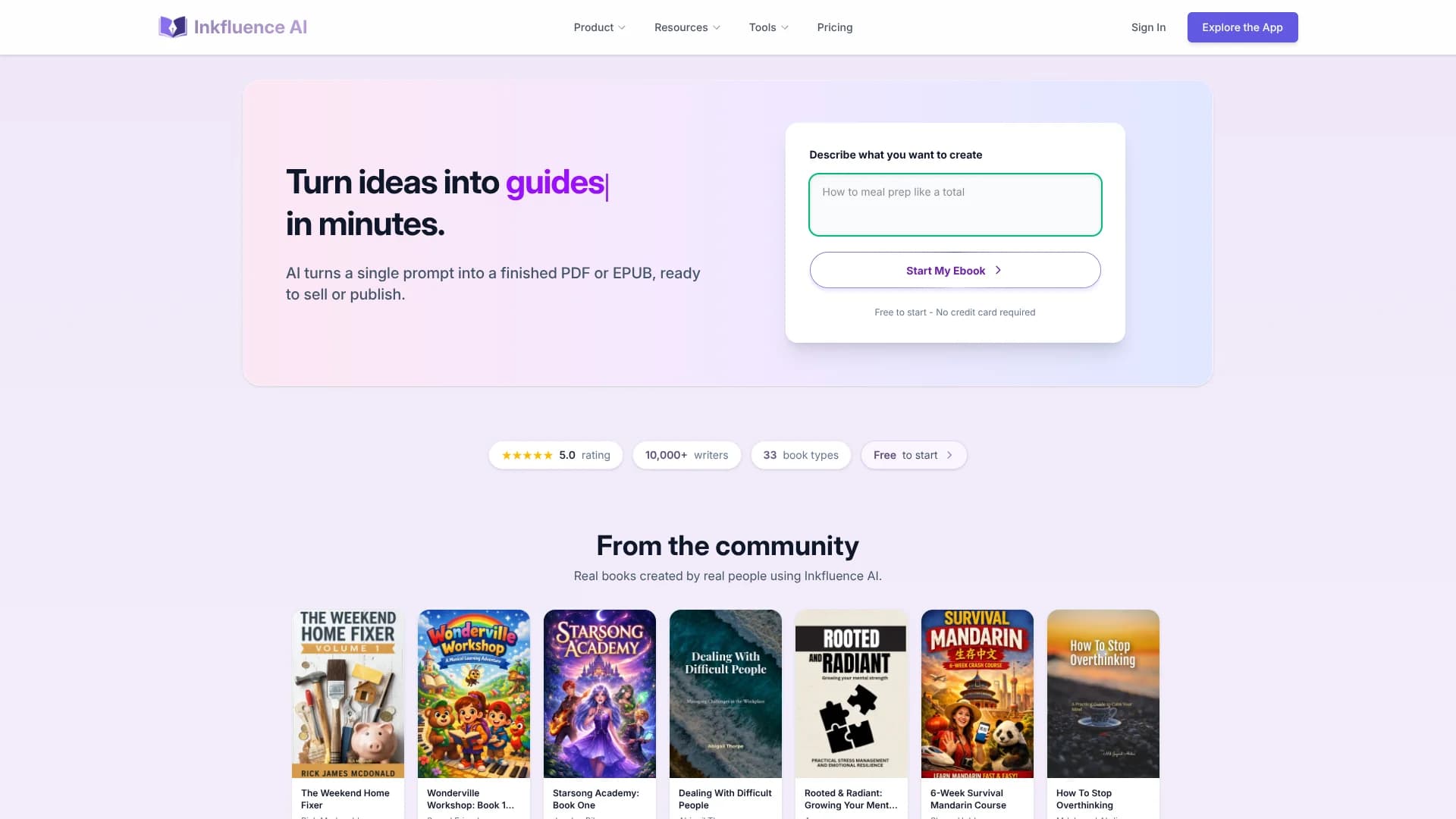
Inkfluence AI focuses on turning short prompts into finished ebooks, PDFs, and audiobooks with minimal manual layout work. It combines AI writing, formatting, cover design, and audio narration in a single workspace, so creators can go from idea to export-ready files for Amazon KDP, Gumroad, or direct client delivery without juggling multiple tools. It targets solo creators, coaches, and small teams who want professional book-style assets for revenue, lead generation, or education.
Inkfluence AI stands out by treating the whole ebook pipeline as one problem instead of just spitting out text. The tool generates structured outlines tailored to specific book types, then handles formatting, branding, and export, plus integrated audiobook production. The focus on real-world outputs such as lead magnets, client-ready PDFs, and KDP-ready files, combined with a true full-stack workflow and mobile app, makes it especially attractive to working creators who care less about word count and more about deliverables they can ship and sell.
Inkfluence AI offers a focused, practical route from idea to finished ebook or audiobook without demanding design skills or a tangle of separate apps. Its strengths lie in fast generation, export-quality formatting, and thoughtful extras such as cover design and audio, all wrapped in pricing that suits both early testers and serious creators. For coaches, small businesses, and indie authors who want professional digital books that actually get used in funnels, storefronts, and client work, it provides a streamlined, creator-centric toolkit that can significantly cut the time between concept and cash.
Who is Using Inkfluence AI?
Course Creators
Producing structured workbooks, playbooks, and bonus materials for online programs.
Coaches and Consultants
Creating lead magnets, frameworks, and branded client deliverables to support services.
Small Businesses and Agencies
Turning expertise into downloadable guides that support marketing funnels and sales.
Self-Published Authors
Drafting short non-fiction, fiction, and niche books for KDP and other storefronts.
Uncommon Use Cases
Used by therapists for printable client workbooks; adopted by HR and L&D teams for internal training manuals.
Key Features
Rating Breakdown
Pricing Plans
Free
Free
- Includes 5 chapters plus 5 more every month, 3 Smart Continue generations per day, basic templates, PDF export only, basic cover designer, cloud storage, remix to 1 format, email support, audiobook generation, publish & sell on Gumroad, format bundles, EPUB & DOCX export, custom watermarks, all premium templates, and priority support
Creator
$9.99 per month
- Includes 35 chapters per month, high-volume Smart Continue, advanced AI writing, all premium templates, PDF/EPUB/DOCX export, advanced cover designer, custom watermarks, cloud storage, remix to Format Bundles, publish & sell on Gumroad, 15 audiobook chapters per month, AI audiobook (9 voices), unlimited chapters, and priority support
Premium
$19.99 per month
- Includes unlimited chapters, high-volume Smart Continue, all premium templates, PDF/EPUB/DOCX export, advanced cover designer, custom branding and watermarks, remix to Format Bundles, publish & sell on Gumroad, priority support, 30 audiobook chapters per month, AI audiobook (9 voices), merge audiobooks, writing analytics, batch operations, highest-tier AI writing model, and commercial license
15 Chapter Credits
$9.99 one-time
- Includes 15 chapter credits for extra chapter generation, AI cover images, and audiobooks
25 Chapter Credits
$12.99 one-time
- Includes 25 chapter credits for extra chapter generation, AI cover images, and audiobooks
50 Chapter Credits
$24.99 one-time
- Includes 50 chapter credits for extra chapter generation, AI cover images, and audiobooks
Which Inkfluence AI plan should you pick?
Start with Free to test the book workflow; upgrade to Creator for regular sellable guides or Premium for unlimited chapters, higher usage, and client-scale production.
Free
Good for trying the workflow with 5 chapters plus 5 monthly, basic templates, and PDF export.
Creator
Good for lead magnets and sellable guides needing 35 chapters monthly, full export formats, Etsy/Gumroad publishing, and audiobook chapters.
Premium
Good for serious creators and client work needing unlimited chapters, advanced branding, analytics, batch operations, and the highest-tier writing model.
Inkfluence AI Use Cases
Create an ebook from an idea
Describe a topic, review the generated outline, and generate the chapters.
Outcome: A structured, editable ebook draft.
Turn curriculum into courseware
Import lesson plans or lecture notes and convert them into workbooks or study guides.
Outcome: Course materials that can also be narrated as audiobooks.
Create a lead magnet
Add CTA and link blocks, apply branding, and export a polished PDF.
Outcome: A branded downloadable asset for audience growth.
Generate an audiobook
Select narrator voices, generate chapter audio, and download MP3 files.
Outcome: Audiobook chapters or a merged audiobook file.
Publish a digital product
Connect Etsy or Gumroad and send the finished book with listing copy and cover details.
Outcome: A marketplace-ready digital listing.
Workflow Ideas with Inkfluence AI
Idea to ebook
- 1Describe the book idea and choose the tone and audience
- 2Review, rename, reorder, add, or remove outline chapters
- 3Generate, edit, design the cover, and export the book
Course notes to audiobook
- 1Import lesson plans or lecture notes
- 2Convert the material into a workbook or study guide
- 3Generate chapter narration with AI voices and download MP3 files
Lead magnet to marketplace listing
- 1Create a guide and add CTA or opt-in blocks
- 2Apply branding and export a PDF
- 3Publish the finished digital product to Etsy or Gumroad
How Inkfluence AI fits into your stack
Browser
Inkfluence AI is primarily a browser-based book-creation platform: users generate books, edit chapters, design covers, and export publishing-ready files from the web app.
Docs and writing
The core workspace combines chapter generation, rich-text editing, rewriting, translation, formatting, templates, and editorial review. Team Workspaces add shared book editing with role-based access.
Knowledge and files
Users can import existing Word, PDF, EPUB, Markdown, and text material, then clean up, rewrite, translate, remix, and export the resulting book.
Automation and APIs
Inkfluence supports one-click publishing to Etsy and Gumroad, while its roadmap lists programmatic API access as a future feature rather than a currently documented API.
Pros
- +End-to-end workflow: Covers outlining, writing, formatting, cover design, export, and audio inside one product.
- +Fast creation: Moves from idea to finished guide or workbook in minutes rather than weeks.
- +Creator-friendly rights: Users keep commercial rights and can sell or distribute their content freely.
- +Cross-device access: Works on web plus an iOS app, with cloud sync between desktop and mobile.
- +Polished outputs: Automatic table of contents, consistent typography, and on-brand styling help ebooks look client-ready.
Cons
- −Editing still required: AI drafts often need human revision for factual accuracy, nuance, and personal voice.
- −Template-first design: Highly custom layouts or complex textbooks may stretch what the built-in editor can comfortably handle.
- −Subscription model: Monthly pricing can feel less attractive for users who only need one or two books a year.
Limitations & when to consider alternatives
Known limitations
- Free usage limits. The Free plan provides 5 chapters initially and 5 more monthly, with 3 AI enhancements per day and PDF-only export.
- Paid-plan usage limits. Creator includes 35 chapters and 15 audiobook chapters monthly; Premium includes unlimited chapters and 30 audiobook chapters monthly.
- Generation time. Full-book generation typically takes 2–5 minutes depending on length.
- Deleted projects cannot be recovered. Deleted projects are permanently removed, so important work should be exported before deletion.
- Refund restrictions. Subscriptions become non-refundable after AI generation, export, download, or audiobook creation during the billing period.
Look elsewhere when
- You need a native Android app.
- You need a documented API today.
- You need direct one-click Amazon KDP publishing.
How to Use Inkfluence AI
- 1
Start a book
Open Create Your Book, describe the idea in plain language, and choose the tone and audience.
- 2
Review the outline
Rename, reorder, add, or remove chapters before generation to shape the final structure.
- 3
Generate and edit
Generate the chapters, then use the rich-text editor and AI enhancements to rewrite, expand, condense, or change tone.
- 4
Design the cover
Use the Cover Designer for templates, typography, colors, stock images, or AI-generated cover art.
- 5
Add audio or translation
Generate audiobook chapters with the Audiobook Studio or translate the finished book into supported languages.
- 6
Export or publish
Export PDF, EPUB, or DOCX depending on the plan, or publish eligible digital products to Etsy or Gumroad.
Who is Inkfluence AI For?
Authors
Generate structured books chapter by chapter, edit them, design covers, and export publishing-ready files.
Coaches and educators
Turn lesson plans, lecture notes, and ideas into workbooks, study guides, and audiobooks.
Indie authors and self-publishers
Create covers, export KDP-ready files, and publish digital products through Etsy or Gumroad.
Marketers and entrepreneurs
Create branded lead magnets with CTA blocks, opt-in forms, and downloadable PDFs.
Agencies
Use team workspaces to collaborate with clients, co-writers, editors, and ghostwriters.
Frequently Asked Questions
What is included in the free plan?
Free users receive 5 chapters plus 5 more monthly, basic templates, 3 daily AI enhancements, and PDF export.
What languages are supported?
Inkfluence generates books in 30+ human languages, including Spanish, French, German, Portuguese, Arabic, Hindi, Japanese, Korean, and Chinese.
What export formats are available?
PDF, EPUB, and DOCX exports are available; the Free plan is limited to PDF export.
Can I import existing documents?
Users can copy and paste content from Word, Google Docs, or other sources while preserving basic formatting. Feature pages also document Word, PDF, EPUB, and text imports.
Can I access projects from multiple devices?
Projects sync across the web and iOS app through the user's account.
Is my content private and secure?
Inkfluence states that data is encrypted in transit and at rest, kept private, and not used for AI training.
Community reviews
Be the first to share your experience.
Sign in to leave a review for Inkfluence AI.
Inkfluence AI Alternatives
Looking for alternatives to Inkfluence AI? Here are similar tools in the same category:
Learn to Master Inkfluence AI
With Skill Leap courses
Get in-depth training on Inkfluence AI and 50+ other AI tools with our expert-led video courses.
Start 7-Day Free Trial