
Insta Headshots
Turn selfies into polished professional headshots.
Key Takeaways
- What it is
- Turn selfies into polished professional headshots.
- Pricing
- $59 (starting price)
- Best for
- Personalized AI training
- High-volume output
- Style presets
- Rating
- 4.6/5
What is Insta Headshots?
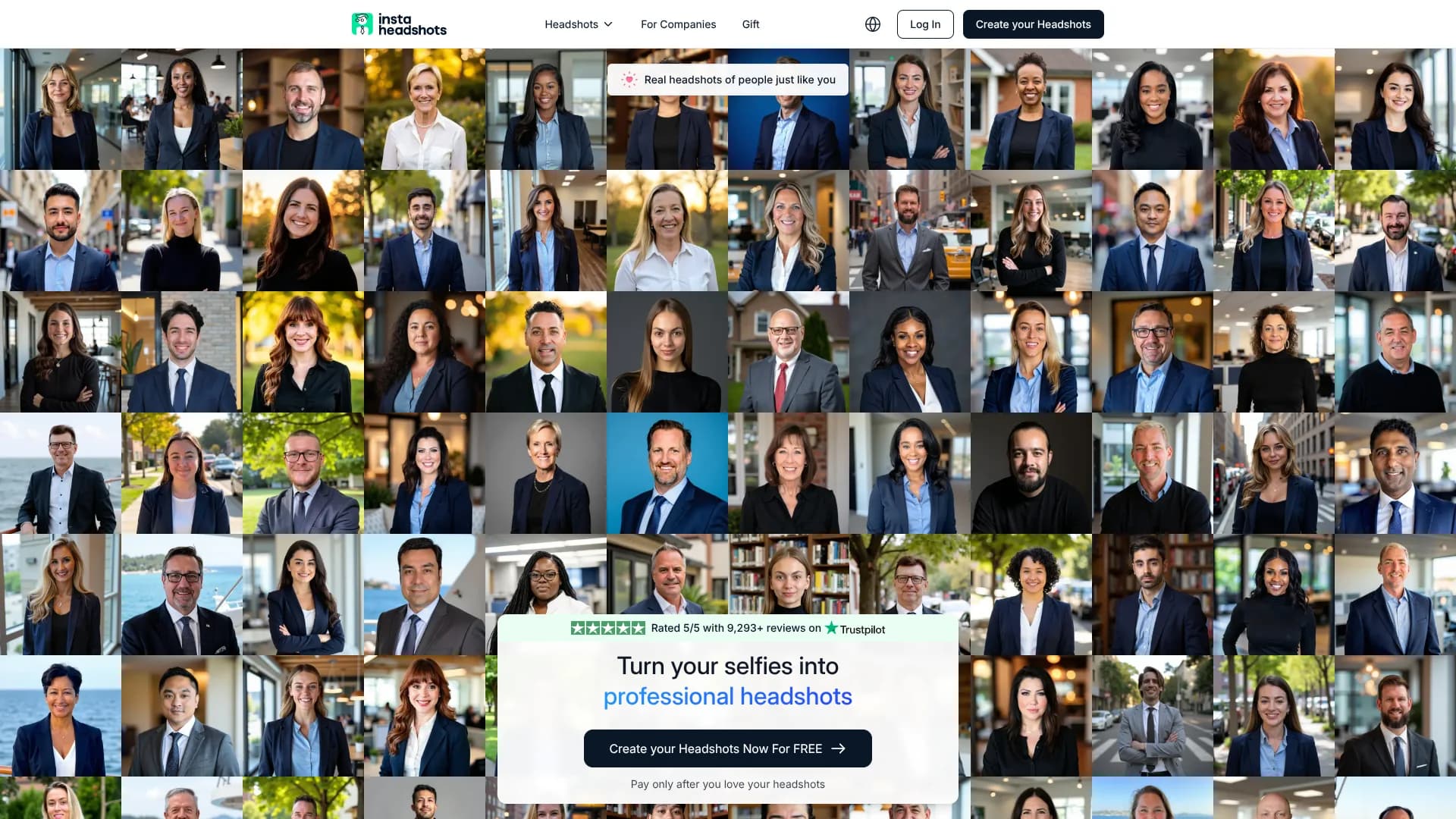
Insta Headshots turns ordinary selfies into professional headshots in minutes using a dedicated AI model trained on each user’s photos. It focuses on fast, studio-quality portraits for LinkedIn, resumes, company directories, and other professional profiles, without the hassle or cost of a traditional photoshoot. Users upload a small set of varied photos, choose preferred styles, then receive dozens of realistic headshots that closely reflect their appearance and personal brand.
Insta Headshots stands out by combining a pay-only-if-you-love-it flow with very high social proof, including thousands of five-star reviews and claims of millions of headshots generated. The focus on training a separate AI model for each user, strict data deletion policies, and a clear “your likeness is your property” stance help it appeal to privacy-conscious professionals who still want cutting-edge AI image quality.
Insta Headshots delivers impressive, realistic portraits at a fraction of studio cost and time, making it well suited to anyone who wants “I actually like this photo of me” results without scheduling a shoot. Between the generous output, privacy stance, and preview-before-pay model, it offers a compelling mix of convenience and control for both individuals and teams chasing better professional visuals.
Who is Using Insta Headshots?
Job seekers and career switchers
Refreshing LinkedIn and resume photos ahead of applications or interviews.
Corporate teams and HR departments
Rolling out consistent, on-brand staff headshots without organizing photo days.
Founders, coaches, and solo professionals
Building cohesive personal-brand imagery across websites, newsletters, and social channels.
Medical, legal, and real estate professionals
Updating directory and listing photos where trust and clarity really matter.
Uncommon Use Cases
Used as a quick confidence boost before dating profile revamps; adopted by online course creators who need polished avatars across multiple learning platforms.
Key Features
Rating Breakdown
Pricing Plans
InstaHeadshots
$59 (starting price)
- 50 headshots, 5 looks, ready in 15 minutes
- Pay only if you love and keep the headshots
Which Insta Headshots plan should you pick?
Start with Starter to sample the generated set; choose Standard for the full standard-resolution set or Premium for 4K output and more credits.
Starter
Good for users who need three standard-resolution headshots and three credits.
Standard
Good for users who need all 50 standard-resolution headshots and three credits.
Premium
Good for users who need all 50 headshots in 4K at 300 DPI and 50 credits.
Insta Headshots Use Cases
LinkedIn profiles
Create a polished professional profile image from everyday selfies.
Outcome: A more professional online first impression.
Job applications
Generate professional-looking portraits for job-search profiles and applications.
Outcome: A ready-to-use professional headshot.
Company websites
Create consistent headshots for employees, team pages, and company profiles.
Outcome: A more cohesive team presentation.
Social media and marketing
Choose professional, casual, creative, or outdoor looks for social profiles and marketing materials.
Outcome: Multiple branded profile-image options.
Podcasts and professional profiles
Generate a professional portrait for podcast profiles and other public-facing bios.
Outcome: A polished image suitable for digital profiles.
Workflow Ideas with Insta Headshots
Create an individual headshot set
- 1Upload approximately 10 selfies or everyday photos.
- 2Select outfits, backgrounds, and professional styles.
- 3Preview and download the generated headshots.
Run a team headshot campaign
- 1Choose a team or enterprise package.
- 2Invite team members and track participation from the admin dashboard.
- 3Review final selections and coordinate a consistent team aesthetic.
Prepare a LinkedIn-ready portrait
- 1Upload clear photos with varied angles and lighting.
- 2Choose a professional or business-casual look.
- 3Download the resulting PNG headshot for LinkedIn or a company profile.
How Insta Headshots fits into your stack
Browser
The service runs through the Magic Studio web app: users upload photos, preview generated headshots, edit them, and download results from the browser.
Pros
- +Huge variety per shoot: Dozens of usable headshots instead of the usual handful from a studio session.
- +Pay-after-preview model: Users can generate headshots first and only pay if they actually like the results.
- +Clear professional focus: Presets tailored for LinkedIn, corporate, executive, and role-specific use give a very “ready-to-upload” feel.
- +Customer-friendly policies: Satisfaction guarantee, refunds when results miss expectations, and responsive support for tweaks and corrections.
Cons
- −Limited fine-grain control: Styles are chosen from presets, so ultra-specific art direction may require manual post-editing.
- −Square aspect ratio by default: Great for online profiles, but print use generally needs the paid upscaling step.
- −No direct integrations: Output must be downloaded and manually uploaded to LinkedIn or HR tools.
Limitations & when to consider alternatives
Known limitations
- Requires multiple source photos. The team workflow recommends about 10 to 20 photos with varied angles, lighting, and expressions.
- Free generator has limited editing. The free tool does not offer advanced editing features; users can upload another photo or choose a different background.
- Free output is optimized for digital use. The free headshots are optimized for social media; higher resolution and advanced styles are available in paid options.
- Data is automatically deleted. The site says data is deleted 30 days after headshots are created unless the user deletes it earlier.
- Results depend on input quality. Clear, well-lit photos with visible faces and varied angles are recommended for better results.
How to Use Insta Headshots
- 1
Upload everyday photos
Add about 10 clear selfies or everyday photos with varied angles, lighting, and backgrounds so the AI can learn your appearance.
- 2
Choose your looks
Select outfits, backgrounds, and styles that fit your profession or intended profile.
- 3
Preview and download
Wait for generation, review the available results, and download the professional headshots from the dashboard.
- 4
Use team management when applicable
For organizations, invite team members and track invitations, progress, and final selections from the admin dashboard.
Who is Insta Headshots For?
Corporate teams
Create consistent professional headshots across an organization and manage invitations and selections centrally.
Law firms
Generate polished professional portraits for attorneys and firm profiles.
Healthcare organizations
Create professional headshots for doctors and healthcare teams without coordinating studio sessions.
Startups
Give distributed startup teams consistent, professional profile imagery quickly.
Education organizations
Create uniform professional portraits for faculty, staff, or organizational profiles.
Frequently Asked Questions
Do I need professional photos to upload?
No. Upload about 10 images or selfies with varied backgrounds, face angles, and lighting.
How long does it take to generate headshots?
The AI typically generates headshots within 30 minutes to an hour, followed by an email notification.
Can I use these headshots for LinkedIn?
Yes. The headshots are designed for LinkedIn, company websites, email signatures, and other professional profiles.
What if I don't like the results?
The company says it can regenerate the headshots or provide a full refund under its satisfaction guarantee.
Can I get headshots for my entire team?
Yes. Team and enterprise plans support headshots for entire organizations, with volume pricing and dedicated support.
What formats are the headshots delivered in?
Headshots are delivered as high-resolution PNG files and can be downloaded from the dashboard.
Community reviews
Be the first to share your experience.
Sign in to leave a review for Insta Headshots.
Insta Headshots Alternatives
Looking for alternatives to Insta Headshots? Here are similar tools in the same category:
Learn to Master Insta Headshots
With Skill Leap courses
Get in-depth training on Insta Headshots and 50+ other AI tools with our expert-led video courses.
Start 7-Day Free Trial