
Intellemo
Turn prompts into cinematic UGC ads and campaigns.
Key Takeaways
- What it is
- Turn prompts into cinematic UGC ads and campaigns.
- Pricing
- $24 · $39 · $49
- Best for
- Smart Model Selection
- Voice, Character, and Lip‑Sync Consistency
- Narrative‑First Storybuilding
- Rating
- 4.4/5
What is Intellemo?
Intellemo is a cinematic ad studio platform that turns ideas, scripts, and short prompts into structured multi‑scene videos for paid digital campaigns. It focuses on highly realistic UGC‑style ads using AI avatars, natural voiceovers, and narrative continuity rather than simple template editing. Built with performance marketers in mind, it connects creative production with campaign execution so brands can create product demos, social ads, branded stories, and then launch and manage media on platforms like Meta and Google from the same environment.
Intellemo stands out by treating AI video not as novelty clips but as a full cinematic ad pipeline tied directly to performance marketing. Its smart model selection, narrative‑aware structure, and avatar consistency keep videos feeling like professional creator work rather than generic stock mashups. Combined with integrated campaign tools and “pay only for finished seconds” pricing, it caters specifically to growth‑stage brands and agencies that care about both storytelling quality and ROAS.
Intellemo brings together AI‑driven cinematic video creation and campaign execution in a way that suits teams living and dying by performance metrics. It gives brands and agencies realistic creator‑style videos, multi‑scene storytelling tools, and direct hooks into Meta and Google campaigns without traditional production overhead. For marketers who want scroll‑stopping visuals that actually support structured testing and scaling, Intellemo offers a focused, ad‑native approach to AI video rather than a generic “make a clip” toy.
Who is Using Intellemo?
DTC and E‑commerce Brands
Creating product launch videos, offer‑driven reels, and evergreen top‑of‑funnel ads for paid social.
Performance Marketing Teams
Spinning up and testing multiple creative angles quickly across Meta, Google, and YouTube campaigns.
Advertising and Media Agencies
Scaling AI‑driven video production for clients without adding full in‑house film crews.
Enterprise Marketing Departments
Producing continuous streams of campaign‑ready creatives while keeping rights and data control in‑house.
Uncommon Use Cases
Used by training and L&D teams to create ad‑style internal education content; adopted by event organizers for cinematic promo spots built from simple briefs.
Key Features
Rating Breakdown
Pricing Plans
Story
$24
- 120 seconds
- AI narration voices, HD quality, fast cinematic generation, storyboard editor, cinematic continuity, and reels/shorts-ready output
Studio
$39
- 120 seconds
- Talking avatars with lip-sync, creator-ready HD exports, cinematic continuity, storyboard editor, social/reel optimization, and intelligent cinematic refinement
Cinematic
$49
- 120 seconds
- Highest realism pipeline, advanced cinematic continuity, premium cinematic refinement, 4K export quality, priority rendering, multiple cinematic voice profiles, and premium orchestration
Enterprise Plan
- Collaboration workflows, custom pipelines, brand consistency, dedicated support, ad account integrations, bulk rendering, and moderation controls
Which Intellemo plan should you pick?
Start with Story for narration-only videos, upgrade to Studio for talking avatars and lip-sync, and choose Cinematic for 4K, advanced refinement, and full-video lip-sync.
Story
Good for narrated cinematic stories, explainers, music videos, and short-form content without lip-sync.
Studio
Good for talking-avatar, UGC-style, and brand-story videos that need lip-sync.
Cinematic
Good for premium cinematic production requiring 4K export, advanced refinement, realistic visuals, and full-video lip-sync.
Intellemo Use Cases
Product videos
Add product images, brand assets, or a website URL as context and generate a structured product story.
Outcome: A finished product-focused video for marketing or promotion.
Cinematic brand stories
Provide a concept, characters, context, voice, and visual direction, then refine the story through approval stages.
Outcome: A multi-scene cinematic brand video.
UGC-style social videos
Use the Studio plan for talking scenes, creator voice profiles, lip-sync, and social-ready output.
Outcome: Short-form content for Reels, Shorts, and similar platforms.
AI avatar videos
Upload a clear personal photo, create an avatar, assign a voice, and reuse the avatar across projects.
Outcome: A consistent presenter or spokesperson video.
Meta advertising creatives
Describe campaign goals to the AI Assistant, review creative and targeting, then publish to Meta Ads Manager.
Outcome: Campaign-ready Facebook, Instagram, and Messenger advertising.
Workflow Ideas with Intellemo
Create a product launch video
- 1Add the product image, logo, or product webpage URL as context.
- 2Write a launch prompt describing the product, audience, and message.
- 3Review the script and storyboard, approve them, and generate the final video.
Produce a talking-avatar ad
- 1Upload a clear front-facing photo and assign a voice.
- 2Choose the Studio plan for talking scenes and lip-sync.
- 3Revise the script and storyboard, then generate the social-ready video.
Launch a Meta campaign
- 1Open the AI Assistant and describe the campaign goal, budget, and audience.
- 2Review the generated visuals, copy, budget, and targeting.
- 3Publish the campaign to Meta Ads Manager and receive confirmation.
How Intellemo fits into your stack
Browser
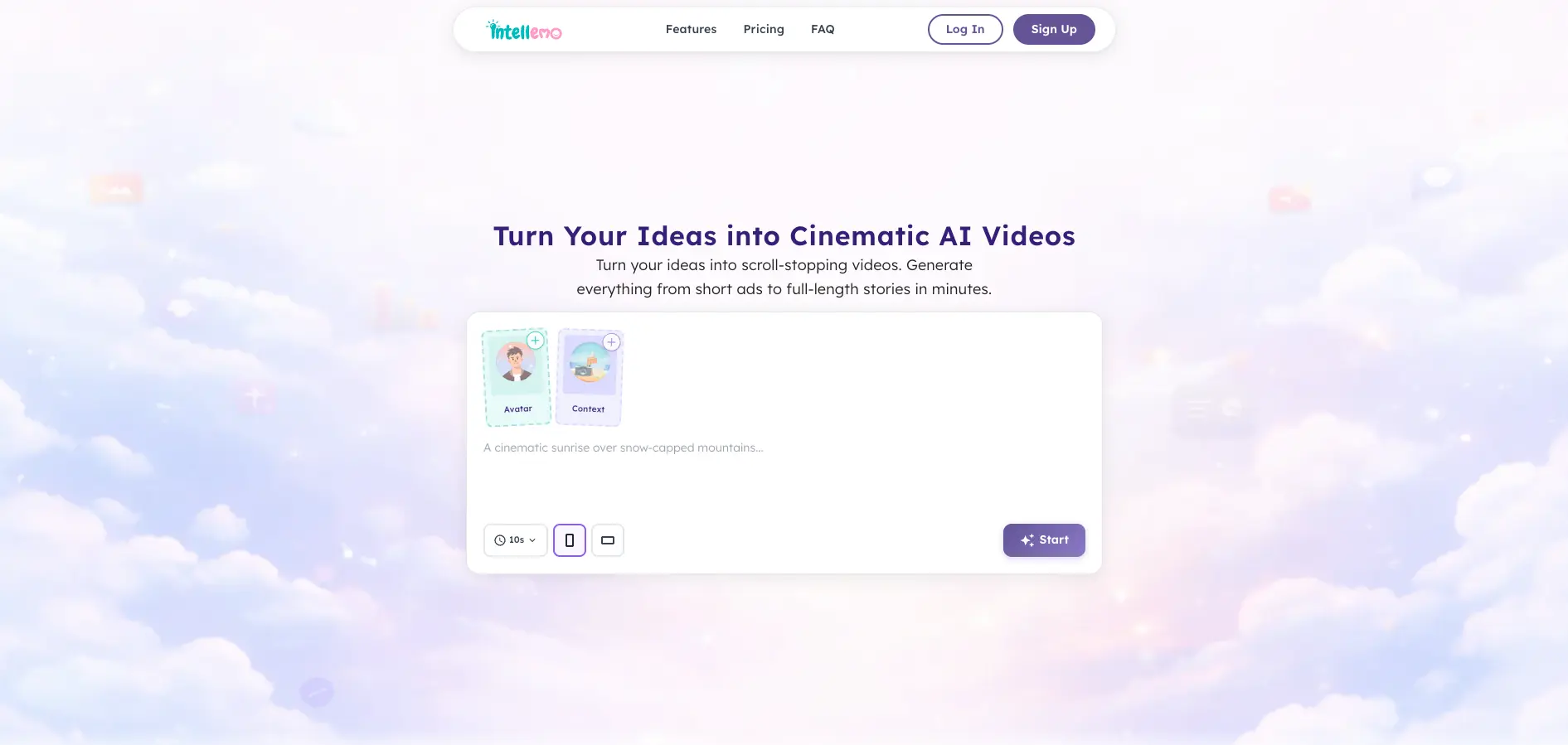
Intellemo is accessed through its web application, where users enter prompts, add characters and context, review storyboards, and export videos.
Knowledge and files
Users can upload photos, logos, product images, footage, and other brand assets, or provide a webpage URL as context for video creation.
Automation and APIs
The app includes an autonomous, multi-stage video workflow and can launch or optimize advertising campaigns on Meta and Google.
Pros
- +Cinematic UGC look: Produces creator‑style ads that feel close to real influencer or creator videos, useful for social feeds and reels.
- +Massive time savings: Turns product details and prompts into campaign‑ready videos in minutes, shrinking typical production cycles from weeks to a single work session.
- +Performance‑oriented tooling: Built for growth teams, with campaign management, reporting, and automations that connect creative testing to measurable results.
- +Second‑based pricing: Clear, duration‑based pricing with the option to buy extra seconds and top‑ups instead of committing to heavy retainers or traditional production costs.
- +Multi‑format support: Outputs in social‑friendly formats like 9:16 and 16:9, covering shorts, reels, and longer brand films from the same pipeline.
Cons
- −Learning curve for storytellers: While friendlier than full video suites, teams still need to learn prompt styles and story structures that produce strong ads.
- −AI artifacts still possible: Like any current AI video system, occasional uncanny visuals can appear, especially in complex motion or very niche scenarios.
- −Credit math can confuse newcomers: Thinking in “seconds of output” rather than number of videos may require some adjustment for teams used to flat monthly plans.
Limitations & when to consider alternatives
Known limitations
- Story plan has no lip-sync. The Story plan is narration-only and does not support lip-sync.
- Standard plan output is limited to 120 seconds. Story, Studio, and Cinematic plans each document 120 seconds of included video output.
- Credits have a validity period. Plan credits are valid for 30 days, with rollover on renewal.
- Cinematic features require the Cinematic plan. 4K export, advanced scene refinement, higher image quality, and full-video lip-sync are listed under Cinematic.
- Supported aspect ratios are limited. The documented creation workflow lists 9:16 vertical and 16:9 landscape formats.
Look elsewhere when
- You need a documented developer API.
- You need a downloadable desktop application.
- You need browser-extension access.
- You need model fine-tuning on your own data.
How to Use Intellemo
- 1
Sign in
Open Intellemo and sign in or create an account to reach the video creation dashboard.
- 2
Add a character
Choose a character, upload your own asset, create an avatar, or select a voiceover.
- 3
Add context
Provide product images, logos, brand assets, places, vehicles, or a website URL so the story has relevant visual references.
- 4
Write the prompt
Describe the story, key message, visual direction, dialogue, or campaign objective.
- 5
Review and revise
Edit or regenerate the script, speech, draftboard, and storyboard before committing to final video generation.
- 6
Generate and export
Approve the storyboard, generate the final video, and export it in the format supported by your plan.
Who is Intellemo For?
Creators
Creators can turn ideas, scripts, images, and prompts into social-ready and cinematic videos.
Marketers
Marketers can create product videos, promotional content, UGC-style videos, and social advertising creatives.
Businesses
Businesses can produce structured brand stories, explainers, product videos, and marketing content.
Agencies
Agencies can scale creative production and share storyboards with clients for approval.
Educators
Educators can create professional instructional, presentation, and explainer videos without complex editing tools.
Frequently Asked Questions
What is Intellemo?
Intellemo is an AI-powered video creation platform for producing cinematic stories, marketing videos, product videos, avatar videos, and more.
How does story generation work?
Describe an idea or provide a script, choose characters, avatars, products, backgrounds, voices, and other elements, then review the generated speech, draftboard, and storyboard.
Can I revise a video before final generation?
Yes. You can review and revise speech, draftboard, and storyboard stages before approving the final storyboard and generating the video.
Can I create a video from my own photo?
Yes. Upload a clear, front-facing image and turn it into a reusable AI avatar with a selected voice.
Can Intellemo use a website URL?
Yes. Add a webpage or product URL as context, retrieve available images, categorize them, and use the selected content in a video.
Which plan includes lip-sync?
Studio includes talking scenes with lip-sync, while Cinematic adds full-video lip-sync. Story is narration-only and does not include lip-sync.
Community reviews
Be the first to share your experience.
Sign in to leave a review for Intellemo.
Intellemo Alternatives
Looking for alternatives to Intellemo? Here are similar tools in the same category:
Learn to Master Intellemo
With Skill Leap courses
Get in-depth training on Intellemo and 50+ other AI tools with our expert-led video courses.
Start 7-Day Free Trial