
Intenseye
Revolutionize workplace safety with AI-driven real-time hazard detection.
Key Takeaways
- What it is
- Revolutionize workplace safety with AI-driven real-time hazard detection.
- Best for
- Real-Time Hazard Detection
- Compliance Management
- User-Friendly Dashboard
- Rating
- 4.7/5
What is Intenseye?
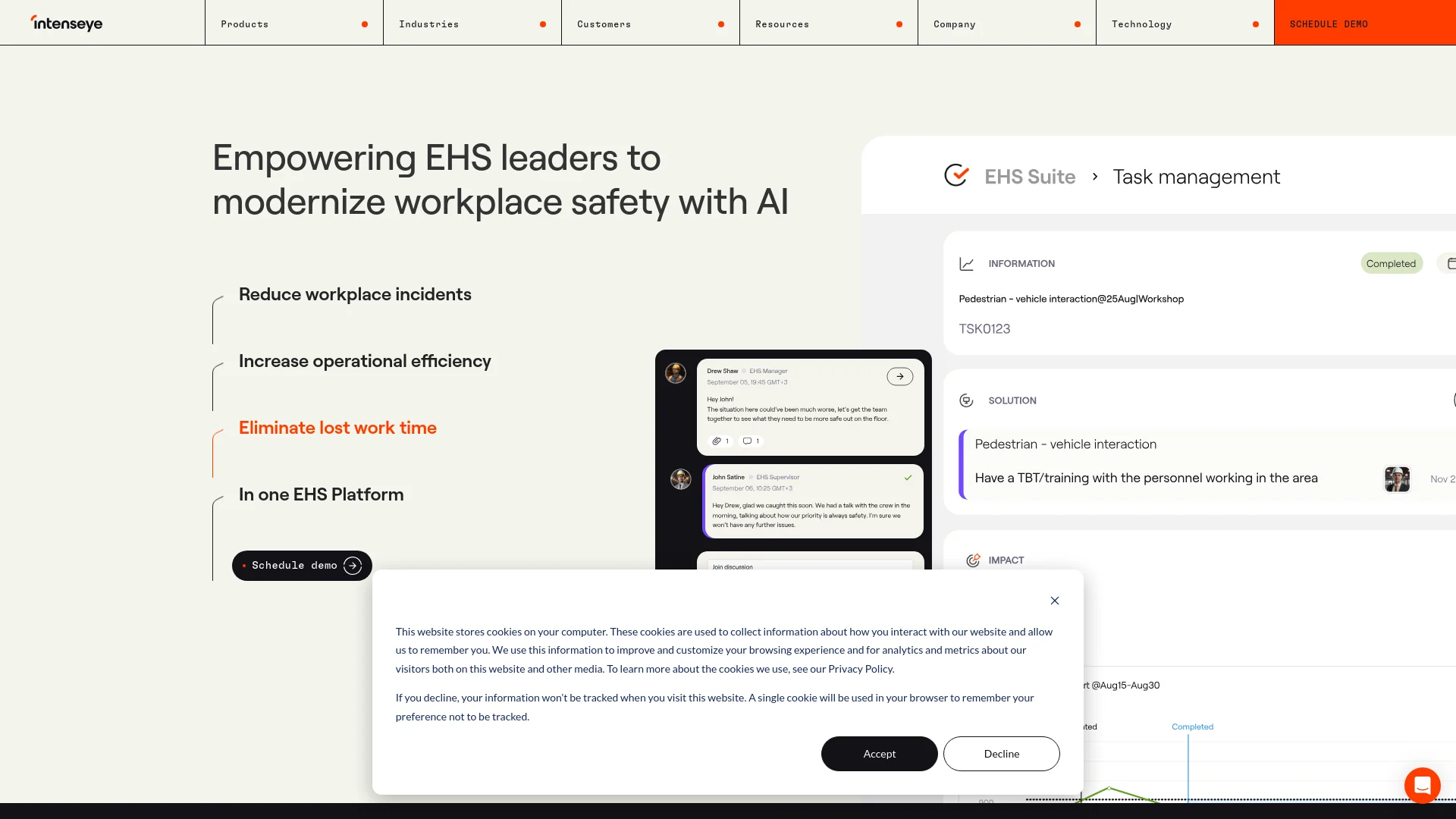
Intenseye is an AI tool designed to revolutionize workplace safety. This powerful platform leverages artificial intelligence to monitor, analyze, and improve safety standards across various industries. By integrating with existing CCTV systems, intenseye provides real-time insights and proactive safety measures, significantly reducing workplace incidents and enhancing operational efficiency. Aimed at Environmental, Health, and Safety (EHS) leaders, intenseye simplifies the management of safety protocols while ensuring compliance and protecting workers globally.
Intenseye sets itself apart by combining real-time monitoring with proactive risk management in a user-friendly platform. Its ability to integrate seamlessly with existing camera systems and provide immediate, actionable insights makes it a leader in the field of AI-driven workplace safety.
intenseye excels in enhancing workplace safety through its cutting-edge AI technology and real-time monitoring capabilities. It is an indispensable tool for EHS leaders aiming to modernize safety measures, ensure compliance, and protect their workforce efficiently. Its standout feature of integrating seamlessly with existing infrastructures offers an unmatched advantage in operational safety management.
Who is Using Intenseye?
Automotive Industry
Enhances safety on production floors with heavy machinery and automated systems.
Chemicals Sector
Monitors compliance with handling and storage regulations to prevent accidents.
Food & Beverage Facilities
Reduces risks related to machine operation and handling in fast-paced environments.
Healthcare Providers
Ensures safety in environments with strict protocols and sensitive equipment.
Uncommon Use Cases
Utilized by academic institutions for research in AI and safety; used in small retail environments to enhance staff safety despite limited resources.
Key Features
Rating Breakdown
Pricing Plans
Enterprise Plans
- Custom pricing based on the scale of deployment and specific needs of the organization
Free Demo
- Offers a free demonstration to help potential users understand the platform’s capabilities
Intenseye Use Cases
Real-time hazard detection
Monitor camera feeds to identify unsafe acts, unsafe conditions, PPE issues, and other leading indicators.
Outcome: Earlier intervention and reduced safety risk.
Safety inspections
Use preloaded or custom checklists, schedule inspections, and conduct evaluations online or offline through the mobile app.
Outcome: Faster inspections and more consistent safety documentation.
Incident and corrective-action management
Convert hazard detections, inspections, audits, and incident reports into assigned corrective-action tasks.
Outcome: Improved accountability and tracked resolution.
EHS data analysis
Upload safety documents and analyze them with existing safety data to generate dashboards, trends, heatmaps, and risk charts.
Outcome: Faster analysis and clearer safety decisions.
Compliance and audit management
Create audit reports, receive OSHA-aligned guidance, assign follow-ups, and track audit findings.
Outcome: More streamlined compliance management.
Workflow Ideas with Intenseye
Hazard detection to corrective action
- 1Connect existing CCTV cameras and configure relevant AI safety models
- 2Detect unsafe acts or conditions and generate real-time alerts
- 3Create, assign, and track corrective-action tasks
Inspection to resolution
- 1Schedule an inspection using a prebuilt or custom checklist
- 2Complete the inspection online or offline through the mobile app
- 3Create follow-up actions and monitor completion
Safety data to executive insight
- 1Upload reports, spreadsheets, audits, or other supported documents
- 2Analyze documents alongside existing safety data with Chief
- 3Share analysis threads and dashboards with authorized teammates
How Intenseye fits into your stack
Existing CCTV Systems
Works with over 200 camera models for easy integration.
Cloud-Based Integration
Offers straightforward cloud setup for scalability and remote management.
Data Privacy Protocols
Ensures compliance with global data protection regulations, making it suitable for multinational deployment.
Pros
- +Enhanced Safety: Dramatically reduces at-risk behaviors and potential injuries in the workplace.
- +Operational Efficiency: AI-driven insights allow for quicker response times and more effective safety measure implementations.
- +Scalability: Easily integrates with an existing array of cameras without the need for additional hardware.
- +Global Application: Proven effectiveness with deployments in over 25 countries, adaptable to diverse industrial environments.
Cons
- −Dependence on Existing Infrastructure: Relies heavily on the existing quality and placement of CCTV systems.
- −Initial Setup Complexity: While deployment is quick, initial setup and calibration can be complex depending on the facility.
- −Potential Privacy Concerns: Despite strong ethical standards, the use of surveillance technology can raise privacy issues if not managed carefully.
Limitations & when to consider alternatives
Known limitations
- Enterprise-oriented purchasing. Public pricing plans are not shown; commercial fees are established through customer-specific statements of work.
- Free access is trial-based. The public offer is a 30-day trial for select safety professionals, not a permanent free tier.
- Camera and streaming requirements. Camera integrations generally require IP cameras supporting H.264 encoding and RTSP streaming.
- Safety-event retention depends on configuration. The FAQ describes a standard 720-day retention period that can be increased or reduced according to customer requirements.
- Generative AI availability may depend on the agreement. Chief generative-AI functionality is enabled when purchased or specified in the applicable statement of work.
Look elsewhere when
- You need a permanent free plan.
- You need a dedicated browser extension.
- You need self-service public pricing.
How to Use Intenseye
- 1
Explore a range of tutorials and resources on the intenseye website, including step-by-step guides on setting up and optimizing the platform for your specific needs.
Who is Intenseye For?
EHS teams
Intenseye provides real-time safety intelligence, corrective actions, compliance tools, and reporting.
Safety leaders
Chief is designed for safety leaders who need faster analysis, compliance guidance, and decision support.
Industrial manufacturers
The platform detects workplace hazards across manufacturing facilities and connects to existing infrastructure.
Warehouse operators
Intenseye supports real-time hazard detection and safety operations for warehouse environments.
Multi-site enterprises
The platform supports multi-facility tracking, centralized reporting, and enterprise-scale deployment.
Frequently Asked Questions
What deployment options does Intenseye offer?
Intenseye offers cloud, private cloud, and hybrid on-premise deployment options.
Which cameras are compatible with Intenseye?
Intenseye works with about 90% of IP cameras and cameras supporting H.264 video encoding and RTSP streaming.
How can Intenseye integrate with existing software?
Customers can use Intenseye API endpoints to integrate software or hardware with the notification system.
What file types can Chief analyze?
Chief supports PDF, DOCX, TXT, XLSX, CSV, PPTX, HTML, and Markdown files.
How does Chief protect uploaded data?
Documents are encrypted in transit and at rest, access is restricted, and uploaded data is not used for training.
Can team members share Chief analyses?
Users can share analysis threads with teammates in their workspace and revoke access when needed.
Community reviews
Be the first to share your experience.
Sign in to leave a review for Intenseye.
Intenseye Alternatives
Looking for alternatives to Intenseye? Here are similar tools in the same category:
Learn to Master Intenseye
With Skill Leap courses
Get in-depth training on Intenseye and 50+ other AI tools with our expert-led video courses.
Start 7-Day Free Trial