
Jace
Automate tasks, optimize workflows, enhance productivity with AI.
Key Takeaways
- What it is
- Automate tasks, optimize workflows, enhance productivity with AI.
- Pricing
- Freemium · $20 per month
- Best for
- Marketing Efficiency
- Hiring Assistance
- Tutoring Business Management
- Rating
- 4.5/5
What is Jace?
Jace is a cutting-edge AI assistant designed to revolutionize the way businesses and professionals manage their tasks. By focusing on automating and optimizing various workflows, Jace aims to free up time for more meaningful activities. Whether it's launching a marketing campaign, hiring an engineer, or managing a tutoring business, Jace offers a seamless and intuitive experience to enhance productivity and efficiency.
Jace stands out with its ability to automate and optimize a wide range of business tasks, offering a comprehensive solution for various industries. Its user-friendly interface and real-time optimization capabilities make it an indispensable tool for professionals looking to enhance efficiency and productivity.
Jace excels in providing a versatile and efficient AI assistant, making it an essential tool for businesses and professionals across various industries. Its real-time optimization and intuitive design offer an unmatched advantage, allowing users to focus on more meaningful and strategic tasks.
Who is Using Jace?
E-commerce Businesses
Utilizing Jace to enhance online marketing campaigns and manage customer interactions.
Digital Marketing Agencies
Employing Jace for creating, monitoring, and optimizing marketing campaigns.
HR Departments
Leveraging Jace to streamline the hiring process and manage employee onboarding.
Tutoring Services
Using Jace to manage schedules, track progress, and handle administrative tasks.
Uncommon Use Cases
Adopted by freelance project managers for task automation; used by non-profit organizations to optimize volunteer management.
Key Features
Rating Breakdown
Pricing Plans
Free Tier
Free
- Experience Jace with a limited free trial
Pro Tier
$20 per month
Which Jace plan should you pick?
Start with Plus for one or two inboxes and shorter email history; upgrade to Pro for more inboxes, longer history, custom integrations, MCPs, and team or power-user workflows.
Plus Plan
Good for busy professionals who need up to 2 inboxes, 10,000 monthly credits, 1 year of email history, AI drafts, and automatic labeling.
Pro Plan
Good for teams and power users who need up to 8 inboxes, 20,000 or more monthly credits, 3 years of history, custom integrations, and MCPs.
Enterprise Plan
Good for bigger teams needing white-glove setup, usage-based pricing, and a dedicated account manager.
Jace Use Cases
Meeting-request handling
Detect meeting requests, propose available times, and create a calendar event draft.
Outcome: Less scheduling back-and-forth.
New inquiry responses
Identify first-time inquiries and draft replies using configured tone, links, questions, and calendar availability.
Outcome: Faster, more consistent first responses.
Invoice and document email triage
Apply AI labels and prepare replies for invoice, payment, and document-request messages.
Outcome: Routine finance communication is easier to process.
Customer-support escalation
Read long support threads and attachments, then draft replies that incorporate prior context and reported issues.
Outcome: More context-aware customer responses.
Knowledge capture from email
Use integrations such as Notion, Google Drive, Slack, and HubSpot to reference or update connected business information.
Outcome: Less manual copying between inboxes and business tools.
Workflow Ideas with Jace
Meeting request to calendar draft
- 1Watch for emails about scheduling a meeting or call
- 2Check calendar availability and propose suitable times
- 3Create a reply and calendar-event draft for review
New inquiry response
- 1Match first-time service inquiries
- 2Draft a professional response using configured links and instructions
- 3Save the response as a draft for approval
Attachment-backed reply
- 1Match emails containing relevant requests or keywords
- 2Consult uploaded FAQs, playbooks, pricing sheets, or attachments
- 3Draft a context-aware reply using the reference material
How Jace fits into your stack
Browser
Jace sits on top of Gmail and Outlook through its web app; Gmail users can also use the Chrome extension for quick draft access.
Team chat and tickets
Slack, Jira, Confluence, HubSpot, and related integrations let Jace search conversations, reference work items, and perform connected actions.
Automation and APIs
AI Flows provide trigger-and-action automation, while MCP support connects remote tools and services through configured servers.
Knowledge and files
Google Drive, OneDrive, Notion, and uploaded reference documents provide files and knowledge that Jace can use when drafting or taking actions.
Pros
- +Time Efficiency: Automates repetitive tasks, freeing up time for more strategic activities.
- +Cost-Effective: Reduces the need for additional staff by handling multiple tasks simultaneously.
- +Versatile Use Cases: Applicable across various industries, including marketing, HR, and education.
- +Real-Time Optimization: Provides real-time insights and adjustments to ensure optimal performance.
Cons
- −Initial Learning Curve: Some users may need time to familiarize themselves with all the advanced features.
- −Limited Integration: Currently, Jace supports a limited number of third-party platforms.
Limitations & when to consider alternatives
Known limitations
- No native mobile apps yet. Jace currently directs mobile users to Gmail or Outlook mobile apps; native iOS and Android experiences are still under development.
- Attachment-format limitations. Jace supports text-based PDFs, Word documents, images, and text files, but not scanned PDFs requiring OCR, encrypted PDFs, or XLSX files.
- Email-provider dependency. Jace currently depends on connected Gmail or Outlook accounts and their permissions and availability.
- Human review remains important. AI-generated drafts and connected-tool actions can require review, especially for dates, amounts, recipients, commitments, and sensitive communications.
- Limited follow-up sequencing. The documented follow-up workflow creates a reviewable draft rather than a complex multi-stage outreach sequence.
Look elsewhere when
- You need a native iOS or Android app.
- You need OCR or spreadsheet-heavy attachment processing.
- You need a downloadable desktop installer.
How to Use Jace
- 1
Connect your inbox
Sign in with Google or Microsoft and grant Gmail or Outlook permissions so Jace can sync email, labels, drafts, calendars, and contacts.
- 2
Let history import
Allow Jace to import relevant email history; Plus includes up to one year and Pro includes up to three years.
- 3
Choose writing preferences
Select a voice preset and add a writing example so generated drafts match the desired tone and phrasing.
- 4
Create rules and labels
Add natural-language rules and AI labels for recurring handling instructions, triage, and drafting behavior.
- 5
Build an AI Flow
Define an email trigger, select actions and connected tools, optionally upload reference documents, and choose draft-only or automatic sending.
- 6
Review and approve
Check recipients, dates, amounts, attachments, and commitments before sending drafts or approving connected-tool actions.
Who is Jace For?
Busy professionals
The Plus plan is positioned for professionals who need inbox organization, AI drafts, and email-history context.
Teams and power users
The Pro plan supports more inboxes, longer email history, custom integrations, MCPs, and team workflows.
Founders and business leaders
Jace is designed for operators who manage sales, support, vendors, calendar coordination, and other high-context business email.
Customer support teams
Jace reads prior tickets, threads, and documents to prepare context-aware support responses.
Accountants and finance professionals
Jace can organize invoice and document-request email, apply rules, and prepare consistent replies for review.
Frequently Asked Questions
What is Jace AI?
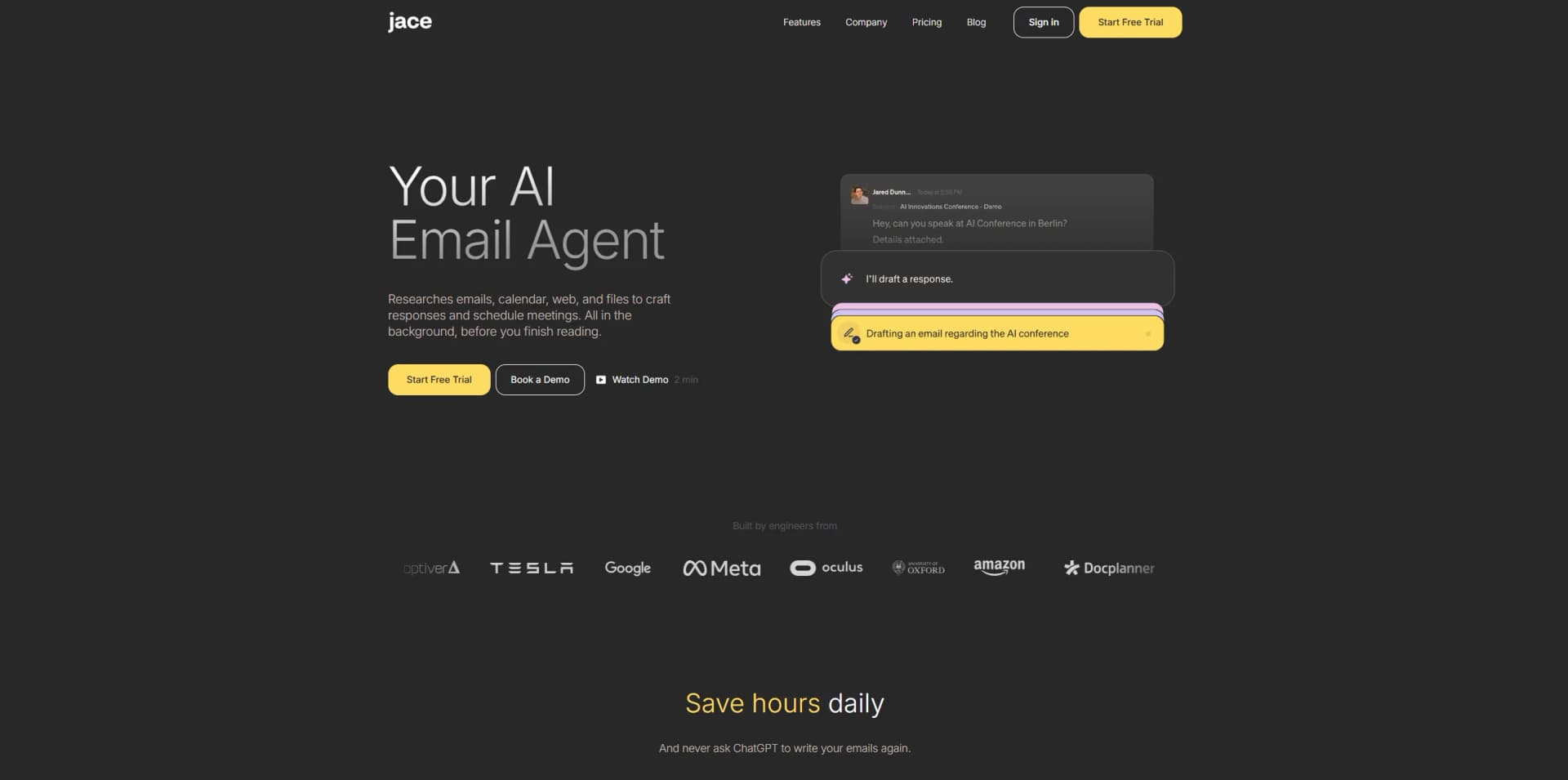
Jace is an AI executive assistant that organizes inboxes, drafts responses, and reacts to emails with AI workflows.
Which email providers does Jace support?
Jace connects with Gmail and Outlook and synchronizes drafts, labels, folders, and email history.
Does Jace send emails automatically?
Draft creation is review-first by default. Automatic sending can be enabled for selected workflows, but it is opt-in.
Can Jace read attachments?
Jace supports text-based PDFs, Word documents, images, and text files as drafting context.
Is Jace available on mobile?
Native iOS and Android apps are not available yet. Users can access synchronized drafts and labels through Gmail or Outlook mobile apps.
Does Jace require installation?
Jace works through its web app, with an optional Chrome extension for Gmail.
Community reviews
Be the first to share your experience.
Sign in to leave a review for Jace.
Jace Alternatives
Looking for alternatives to Jace? Here are similar tools in the same category:
Learn to Master Jace
With Skill Leap courses
Get in-depth training on Jace and 50+ other AI tools with our expert-led video courses.
Start 7-Day Free Trial