
Jenni
Revolutionize writing with AI, multilingual support, advanced citations.
Watch Jenni in Action
Key Takeaways
- What it is
- Revolutionize writing with AI, multilingual support, advanced citations.
- Best for
- AI-Powered Writing Assistant
- Advanced Citation Capabilities
- Multilingual Support
- Rating
- 4.2/5
What is Jenni?
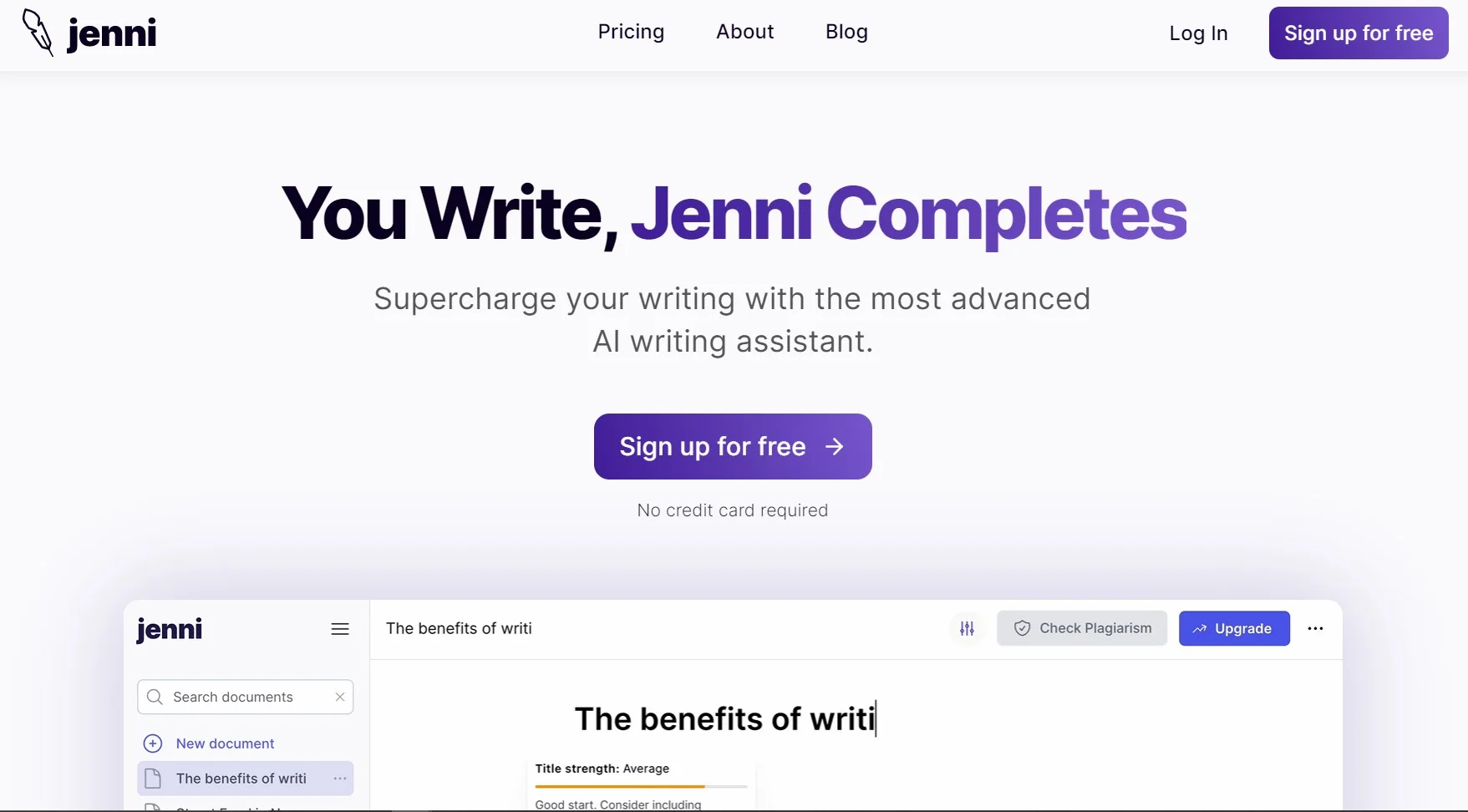
In the bustling world of academic and professional writing, Jenni emerges as a cutting-edge AI-powered text editor designed to transform the way we approach writing, editing, and citing documents. This tool is not just another text editor; it is engineered to assist users in crafting well-researched papers, enhancing productivity, and maintaining accuracy in citations across various formatting styles, including APA, MLA, and more. Whether you're a student, a researcher, or a professional, Jenni promises to make your writing experience smoother and more efficient.
Jenni stands out due to its specialized focus on academic and research writing. Unlike general-purpose writing tools, Jenni is tailored to enhance scholarly work, particularly through its robust citation tools and research library management, which are indispensable for academic integrity and efficiency.
Jenni is a robust AI text editor that excels in enhancing the research and writing process, particularly for academic purposes. Its advanced citation tools and user-friendly interface make it an essential tool for students and researchers alike. The platform's focus on maintaining academic integrity through accurate citations and its support for multiple languages positions Jenni as a standout choice in the realm of AI writing assistants.
Who is Using Jenni?
Academic Students
Utilizing Jenni for writing essays and completing assignments.
Researchers
Employing advanced features for drafting and citing complex research papers.
Professors
Leveraging the tool to streamline the process of reviewing and grading papers.
Content Writers
Using Jenni to produce well-researched and accurately cited blog posts.
Uncommon Use Cases
Jenni is also used by non-profits for grant writing and by small businesses for creating white papers.
Key Features
Rating Breakdown
Pricing Plans
Free Version
- Start with a basic version of Jenni at no cost - ideal for users who want to test its capabilities
Premium Plans
- Detailed pricing is available on the Jenni website
- Tailored to meet different needs
- From individual academic use to institutional licenses
Which Jenni plan should you pick?
Start with Free to test academic writing and citation features; upgrade to Plus for regular usage or Pro for unlimited AI generations.
Free
Good for trying Jenni with limited autocomplete, chat, editing, reviews, and PDF uploads.
Plus
Good for regular researchers who need higher monthly limits, unlimited PDF uploads, full exports, and live chat support.
Pro
Good for heavy users who need unlimited autocomplete, chat, editing, reviews, and priority support.
Jenni Use Cases
Academic writing
Draft, autocomplete, edit, review, and organize research documents in a rich-text editor.
Outcome: A more complete and polished academic document.
Literature reviews
Upload papers, search academic sources, select relevant references, and generate cited writing.
Outcome: A research-supported literature review.
Citation management
Search sources, insert citations, select citation styles, and maintain an automatically updated bibliography.
Outcome: Consistent citations and references.
PDF research
Upload PDFs, search their full text, ask AI Chat questions, and use papers as writing context.
Outcome: Faster analysis of research sources.
Collaborative writing
Share documents with collaborators, edit simultaneously, comment on passages, and track versions.
Outcome: Coordinated document creation.
Workflow Ideas with Jenni
Create a cited research paper
- 1Enter a topic or document prompt
- 2Choose citation preferences and an outline structure
- 3Write with autocomplete, citations, reviews, and AI editing
Turn PDFs into a literature review
- 1Upload PDFs to the Jenni Library
- 2Search and select relevant papers or collections
- 3Generate and refine cited sections in a new document
Import and polish a Word draft
- 1Import a DOCX file
- 2Review preserved formatting and citation matches
- 3Use AI Editing and Reviews to revise the draft
How Jenni fits into your stack
Cloud-Based Access
Easily accessible from any device with internet connectivity.
Export Options
Supports exporting documents to LaTeX, .docx, or HTML formats without formatting loss.
Educational Institution Integration
Seamlessly integrates with academic institution systems for easy access by students and faculty.
PDF Management
Drag and drop PDFs for quick reference and citation in your documents.
Pros
- +Enhanced Productivity: Significantly reduces the time spent on research and writing.
- +Accuracy in Citations: Minimizes errors in citing sources, crucial for academic integrity.
- +User-Friendly Interface: Intuitive design makes it easy for anyone to start using Jenni without a steep learning curve.
- +Versatility: Supports a wide range of document types, from essays to comprehensive research papers.
Cons
- −Internet Dependency: Requires a stable internet connection to access full functionalities.
- −Learning Curve for Advanced Features: While basic features are easy to use, mastering advanced functions may take some time.
- −Subscription Model: Continuous access to all features necessitates an ongoing subscription.
Limitations & when to consider alternatives
Known limitations
- Free-plan usage limits. The Free plan includes 10 autocomplete suggestions per day, 5 AI edits, 5 chat messages, 3 reviews, and 10 PDF uploads.
- Upload size and page limits. Free uploads are limited to 25 MB and 150 pages per PDF; paid plans have higher limits.
- No direct Google Docs import. Google Docs files must be downloaded as DOCX first, or their text must be copied and pasted.
- Browser-extension restrictions. The browser extension does not work on YouTube, Figma, Google Maps, Google Search results, or Chrome internal pages.
- Published documents are not protected. Published links are read-only and do not support password protection or expiration dates.
Look elsewhere when
- You need a native iOS or Android app.
How to Use Jenni
- 1
For those new to Jenni or looking to master its capabilities, the platform offers a range of tutorials from basic setup to advanced features, accessible directly on their website.
Who is Jenni For?
Researchers
Jenni is designed for academic writing, source discovery, citation management, literature reviews, and research-paper drafting.
Teams and institutions
Shared documents, live collaboration, comments, publishing, and version history support group writing and institutional work.
Frequently Asked Questions
What is Jenni AI?
Jenni is an AI-powered academic writing platform combining document editing, autocomplete, citation management, research libraries, chat, editing, reviewing, and collaboration.
Does Jenni work on mobile?
Yes. Jenni works in mobile browsers with a touch-optimized interface and core writing and research features.
Can I upload PDFs to Jenni?
Yes. Users can upload PDFs to the Library for searching, citations, AI Chat, and autocomplete.
Can Jenni import Word documents?
Yes. Jenni imports DOCX files while preserving common formatting, images, tables, and citations.
How many people can collaborate on one document?
Up to 10 people can edit the same document simultaneously.
What languages does Jenni support?
Jenni supports multiple interface languages, and AI-generated content responds in the language used for writing.
Community reviews
Be the first to share your experience.
Sign in to leave a review for Jenni.
Jenni Alternatives
Looking for alternatives to Jenni? Here are similar tools in the same category:
Learn to Master Jenni
With Skill Leap courses
Get in-depth training on Jenni and 50+ other AI tools with our expert-led video courses.
Start 7-Day Free Trial