
Jetwriter AI
Enhances any and all writing with AI-driven suggestions.
Key Takeaways
- What it is
- Enhances any and all writing with AI-driven suggestions.
- Pricing
- Freemium · $12 per month · $18 per month
- Best for
- Advanced AI Models
- Deep Integration
- Custom Writing Styles
- Rating
- 4.5/5
What is Jetwriter AI?
What is Jetwriter AI?
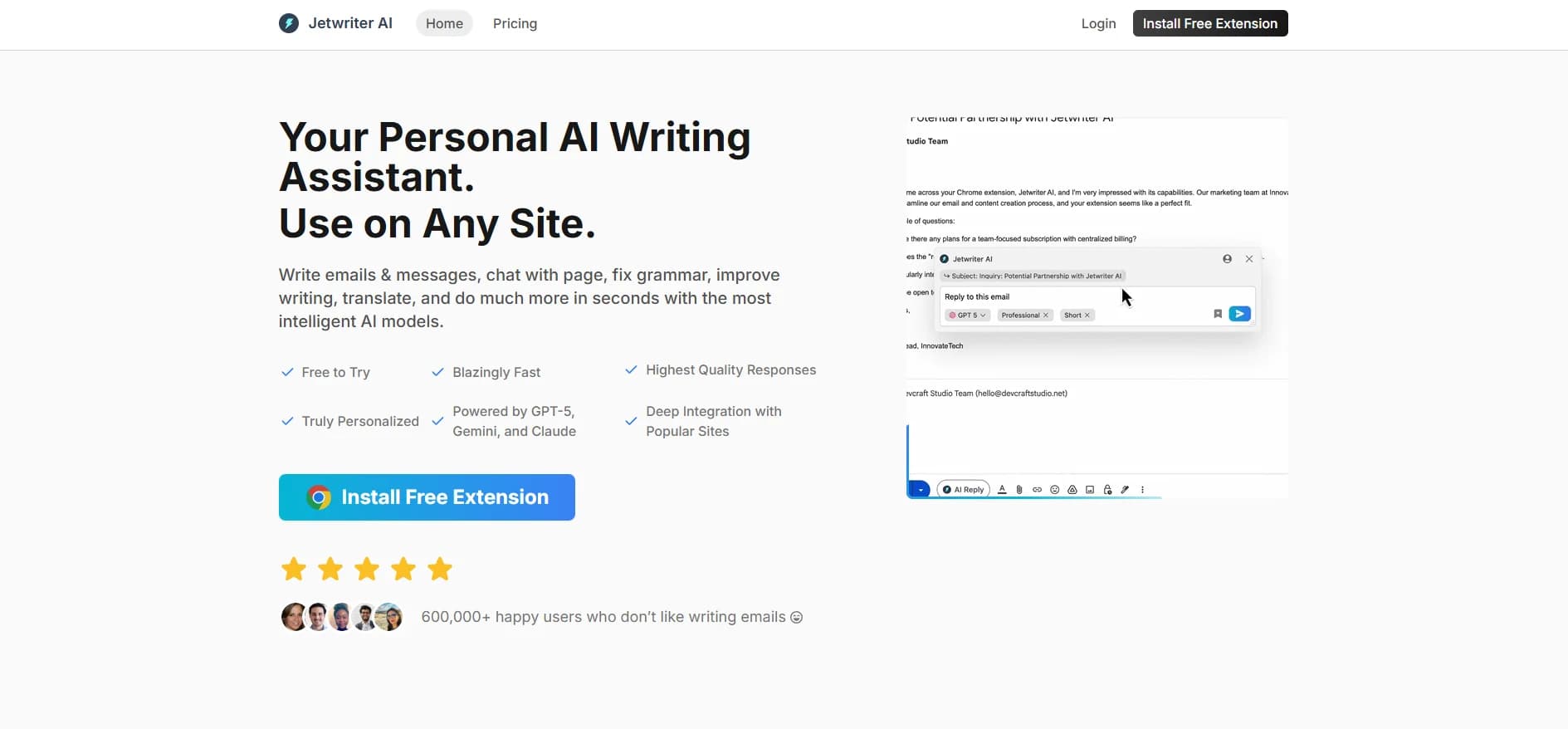
Jetwriter AI is a personalized AI writing assistant designed to enhance productivity across various platforms, including Chrome, desktop, and mobile devices. It caters to individuals and professionals who wish to streamline their writing tasks, offering functionalities such as email composition, grammar correction, translation, and more. Powered by advanced AI models like GPT-5, Gemini, and Claude, Jetwriter AI aims to deliver high-quality, personalized responses, making it an invaluable tool for those looking to improve their writing efficiency.
Jetwriter AI distinguishes itself with its ability to integrate deeply with commonly used platforms, providing a truly personalized writing experience. Its support for multiple AI models allows users to switch between them to find the best-suited responses, making it a versatile tool for varied writing needs.
Jetwriter AI offers a comprehensive suite of features that cater to a wide audience, from professionals to students. Its integration capabilities, coupled with advanced AI models, make it a top choice for anyone looking to enhance their writing tasks. Whether you're drafting emails, correcting grammar, or translating languages, Jetwriter AI stands out as a reliable and efficient tool.
Who is Using Jetwriter AI?
Business Professionals
Utilize the tool for drafting and managing email communications efficiently.
Content Creators
Employ Jetwriter AI for generating high-quality content and improving writing styles.
Customer Support Teams
Leverage the AI to respond to customer inquiries promptly and accurately.
Language Learners
Use the tool for grammar correction and translation to aid in language acquisition.
Uncommon Use Cases
Adopted by legal professionals for drafting documents; Used by educators to assist students with writing tasks.
Key Features
Rating Breakdown
Pricing Plans
Free
Free
- 15 AI responses per month, general task support, quality responses, browser extension, web app, and voice input (no priority support)
Pro
$12 per month
- Unlimited usage, better quality responses, browser extension, web app, voice input, and priority support
Elite
$18 per month
- Unlimited usage, best quality responses, great for reasoning tasks, browser extension, web app, voice input, and priority support
Which Jetwriter AI plan should you pick?
Start with Free for occasional writing and document tasks; upgrade to Elite for regular advanced-model use or Ultra for heavier usage and more Gmail drafts.
Free
Good for occasional users who need basic writing assistance, web access, voice input, file attachments, and limited monthly responses.
Elite
Good for regular users who need unlimited regular-model responses, approximately 1,000 advanced responses monthly, and up to 50 Gmail drafts daily.
Ultra
Good for heavy users who need approximately 2,500 advanced responses monthly and up to 70 Gmail drafts daily.
Jetwriter AI Use Cases
Draft Gmail replies
Jetwriter AI reads email context and can use previous messages to draft personalized responses.
Outcome: Faster, more context-aware email replies.
Answer support tickets
Use the extension inside Zendesk or Freshdesk to generate and refine ticket responses.
Outcome: More consistent support communication with less repetitive typing.
Chat with documents
Attach documents and ask questions, request summaries, or locate important information.
Outcome: Quicker extraction of useful facts from long files.
Improve and translate text
Select text on a webpage and use quick actions to fix grammar, rewrite, change tone, summarize, or translate.
Outcome: Cleaner and more adaptable writing without switching tabs.
Personalize business responses
Connect Gmail or add company website and help-center links so responses reflect business facts and preferred voice.
Outcome: More accurate, brand-consistent replies.
Workflow Ideas with Jetwriter AI
Customer-support reply workflow
- 1Open the customer ticket in Zendesk or Freshdesk
- 2Launch Jetwriter AI in the reply editor
- 3Generate, adjust, and insert the response before sending
Business-knowledge email workflow
- 1Connect Gmail or add the company knowledge-base URL
- 2Ask Jetwriter AI to answer the customer's question
- 3Review the fact-based draft and send it
Document-review workflow
- 1Attach the document in the Jetwriter AI chat
- 2Ask for a summary, key dates, clauses, or specific facts
- 3Review the generated answer and reuse it in your work
How Jetwriter AI fits into your stack
Browser
Jetwriter AI primarily operates as a browser extension that can be launched from selected text, right-click menus, keyboard shortcuts, or the extension icon. It also provides a browser-based web app for mobile and unsupported browsers.
Docs and writing
The extension helps compose, rewrite, translate, summarize, proofread, and improve text directly on websites. It supports custom writing styles, prompt templates, response-length controls, and personalized voice settings.
Team chat and tickets
Jetwriter AI adds writing and reply assistance inside messaging and support surfaces including Slack, WhatsApp Web, LinkedIn, Outlook, Zoho, Freshdesk, and Zendesk.
Knowledge and files
Users can chat with uploaded documents, read web pages, use live web access, and connect Gmail history or business knowledge-base URLs for context-aware responses.
Pros
- +Time Efficiency: Jetwriter AI significantly reduces the time spent on writing tasks, offering quick and effective solutions.
- +High Quality: The responses generated are of the highest quality, meeting the diverse needs of users.
- +User-Friendly: The tool is easy to install and use, with a lightweight extension that does not slow down browsers.
- +Privacy Assurance: Jetwriter AI values user privacy, ensuring that data is secure, encrypted, and not shared with third parties.
Cons
- −Initial Setup: Some users may find the initial setup and customization process slightly time-consuming.
- −Limited Browser Support: While the tool is available on major browsers, support for some, like Safari and Firefox, is still in development.
Limitations & when to consider alternatives
Known limitations
- Free monthly usage limit. The Free plan includes 15 regular AI model responses per month and no advanced AI model responses.
- Advanced-model quotas. Elite and Ultra plans cap advanced-model responses at approximately 1,000 and 2,500 per month.
- Gmail auto-draft limits. Elite includes 50 Gmail auto-draft replies per day, while Ultra includes 70 per day.
- BYOK is extension-only. Personal OpenAI, Gemini, and Claude API keys can currently be configured only in the browser extension.
- Firefox and Safari availability. The official site marks Firefox and Safari support as coming soon.
Look elsewhere when
- You need a documented developer API with endpoints and API keys.
- You need a native Windows, Mac, or Linux desktop installer.
- You need SSO or SAML authentication.
How to Use Jetwriter AI
- 1
Install the browser extension
Install Jetwriter AI from the Chrome Web Store or the official site so it can work directly on supported websites.
- 2
Create or access your account
Sign up with email or Google, then launch the extension or open the web app.
- 3
Choose a task
Enter a prompt or select text to rewrite, summarize, translate, improve, or use for a reply.
- 4
Connect context sources
Optionally connect Gmail, add a company website or help-center URL, or attach a document for more relevant answers.
- 5
Personalize the output
Set an AI profile, create custom writing styles, save prompt templates, or enable memory.
- 6
Review and insert
Refine the generated text, regenerate if needed, insert it into the current website, and review before sending.
Who is Jetwriter AI For?
Customer support teams
Jetwriter AI drafts faster, more consistent replies inside support tools such as Zendesk and Freshdesk.
Founders and small-business owners
The tool helps handle repetitive emails, customer replies, business facts, and everyday communication.
Lawyers and legal professionals
It can summarize long legal documents, extract information, and draft client communications.
College students
Students can use the web app and document chat to summarize readings and understand difficult material.
Professionals who write online
The browser extension works across websites and supports email, messaging, translation, rewriting, and summaries.
Frequently Asked Questions
Is Jetwriter AI free to use?
Yes. The Free plan includes 15 regular AI model responses per month without requiring a credit card.
Does Jetwriter AI work on mobile phones?
Yes. Jetwriter AI offers an official Android app and a web app usable in a mobile browser.
Can I use my own API key?
Yes. The browser extension supports personal OpenAI, Google Gemini, and Anthropic Claude API keys.
Can Jetwriter AI read documents?
Yes. Users can attach files and ask questions, request summaries, or extract information from them.
Can Jetwriter AI personalize responses?
Yes. Personalization can use Gmail history, business knowledge-base links, memory, AI profiles, writing styles, and prompt templates.
Can I cancel my subscription?
Yes. Paid plans can be canceled through the subscription management process.
Community reviews
1 review from people who use Jetwriter AI.
Sign in to leave a review for Jetwriter AI.
SHANTUNU SAHA
Jetwriter AI Alternatives
Looking for alternatives to Jetwriter AI? Here are similar tools in the same category:
Learn to Master Jetwriter AI
With Skill Leap courses
Get in-depth training on Jetwriter AI and 50+ other AI tools with our expert-led video courses.
Start 7-Day Free Trial