
Jotform AI Agents
Streamlines customer interactions with multi-channel intelligent agents.
Key Takeaways
- What it is
- Streamlines customer interactions with multi-channel intelligent agents.
- Pricing
- Freemium · $39 per month · $49 per month · $129 per month
- Best for
- Multi-Channel Support
- Customizable Agent Templates
- Automated Task Management
- Rating
- 4.5/5
What is Jotform AI Agents?
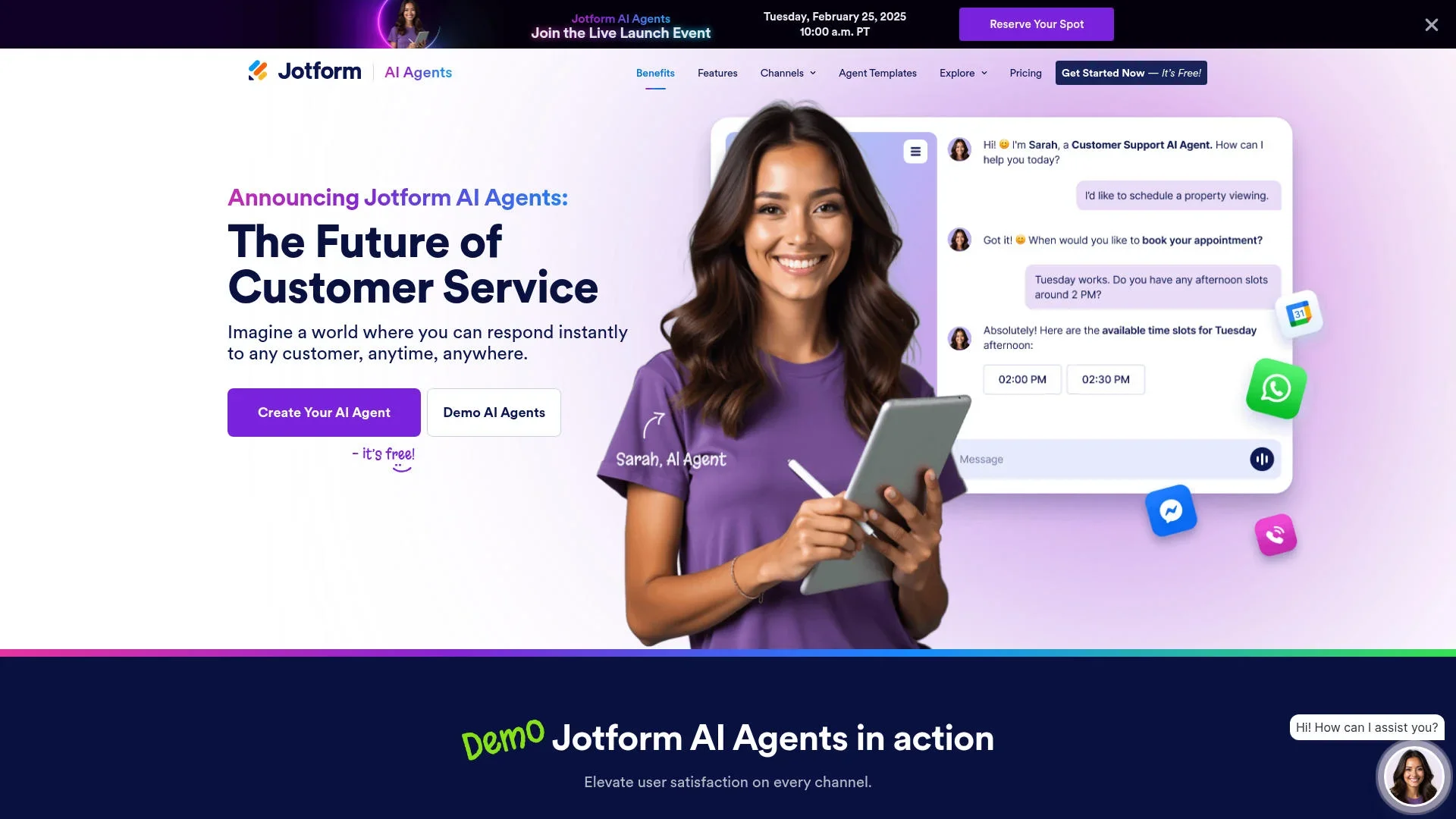
Jotform AI Agents revolutionizes customer service by offering a suite of intelligent agents designed to streamline customer interactions across various channels. Whether you're a small business owner or part of a large enterprise, Jotform AI Agents can simplify how you manage customer inquiries, support requests, and feedback collection. The tool is designed to enhance user satisfaction by enabling instant, personalized responses to customer queries, thereby improving overall service efficiency.
Jotform AI Agents stands out with its extensive range of customizable templates and multi-channel support, making it a versatile choice for businesses of all sizes. Its ability to automate complex workflows and integrate seamlessly with other tools sets it apart as a comprehensive customer service solution.
Jotform AI Agents offers a powerful, flexible, and cost-effective solution for businesses looking to enhance their customer service operations. With its robust set of features and user-friendly interface, this tool can transform how you interact with customers, ensuring prompt, personalized service that boosts satisfaction and loyalty. Whether you're automating routine tasks or handling complex inquiries, Jotform AI Agents provides the tools needed to succeed in today's fast-paced business environment.
Who is Using Jotform AI Agents?
E-commerce Businesses
Utilizing the tool to enhance customer support and streamline order inquiries.
Digital Marketing Agencies
Employing AI Agents to manage client interactions and gather feedback efficiently.
Healthcare Providers
Leveraging the tool to automate patient appointment scheduling and follow-up communications.
Educational Institutions
Using AI Agents to handle student inquiries and administrative tasks.
Uncommon Use Cases
Adopted by non-profit organizations for donor engagement and by event planners to manage attendee communications.
Key Features
Rating Breakdown
Pricing Plans
Starter
Free
- Includes 5 agents, 100 monthly conversations, 10,000 sessions, 30 minutes of voice calls, 250 SMS, and a 1M-character knowledge base
Bronze
$39 per month
- Includes 25 agents, 1,000 conversations, 100,000 sessions, 50 minutes of voice calls, 300 SMS, and a 2M-character knowledge base
Silver
$49 per month
- Includes 50 agents, 2,500 conversations, 1M sessions, 100 minutes of voice calls, 500 SMS, and a 5M-character knowledge base
Gold
$129 per month
- Includes 100 agents, 10,000 conversations, 2M sessions, 300 minutes of voice calls, 750 SMS, and a 10M-character knowledge base
Enterprise
- Includes unlimited agents, conversations, and sessions, 1,000 minutes of voice calls, 1,000 SMS, and an unlimited knowledge base
Which Jotform AI Agents plan should you pick?
Start with Starter to test AI Agents for free; upgrade to Bronze, Silver, Gold, or Enterprise as usage, security, and collaboration requirements increase.
Starter
Good for individuals or small teams testing AI Agents with free-plan limits.
Bronze
Good for startups and freelancers who need more capacity than the free plan.
Silver
Good for small to mid-sized businesses scaling data collection and agent usage.
Gold
Good for organizations needing higher limits, integrations, and optional HIPAA-enabled features.
Enterprise
Good for large organizations needing multiuser management, SSO, custom domains, white labeling, and advanced controls.
Jotform AI Agents Use Cases
Routine customer inquiries
Answer common questions about products, services, policies, and business information.
Outcome: Customers receive immediate support without waiting for staff.
Lead qualification
Ask qualifying questions and collect customer details through conversational forms.
Outcome: Businesses capture structured lead information automatically.
Employee onboarding
Guide new hires through onboarding steps, questions, forms, and required information.
Outcome: Onboarding becomes more consistent and less manual.
Appointment scheduling
Use calendar integrations and availability rules to schedule appointments during conversations.
Outcome: Customers can book appointments without staff intervention.
Event registration and donations
Register users for events or services and collect donations or payments conversationally.
Outcome: Organizations can combine engagement, data collection, and transactions in one interaction.
Workflow Ideas with Jotform AI Agents
Automated support ticket creation
- 1Collect the user's issue and required details in the conversation
- 2Use the Send API Request action to submit a POST request
- 3Create a ticket in the connected ticketing system
Appointment booking
- 1Ask the user for appointment preferences
- 2Check availability through a calendar integration
- 3Confirm and schedule the appointment
Conversational form completion
- 1Connect one or more Jotform forms to the agent
- 2Ask users questions dynamically during the conversation
- 3Automatically populate and submit the required form data
How Jotform AI Agents fits into your stack
Browser
The primary surface is Jotform’s web-based AI Agent Builder, where teams create, train, configure, and publish agents through direct links or website embeds.
Automation and APIs
Agents can initiate workflows, send emails, schedule Google Calendar appointments, and send POST requests to external API endpoints.
Team chat and tickets
Agents can send messages to Slack and create support tickets through configured API requests, while human operators can take over conversations.
Knowledge and files
Agents use uploaded PDFs, URLs, files, custom knowledge, and Q&A pairs as a knowledge base for answering customer questions.
Pros
- +Time Efficiency: Significantly reduces the time required to manage customer interactions by automating responses and information gathering.
- +Cost-Effective Solution: Helps businesses save on hiring additional staff by automating routine customer service tasks.
- +Scalability: Easily scales with business growth, handling increased customer interactions without the need for additional resources.
- +User-Friendly Interface: The intuitive design makes it easy for users to set up and manage their AI Agents without extensive technical knowledge.
Cons
- −Initial Learning Curve: Users may need time to familiarize themselves with the full range of features and customization options.
- −Limited Offline Support: The tool primarily focuses on online interactions, which may not suit businesses with significant offline customer engagement.
Limitations & when to consider alternatives
Known limitations
- Usage limits vary by plan. The number of agents, conversations, sessions, and other AI Agent resources is limited by the selected Jotform plan.
- SSO is an Enterprise feature. Single sign-on and SAML authentication are documented as Enterprise capabilities.
- Multiuser access is limited to Enterprise. Jotform identifies Enterprise as its multiuser plan with role-based access and multiple users.
- No direct AI Agent conversation API. Jotform support says AI Agent conversations cannot currently be accessed directly through an API.
- Knowledge-base training is interface-based. Creating and training agents with URLs, documents, PDFs, and Q&A content is performed through the AI Builder rather than the API.
Look elsewhere when
- You need direct programmatic access to AI Agent conversations.
- You need a dedicated desktop application.
- You need model fine-tuning or training through an API.
- You need a browser extension workflow.
How to Use Jotform AI Agents
- 1
Create an agent
Start from scratch, use a template, or create an agent from an existing Jotform form.
- 2
Define its persona
Set the agent's name, role, language, tone, chattiness, voice, and conversation guidelines.
- 3
Add knowledge
Provide company information, URLs, PDFs, uploaded files, FAQs, or question-and-answer pairs so the agent can answer accurately.
- 4
Connect forms and tools
Attach Jotform forms and configure actions such as email, appointments, payments, API requests, integrations, and workflow triggers.
- 5
Publish the agent
Share it through a direct link, QR code, chatbot embed, website, supported platform, or available channel.
- 6
Review and improve
Monitor Conversations, inspect submissions and transcripts, collect feedback, and adjust the agent's knowledge or actions.
Who is Jotform AI Agents For?
Businesses and organizations
They can provide scalable, always-on customer support and automate repetitive interactions.
Customer support teams
They can answer routine questions, collect initial details, create tickets, and escalate complex issues.
Digital service providers
They can use AI-powered forms, customer conversations, and automated workflows to deliver services.
Large organizations
Enterprise customers can use multiuser management, role-based access, SSO, custom domains, and white labeling.
Event and service operators
They can register participants, schedule appointments, answer questions, and collect payments or donations.
Frequently Asked Questions
What are Jotform AI Agents?
They are no-code customer-service assistants that answer questions, guide users through forms, and automate actions across channels.
Are Jotform AI Agents free?
Yes. Jotform offers a free Starter plan, although agent, conversation, session, and other usage limits apply.
How can I train an AI Agent?
Add knowledge through URLs, files, PDFs, custom information, or question-and-answer pairs in the Knowledge Base.
Which channels can AI Agents use?
Agents can operate through website chat, SMS, voice calls, email, phone, WhatsApp, and other supported channels.
Can AI Agents trigger workflows?
Yes. An agent can initiate predefined workflows based on user actions, including submissions, approvals, and follow-up processes.
Can I monitor conversations?
Yes. Conversations and actions are visible in the Conversations interface, where users can review interaction data and submissions.
Community reviews
Be the first to share your experience.
Sign in to leave a review for Jotform AI Agents.
Jotform AI Agents Alternatives
Looking for alternatives to Jotform AI Agents? Here are similar tools in the same category:
Learn to Master Jotform AI Agents
With Skill Leap courses
Get in-depth training on Jotform AI Agents and 50+ other AI tools with our expert-led video courses.
Start 7-Day Free Trial