JungleAI
Turn class materials into source-linked study guides for exam prep.
Key Takeaways
- What it is
- Turn class materials into source-linked study guides for exam prep.
- Pricing
- Freemium
- Best for
- AI study guides
- Practice questions
- coco AI tutor
- Rating
- 4.2/5
What is JungleAI?
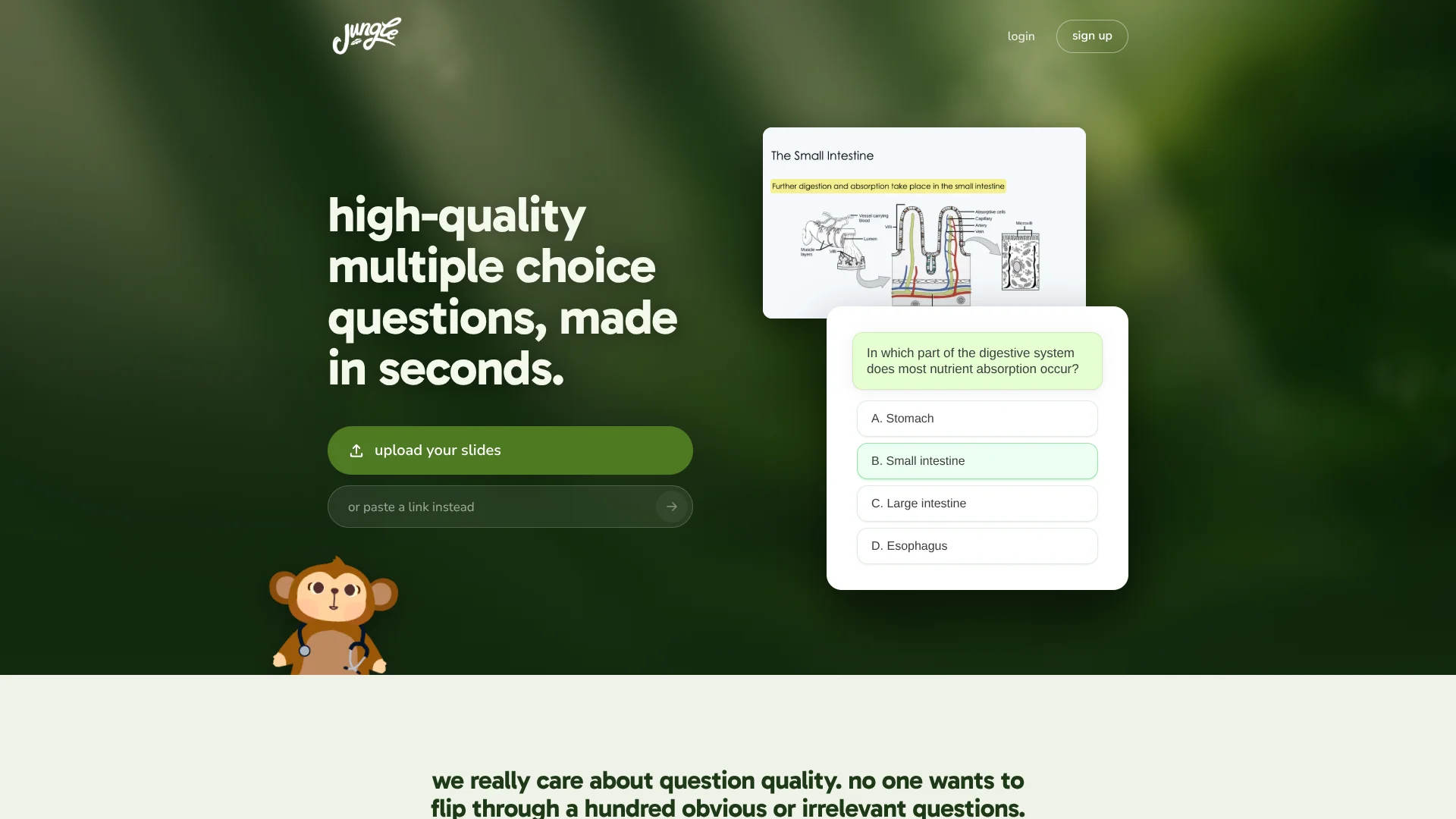
Jungle turns lecture slides, documents, recordings, and videos into study guides and practice questions. Students can quiz themselves with multiple-choice questions, flashcards, or other question types based on the material they provide. It helps cut the time spent making study materials by hand.
A Jungle study guide points back to the page or video minute behind its content, and the site says it checks guide text and picture labels against the source material. That gives students a way to see where an explanation came from and check it against their original notes.
Jungle is built for students preparing for classes and exams, including learners who want to review diagrams or talk through a topic with its AI tutor, coco. Its free plan limits how much material you can process, and its question output still needs your judgment. It is most useful as a study aid, not a substitute for course materials.
Who is Using JungleAI?
Medical students
Exam-style questions and diagram practice help review dense lecture topics.
Veterinary students
Lecture slides can become practice questions for ongoing course review.
Undergraduate students
Study guides and question sets help turn class notes into active recall practice.
Students preparing for standardized exams
Question-style templates such as Step 1 and MCAT help make practice more exam-focused.
Uncommon Use Cases
Turn a recorded lecture into a study guide with source-minute references; practice naming parts of labeled diagrams with image quizzes.
Key Features
Rating Breakdown
Pricing Plans
Free
Free
- 2 generations per month
- Up to 30 pages per document
- Up to 30 minutes per video
- 8 AI chat messages per hour
Pro
- Unlimited generations on documents of any size
- 3x more questions per generation
- Unlimited AI explanations
- Export cards to Anki
Elite
- Includes everything in Pro
- Question-style templates such as Step 1 and MCAT
- Auto image occlusion
- Unlimited AI voice tutor calls
Which JungleAI plan should you pick?
Start with Free to try making study guides and questions; consider a paid plan when you need more generations or longer source materials.
Free
Good for students trying Jungle with up to 2 generations per month and shorter documents or videos.
Pro
Good for students who need unlimited generations, longer documents, more questions, and Anki export; the pricing page does not show its price.
Elite
Good for students who want Pro features plus exam-style templates, image occlusion, and unlimited voice tutor calls; the pricing page does not show its price.
JungleAI Use Cases
Review a lecture
A slide deck or lecture recording becomes a study guide and a set of questions for review.
Outcome: A guide with practice questions based on the lecture material.
Practice exam-style questions
Exam-style templates shape practice questions around formats such as Step 1 or MCAT.
Outcome: Practice questions in a selected exam style.
Learn a diagram
Labeled pictures become quizzes that hide labels so you can test recall.
Outcome: A chance to name diagram parts before viewing the labels.
Get help with a confusing passage
coco can explain a selected line, give an analogy, or talk through the study guide.
Outcome: An explanation connected to your study material.
Review missed questions
Questions missed during practice return in daily review.
Outcome: More practice on questions you have not answered correctly yet.
Workflow Ideas with JungleAI
Turn a lecture into a review session
- 1Add lecture slides, a recording, or a supported link.
- 2Read the study guide and check its source references.
- 3Answer the practice questions and revisit missed items in daily review.
Study a diagram
- 1Add study material that includes a labeled diagram.
- 2Open the label quiz and name the numbered parts.
- 3Reveal the labels and review any parts you missed.
Share a guide with classmates
- 1Create a study guide from class materials.
- 2Share its link with classmates.
- 3Classmates with Jungle accounts can save the guide and comment in the margins.
How JungleAI fits into your stack
Class materials
Jungle accepts common study sources such as PDFs, slides, Word documents, recordings, YouTube videos, and web pages.
Study guides and questions
It turns those sources into guides, quizzes, and flashcards for studying the same material.
Mobile and browser study
Study guides are available on the web and in Jungle's iPhone and Android apps.
Sharing and review
Guides can be shared by link, downloaded as PDFs, or exported as cards to Anki on a paid plan.
Pros
- +Source references: Study guide sections point to the page or video minute they came from.
- +Several input types: Make study materials from documents, slides, photos, recordings, videos, or links.
- +Diagram practice: Label quizzes turn labeled pictures into recall practice.
- +Tutor tied to your material: coco can explain a passage, offer an analogy, or talk through a guide by voice.
- +Mobile and web access: Study guides are available in Jungle's web, iPhone, and Android apps.
Cons
- −Student-focused scope: Its features center on studying rather than general work tasks.
- −Plan details can be unclear: The pricing page names paid plans but does not display their prices.
- −Needs review: Generated questions and explanations should be checked against course materials.
Limitations & when to consider alternatives
Known limitations
- Free generation limit. The Free plan includes 2 generations per month.
- Free document and video limits. The Free plan supports documents up to 30 pages and videos up to 30 minutes.
- Free chat limit. The Free plan allows 8 AI chat messages per hour.
- Free exam-style generation limit. The Free plan includes 1 exam-style generation per month.
- Paid plan prices not displayed. The pricing page names Pro and Elite, but their prices appear as loading text.
Look elsewhere when
- You need an API or a browser extension for your workflow.
- Your work requires a desktop installer rather than a web or mobile app.
- You need a shared workspace with user roles and team invites.
How to Use JungleAI
- 1
Add class material
Start with a PDF, PowerPoint, Word file, photo, audio or video recording, YouTube link, or web page.
- 2
Read the study guide
Review its key points, definitions, diagrams, and source references before testing yourself.
- 3
Ask coco about unclear parts
Select a sentence or ask a question, then request an explanation, analogy, mnemonic, or voice conversation.
- 4
Practice and review
Answer questions based on the material and return to missed questions in daily review.
- 5
Share or save the guide
Share the guide by link or download it as a PDF for paper review.
Who is JungleAI For?
Students
Lecture materials can become study guides and practice questions for class review.
Exam takers
Exam-style questions and diagram quizzes support practice before tests.
Study groups
Classmates can share a study guide by link and comment on it in Jungle.
Frequently Asked Questions
Is Jungle free?
Yes. The Free plan costs $0 per month and includes limited monthly generations, document and video lengths, and AI chat.
What can Jungle turn into study materials?
Jungle accepts PDFs, PowerPoint and Word files, photos, audio or video recordings, YouTube links, and web pages.
Can I use Jungle on my phone?
Yes. Jungle has iPhone and Android apps, and its study guides also open on the web.
Can I share a study guide?
Yes. A link lets others read the guide; classmates with Jungle accounts can save it and comment in the margins.
What do Pro and Elite cost?
The pricing page lists Pro and Elite, but their prices are not displayed there.
Community reviews
2 reviews from people who use JungleAI.
Sign in to leave a review for JungleAI.
Click To Play
Steve Crauteaufaisse
JungleAI Alternatives
Looking for alternatives to JungleAI? Here are similar tools in the same category: