Kaedim
Transform 2D images into high-quality 3D models quickly and efficiently.
Watch Kaedim in Action
Key Takeaways
- What it is
- Transform 2D images into high-quality 3D models quickly and efficiently.
- Pricing
- Freemium
- Best for
- Rapid Conversion
- Artist Review and Refinement
- Production-Ready Assets
- Rating
- 4.6/5
What is Kaedim?
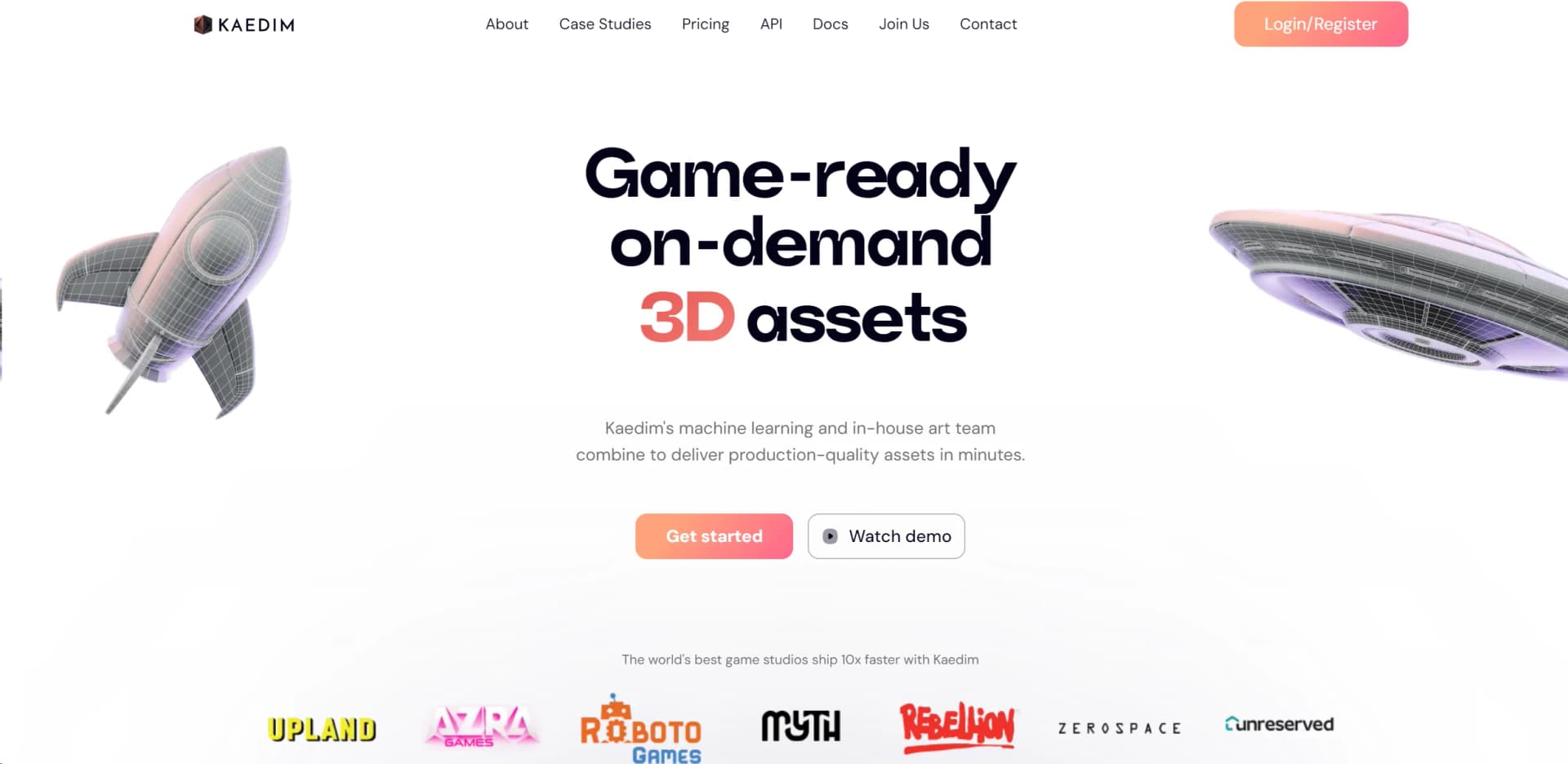
Kaedim represents a groundbreaking leap in the field of 3D modeling, offering a unique solution that turns 2D images into production-quality 3D models within minutes. Aimed at revolutionizing the workflow for game developers, graphic designers, and digital artists, Kaedim combines advanced machine learning technology with the expertise of an in-house art team to deliver game-ready assets on demand. The platform promises to significantly accelerate the content creation process, making it an invaluable asset for professionals seeking to enhance efficiency, reduce costs, and speed up production times.
Kaedim stands out in the crowded field of 3D modeling tools with its innovative approach to generating 3D models from 2D images. This capability, combined with the assurance of artist review and the provision of production-ready assets, sets Kaedim apart as not just a tool but a comprehensive solution for rapid asset creation. Its emphasis on quality, speed, and ease of use addresses the core challenges faced by 3D content creators today.
Kaedim excels in transforming the traditional 3D modeling workflow, offering a powerful solution that combines speed, quality, and efficiency. Its innovative technology, backed by an expert team, ensures the production of high-quality, game-ready assets from simple 2D images. This makes Kaedim an essential tool for a wide range of users, from game developers to digital artists, who seek to enhance their creative processes and output. Its unique approach to asset creation, emphasizing rapid production and quality, offers an unmatched advantage in the competitive landscape of 3D content creation.
Who is Using Kaedim?
Game Development Studios
Employing the platform to produce 3D assets quickly, allowing for faster game development cycles.
Graphic Designers
Utilizing the tool to integrate 3D models into their visual content for a more dynamic presentation.
Educational Institutions
Adopting Kaedim for teaching purposes, giving students hands-on experience with 3D modeling technology.
Digital Artists
Leveraging the tool to explore new creative possibilities and expand their artistic repertoire.
Uncommon Use Cases
Indie game developers using the tool to prototype game concepts rapidly; Marketing professionals creating 3D visuals for product demonstrations.
Key Features
Rating Breakdown
Pricing Plans
Free Tier
Free
- Access to basic features and a limited number of model generations
Subscription Plans
- Detailed pricing information was not available at the time of this review. For the most current details
- Please visit the Kaedim website
Which Kaedim plan should you pick?
Start with the Enterprise plan if you need Kaedim for production-scale work, API access, team workspaces, custom styles, or custom integrations.
Enterprise
Good for studios and teams that need custom pricing, API access, team workspaces, custom-trained styles, data segmentation, integrations, and dedicated support.
Kaedim Use Cases
2D image to 3D asset creation
Upload a photo, concept image, or sketch and configure generation settings.
Outcome: A downloadable 3D model in supported production formats.
Game-ready asset production
Submit visual references for assets that require texturing, rigging, UVs, and production-oriented refinement.
Outcome: Textured and rigged assets prepared for game pipelines.
3D user-generated content
Use the API and webhooks to let players or app users submit images and generate 3D content.
Outcome: User-created 3D content inside a game, app, or metaverse.
In-house asset pipeline acceleration
Use AI generation, artist refinement, revisions, and integrations to accelerate internal asset production.
Outcome: Faster production with less manual modeling and outsourcing work.
Custom-style asset generation
Provide in-house style requirements and use trained custom styles for consistent geometry, materials, topology, and formats.
Outcome: Assets aligned to a studio's visual and technical standards.
Workflow Ideas with Kaedim
Create a 3D asset from reference images
- 1Choose an asset type in the Create page
- 2Upload one or more images of the object
- 3Configure generation settings and submit the asset
- 4Review, request revisions, approve, and download the model
Automate image-to-3D generation with the API
- 1Authenticate with a developer ID, API key, and JWT
- 2Submit image URLs or image files to the processing endpoint
- 3Receive completion events through a webhook
- 4Download the generated asset from the returned URLs
Manage a collaborative studio workspace
- 1Invite team members to the studio workspace
- 2Let members generate models and request revisions
- 3Review shared assets and manage roles or permissions
- 4Approve or delete assets according to workspace permissions
How Kaedim fits into your stack
Browser
Kaedim is primarily used through a web app where teams upload images, configure generation settings, review iterations, request revisions, and download 3D assets.
Desktop / IDE
Kaedim provides plugins for Blender, Unity, Unreal Engine, and Omniverse, allowing users to upload assets or import generated models inside existing 3D production tools.
Automation and APIs
Enterprise users can connect Kaedim to internal pipelines and user-facing applications through documented APIs, webhooks, API keys, and custom scripts.
Pros
- +Time and Cost Savings: Dramatically reduces the time and expense involved in creating 3D models from scratch.
- +Quality Assurance: Ensures high-quality, game-ready assets with artist oversight.
- +Ease of Use: Simplifies the 3D modeling process, making it accessible to individuals regardless of their expertise level in 3D art.
- +Flexibility and Scalability: Facilitates the production of a large volume of assets, enabling users to scale their projects efficiently.
Cons
- −Learning Curve: New users may require time to get accustomed to the platform's functionalities and best practices for optimal results.
- −Dependence on Source Material: The quality of the generated 3D model heavily relies on the quality of the 2D image provided.
- −Limited Customization Post-Generation: While edits are possible, there might be limitations depending on the complexity of the model and the user's technical skills.
Limitations & when to consider alternatives
Known limitations
- Prototype assets exclude some object categories. Prototype algorithms do not support real humans, trees, or animals; these require the Game-ready pipeline.
- Prototype inputs should contain one object. Images containing multiple objects may be dismissed. Multiple objects can be generated through Scene functionality, which is available for Enterprise.
- Image uploads have a size limit. The API documentation specifies a 5 MB limit per image file.
- Prototype assets are generally untextured. Textured and rigged outputs are available through the Game-ready pipeline, while prototype models are generally untextured.
- No free trial or free subscription. Kaedim currently offers custom plans and does not offer free credits, subscriptions, or trials.
Look elsewhere when
- You need a native mobile app.
- You need a downloadable desktop application.
- You need SSO or SAML administration.
- You need programming-code generation.
How to Use Kaedim
- 1
The platform offers a variety of learning resources, including detailed documentation and case studies, to help users get the most out of its features. These resources are designed to ease the learning curve and enable users to start creating high-quality 3D models as quickly as possible.
Who is Kaedim For?
Game developers
Kaedim supports game asset production, game-ready models, pipeline integrations, and user-generated 3D content.
Commerce companies
Companies can create 3D product models and use automatic texturing to provide richer product visualization.
Architecture teams
Kaedim lists architecture among the industries using its 3D content creation pipelines.
Product design teams
Product design teams can turn visual references into production-ready 3D assets and integrate them into existing workflows.
Animation teams
Kaedim identifies animation as an industry supported by its 3D asset production platform.
Frequently Asked Questions
What can I do with Kaedim?
Kaedim converts sketches, artwork, and photos into 3D models. Outputs can be downloaded and imported into a preferred 3D modeling tool.
How can I use Kaedim in a project?
Kaedim supports in-house 3D asset production and API-based 3D user-generated content for games, apps, and metaverses.
Is Kaedim a web-based platform?
Yes. The software is accessed through the web application or API, with plugins available for supported 3D software.
What inputs does Kaedim support?
Users can submit photos, concept art, sketches, and multiple views of an object. Prototype assets generally require a single object with a clear background.
What file formats can Kaedim export?
Supported exports include OBJ, OBJ pre-modifiers, MTL, FBX, GLB, GLTF, and USD.
Does Kaedim offer a free trial?
No. Kaedim states that it does not currently offer free credits, free subscriptions, or trials.
Community reviews
Be the first to share your experience.
Sign in to leave a review for Kaedim.
Kaedim Alternatives
Looking for alternatives to Kaedim? Here are similar tools in the same category:
Learn to Master Kaedim
With Skill Leap courses
Get in-depth training on Kaedim and 50+ other AI tools with our expert-led video courses.
Start 7-Day Free Trial