
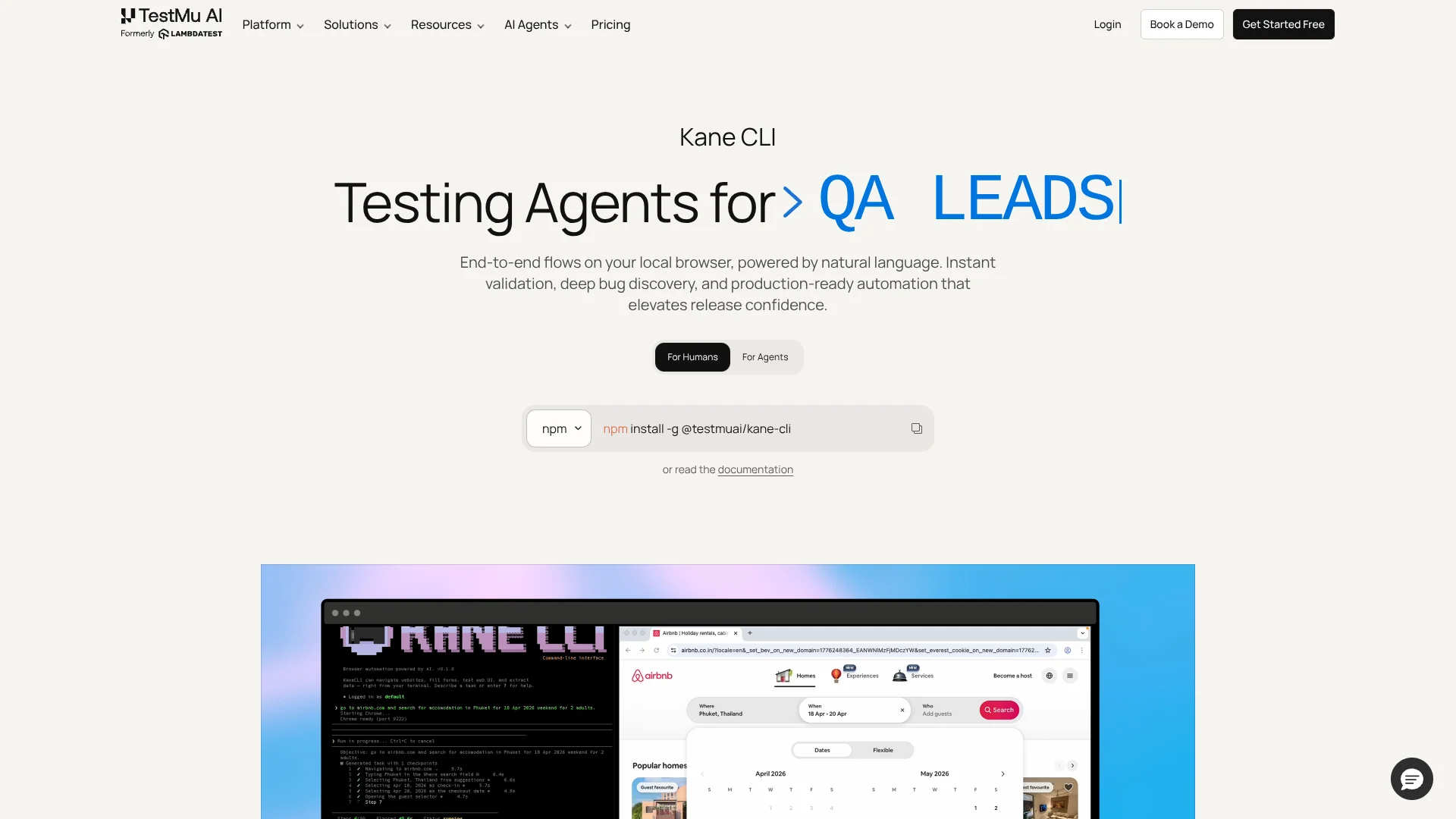
Kane CLI
Run browser tests from human and AI prompts.
Key Takeaways
- What it is
- Run browser tests from human and AI prompts.
- Pricing
- Freemium · $19 per month · $99 per month
- Best for
- Natural Language E2E Automation
- Agent-Native Browser Control
- Auto-Heal And Smart Waiting
- Rating
- 4.3/5
What is Kane CLI?
Kane CLI, by TestMu AI, is a terminal-native browser automation tool that drives real browsers from natural language instructions for humans and AI agents. It targets developers, QA engineers, and platform teams who want end-to-end validation on local machines before code reaches shared environments. The CLI ties into the broader TestMu AI cloud so runs sync to the KaneAI dashboard for replays, logs, and production-ready automation artifacts.
Kane CLI stands out by treating both humans and AI agents as first-class users of the same natural language browser runner. Where most testing tools either focus on low-code UIs or traditional code-based suites, Kane CLI offers a terminal-native flow that can be called from Cursor, Claude Code, ChatGPT, and Gemini while still exporting to Playwright and Test.md, which keeps exploratory testing, automation, and agent workflows aligned.
Kane CLI offers a focused way for teams and AI agents to exercise real browsers from the terminal using everyday language. It is strongest for organizations that already invest in automated testing and want faster validation loops on local machines and in CI, plus a bridge into the TestMu AI cloud. Teams that expect a purely visual recorder or need offline execution may find better fits elsewhere, but for agent-centric workflows Kane CLI is well aligned.
Who is Using Kane CLI?
Backend and full-stack developers
Trigger checkout or login flows from the terminal before pushing branches or opening pull requests.
QA engineers and SDETs
Describe regression scenarios in natural language and turn them into reusable flows, Test.md sessions, and Playwright suites.
AI platform and tooling teams
Wire Kane CLI to agents like Cursor, Claude Code, or Gemini so autonomous workflows include real browser checks.
DevOps and platform engineers
Add Kane CLI to CI pipelines as headless checks against staging and production URLs for every deploy.
Product and experimentation teams
Use shareable evidence links and replays to discuss UI issues and validate fixes across environments.
Uncommon Use Cases
Security and compliance teams replay flows to confirm cookie and storage behavior during audits; data teams script extraction flows that pull structured information from internal dashboards.
Key Features
Rating Breakdown
Pricing Plans
Free
Free
- Includes 200 credits per month (resets every 30 days), local test authoring via CLI, auto-heal and vision, Test Manager Free tier, and test case viewing in the UI
Kane CLI Starter
$19 per month
- Includes 2,000 credits per month (launch offer: 4,000 total credits), local test authoring via CLI, auto-heal and vision, test case viewing in the UI, and Test Manager Free tier
Kane CLI Pro
$99 per month
- Includes 10,000 credits per month (launch offer: 15,000 total credits), everything in Starter, a complimentary Test Manager license, remote execution on HyperExecute, 100 minutes per month of HyperExecute execution, tunnel support, advanced features, and scheduled runs
Enterprise
- Includes higher credit allocations, additional HyperExecute execution time, more Test Manager seats, dedicated 24×7 support, custom solutions, SSO, advanced access control, enterprise-grade security, customer success and onboarding, IP whitelisting, and advanced data retention rules
Which Kane CLI plan should you pick?
Start with KaneAI Starter for local Kane CLI authoring, upgrade to Pro or Max for cloud execution and mobile access, and choose Enterprise for SSO and advanced controls.
KaneAI Starter
Good for users who need local Kane CLI authoring, AI test-case generation, and local browser flows.
KaneAI Pro
Good for teams that need cloud KaneAI Web access, concurrent authoring, and 100 monthly execution minutes.
KaneAI Max
Good for users who need cloud web and mobile authoring plus 300 monthly execution minutes.
Enterprise
Good for organizations that need unlimited credits, custom seats, SSO, advanced access control, and enterprise security.
Kane CLI Use Cases
Natural-language browser testing
Describe navigation, actions, and assertions in plain English for a live web application.
Outcome: Kane CLI returns a verified pass or fail with evidence.
AI test-case generation
Provide a testing objective or attach requirements, PDFs, screenshots, spreadsheets, audio, or video.
Outcome: The tool generates structured scenarios and positive, negative, and edge cases.
API and network smoke testing
Check API responses, auth-token chaining, network requests, schemas, and negative paths.
Outcome: The run exposes failed requests, invalid fields, and environment leaks.
Console, performance, and storage checks
Inspect console errors, performance metrics, cookies, local storage, and page behavior.
Outcome: The tool detects issues that ordinary visual checks can miss.
Mobile application testing
Point the same natural-language objective at an Android emulator or iOS simulator with an app build.
Outcome: The mobile flow is executed and recorded as a test session.
Workflow Ideas with Kane CLI
Generate and replay a reusable test
- 1Run kane-cli generate with a plain-language testing objective.
- 2Refine the generated scenarios and cases with --refine.
- 3Save the cases as _test.md files and execute them with kane-cli testmd.
Run browser checks in CI
- 1Authenticate with basic credentials or stored OAuth credentials.
- 2Run kane-cli run with --headless and --agent.
- 3Use the JSON or NDJSON result and exit code to gate the pipeline.
Test a mobile build
- 1Install the required mobile tooling and select an emulator or simulator.
- 2Run Kane CLI with --target emulator or --target simulator and provide the app build.
- 3Review the resulting session and upload it to Test Manager.
How Kane CLI fits into your stack
Browser
Kane CLI runs plain-English objectives against a real Chrome browser, validating actions and outcomes with pass/fail evidence, traces, video, and share links.
Desktop / IDE
It is installed as a command-line tool and runs from terminals, integrated IDE terminals, and AI coding agents such as Cursor, VS Code, Claude Code, Codex, and Gemini CLI.
Automation and APIs
Headless mode, structured JSON or NDJSON output, standard exit codes, and CI/CD guidance let teams automate browser tests in shell scripts and pipelines.
Knowledge and files
Kane CLI can ingest text, PDFs, Word documents, images, spreadsheets, and remote Jira, Confluence, Linear, and public-web sources to generate or maintain test coverage.
Pros
- +Strong fit for AI agents: Native integrations with coding agents make it practical to move from generated code to verified browser behavior in one step.
- +Fast feedback on local changes: Running flows from a terminal against a real browser gives developers a clear pass or fail signal before opening pull requests.
- +Tight link to TestMu AI cloud: Automatic upload of runs, evidence links, and test cases gives teams a central place to review and share results.
- +Built-in hardening for flaky flows: Auto-heal, smart waiting, and stateful sessions reduce the effort needed to keep end-to-end checks green over time.
Cons
- −Requires TestMu AI account: Users must authenticate with TestMu AI, which rules out fully disconnected or on-premise-only use.
- −Credits-based pricing: Heavy cloud usage consumes credits from TestMu AI plans, so budgeting for large suites needs active monitoring.
- −CLI-first workflow: Teams that prefer point-and-click recorders or pure UI tooling may face a learning curve with a terminal-centric experience.
Limitations & when to consider alternatives
Known limitations
- Requires a TestMu AI account. Kane CLI authenticates against TestMu AI before it can run tests, upload sessions, or interact with Test Manager.
- Chrome is required for browser runs. Kane CLI uses Google Chrome as its automation browser; the installation documentation requires Chrome.
- Mobile testing is limited on initial release. Android emulator and iOS simulator testing is supported only on macOS Apple Silicon.
- pnpm is not currently supported. The installation documentation says pnpm can fail to resolve the platform-specific runner binary.
- File attachments have upload limits. Generation supports up to 10 files, with each file limited to 50 MB.
Look elsewhere when
- You need a native mobile app.
- You need a standalone desktop application.
- You need a documented developer API for direct programmatic access.
- You need multilingual human-language interaction.
How to Use Kane CLI
- 1
Install Kane CLI
Install @testmuai/kane-cli with npm or use the supported Homebrew or shell installer.
- 2
Authenticate
Run kane-cli login for OAuth, or provide a TestMu AI username and access key for CI environments.
- 3
Run a first browser test
Use kane-cli run with a URL and a plain-language objective describing the actions and expected result.
- 4
Generate structured cases
Use kane-cli generate to create scenarios and cases, optionally attaching requirements or screenshots with --files.
- 5
Save and replay tests
Save generated cases as _test.md files, then run them with kane-cli testmd run.
- 6
Integrate with CI or agents
Use --headless and --agent for structured output, then consume exit codes or NDJSON in CI/CD and AI coding agents.
Who is Kane CLI For?
Developers
Developers can write end-to-end tests in natural language instead of maintaining selectors and automation scripts.
QA engineers
QA engineers can navigate, validate, extract data, and save successful runs as reusable test cases.
AI coding agents
Agents such as Claude Code, Codex, and Gemini can invoke Kane CLI and consume structured test results.
Platform and DevOps teams
Platform and DevOps teams can run browser checks headlessly in CI without maintaining a test-code framework.
Frequently Asked Questions
What is Kane CLI?
Kane CLI is an AI-powered command-line tool that drives a real Chrome browser from plain-language objectives.
Is Kane CLI free?
The CLI is free to install and local runs are free, but cloud execution is billed through a TestMu AI plan.
Do I need a TestMu AI account?
Yes. Kane CLI authenticates with TestMu AI so runs, screenshots, and test cases can sync to the dashboard.
What platforms can Kane CLI test?
It targets desktop Chrome by default and can target Android emulators or iOS simulators on macOS Apple Silicon.
Can Kane CLI run in CI/CD?
Yes. Headless mode, structured JSON or NDJSON output, and standard exit codes support CI/CD pipelines.
Can Kane CLI generate test cases?
Yes. The generate command creates scenarios and positive, negative, and edge test cases from natural-language descriptions.
Community reviews
Be the first to share your experience.
Sign in to leave a review for Kane CLI.
Kane CLI Alternatives
Looking for alternatives to Kane CLI? Here are similar tools in the same category:
Learn to Master Kane CLI
With Skill Leap courses
Get in-depth training on Kane CLI and 50+ other AI tools with our expert-led video courses.
Start 7-Day Free Trial