
Kay AI
Revolutionizes insurance brokerage with AI-powered automation and seamless integrations.
Key Takeaways
- What it is
- Revolutionizes insurance brokerage with AI-powered automation and seamless integrations.
- Pricing
- Freemium · $299 per month
- Best for
- AI-Powered Automation
- Document Processing
- End-to-End Integration
- Rating
- 4.5/5
What is Kay AI?
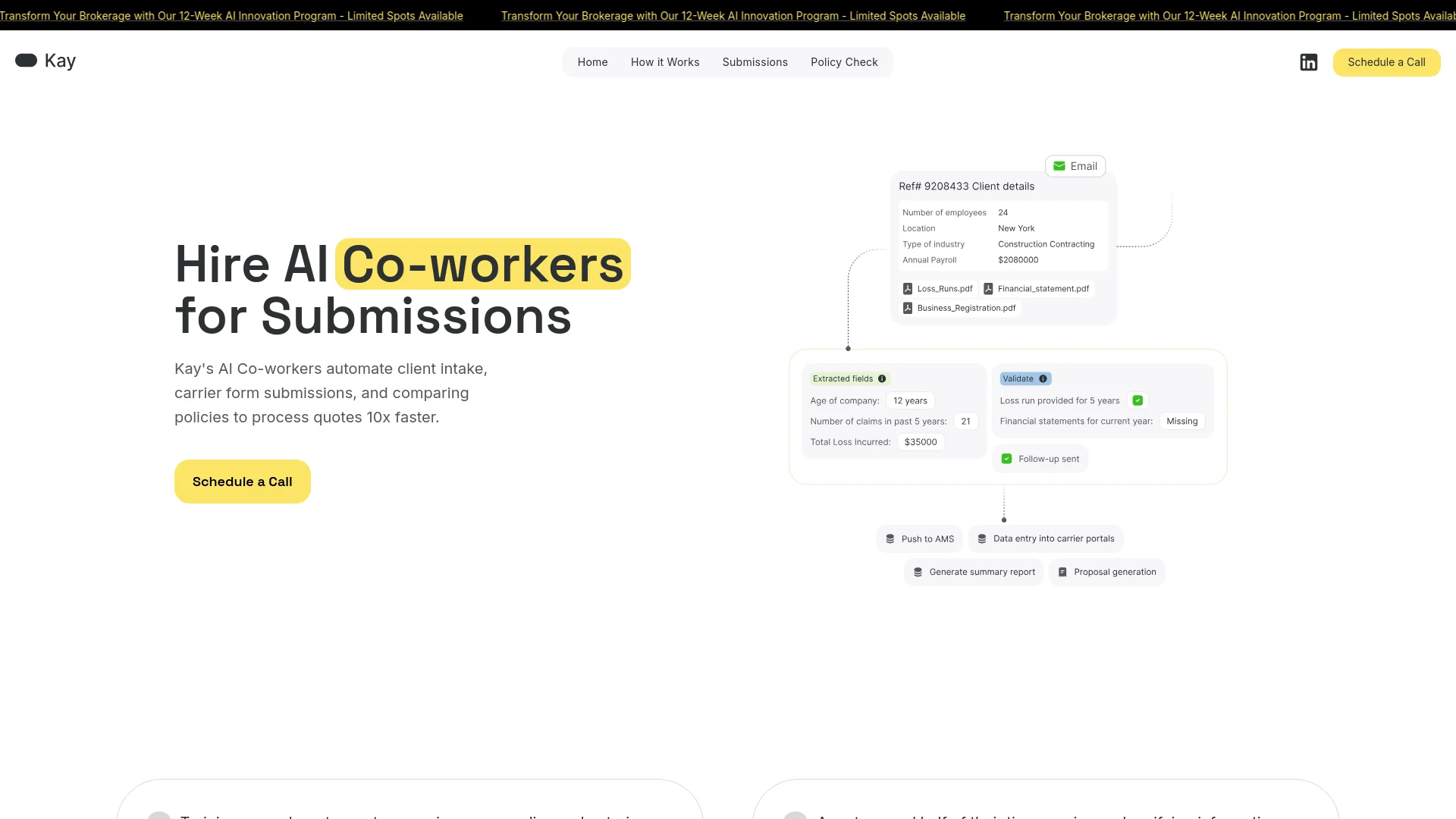
Kay AI is an innovative AI tool designed to revolutionize the brokerage industry by automating client intake, carrier form submissions, and policy comparisons. Tailored specifically for insurance brokers and agencies, Kay AI streamlines the tedious tasks associated with policy management and claims processing. By leveraging advanced AI technology, it significantly enhances operational efficiency, allowing professionals to focus on more strategic aspects of their work.
Kay AI stands out with its ability to automate complex brokerage processes, offering a game-changing solution for insurance agencies. Its capability to handle various document formats without requiring templates or training provides unmatched convenience and efficiency.
Kay AI excels in providing significant time and cost savings, making it an essential tool for insurance brokers and agencies. Its advanced automation features and seamless integrations offer unparalleled efficiency and productivity, setting a new standard in the brokerage industry.
Who is Using Kay AI?
Insurance Brokers
Automating policy management and claims processing.
Commercial Agencies
Enhancing operational efficiency and reducing manual data entry tasks.
Underwriters
Streamlining the underwriting process and improving accuracy.
Customer Service Teams
Handling client inquiries and managing documentation more effectively.
Uncommon Use Cases
Adopted by financial advisors for processing client documents; utilized by legal firms for managing policy-related paperwork.
Key Features
Rating Breakdown
Pricing Plans
Free Tier
Free
- Experience Kay AI with a free trial
Pro Tier
$299 per month
Kay AI Use Cases
Certificates of insurance
Kay navigates portals, completes certificate workflows, and updates AMS activity.
Outcome: Faster certificate processing with fewer manual steps.
Renewal reshops
Kay performs documented renewal and reshopping procedures across existing insurance systems.
Outcome: Reduced renewal workload and faster turnaround.
Policy checks
Kay checks policy information across documents and insurance portals, flagging uncertainty for review.
Outcome: More consistent policy review.
Carrier downloads
Kay downloads carrier documents and processes them according to the agency’s documented procedure.
Outcome: Less manual downloading and filing.
AMS activities
Kay opens accounts, performs requested AMS actions, generates documents, emails PDFs, and records notes.
Outcome: Automated account-maintenance work with auditable actions.
Workflow Ideas with Kay AI
Automate a certificate request
- 1Send Kay the certificate request by email or CRM/AMS ticket
- 2Kay navigates the required portal and fills the form
- 3Kay updates the AMS activity and flags missing information
Process a carrier document
- 1Forward the carrier document or upload the PDF
- 2Kay extracts the relevant details
- 3Kay files the document and records the required activity
Run a renewal workflow
- 1Assign the renewal task using the team’s existing workflow
- 2Kay navigates carrier and agency systems to complete the reshopping steps
- 3Kay pauses for human review when information is uncertain
How Kay AI fits into your stack
AMS Integration
Connects seamlessly with commonly used Agency Management Systems (AMS) to streamline workflows.
API Access
Developers can harness Kay AI's API for custom integrations.
Third-Party Integration
Supports integration with various third-party tools to enhance functionality.
Pros
- +Time Efficiency: Reduces submission times by 90%, allowing brokers to focus on closing deals and enhancing customer satisfaction.
- +Cost Savings: Cuts operational costs by up to 80% through automation, significantly increasing profitability.
- +Enhanced Productivity: Offers a 9x improvement in employee productivity by automating mundane tasks.
- +24/7 Operation: Enables brokerages to operate around the clock, improving service availability and client satisfaction.
Cons
- −Initial Learning Curve: Users may require some time to familiarize themselves with the advanced features and integrations.
- −Limited Industry Focus: Primarily tailored for the insurance brokerage industry, which may limit its applicability in other sectors.
Limitations & when to consider alternatives
Known limitations
- Sales-led access. Kay directs prospects to book a demo rather than publishing self-serve pricing or instant sign-up.
- Insurance-focused scope. The product is purpose-built for insurance agencies, brokerages, MGAs, carriers, and insurance operations.
- Documented processes are required. Kay works from customer SOPs and processes that the customer can document.
- Human review can be required. Kay pauses when information is unclear and asks people to review or resolve uncertainty.
- No public API workflow. Kay emphasizes operating in existing systems without requiring an API to build.
Look elsewhere when
- You need a self-serve free tier.
- You need a public developer API.
- You need a native mobile app or browser extension.
- You need code-generation features.
How to Use Kay AI
- 1
Explore a comprehensive tutorial series on YouTube, covering everything from basic setup to advanced features of Kay AI.
Who is Kay AI For?
Insurance agencies
Kay automates repetitive back-office work across submissions, renewals, servicing, certificates, and AMS activities.
Insurance brokerages
Brokerages can delegate documented operational processes to Kay and scale work without adding headcount.
MGAs
Kay is positioned for insurance organizations needing automated workflows across portals, documents, and email.
Insurance carriers
Carriers can use Kay for documented operational workflows such as policy checks, downloads, and endorsements.
Insurance operations teams
Kay handles repetitive administrative work so insurance professionals can focus on client relationships and higher-value tasks.
Frequently Asked Questions
What does Kay automate?
Kay automates insurance submissions, certificates, renewals, policy checks, carrier downloads, AMS activities, and endorsements.
How does Kay learn an insurance workflow?
Users show Kay how a task is performed once; Kay observes, learns preferences, and turns procedures into living workflows.
How does Kay handle uncertainty?
Kay pauses and asks for review through Microsoft Teams, email, or the team’s existing workflow instead of guessing.
Does Kay require APIs or new software?
Kay says it works inside existing systems without requiring an API or new software for the team to learn.
Can Kay process documents?
Kay extracts information from documents, including uploaded PDFs, and uses the extracted details in insurance workflows.
Community reviews
Be the first to share your experience.
Sign in to leave a review for Kay AI.
Kay AI Alternatives
Looking for alternatives to Kay AI? Here are similar tools in the same category:
Learn to Master Kay AI
With Skill Leap courses
Get in-depth training on Kay AI and 50+ other AI tools with our expert-led video courses.
Start 7-Day Free Trial