
KeywordSearch
Optimize ad targeting and keyword strategy with AI-driven insights for Google and YouTube campaigns.
Key Takeaways
- What it is
- Optimize ad targeting and keyword strategy with AI-driven insights for Google and YouTube campaigns.
- Best for
- AI Audience Builder
- Keyword Research
- Keyword Topic Auto Expansion
- Rating
- 4.6/5
What is KeywordSearch?
KeywordSearch is an AI-powered tool revolutionizing digital marketing strategies for businesses, marketers, and content creators. Specializing in optimizing ad audiences, keyword research, and competitive analysis for Google and YouTube ad campaigns, KeywordSearch streamlines audience targeting processes, saving time and maximizing return on investment (ROI).
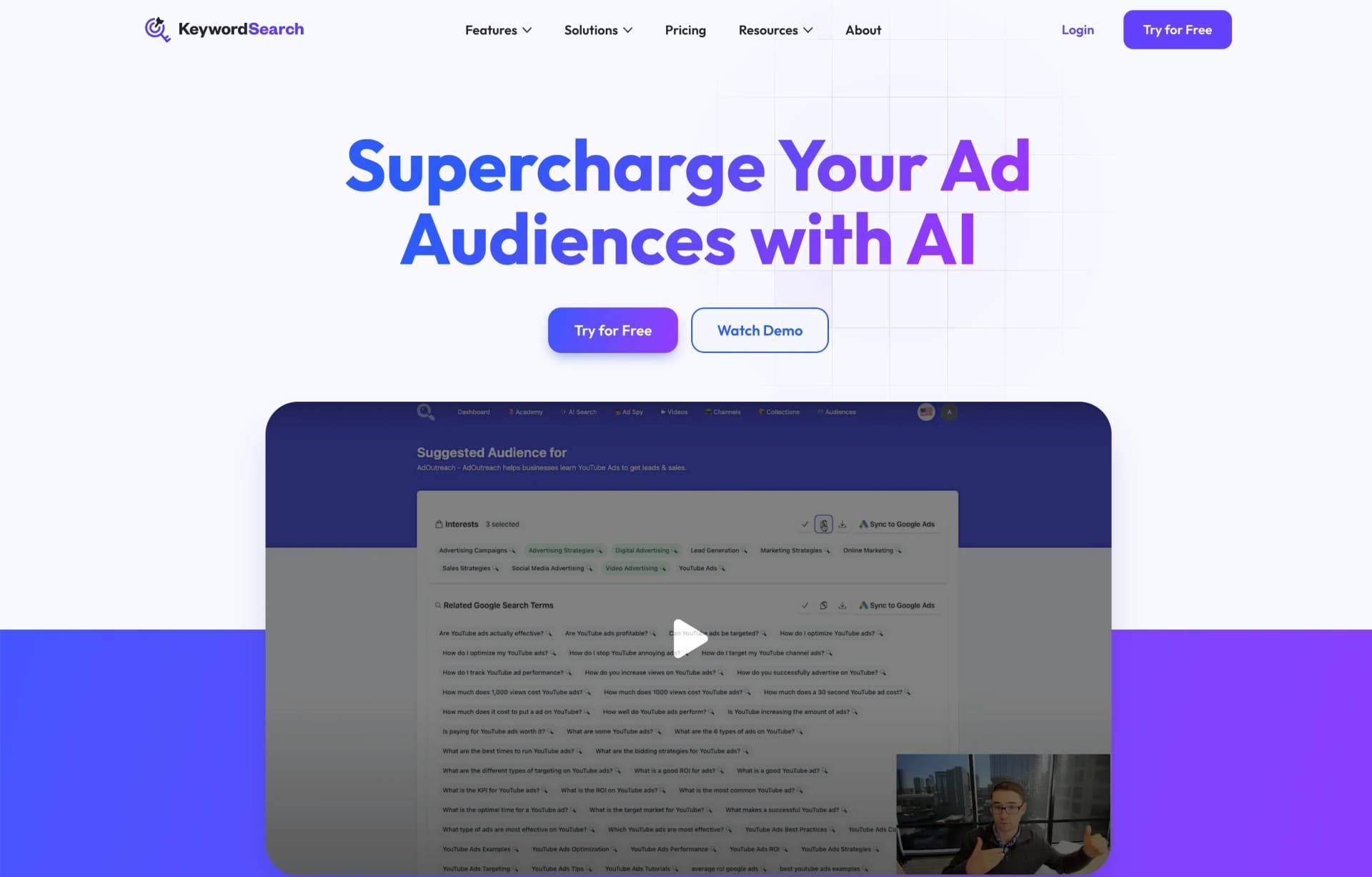
KeywordSearch stands out with its AI Audience Builder simplifying audience creation and uncovering patterns missed by manual analysis. Direct sync with Google Ads saves time, and YouTube Ad Spy offers valuable competitive insights.
KeywordSearch excels in advanced audience targeting and keyword optimization, indispensable for enhancing digital marketing efforts. Its AI Audience Builder and seamless Google Ads integration offer unique advantages, significantly amplifying campaign success and YouTube channel growth. With comprehensive features and a user-friendly interface, KeywordSearch stands out as a robust solution for modern marketing demands.
Who is Using KeywordSearch?
Digital Marketers
For targeted ad campaigns with enhanced audience insights.
E-commerce Businesses
Optimizing product visibility and ad performance on Google and YouTube.
Content Creators
Growing YouTube audience and engagement with AI recommendations.
Advertising Agencies
Streamlining client ad campaigns and competitive analysis.
Uncommon Use Cases
Non-profits reaching potential donors; Educational institutions researching digital marketing trends.
Key Features
Rating Breakdown
Pricing Plans
Free Trial
- Risk-free trial available to test KeywordSearch capabilities
Subscription Plans
- Tiered options catering to diverse user needs and budgets
Which KeywordSearch plan should you pick?
Start with Starter for basic keyword research and collections; upgrade to KeywordSearch Pro for Ad Spy, 1,000 AI searches, and Google Ads syncing, or Agency Tier for seats and white-labeled client reports.
Starter
Good for smaller businesses and beginners who need YouTube channel/video research, Smart Collections, and unlimited keyword research.
KeywordSearch Pro
Good for marketers who need competitor Ad Spy, 1,000 monthly AI audience searches, and one-click Google Ads syncing.
Agency Tier
Good for agencies that need three user seats, client PDF reports, and white-labeled reports with their own branding.
KeywordSearch Use Cases
Create AI ad audiences
Describe a business, ideal client, or campaign goal and generate relevant interests, keywords, websites, apps, and YouTube channels.
Outcome: Produce focused Google and YouTube audience segments faster.
Research YouTube keywords
Find keywords using search volume, competition, relevance, related suggestions, and YouTube search data.
Outcome: Improve video discoverability and advertising targeting.
Expand keyword topics
Start with a keyword set and use Keyword Topic Auto Expansion to discover related and previously overlooked keywords.
Outcome: Build broader, more relevant keyword lists.
Analyze competitor YouTube ads
Search the Ad Spy library to inspect competitor ads, metadata, targeted keywords, views, and spend trends.
Outcome: Identify successful advertising strategies and targeting ideas.
Create agency reports
Generate audience targeting reports from a client or prospect URL and customize them with an agency logo, call to action, and URL.
Outcome: Deliver white-labeled PDF reports to clients and prospects.
Workflow Ideas with KeywordSearch
From business description to synced audience
- 1Describe your business, ideal clients, or campaign goal
- 2Review AI-generated interests, keywords, websites, apps, and YouTube channels
- 3Sync the selected audience to Google Ads in one click
YouTube keyword research to content optimization
- 1Search YouTube for relevant keywords
- 2Review search volume, competition, relevance, and related keyword suggestions
- 3Apply the results to video titles, descriptions, tags, or ad targeting
Competitor ad research to campaign planning
- 1Search the YouTube Ad Spy library for competitor ads
- 2Inspect metadata, targeted keywords, views, and spend trends
- 3Add promising keywords or targeting ideas to your own campaign research
How KeywordSearch fits into your stack
Browser
KeywordSearch is used as a web-based marketing workspace for keyword research, YouTube placement discovery, audience building, and ad spying.
Automation and APIs
It automates audience creation and expansion, then syncs selected audience segments directly to Google Ads and YouTube campaigns.
Pros
- +Efficiency: Creates ad audiences in seconds, reducing manual setup time significantly.
- +Ease of Use: Syncs AI-generated audiences to Google Ads with one click, ensuring user-friendly experience.
- +Content Optimization: Offers AI recommendations for video ideas, titles, tags, and descriptions, improving YouTube channel performance.
- +Competitive Advantage: Access to a comprehensive database of YouTube ads for strategic planning and benchmarking.
Cons
- −Learning Curve: Users may require time to fully understand and utilize all features effectively.
- −Platform Specificity: Primarily focused on Google and YouTube, potentially limiting application for users of other advertising platforms.
- −Feature Overwhelm: Extensive capabilities may make it challenging for some users to identify relevant features for their needs.
Limitations & when to consider alternatives
Known limitations
- AI audience-search credits are capped by plan. Starter includes 10 AI audience searches per month, while KeywordSearch Pro includes 1,000; users must upgrade or obtain additional credits when limits are reached.
- Agency seats are limited. The Agency Tier includes three user seats, so larger agency teams may need additional arrangements.
- Some advanced features require Pro or Agency plans. Ad Spy and one-click Google Ads syncing are included in Pro, while client reports and white-labeling are listed under Agency Tier.
- Google Ads connection is required for direct syncing. One-click audience syncing requires connecting a Google Ads account to KeywordSearch.
How to Use KeywordSearch
- 1
Start a trial or choose a plan
Use the free-trial entry point, then select Starter, KeywordSearch Pro, or Agency Tier based on required research, audience, and reporting features.
- 2
Research keywords and placements
Search YouTube keywords, channels, videos, and placements, then save useful findings into Collections for project organization.
- 3
Build an AI audience
Enter a business description, target persona, keyword list, competitors, or campaign goal to generate audience targeting options.
- 4
Expand and organize targeting
Use topic expansion and pre-built audience groups to broaden keyword coverage while keeping related targets organized.
- 5
Sync or export campaign assets
Send selected audiences to Google Ads with one-click sync, or copy/export collections and create PDF agency reports where available.
- 6
Use Ad Spy for competitive research
Search competitor YouTube ads, inspect metadata and targeting keywords, and sort ads by views or spend trend.
Who is KeywordSearch For?
Marketers
KeywordSearch helps marketers create precise Google and YouTube ad audiences, research keywords, and analyze competitor ads.
Businesses
Business owners can describe their company and generate target audiences, research competitors, and improve campaign targeting.
Agencies
Agencies can create client audiences, sync them to client Google Ads accounts, and produce white-labeled PDF targeting reports.
Content Creators
Content creators can use YouTube keyword research and topic expansion for video ideas, titles, tags, descriptions, and channel growth.
Frequently Asked Questions
What is the difference between AI Audience Searches and Keyword Research?
AI Audience Searches generate relevant audience targets from business descriptions, personas, keyword lists, competitors, and related inputs. Keyword Research discovers YouTube keywords using search volume, competition, relevance, and AI-related suggestions.
What happens if I go over AI Audience Search credits?
KeywordSearch gives users the option to upgrade their account for additional credits. Lower-tier plans limit AI audience searches because of the computational cost of the AI features.
How does Google Ads sync work?
Users connect their Google Ads account to KeywordSearch and port audience segments to Google with one click.
How many YouTube ads are in the Ad Spy library?
KeywordSearch says its library contains tens of thousands of YouTube ads and is approaching 100,000 ads.
What is the Collections feature?
Collections let users compile keywords, video placements, video ads, and other research in one place, organized across projects and campaigns.
How do I search for YouTube keywords?
The Helpdesk provides a dedicated tutorial for searching YouTube keywords and sorting results, including sorting by views.
Community reviews
7 reviews from people who use KeywordSearch.
Sign in to leave a review for KeywordSearch.
Natasha Saenz
Lyndon Haselhuhn
Duane McDonald
Robin Carberry
Patrick Gonzales
Julia Gordy
Thibault BM
KeywordSearch Alternatives
Looking for alternatives to KeywordSearch? Here are similar tools in the same category:
Learn to Master KeywordSearch
With Skill Leap courses
Get in-depth training on KeywordSearch and 50+ other AI tools with our expert-led video courses.
Start 7-Day Free Trial