
KiloClaw
Run always-on multi-channel agents without managing servers.
Key Takeaways
- What it is
- Run always-on multi-channel agents without managing servers.
- Pricing
- $4 for the first month, then $9 per month · $8 per month
- Best for
- Hosted OpenClaw agent runtime
- One click deployment
- Multi channel chat integrations
- Rating
- 4.5/5
What is KiloClaw?
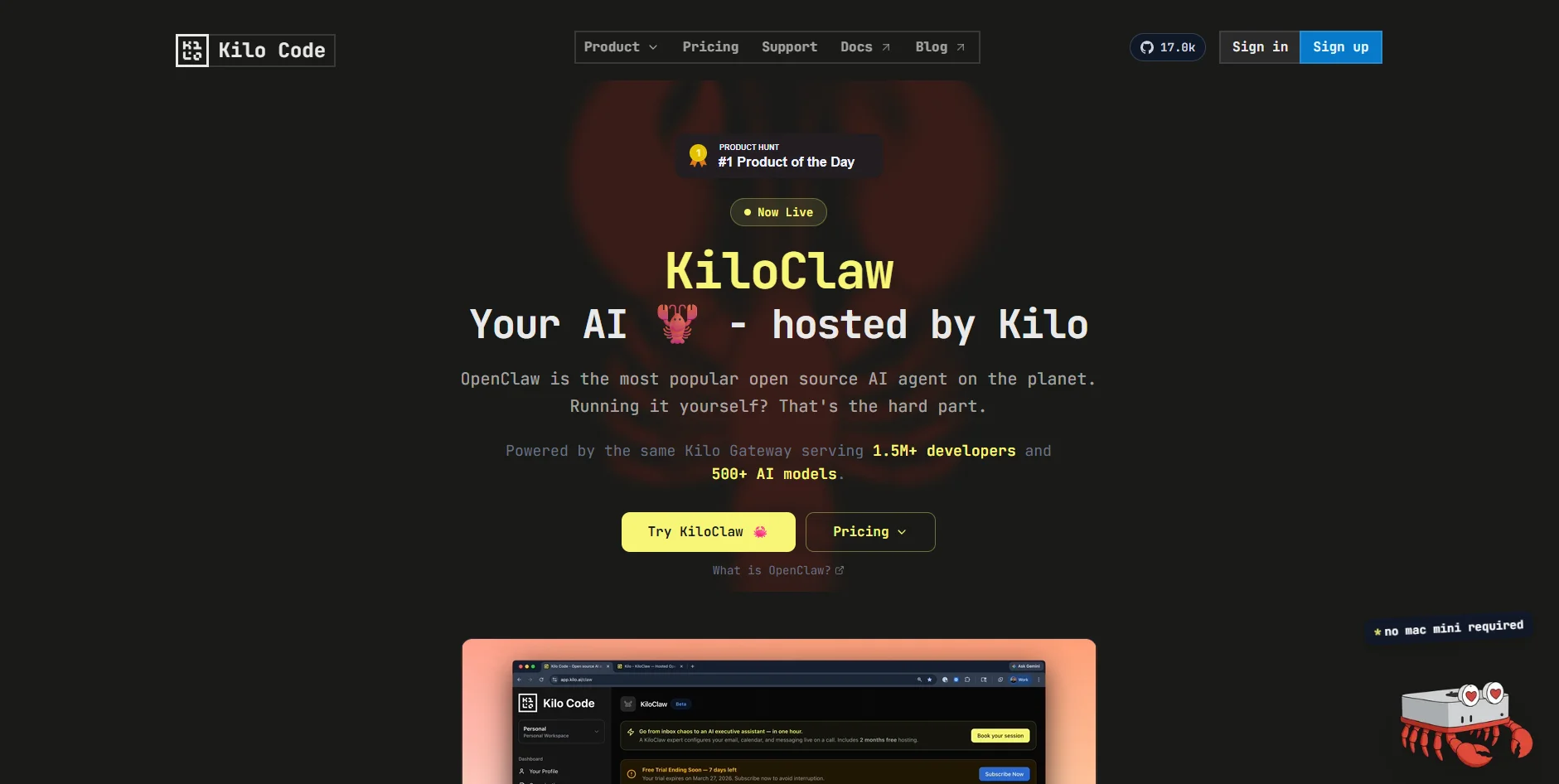
KiloClaw hosts the wildly popular open source OpenClaw AI agent for anyone who wants real agents that act on their behalf without running servers. Instead of wrestling with SSH, Node.js versions, and monitoring, users click once in the browser and get a production OpenClaw instance backed by Kilo’s Gateway infrastructure, which already serves over a million developers and connects to hundreds of frontier and open models.
KiloClaw sits at the intersection of a wildly popular open source agent and serious hosted infrastructure. Instead of offering yet another proprietary chat UI, it gives users managed access to “real” OpenClaw, with its shell commands, browser control, and multi channel integrations, while Kilo handles uptime, scaling, and security. The tight link to Kilo Gateway provides hundreds of models, unified billing, and enterprise grade controls, and tools like Kilo’s own agent benchmark help teams choose models that suit practical tasks instead of synthetic leaderboards.
KiloClaw offers a quick route from idea to always on OpenClaw agent for developers and teams who care more about workflows than servers. It keeps the power and extensibility of the original open source agent while stripping away most of the operational risk and tedium of self hosting. Some advanced users will still prefer running their own boxes for maximum control, but for many builders, especially those already inside the Kilo ecosystem, this service hits a very appealing balance of convenience, flexibility, and cost transparency.
Who is Using KiloClaw?
Indie developers and tinkerers
Spinning up personal OpenClaw agents for multi platform chat bots and assistants.
Startup engineering teams
Offloading hosting so they can focus on product features instead of deployment pipelines and monitoring.
Enterprise innovation groups
Trialing internal agents for support triage, workflow automation, and knowledge access without committing infra teams.
Agencies and consultants
Running client specific Slack or Discord agents for reporting, alerts, and recurring research tasks.
Developer education providers
Teaching modern agent patterns without asking students to self host OpenClaw on their own servers.
Uncommon Use Cases
Community moderators wiring bots into public servers for FAQ handling; solo founders running concierge style agents that watch email and calendar.
Key Features
Rating Breakdown
Pricing Plans
Standard
$4 for the first month, then $9 per month
- Includes a 1-week free trial, no credit card required, and cancel-anytime monthly billing
Commit
$8 per month
- Includes a 1-week free trial, no credit card required, 6-month commitment billed as $48 upfront, and 11% savings versus Standard
Which KiloClaw plan should you pick?
Existing users should use the Standard plan; KiloClaw is end of life and unavailable to new users, so there is no upgrade path.
Standard
Good for existing individual users who need one managed OpenClaw instance with hosted infrastructure and separately billed AI inference.
KiloClaw Use Cases
Email automation
Triage inboxes, draft replies, archive low-priority threads, and send scheduled follow-ups.
Outcome: Less manual inbox work and faster responses.
Repository management
Connect GitHub to monitor pull requests, issues, CI status, and code changes.
Outcome: A development companion that can act on repository tasks.
Scheduled research
Run recurring research tasks such as monitoring competitors, news, or product mentions.
Outcome: Regular digests and alerts without manual polling.
Task tracking
Connect Linear or other task tools to review assignments, update statuses, and flag blockers.
Outcome: Task management through natural-language instructions.
Daily briefings
Combine calendar, email, task, repository, weather, and news data into a scheduled briefing.
Outcome: A personalized briefing delivered through Kilo Chat or connected messaging platforms.
Workflow Ideas with KiloClaw
Daily engineering standup summary
- 1Create a weekday scheduled trigger.
- 2Ask the agent to summarize overnight Slack activity and open pull requests.
- 3Deliver the summary through Kilo Chat or Slack.
Client email response workflow
- 1Connect Gmail or Google Workspace.
- 2Trigger the agent when a client asks about pricing.
- 3Draft a reply using the standard pricing document and wait for approval.
GitHub push automation
- 1Create a KiloClaw webhook.
- 2Connect it to a GitHub repository push event.
- 3Ask the agent to summarize changes, run checks, or notify a channel.
How KiloClaw fits into your stack
Browser
KiloClaw runs as a hosted web interface accessed from the Kilo dashboard, with browser automation and web search available to the agent.
Team chat and tickets
The agent can communicate through Kilo Chat and connected Telegram, Slack, or Discord channels.
Automation and APIs
Webhook and scheduled triggers start agent tasks from external events or recurring schedules.
Desktop / IDE
A KiloClaw chat panel can be used inside the Kilo Code VS Code extension while the hosted agent runs remotely.
Knowledge and files
The agent works with persistent workspace files and connected sources such as GitHub repositories and Google Workspace documents.
Pros
- +Huge time savings on setup: Cuts typical self hosting effort from 30 to 60 minutes down to roughly a minute.
- +Production readiness out of the box: Auto restart, monitoring, and managed updates reduce silent failures and late night outages.
- +Model and billing flexibility: Zero markup on tokens, unified billing, and support for both Kilo credits and bring your own keys.
- +Strong fit for fast experimentation: Seven day free trial with full features lowers the risk of trying serious agent workflows.
- +Integrated with Kilo ecosystem: Uses the same login, credits, and org features as Kilo Code and Kilo Gateway.
Cons
- −Less control than self hosting: No low level SSH or OS access, which can frustrate power users with niche requirements.
- −Model menu still maturing: The gateway supports hundreds of models, but only a curated subset is currently wired into Claw’s UI.
- −Early product rough edges: Some users report crashes or hiccups on first setup that still require support tickets.
Limitations & when to consider alternatives
Known limitations
- End-of-life product. The official pricing documentation says KiloClaw is unavailable to new users and support is ending.
- No SSH access. Direct SSH access to KiloClaw instances is disabled.
- Limited scheduled triggers. Each instance supports up to five scheduled triggers and one webhook.
- Fixed instance resources. Each instance has 2 shared vCPUs, 3 GB RAM, and 10 GB persistent SSD storage.
- Trigger actions may run automatically. Triggers send prompts directly to the agent, which can execute actions automatically if permissions allow them.
Look elsewhere when
- You need a currently available product for new users.
- You need SSH-based server administration.
- Your workflow requires more than five scheduled triggers per instance.
How to Use KiloClaw
- 1
Create or access an instance
Use the KiloClaw dashboard to provision or open the managed OpenClaw instance.
- 2
Choose a chat channel
Use built-in Kilo Chat or connect Telegram, Discord, or Slack for messaging.
- 3
Connect services
Configure integrations such as Google Workspace, GitHub, Linear, 1Password, or Composio.
- 4
Customize the agent
Give feedback about tone, priorities, and boundaries so the agent updates its SOUL.md and briefing behavior.
- 5
Add automation
Create scheduled triggers or webhooks to run recurring tasks or respond to external events.
- 6
Review and approve actions
Inspect drafts, trigger history, and permissions before allowing the agent to send messages or perform external actions.
Who is KiloClaw For?
Software developers
KiloClaw connects to repositories, reviews code, pushes commits, and opens pull requests.
Engineering teams
Teams can automate repository monitoring, CI notifications, issue tracking, and scheduled standup summaries.
Business and operations teams
The use-case catalog includes inbox triage, invoicing, ecommerce fulfillment, real-estate operations, and project tracking.
Marketing and creative professionals
Documented use cases include social scheduling, campaign research, design preparation, and video editing.
Researchers and academics
KiloClaw supports scheduled research tasks, scientific-literature triage, and academic research workflows.
Frequently Asked Questions
Is KiloClaw still available to new users?
The official pricing documentation says KiloClaw is end of life, unavailable to new users, and no longer supported.
How does KiloClaw pricing work?
KiloClaw uses Kilo Gateway credits by default. BYOK users are billed directly by their model provider.
How many scheduled triggers can an instance have?
Each instance supports up to five scheduled triggers plus one webhook.
Can KiloClaw connect to external services?
Yes. Documented integrations include GitHub, Google Workspace, Linear, Composio, 1Password, Brave Search, and AgentCard.
Can I access the instance through SSH?
No. SSH access is disabled for all KiloClaw instances.
What happens when an instance is destroyed?
Destroying an instance permanently deletes its files, configuration, workspace, and other data.
Community reviews
Be the first to share your experience.
Sign in to leave a review for KiloClaw.
KiloClaw Alternatives
Looking for alternatives to KiloClaw? Here are similar tools in the same category:
Learn to Master KiloClaw
With Skill Leap courses
Get in-depth training on KiloClaw and 50+ other AI tools with our expert-led video courses.
Start 7-Day Free Trial