KindredMind
Familiar-voice phone companionship for older adults navigating dementia.
Key Takeaways
- What it is
- Familiar-voice phone companionship for older adults navigating dementia.
- Pricing
- $99 per month · $169 per month · $249 per month
- Best for
- KindredMind Voice
- KindredMind Presence
- Call summaries and alerts
- Rating
- 4.1/5
What is KindredMind?
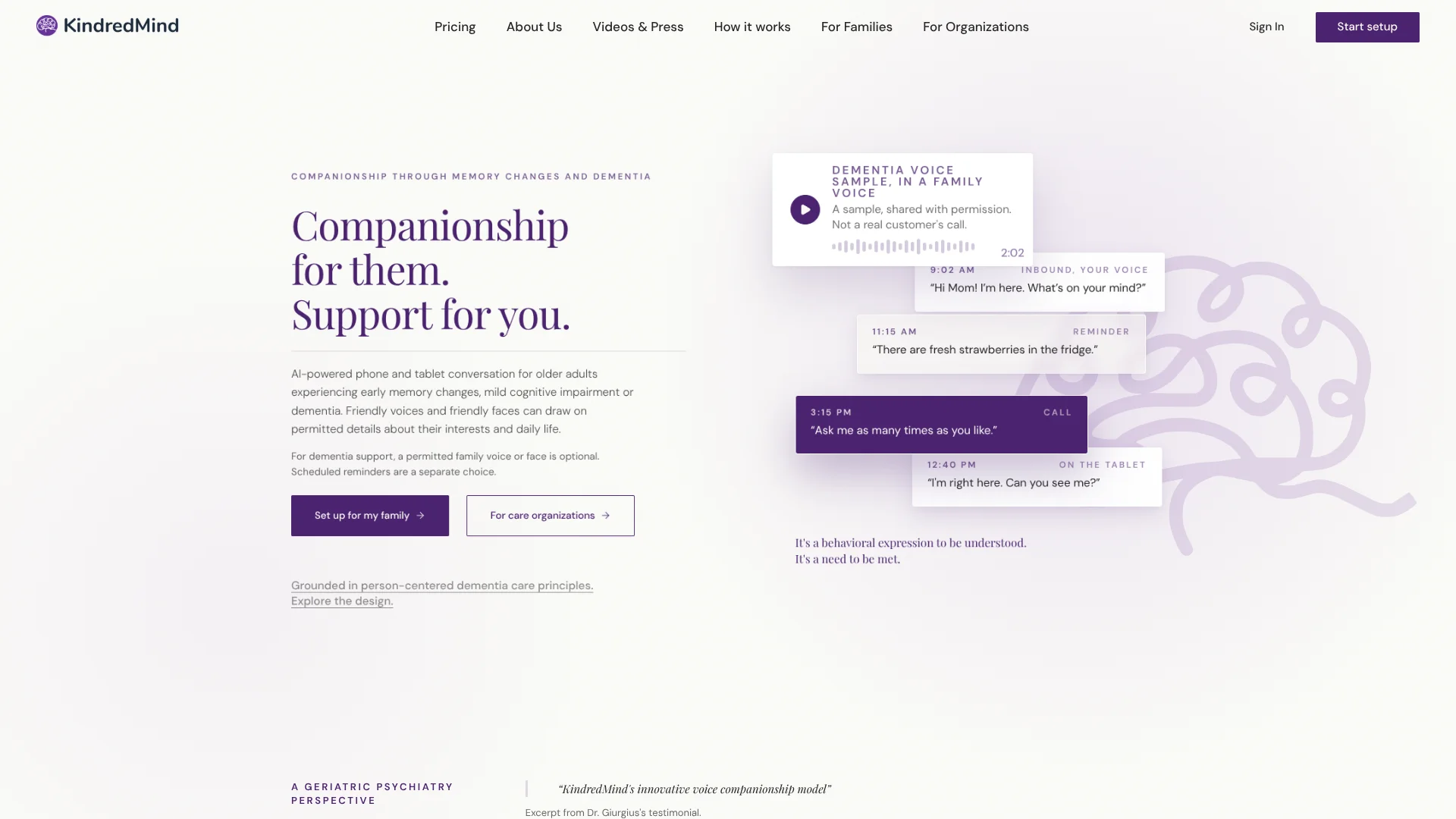
KindredMind answers phone calls with a warm AI companion for older adults experiencing memory changes or dementia. Families can choose a friendly voice or, with the speaker’s permission, a familiar family voice. The service is designed for people who may call repeatedly or need conversation during the day, while giving caregivers call summaries and alerts to help them decide when to follow up.
A distinctive feature is that a loved one can call the phone they already use and hear a permitted family voice, while the caregiver receives a summary of the conversation. KindredMind also offers Presence, a conversational face on a tablet, for people who prefer seeing someone as they talk.
KindredMind is best suited to families looking for regular companionship and reassurance, not medical monitoring. It does not replace human care or emergency services, so it works best as support between conversations and visits with people who know the older adult.
Who is Using KindredMind?
Family caregivers
Call summaries and alerts help them keep up with conversations and decide when to check in.
Long-distance adult children
A familiar voice can offer companionship when they cannot be physically present.
Dementia care coordinators
The phone and tablet options give families different formats to consider for companionship.
Caregivers managing daily routines
Scheduled reminders can prompt a loved one about meals, medicine, appointments, or visits.
Uncommon Use Cases
A permitted family voice can provide familiar conversation in a loved one’s chosen language; a tablet companion can offer a visible presence during quiet parts of the day.
Key Features
Rating Breakdown
Pricing Plans
Essential
$99 per month
- 4 hours, or 240 minutes, per month
- Yearly billing is $990 per year, with 2 months free
- 14-day free trial; no card needed
Standard
$169 per month
- 8 hours, or 480 minutes, per month
- Includes Conversation Insights, a weekly digest, and Auto-Schedule
- Yearly billing is $1,690 per year, with 2 months free
Complete
$249 per month
- 12 hours, or 720 minutes, per month
- Includes 30 scheduled reminders per month
- Yearly billing is $2,490 per year, with 2 months free
Reminders add-on
- Scheduled reminders can arrive by call, text, or email.
Which KindredMind plan should you pick?
Start with Essential for a smaller monthly call allowance, then consider Standard or Complete if the loved one needs more conversation time or their added features.
Essential
Good for families who want the core phone companion and 4 hours of conversation each month.
Standard
Good for families who need 8 hours monthly plus Conversation Insights and Auto-Schedule.
Complete
Good for families who need 12 hours monthly and 30 scheduled reminders per month.
KindredMind Use Cases
Reassurance between family calls
For a loved one who makes repeated calls, Voice can answer with a patient conversation while the caregiver is unavailable.
Outcome: The loved one gets a response, and the caregiver receives a call summary and alerts.
Companionship on a tablet
A visible conversational face gives someone who prefers face-to-face interaction a way to talk on a tablet.
Outcome: Conversation is available when they touch or pick up the tablet.
A familiar family voice
With permission from the person whose voice is used, dementia support can include a voice the loved one recognizes.
Outcome: Calls can feel more familiar to the person receiving them.
Routine reminders
Scheduled prompts cover everyday tasks such as meals, medicine, and appointments.
Outcome: Reminders arrive by call, text, or email.
Workflow Ideas with KindredMind
Set up phone companionship
- 1Complete the guided setup and choose the conversation model.
- 2Select a friendly voice or arrange a permitted family voice.
- 3Review call summaries and alerts as they arrive.
Add tablet companionship
- 1Choose Presence for a loved one who prefers a visible companion.
- 2Set it up on an iPad or Android tablet they already own.
- 3Let them start a conversation by touching or picking up the tablet.
Schedule a daily reminder
- 1Choose the reminder and its schedule.
- 2Select delivery by call, text, or email.
- 3Review caregiver notifications when a response asks for help.
How KindredMind fits into your stack
Existing phones
Voice works with a cell phone, landline, or big-button phone, so the older adult does not need a new phone or an app.
Tablet conversations
Presence runs on an iPad or Android tablet the family already owns and provides a visible companion for conversation.
Caregiver updates
Call summaries and alerts give family members information about conversations and potential follow-up needs.
Routine prompts
Reminders handles scheduled prompts separately from longer companionship conversations, using calls, texts, or email.
Pros
- +Works with familiar devices: Voice uses an existing cell phone, landline, or big-button phone.
- +Familiar voice option: A family member’s voice can be used for dementia support with that person’s permission.
- +Caregiver updates: Call summaries and alerts provide a view of conversations without keeping full call audio.
- +Flexible conversation format: Families can choose phone calls or a visible tablet companion.
- +Multiple languages: The companion supports 15 languages for conversations.
Cons
- −Specialized purpose: KindredMind focuses on companionship and reminders rather than general AI tasks.
- −High monthly cost: Paid plans start at $99 per month, which may be a lot for occasional use.
- −Setup takes family involvement: A caregiver needs to arrange the experience and provide any personal details or voice permission.
Limitations & when to consider alternatives
Known limitations
- Not a medical or emergency service. KindredMind says it does not diagnose, treat, or monitor anyone and is not an emergency service.
- Conversation minutes are capped. Each plan includes a set number of monthly minutes; extra minutes cost extra if the account holder allows them.
- Presence needs a tablet. The tablet companion requires an iPad or Android tablet.
- Not a replacement for human care. KindredMind is designed to complement caregivers and does not replace physical presence or the care relationship.
Look elsewhere when
- You need a medical monitoring or emergency-response service.
- You want a general-purpose AI tool for work, writing, or research.
- Your loved one needs hands-on care that a phone or tablet companion cannot provide.
How to Use KindredMind
- 1
Choose a format
Decide whether phone conversation through Voice, tablet conversation through Presence, or separate Reminders best fits the person’s routine.
- 2
Complete guided setup
Follow the setup process to prepare the companion and choose the appropriate care model.
- 3
Choose the voice or face
Select a friendly option, or arrange a familiar adult family voice or face for dementia support with that person’s permission.
- 4
Set the conversation schedule
Choose scheduled calls where available, or use Presence for conversations started on the tablet.
- 5
Add reminders if needed
Set separate call, text, or email reminders for routines such as meals and appointments.
- 6
Review caregiver updates
Check call summaries and alerts to decide whether the loved one needs human follow-up.
Who is KindredMind For?
Families navigating dementia
Call companionship and optional familiar voices can offer reassurance when family members cannot answer every call.
Families supporting early memory changes
Voice or tablet conversations and separate scheduled reminders can add structure and company to the day.
Care organizations
KindredMind offers phone and tablet companionship for older adults receiving support.
Frequently Asked Questions
Is there a free plan?
KindredMind offers a 14-day free trial with no card needed, rather than a permanent free tier.
How much do the plans cost?
Essential is $99 per month, Standard is $169 per month, and Complete is $249 per month. Yearly billing is also offered.
Does my loved one need a new phone or tablet?
No. Voice works with a cell phone, landline, or big-button phone. Presence uses an iPad or Android tablet.
What languages does KindredMind support?
The companion supports 15 languages for conversation.
Can KindredMind replace a caregiver or emergency service?
No. It is not a medical device or emergency service, and it is meant to complement human care.
Community reviews
Be the first to share your experience.
Sign in to leave a review for KindredMind.
KindredMind Alternatives
Looking for alternatives to KindredMind? Here are similar tools in the same category: