
Kinovi
Direct cinematic clips from prompts and references.
Key Takeaways
- What it is
- Direct cinematic clips from prompts and references.
- Pricing
- Freemium · $14.99 one-time · $99.99 one-time
- Best for
- Multimodal, reference-driven workflow
- @-Tag shot direction
- Short-form AI video generation
- Rating
- 4.1/5
What is Kinovi?
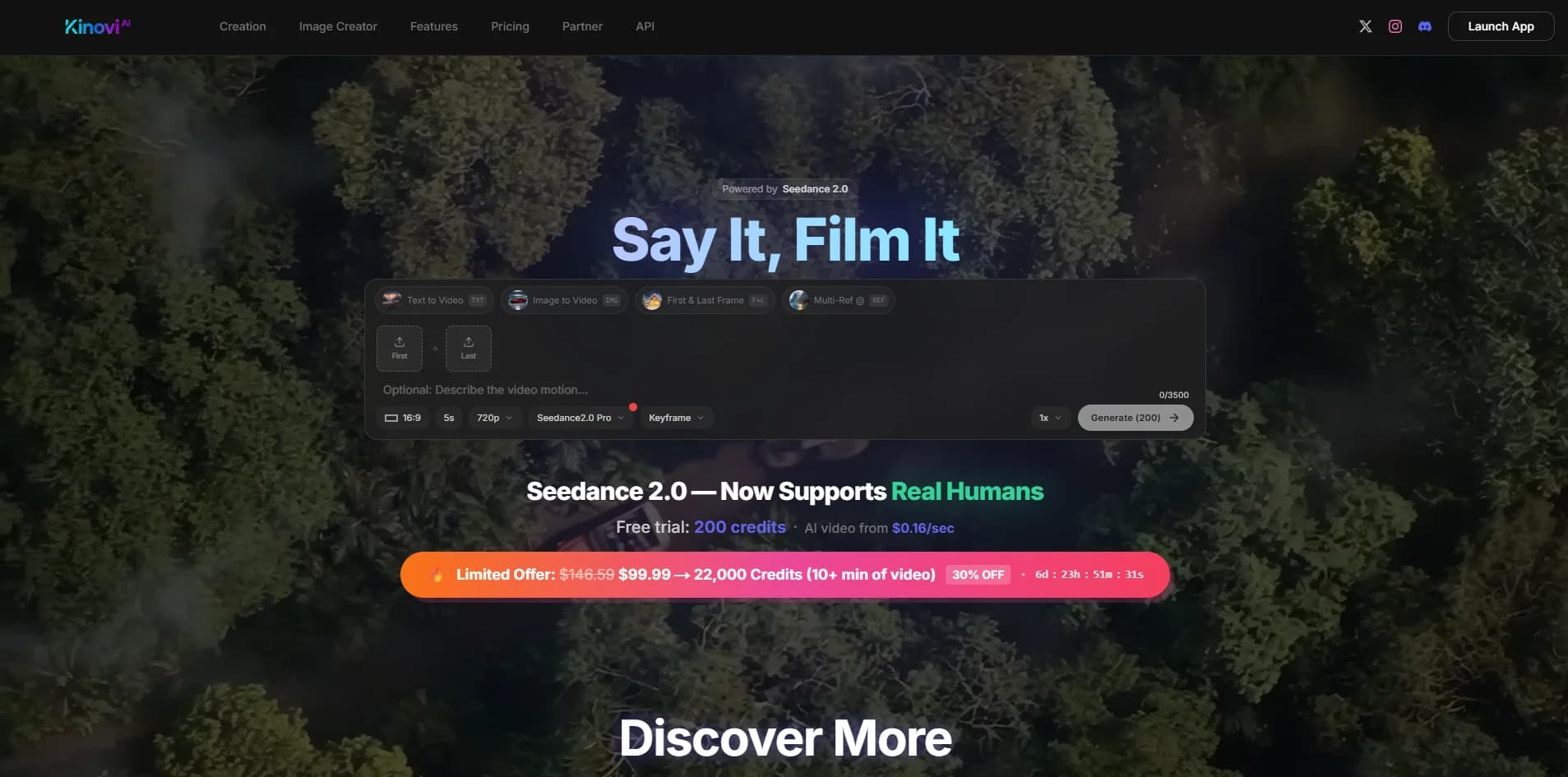
Kinovi is an AI video studio that turns short prompts and visual references into directed, cinematic clips. Built on Seedance 2.0, it focuses on reference-driven creation: users combine text, images, video, and audio, then “direct” the model with tags and shot instructions. It also includes AI image generation, making it suitable both for quick social content and more polished previsualization work.
Kinovi stands out by treating AI video as a directing task rather than a magic prompt box. The multimodal reference stack, @-tag instructions, and First & Last Frame controls make it feel closer to a virtual camera crew built on Seedance 2.0, rather than a generic generator. Add in non-expiring credits, strong commercial positioning, and a hard ban on NSFW, and the tool caters clearly to serious creators who care about control, rights, and repeatable workflows.
Kinovi offers a reference-rich, director-focused take on AI video generation that will appeal to filmmakers, agencies, and serious creators who want more than lucky prompts. Its short-clip focus and Seedance 2.0 backbone give it strong visual quality, while the @-tag and multi-reference workflow provide a surprising amount of shot control for an online tool. Those comfortable managing credits and assembling sequences in an editor will find it a powerful, future-facing addition to their production toolkit.
Who is Using Kinovi?
Indie Filmmakers and Directors
Using it to block out shots, experiment with camera moves, and generate previz for pitches.
Marketing and Creative Agencies
Producing short product spots, social hooks, and animated explainers without full live-action crews.
Content Creators and Influencers
Generating stylized B-roll, intros, and transitions for platforms such as TikTok, YouTube, and Instagram.
Game, VFX, and Animation Teams
Rapidly sketching cinematic ideas, mood pieces, and motion tests before committing to full production.
Uncommon Use Cases
Utilized by educators to demonstrate framing and camera language in film or media courses; adopted by product and UX teams to prototype motion graphics and launch visuals.
Key Features
Rating Breakdown
Pricing Plans
Free
Free
- Includes 200 credits on sign up, all AI generation features, no watermark, and commercial use allowed
Starter Pack
$14.99 one-time
- Includes 3,000 credits, all AI generation features, no watermark, commercial use allowed, and credits never expire
XL Pack
$99.99 one-time
- Includes 22,000 credits, all AI generation features, no watermark, full commercial license, credits never expire, and the best value per credit
Which Kinovi plan should you pick?
Start with Starter for testing or a small project, upgrade to XL or Studio for recurring production, and use Enterprise for custom volume and invoicing.
Starter
Good for creators who need 2,150 credits to test models or finish a small project.
XL
Good for users who need 21,500 credits for ongoing production and repeated model testing.
Studio
Good for teams and high-volume production workflows needing 215,000 credits.
Enterprise
Good for organizations needing custom volume, invoicing, and a tailored setup.
Kinovi Use Cases
AI video generation
Generate text-to-video, image-to-video, and video-to-video content.
Outcome: Produce short AI-generated video clips.
Image creation and editing
Generate and edit images using multimodal references and published image models.
Outcome: Create or restyle visual assets.
Multi-shot storytelling
Build sequences with character consistency across multiple scenes.
Outcome: Create longer narrative video concepts.
API-based media production
Submit generation tasks and check task status through the REST API.
Outcome: Integrate media generation into applications and workflows.
Audio and music generation
Use supported audio models for music, samples, remixes, and sound effects.
Outcome: Add generated audio to creative projects.
Workflow Ideas with Kinovi
Create a video in Studio
- 1Choose a video model
- 2Provide a prompt and supported reference inputs
- 3Generate and review the resulting clip
Automate generation with the API
- 1Create a Kinovi API key
- 2Submit a model and inputs to createTask
- 3Poll recordInfo using the returned task ID
Extend a video sequence
- 1Upload an existing reference video
- 2Describe how the motion should continue
- 3Choose the additional duration and generate the extension
How Kinovi fits into your stack
Browser
Kinovi Studio is an online workspace for generating video, images, and audio through a browser-based interface.
Automation and APIs
The REST/OpenAPI layer exposes model routes, API keys, task creation, and task-status polling for production workflows.
Knowledge and files
Users can provide photos, images, GIFs, videos, and other supported content as inputs for AI processing.
Pros
- +Fine-grained creative control: Multimodal references plus @-tagging give directors far more control over camera feel, composition, and rhythm than typical “prompt-only” text-to-video tools.
- +Production-friendly clip lengths: The 4–15 second range is ideal for shots, ads, hooks, and B-roll that can be stitched into longer edits in any NLE.
- +Commercial-ready output: No watermark on paid generations, with commercial use and a full commercial license on higher credit packs.
- +One-time, non-expiring credits: Starter and XL packs are one-off purchases that never expire, which suits studios and freelancers who work in bursts.
- +Fast iteration for short clips: Marketing claims of generation in under 5 seconds for some cases make it practical for rapid ideation and A/B testing.
- +Image and video in one place: Having both image and video generation under a single credit system simplifies budgeting.
Cons
- −Credit model can add up: Per-second pricing means heavy experimentation or many long shots can become expensive compared with some flat subscription tools.
- −Short-clip focus only: Those needing longer continuous sequences must plan multi-shot storyboards and handle stitching externally.
- −Some learning curve: The @-tag workflow and reference management feel more like a lightweight directing toolkit than a casual “one-button” video toy.
Limitations & when to consider alternatives
Known limitations
- API media retention. Generated media and uploaded media sent through the API are retained for two months, then permanently deleted.
- Created-content retention. The privacy policy says created content is stored for seven days in the application.
- Video duration limits. The Studio interface lists video generation up to 30 seconds, while some extension workflows use 4–15 second clips.
- Credits are non-transferable. Credits cannot be sold, transferred, exchanged, or redeemed for cash.
- Purchases are generally non-refundable. Credit purchases are final except for specified technical, duplicate-charge, service-failure, or legal exceptions.
Look elsewhere when
- You need a native iOS or Android application.
- You need a desktop installer for Windows, macOS, or Linux.
- You need named third-party integrations such as Slack, Zapier, or Notion.
- You need fine-tuning or training on your own data.
How to Use Kinovi
- 1
Open the Studio
Use Kinovi in the browser to create videos and images without writing code.
- 2
Choose a model
Compare model IDs, supported inputs, variants, and current rates in the Models directory.
- 3
Add references or prompts
Provide the model-supported text, image, video, or audio inputs for the generation.
- 4
Generate and manage results
Run the job, review the output in the Studio gallery, and retry failed generations when available.
- 5
Automate with the API
Create an API key, submit jobs through createTask, and poll recordInfo for status and output.
Who is Kinovi For?
Creators
Creators can generate videos, images, audio, characters, and visual assets in the browser.
Developers
Developers can integrate public model routes through the REST API and automate generation jobs.
Teams
Teams can use larger credit packages for high-volume production workflows.
Frequently Asked Questions
What is Kinovi?
Kinovi is a web-based AI video and image studio with public REST API access to model routes.
Can I use Kinovi without coding?
Yes. The Web Studio lets users create AI videos and images in the browser without writing code.
How does the public API work?
Submit a model and its supported inputs to createTask, then poll recordInfo using the returned task ID.
How does pricing work?
Kinovi uses pay-as-you-go credit packs. Studio and API generation share the same credit balance.
Do purchased credits expire?
Purchased credits do not expire while the platform remains operational.
Can I use generated content commercially?
Kinovi's FAQ includes commercial-use guidance, while its terms state that users retain intellectual-property rights to uploaded and created content.
Community reviews
Be the first to share your experience.
Sign in to leave a review for Kinovi.
Kinovi Alternatives
Looking for alternatives to Kinovi? Here are similar tools in the same category:
Learn to Master Kinovi
With Skill Leap courses
Get in-depth training on Kinovi and 50+ other AI tools with our expert-led video courses.
Start 7-Day Free Trial