Kits AI
Royalty-free AI singing voices for producers, vocalists, and music creators.
Key Takeaways
- What it is
- Royalty-free AI singing voices for producers, vocalists, and music creators.
- Pricing
- Freemium · $10 per month · $30 per month · $60 per month
- Best for
- Voice Conversion
- Voice Cloning
- Lead Vocal Generator
- Rating
- 4.2/5
What is Kits AI?
Kits AI helps singers, producers, and content creators turn recorded audio, lyrics, or melodies into polished AI vocals. Its main workspace supports voice conversion, custom voice creation, vocal cleanup, harmonies, stem separation, mastering, and AI-generated lead vocals, so it fits directly into music and voiceover workflows.
Kits AI lets artists create and use voice models built from licensed vocalist data, including Community Voices whose creators receive compensation for downloads. That gives producers access to royalty-free singing voices while keeping the artist relationship visible in the workflow.
Kits AI is best for people making songs, vocal demos, remixes, voiceovers, or production sketches. It is less suited to teams seeking shared workspaces, business integrations, or a native mobile app. The strongest reason to choose it is its focus on turning musical ideas into usable vocal audio.
Who is Using Kits AI?
Singer-songwriters
Turn lyrics, humming, or rough melodies into lead-vocal ideas and test different vocal identities.
Music producers
Prototype toplines, convert guide vocals, create harmonies, and move rendered audio into a DAW.
Vocal editors
Remove noise, isolate stems, repair performances, adjust pitch, and prepare vocals for a mix.
Voiceover creators
Create spoken audio with Kits speaking voices or convert recorded speech into another supported voice.
Audio software developers
Build Kits voice conversion and vocal separation into products through API tokens and documented endpoints.
Uncommon Use Cases
Test a song in several vocal styles before hiring a vocalist; create alternate vocal textures for remixes and arrangement experiments.
Key Features
Rating Breakdown
Pricing Plans
Free
Free
- 15 conversion minutes per month
- 0 voice slots
- 0 download minutes
- Voice Designer or Blender and Kits generative vocals
Starter
$10 per month
- 60 conversion minutes per month
- 2 voice slots
- 15 download minutes per month
- Instant and Professional Voice Cloning
- Advanced settings and Choir tool
Producer
$30 per month
- Unlimited conversion minutes
- Unlimited voice slots
- 60 download minutes per month
- High-fidelity model quality
- Everything in Starter
Professional
$60 per month
- Unlimited conversion minutes
- Unlimited voice slots
- Unlimited download minutes
- High-fidelity model quality
- Everything in Producer
Which Kits AI plan should you pick?
Start with Starter for custom voice experiments and occasional downloads, move to Producer for regular music work, and choose Professional when unlimited downloads matter.
Free
Good for testing voice design, generative vocals, and 15 minutes of conversion without downloading finished audio.
Starter
Good for creators who need two voice slots, voice cloning, advanced settings, the Choir tool, and 15 download minutes per month.
Producer
Good for active musicians who need unlimited voice slots, unlimited conversion minutes, high-fidelity models, and 60 download minutes per month.
Professional
Good for pro producers and organizations that need unlimited voice slots, unlimited conversions, and unlimited download minutes.
Kits AI Use Cases
Vocal demo production
A rough lyric or melody becomes a sung lead-vocal sketch in a chosen style.
Outcome: A downloadable vocal stem or a working idea inside Kits Studio.
Voice conversion
An existing singing or speaking performance takes on the tone of a selected Kits voice.
Outcome: A new vocal version that keeps the source performance while changing its voice.
Custom artist voice
Your vocal recordings become a reusable voice model for testing songs, harmonies, or narration.
Outcome: A personal AI voice that can be selected for future projects.
Vocal cleanup and separation
Mixed audio is processed to isolate vocals, remove noise, separate stems, or improve clarity.
Outcome: Cleaner vocal material ready for editing or mixing.
Voice technology development
Developers connect their applications to Kits voice conversion, voice blending, and vocal removal endpoints.
Outcome: Kits audio generation inside a custom product or workflow.
Workflow Ideas with Kits AI
Song demo workflow
- 1Enter lyrics in the Lead Vocal Generator.
- 2Add a melody, backing track, or style description.
- 3Audition two takes and continue editing the chosen vocal in Kits Studio.
Voice conversion workflow
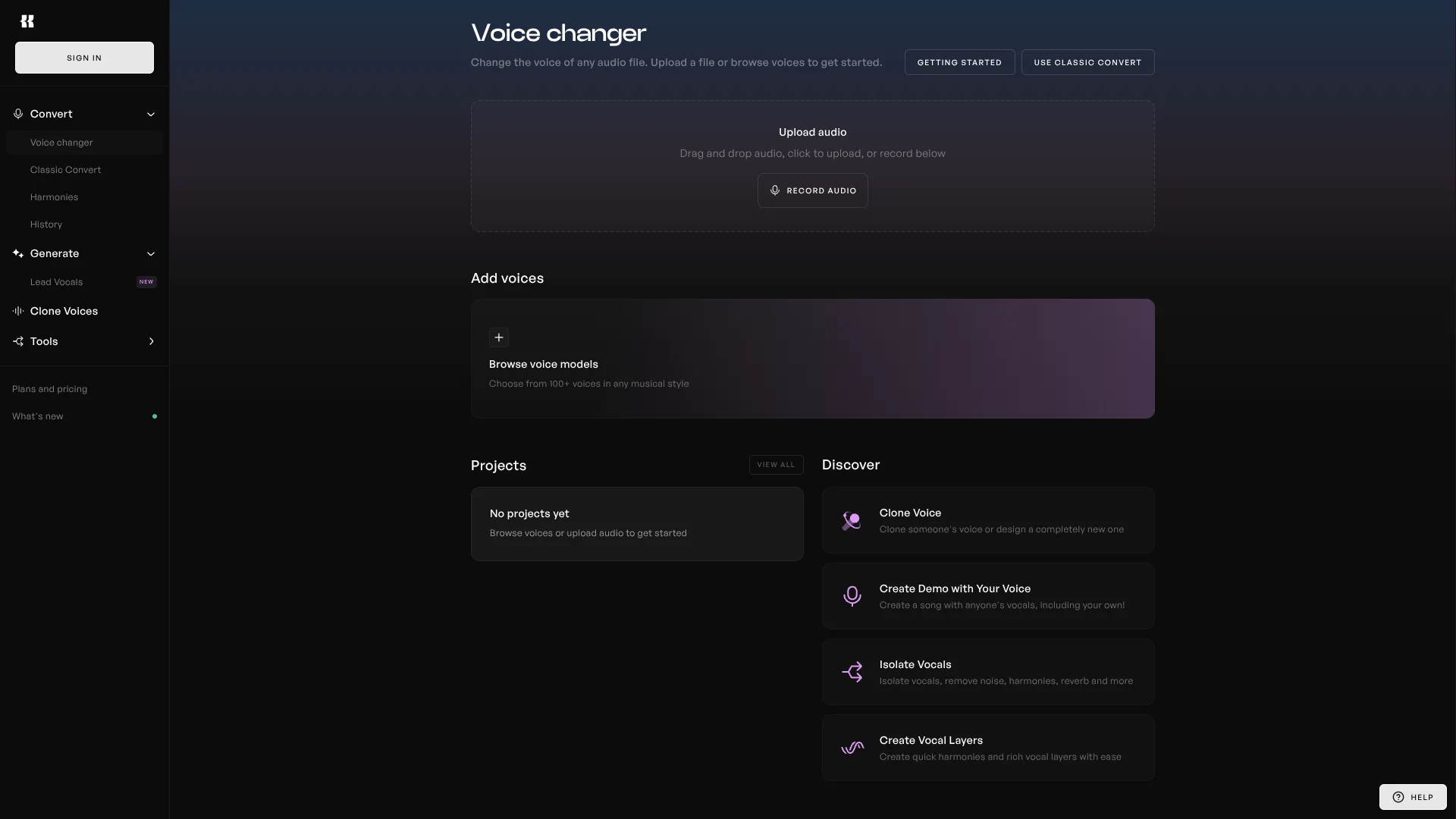
- 1Open a new Kits Studio project and upload a vocal file.
- 2Choose a voice from the Kits library or Community Voices.
- 3Adjust the result, compare settings, and download the finished audio.
Developer integration workflow
- 1Create a Kits API token from the API page.
- 2Read the documentation for voice conversion, blending, or vocal removal endpoints.
- 3Send audio jobs from your application and retrieve the processed output.
How Kits AI fits into your stack
Kits Studio
The web workspace is where vocal conversion, voice selection, voice creation, harmonies, and audio tools come together.
Desktop and DAW work
The Windows desktop app supports drag-and-drop movement into digital audio workstations, making Kits useful during arrangement and mixing.
Files and audio inputs
Kits processes uploaded vocals, instrumental tracks, melodies, lyrics, and other audio inputs depending on the selected tool.
Developer stack
The Kits API adds voice conversion, voice blending, vocal removal, and custom voice processing to applications through API tokens.
Voice library
Royalty-free Kits voices, Community Voices, AI instruments, and custom models supply different vocal colors for songs and spoken audio.
Pros
- +Music-first workflow: Built around singing, vocal editing, voice conversion, and production tasks.
- +Licensed voice library: Community Voices are sourced from participating artists with compensation tied to downloads.
- +Custom voice creation: Paid plans support Instant Voice Cloning, Professional Voice Cloning, Voice Designer, and Voice Blender.
- +Desktop workflow: The Windows app supports drag-and-drop work with digital audio workstations.
- +Developer access: The API provides self-serve tokens and documented audio endpoints.
Cons
- −Download limits: Lower plans restrict how many minutes of generated audio you can download each month.
- −Music-specific focus: The product is more useful for vocal and audio production than for general business content.
- −Rights require care: Commercial use can depend on the voice model, lyrics, uploaded audio, and applicable permissions.
Limitations & when to consider alternatives
Known limitations
- Free plan downloads. The Free plan includes 15 conversion minutes but no download minutes, so finished audio cannot be downloaded under that allowance.
- Unlimited usage policy. Unlimited conversion and download allowances are subject to fair-use rules intended to protect consistent service access.
- Canceled subscriptions. Custom voices remain in the account after cancellation but are frozen and unavailable until the subscription is renewed.
- Output rights. Kits says users are responsible for the rights and permissions covering lyrics, uploaded audio, voice models, and intended commercial use.
Look elsewhere when
- You need a native iOS or Android app for mobile production.
- Your team needs shared projects, user roles, or workspace collaboration.
- Your workflow depends on named third-party integrations beyond DAW drag-and-drop.
How to Use Kits AI
- 1
Choose a starting tool
Open Kits Studio for conversion and editing, or choose Lead Vocal Generator when you are starting from lyrics or a melody.
- 2
Add your audio or lyrics
Upload a vocal, instrumental, backing track, or melody, or enter lyrics and describe the sound you want.
- 3
Select a voice
Choose a Kits voice, Community Voice, instrument model, or your own custom voice slot.
- 4
Shape the result
Try alternate settings, adjust pitch or phrasing, create harmonies, and compare generated takes.
- 5
Edit the production
Clean vocals, separate stems, master the audio, or continue arranging the result in your DAW.
- 6
Download or connect by API
Download finished audio within your plan's allowance, or use the Kits API when the result needs to flow into your own application.
Who is Kits AI For?
Vocalists
Practice, refine, extend, or transform singing performances with pitch, harmony, cleanup, and custom voice tools.
Music Producers
Build vocal demos, test arrangements, and develop tracks before booking a recording session.
Content Creators
Produce narration and voiceovers with a personal voice, a collaborator's voice, or a Kits library voice.
AI Music Developers
Add voice conversion, voice blending, vocal removal, or custom voices to apps through the Kits API.
Frequently Asked Questions
Does Kits AI have a free plan?
Yes. The Free plan includes 15 conversion minutes per month, voice design and blending, and Kits generative vocals. It has no download minutes.
How much does Kits AI cost?
Monthly US pricing is $10 for Starter, $30 for Producer, and $60 for Professional. A Free plan is also available.
Can Kits AI clone my voice?
Yes. Starter and higher plans include Instant Voice Cloning and Professional Voice Cloning, with custom voice slots increasing by plan.
Can I generate singing from lyrics?
Yes. The Lead Vocal Generator turns lyrics and a style description into sung vocals, with optional melody or backing-track guidance.
Does Kits AI offer an API?
Yes. The Kits API provides access to voice conversion, voice blending, vocal removal, and custom voice processing. Text-to-speech functionality has been deprecated from the API.
What happens to custom voices if I cancel?
Your custom voices are not deleted, but they are frozen and unavailable until you renew the subscription.
Community reviews
Be the first to share your experience.
Sign in to leave a review for Kits AI.
Kits AI Alternatives
Looking for alternatives to Kits AI? Here are similar tools in the same category: